1
xp CDR 820/17 eng.
30-08-2001 10:43
Pagina 18
Playing
English
Shuffle and repeat
1
2
1
2
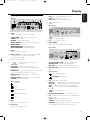
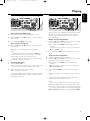
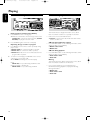
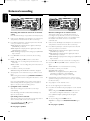
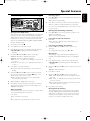
Playing tracks in random order (Shuffle)
Press SHUFFLE before or during play.
➜ All tracks of loaded discs in both changer and recorder
(SHUFFLE ALL) or the tracks in the program (SHUFFLE
PROGRAM) are played in random order.
CDtext display
This feature allows to display information such as album
title or track title contained on a specially encoded CD.
0
Press SHUFFLE again to return to normal play.
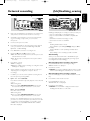
Repeating disc(s), a track or a program
Press REPEAT on the remote control repeatedly during
play to select:
➜ REPEAT TRACK: the current track will be repeated;
➜ REPEAT DISC: the current disc will be repeated;
➜ REPEAT ALL: all discs in the set or all discs/tracks in the
program will be repeated.
0
0
To return to normal play, press REPEAT on the remote
control one or more times until:
➜ The REPEAT label disappears from the display.
18
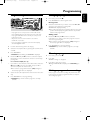
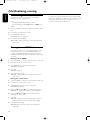
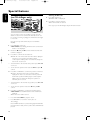
CD text when playback is stopped
Press CD TEXT/edit to see the following information, which
will be scrolled once (if available):
– Album artist’s name
– Album title
CD text during playback
Press CD TEXT/edit to see the following information, which
will be scrolled once (if available):
– Track artist’s name
– Track title
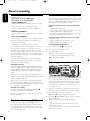
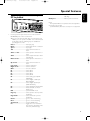
ID3-tag
This feature allows the display of information such as album
title or track title contained on an MP3-track.
Notes:
REPEAT DISC is not possible during SHUFFLE or while
playing a program or an MP3 disc.
REPEAT TRACK is not possible during SHUFFLE.
Make sure to insert a CD with CD text.
➜ CD TEXT is shown and the album title and album artist’s
name is scrolled once.
0
If you created an ID3-tag on your MP3-CD, press
CD TEXT/edit during playback to display the following
ID3-tag information:
– Album title
– Track artist’s name
– Track title