1
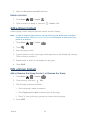
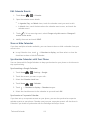
Edit Calendar Events 1. Touch Home > > Calendar. 2. Open the calendar event details. In Agenda, Day, and Week views, touch the calendar event you want to edit. In Month view, touch the date where the calendar event occurs, and touch the calendar event. 3. Touch . If it is a recurring event, select Change only this event or Change all events in the series. 4. Modify the event and touch DONE. Show or Hide Calendars If you have multiple calendars available, you can choose to show or hide a calendar from your current view. ► In any Calendar view, touch > Calendars to display, and then select or clear the check box to show or hide the calendar. Synchronize Calendars with Your Phone You can choose which Google Calendars to keep synchronized on your phone or which ones to stop synchronizing. Synchronizing a Google Calendar 1. Touch Home > > Settings > Google. 2. Touch the account you want to sync with. 3. Select the Calendar check box. 4. Touch Home 5. Touch > > Calendar. > Calendars to display > Calendars to sync. 6. Select the check box next to the calendar to sync and touch OK. Synchronize a Corporate Calendar If you have set up a corporate account on your phone, you can also synchronize corporate calendar events on your phone. Calendar events on your corporate account will also show in Calendar if you chose to synchronize with the Exchange ActiveSync Server. Tools and Calendar 111