1
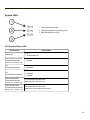
Ctrl LED
2-10
Alt LED
2-11
Power Up
2-12
Tapping the Touch Screen with a Stylus
2-13
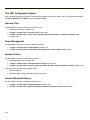
Thor VM1 Configuration Options
2-14
Date and Time
2-14
Power Management
2-14
Speaker Volume
2-14
Connect Bluetooth Devices
2-14
Restart/Shutdown
2-15
Calibrate Touch Screen
2-15
Touch Screen
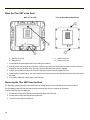
Apply the Touch Screen Protective Film
2-16
Installation
2-16
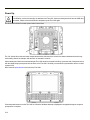
Removal
2-17
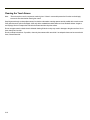
Cleaning the Touch Screen
2-18
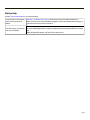
Startup Help
2-19
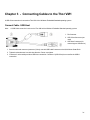
Chapter 3 - Connecting Cables to the Thor VM1
3-1
Connect Cable - USB Host
3-1
Connect Cable - Serial
3-2
Connect a Tethered Scanner
3-2
Connecting an AC/DC Power Supply
3-3
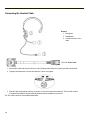
Connecting the Headset Cable
3-4
Adjust Headset / Microphone and Secure Cable
3-5
Connecting Vehicle Power
3-6
Vehicle 10-60VDC Power Connection
Connect Vehicle 10-60VDC
3-6
3-7
Ignition Control
3-8
Auto-On Control
3-9
Manual Control
3-10
VX6 / VX7 Adapter Cable
3-11
Vehicle 72-144VDC Power Connection
Connect Vehicle 72-144VDC
Wiring Diagram
3-12
3-13
3-14
Thor VM1 Screen Blanking
3-15
Screen Blanking Box
3-16
Screen Blanking with Switch
3-17
Fuse
Chapter 4 - Product Agency Compliance - Thor VM1
ii
2-16
3-18
4-1