1
Startup Help
Contact Technical Assistance if you need more help.
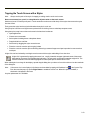
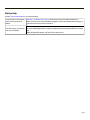
Touch screen is not accepting
stylus taps or needs recalibration.
See Also: "Calibrate Touch Screen" when the touch screen needs recalibration, or
Press Ctrl+Esc to force the Start Menu to appear. Use the tab, backtab and arrow keys to
move the cursor from element to element.
Thor VM1 seems to lockup as
soon as it is rebooted.
There may be slight delays while the wireless client connects to the network, authorization
for voice-enabled applications complete, and Bluetooth relationships establish or re-establish.
When an application begins, the Thor VM1 is ready for use.
2-19