1
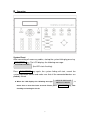
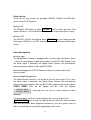
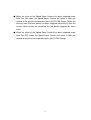
Call upon the Preset Points When the setup of the preset point has been completed, it may be called upon. ►Enter the assigned preset number and press GO PRESET key, the LCD GO PRESET : XXX will display: ,and the Speed Dome will move to that specific preset point. Example: 1st preset point = 1 + GO PRESET 128th preset point = 1 2 8 + GO PRESET Change the Preset Point To change the preset point, use the joystick to move the cursor to the preset point setup selection and change to your desired settings. AUTO PAN The function has numerous groups (every group has numerous setting points) and you have to decide the pan direction and the pan speed for each point. ►Start-up Auto Pan Mode Under Control Mode (assume device=1), when the LCD displays: DEVICE 001 : _ , key in the group number to be setup (Assume group=1, then enter 1), then press AUTO PAN key, the LED of the AUTO DEVICE 001 : PAN lights up , LCD displays , meaning that the AUTOPAN GROUP : 1 setup has been completed. ►Stop Auto Pan Mode Press AUTO PAN key or move joystick, the LED of the AUTO PAN goes off, meaning that the function has been disabled (Please refer to P.8). ►About Auto Pan Mode When Auto Pan Mode has been started, no other operations will function. Unless, when Auto Pan Mode has been disabled. 11