1
Epson Research and Development
Vancouver Design Center
Page 5
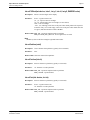
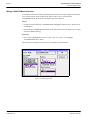
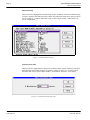
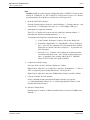
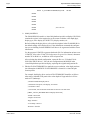
d. In the Value box, type “1”.
e. Click the Set button.
f.
Click the OK button.
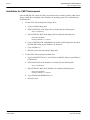
7. Create a new directory S1D13504, under x:\wince300\platform\cepc\drivers\display,
and copy the S1D13504 driver source code into this new directory.
8. Add the S1D13504 driver component.
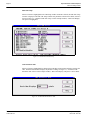
a. From the Platform menu, select “Insert | User Component”.
b. Set “Files of type:” to “All Files (*.*)”.
c. Select the file x:\wince300\platform\cepc\drivers\display\S1D13504\sources.
d. In the “User Component Target File” dialog box, select browse and then select the
path and the file name of “sources”.
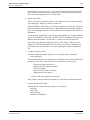
9. Delete the component “ddi_flat”.
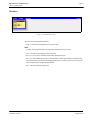
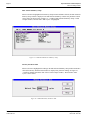
a. In the Workspace window, select the ComponentView tab.
b. Show the tree for MYPLATFORM components by clicking on the ‘+’ sign at the
root of the tree.
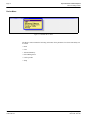
c. Right-click on the ddi_flat component.
d. Select “Delete”.
e. From the File menu, select “Save Workspace”.
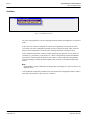
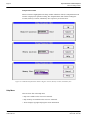
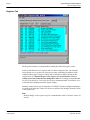
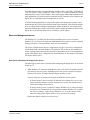
10. From the Workspace window, click on ParameterView Tab. Show the tree for MYPLATFORM Parameters by clicking on the ‘+’ sign at the root of the tree. Expand the
the WINCE300 tree and then click on “Hardware Specific Files” and then double
click on “PLATFORM.BIB”. Edit the file the PLATFORM.BIB file and make the following two changes:
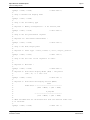
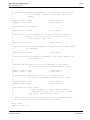
a. Insert the following text after the line “IF ODO_NODISPLAY !”:
IF CEPC_DDI_S1D13X0X
ddi.dll
$(_FLATRELEASEDIR)\S1D13X0X.dll NK SH
ENDIF
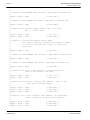
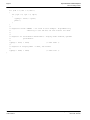
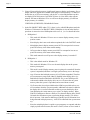
b. Find the section shown below, and insert the lines as marked:
IF CEPC_DDI_FLAT !
IF CEPC_DDI_S1D13X0X!
;Insert this line
IF CEPC_DDI_S3VIRGE !
IF CEPC_DDI_CT655X !
IF CEPC_DDI_VGA8BPP !
IF CEPC_DDI_S3TRIO64 !
IF CEPC_DDI_ATI !
Windows® CE 3.x Display Drivers
Issue Date: 01/05/08
S1D13504
X19A-E-006-01