1
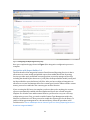
Aero test results and Direct3D capabilities, in addition to links to tasks like changing font settings, color calibration or even disabling the Desktop Window Manager on startup. The Power category gives you detailed battery information, such as rate of charge and “low battery” thresholds. You can enable or disable Hibernation or build an estimate of the machine’s carbon footprint. The Performance category is split into CPU, Memory, Disk and Internet sub-categories. Besides showing tons of details about your hardware, you can also set Prefetch and SuperFetch settings, disable paging for the kernel and drivers, check for memory problems and tweak your Internet connection for better performance based on your typical usage. The Usability category lets you change context menu items, disable shell extensions, move your Windows profile information to an alternate location, and disable confirmation notices, such as the warnings you get before emptying the recycle bin. Finally, the Miscellaneous category wraps it up with six sections: Environment lets you tweak your system and user environment variables. SMARTGuard shows you detailed information about your drives if they support the Self-Monitoring, Analysis and Reporting Technology. File Locks lets you drag a locked file onto the UI and then shows you what program or process has grabbed onto the file. Events shows you the detailed timing of your startup, shut down and resume cycles, broken down into the different areas such as “kernel startup” and “prefetch duration.” Search Engine lets you pick your default Internet Explorer search box reference. System Tools gives you quick links to the Task Manager, Resource Monitor, System Restore, and the Reliability and Performance Monitor. There’s an almost full-featured (you can’t move your Windows profile nor skip confirmation dialogs), free 30-day trial available for download. A single license for Tweak7 will run you $19.95 direct. If you want a central place to do your basic system tweaking on your Windows 7, you might want to take a look at adding Stardock’s Tweak7 to your system. Greg Steen is a technology professional, entrepreneur and enthusiast. He’s always on the hunt for new tools to help make operations, QA and development easier for the IT professional. 25