1
Self-Check IP Address
1
2
3
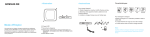
Turn Power on the Printer
“Push the EJECT and RIBBON SET button together” at the same time
until the LCD displays “User Mode”. Please “Push RIBBON SET button” till
the user mode menu comes up then “Push RIBBON SET button longer
on 4. NETWORK CONFIG” to check IP Address.
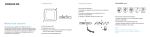
“Push the EJECT button and RIBBON SET button together” when
checking IP Address is done. LCD display would be backward.
User Mode
Set Mode
Network Config
IP/SUB/Gateway
Printer Driver Settings
Page 50 of 72