1
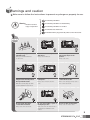
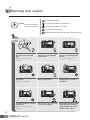
8. Trouble shooting
If you think that the product has trouble, please first check below contents before you ask a repair.
Troubles
●
●
●
1.The power supply
code is missing or not.
2.The power supply switch
(down) is off or not.
1. Please connect the
power supply cord
2. Please turn on the power
supply switch (down)
pushing to the right.
A Call operation is not
performed.
1.The wiring between other
units is connected correctly
in good order or not.
2. The wiring is missing or not.
3. A Room id is set or not.
1. Please refer to connection
related page and manage.
2. Please connect correctly
to the terminal.
3. Please refer to Room id
setting related page.
1. A sound volume lies
in minimum or not.
1. Please adjust the sound
volume properly turning
to the right, as you want.
1. There is a strong reflected light behind the
visitor or not.
2. The screen control is
adjusted correctly.
1. Please change the angle
of camera lens.
2. Please initialize the
screen control.
The product does not
produce the sound.
(Call volume, Talk volume)
●
●
The screen is dark.
The screen is strange.
(Refer to setting related page)
We can see the visitor
image but no voice.
1. The connector on the
handset is properly
inserted to the product?
1.Please put the
connector properly again.
No stored image found
1. Auto recording is
assigned?
1.Please set the status of
“AUTO RECORD“
as “YES”
●
●
9
Actions
The power supply is
not on.
All works are stopped
(Door, function)
●
Check Point