1
Caring for your hardware: Store in a cool dry
place. Do not submerge — if you need to
clean the hardware at any time, use alcohol
wipes designed for computer screens.
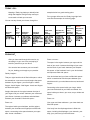
Minimum system requirements
Alive Biofeedback Hardware — Wild Divine Lightstone
or Healing Rhythms finger sensors
Windows XP or Vista operating system
Intel Pentium IV Processor
128 Mb OpenGL
Video Card
2. Attach the round end of the finger sensor cable
to the other end of your blue box, with the small
arrow on the round cable facing upwards (remove
the cap on this cable if it is present). Inserting the
cable in the correct orientation avoids damage.
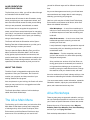
3. Put the finger sensors on, making sure the latches
are over the fingernail side of the fingers.
4. The middle finger sensor is at the end of the thicker
cord. Put your middle finger through the ‘doors’ of
that sensor, so that the small golden dot on top of
the finger sensor is directly above your fingernail.
Place the other two finger sensors on your index
and ring fingers.
512 MB RAM
Make sure the finger sensors are all
oriented so that the latches are near the
CD-Rom Drive
top of your finger, over your fingernail.
1 GB of Disk Space
When first running Alive, you may receive
a security alert. You must click “unblock”
or “always allow” in order for Alive to
function.
For people of all
ages
Please use the support page for customer service:
http://www.somaticvision.com/support/
Launch Alive! Go to Start Menu -> All Programs ->
Alive for Wild Divine and click Alive
Install Alive
Close all open Internet Explorer or other browser
windows before beginning installation of Alive.
To install Alive, double-click the Alive_WD_Setup.
exe file from your installation CD or at http://www.
somaplay.com/public/trial/alive.
Follow the installation instructions. The default options
will work for most users (Simply click Next / OK).
Get Comfortable
To have success, you’ll want to optimize
your physical environment when you are first
learning.
• Make sure you are comfortable and make
sure you’re not hungry or thirsty and don’t
have bathroom needs.
Launch Alive
Before launching, set up and attach the finger sensors.
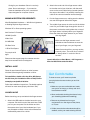
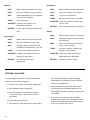
1. Attach the USB cable to the blue box and to your
computer. Put the thin end of the cable into a USB
port on your computer. Put the thicker end into
the square slot of your blue hardware box. If you
are prompted to install a driver, allow Windows to
automatically search for a driver.
• Wear comfortable clothing that doesn’t stop
your breathing (abdominal breathing)
• Remove any distractions from your
environment: turn the ringer off the phone,
no TV, etc.
• Coffee, tea and other stimulants should be
avoided, as they can make relaxing difficult.
3