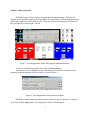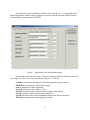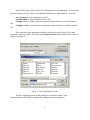
1
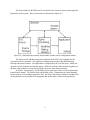
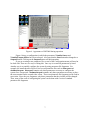
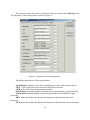
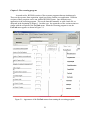
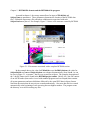
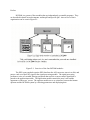
The four modules of BCI2000 can be associated with a series of menus used to input the
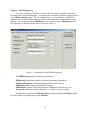
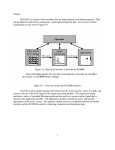
parameters of the system. These associations are illustrated in Figure P.2.
Figure P.2- Association between the four modules and the various configuration menus.
The Source menu and the storage menu originate in the EEG source module and are
concerned with its’ operation. The signal processing module produces the MEMFiltering,
filtering and statistics menus. The application is configured by the UsrTask menu. Finally the
operator uses the Visualize and System menus. While the visualize menu actually originates in
the three other modules it is concerned with the operators’ data display function.
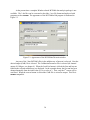
In order to work properly, the BCI2000 system must have values set for the parameters
found in these menus. The system starts with default values. Changes may be made manually
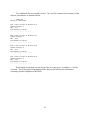
be the operator or by reading in parameter files. Parameter files may be read in as complete lists
of all parameters or as parameter file fragments that modify only a subset of the parameters.
2