1
Advanced Package 1.1 User’s Manual
Nippon Avionics Co., Ltd. 2006
Folder Manipulation
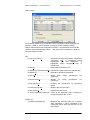
To manipulate a folder, you can select the menu item by right-click and perform Drag
& Drop. Some short cut keys (Ctrl+C, Delete, etc.) are also available.
Drag & Drop is available also for either folder move or copy between PixCruiser and
Explorer.
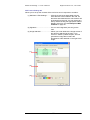
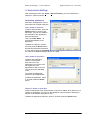
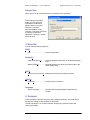
Create a New Folder
To create a new folder, right-click the folder you desire to create, and then select
New→ Folder. The new folder is created under the name of "New Folder".
If another "New Folder" already exists, a serial number will be appended to the
folder name.
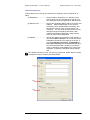
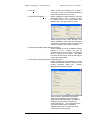
Copy a Folder
Select and right-click the source folder in the folder tree. After selecting Copy, select
and right-click the destination folder in the folder tree. Then select Paste.
Alternatively, perform Drag & Drop to copy the specified folder. The folder is copied
by pressing the Ctrl key concurrently.
While you are performing Drag & Drop, the folder cannot be copied within the
same list.
Folder copy is not enabled with any short cut key.
Move a Folder
Select and right-click the source folder in the folder tree. After selecting Cut, select
and right-click the destination folder in the folder tree. Then, select Paste.
Alternatively, perform Drag & Drop to move the specified folder.
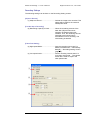
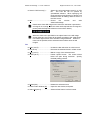
Rename a Folder
Select and right-click the desired folder in the folder tree. Then, select Rename to
enter the edit mode.
Rename the folder. Then, click in any location other than the selected item (or press
the Enter key) to complete the renaming process.
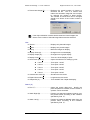
Delete a Folder
Select and right-click the desired folder in the folder tree. Then select Delete. As a
result, the folder moves into the Trash.
File Manipulation
To manipulate a folder, you can select the menu item by right-click and perform Drag
& Drop. This is enabled also by pressing key(s) Ctrl+C or Delete. Note that the Ctrl
key is available for copy during Drag & Drop, but the Shift key is not available for
move during Drag & Drop.
File move and copy by Drag & Drop is enabled also between PixCruiser and the
Explorer.
43