1
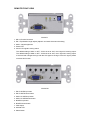
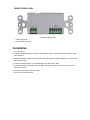
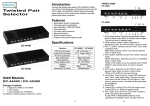
REMOTE REAR VIEW
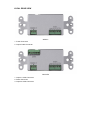
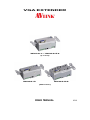
WVGA-R / WVGA-RS
1. Power Connector
2. Input Cable Connector
Installation
1. Turn off the PC.
2. Connect WVGA-Extender Local Unit HD-15 female input connector with HD-15 male to male
cable from PC.
3. Connect WVGA-Extender Local Unit HD-15 female output connector with HD-15 male to male
cable from monitor.
4. Connect WVGA-Extender Local and Remote Unit with CAT.5 cable.
5. Connect WVGA-Extender Remote Unit HD-15 female connector with HD-15 male to male
cable from monitor.
6. Connect the power cord on each side.
7. Turn on the monitor and PC.