1
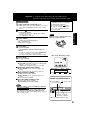
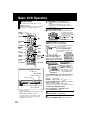
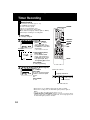
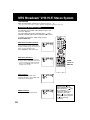
Operating Instructions
AG-VP320
Professional / Industrial Video
Basic Operation
Model No.
Initial Setup
DVD/VCR DECK
VCR Operation
DVD Operation
Connections and Initial Setup Procedures are on pages 12 to 17.
MULTI FORMAT PLAYBACK
For Information
* Ability to play back may depend on recording conditions.
As an ENERGY STAR® Partner, Panasonic Corporation of North
America has determined that this product or product model meets the
ENERGY STAR® guidelines for energy efficiency.
LSQT0966 A
Please read these instructions carefully before attempting to
connect, operate or adjust this product.
Please save this manual.
Important Safeguards and Precautions
TO REDUCE THE RISK OF ELECTRIC SHOCK, FIRE, INJURY TO PERSONS OR DAMAGE TO THIS
PRODUCT, READ AND RETAIN ALL SAFETY AND OPERATING INSTRUCTIONS. HEED ALL
WARNINGS IN THE MANUAL AND ON THE PRODUCT.
INSTALLATION
1 POWER SOURCE CAUTION
Operate only from a power source indicated on the unit or in
this manual. If necessary, have your Electric Utility Service
Company or Video Products Dealer verify the power source
in your home.
2 POLARIZED OR GROUNDING PLUG
As a safety feature, this product comes with either a polarized
power cord plug (one blade is wider than the other), or a
three-wire grounding type plug.
POLARIZED PLUG CAUTION:
This plug will only fit into an outlet one way. If you cannot fully
insert the plug, try reversing it. If it still will not fit, have an
electrician install the proper wall outlet. Do not defeat the safety
feature by tampering with the plug.
GROUNDING PLUG CAUTION:
This plug will only fit into a three-hole grounding outlet. If
necessary, have an electrician install the proper outlet. Do not
defeat the safety feature by tampering with the plug.
3 POWER CORD
Make sure power cords are routed so that they are not likely
to have anything rest on them, roll over them, or be in the way
of walking traffic. If an extension cord is used, make sure it
also has either a polarized or grounded plug and that the cords
can be securely connected. Frayed cords, damaged plugs,
and damaged or cracked wire insulation are hazardous and
should be replaced by a qualified service technician.
Overloaded outlets and extension cords are fire hazards and
should be avoided.
4 DO NOT BLOCK VENTILATION HOLES
Ventilation openings in the cabinet release heat generated
during operation. If they are blocked, heat build-up inside the
unit can cause failures that may result in a fire hazard or heat
damage to cassettes or discs.
For protection, follow these rules:
a. Never cover ventilation slots or the unit while in use, or
operate the unit when placed on a bed, sofa, rug, or other
soft surface.
b. Avoid built-in installation, such as a book case or rack,
unless proper ventilation is provided.
5 PLACEMENT: AVOID EXTREMELY HOT LOCATIONS
OR SUDDEN TEMPERATURE CHANGES
Do not place the unit over or near heater or radiator, in direct
sunlight, inside closed vehicles, in high temperature [over
104 °F (40 °C)], or in over 75 % humidity. If the unit is
suddenly moved from a cold place to a warm one, moisture
may condense in the unit and on the tape causing damage.
Never subject the unit to vibration, impact, or place it so that
the surface is tilted as internal parts may be seriously
damaged.
6 TO AVOID PERSONAL INJURY
• Do not place unsecured equipment on a
sloping surface.
• Do not place this unit on any support
that is not firm, level, and adequately
strong. The unit could fall causing
serious injury to a child or adult and
damage to the unit.
• An appliance and cart combination
should be moved with care. Quick stops, excessive force,
and uneven surfaces may cause the appliance and cart
combination to overturn.
• Carefully follow all operating instructions and use the
manufacturer's recommended accessories when
operating this unit or connecting it to any other equipment.
2
OUTDOOR ANTENNA INSTALLATION
1 SAFE ANTENNA AND CABLE CONNECTION
If an outside antenna or cable system is connected to the equipment, be sure
the antenna or cable system is grounded so as to provide some protection
against built up static charges and voltage surges.
Section 810 of the National Electrical Code,
ANSI/NFPA 70 (in Canada, part 1 of the
Canadian Electrical Code) provides
information with respect to proper grounding
of the mast and supporting structure,
grounding of the lead-in wire to an antenna
discharge unit, size of grounding conductors,
location of antenna discharge unit, connection to
grounding electrodes and requirements for the grounding
electrode.
2 KEEP ANTENNA CLEAR OF HIGH VOLTAGE POWER LINES OR
CIRCUITS
An outside antenna system should be located well away from power lines,
electric light or power circuits and where it will never come into contact with
these power sources if it should happen to fall. When installing an outside
antenna, extreme care should be taken to avoid touching power lines, circuits
or other power sources as this could be fatal. Because of the hazards
involved, antenna installation should be left to a professional.
NEC - NATIONAL
ELECTRICAL CODE
ANTENNA
LEAD IN
WIRE
GROUND
CLAMP
ANTENNA
DISCHARGE UNIT
(NEC SECTION 810-20)
ELECTRIC
SERVICE
EQUIPMENT
GROUNDING CONDUCTORS
(NEC SECTION 810-21)
GROUND CLAMPS
POWER SERVICE GROUNDING
ELECTRODE SYSTEM
(NEC ART 250, PART H)
USING THE UNIT
If the unit has been in storage or moved to a new location, refer first to the
INSTALLATION section of these safeguards.
1 KEEP THE UNIT AWAY FROM WATER OR MOISTURE OF ANY KIND.
2 IF EQUIPMENT IS EXPOSED TO RAIN, MOISTURE, OR STRONG
IMPACT, unplug the unit and have it inspected by a qualified service
technician before use.
3 DURING AN ELECTRICAL STORM
During a lightning storm, whether indoors or outdoors, or before leaving the
unit unused for extended periods of time, disconnect all equipment from the
power source as well as the antenna and cable system.
4 WHEN THE UNIT IS PLUGGED IN
• Never expose the unit to rain or water. DO NOT OPERATE if liquid has
been spilled into the unit. Immediately unplug the unit, and have it inspected
by a service technician. Fire and shock hazards can result from electrical
shorts caused by liquid contact inside.
• Never drop or push any object through openings in the unit. Some internal
parts carry hazardous voltages and contact can cause electric shock or fire
hazard.
Do not put any foreign object on the disc tray.
• Avoid placing the unit directly above or below your TV set as this may
cause electrical interference. Keep all magnets away from electronic
equipment.
5 USING ACCESSORIES
Use only accessories recommended by the manufacturer to avoid risk of fire,
shock, or other hazards.
6 CLEANING THE UNIT
Unplug the unit. Then, use a clean, dry, chemically untreated cloth to gently
remove dust or debris. DO NOT USE cleaning fluids, aerosols, or forced air
that could over-spray, or seep into the unit and cause electrical shock. Any
substance such as wax, adhesive tape, etc. may mar the cabinet surface.
Exposure to greasy, humid, or dusty areas may adversely affect internal parts.
SERVICE
1 DO NOT SERVICE THIS PRODUCT YOURSELF
If, after carefully following the detailed operating instructions, this product does
not operate properly, do not attempt to open or remove covers, or make any
adjustments not described in the manual. Unplug the unit and contact a
qualified service technician.
2 IF REPLACEMENT PARTS ARE REQUIRED
Make sure the service technician uses only parts specified by the
manufacturer, or those having the same safety characteristics as the original
parts. The use of unauthorized substitutes may result in fire, electric shock, or
other hazards.
3 HAVE THE SERVICE TECHNICIAN PERFORM A SAFETY CHECK
After any service or repairs to the unit, request the service technician to
conduct a thorough safety check as described in the manufacturer’s service
literature to ensure that the unit is in safe operating condition.
Safety Precautions/Mesures de sécurité
To prevent fire or shock hazard, do not expose this equipment to rain or
moisture.
To prevent electric shock, match wide blade of plug to wide slot, fully
insert.
AVERTISSEMENT :
Afin de prévenir tout risque d’incendie ou de chocs électriques, ne pas
exposer cet appareil à la pluie ou à une humidité excessive.
ATTENTION :
Pour éviter les chocs électriques, introduire la lame la plus large de la
fiche dans la borne correspondante de la prise et pousser jusqu’au fond.
CAUTION
RISK OF ELECTRIC SHOCK
DO NOT OPEN
CAUTION: TO REDUCE THE RISK OF ELECTRIC SHOCK,
DO NOT REMOVE COVER (OR BACK)
NO USER-SERVICEABLE PARTS INSIDE
REFER SERVICING TO QUALIFIED SERVICE PERSONNEL
This symbol warns the user that uninsulated voltage within the unit may
have sufficient magnitude to cause electric shock. Therefore, it is
dangerous to make any kind of contact with any inside part of this unit.
This symbol alerts the user that important literature concerning the
operation and maintenance of this unit has been included.
Therefore, it should be read carefully in order to avoid any problems.
CAUTION:
UNIT IS A CLASS I LASER PRODUCT.
THIS UNIT USES A VISIBLE LASER BEAM WHICH COULD CAUSE
HAZARDOUS RADIATION EXPOSURE IF DIRECTED.
BE SURE TO OPERATE THE UNIT CORRECTLY AS INSTRUCTED.
WHEN THIS UNIT IS PLUGGED INTO THE WALL OUTLET, DO NOT PLACE
YOUR EYES CLOSE TO THE OPENING OF THE DISC TRAY AND OTHER
OPENINGS TO LOOK INTO THE INSIDE OF THIS UNIT.
USE OF CONTROLS OR ADJUSTMENTS OR PERFORMANCE OF
PROCEDURES OTHER THAN THOSE SPECIFIED HEREIN MAY RESULT IN
HAZARDOUS RADIATION EXPOSURE.
DO NOT OPEN COVERS AND DO NOT ATTEMPT TO REPAIR YOURSELF.
REFER SERVICING TO QUALIFIED PERSONNEL.
CAUTION:
LASER RADIATION
WHEN OPEN. DO NOT
STARE INTO BEAM.
ATTENTION:
RAYONNEMENT LASER
EN CAS D’OUVERTURE.
NE PAS REGARDER
DANS LE FAISCEAU.
(Inside of product)
FCC NOTE:
This equipment has been tested and found to comply with part 15 of the FCC Rules. These limits are
designed to provide reasonable protection against harmful interference when operated in a residential
environment. If this equipment does cause interference to radio or television reception, which can be
determined by turning the equipment off and on, use the equipment in another location and/or utilize an
electrical outlet different from that used by the receiver.
If necessary, consult the dealer or an experienced radio/TV technician for help. The user may find the
booklet, “Something About Interference” available from FCC local regional offices helpful.
FCC Caution:
To assure continued compliance, (example- use only shielded interface cables when connecting to other
devices.) Any changes or modifications not expressly approved by the party responsible for compliance
could void the user’s authority to operate this equipment.
Region Management Information:
This DECK is designed and manufactured to respond to the
Region Management Information that is recorded on a DVD
disc. If the Region number described on the DVD disc does
not correspond to the Region number of this DECK, this
DECK cannot play this disc.
● The Region number for this DECK is “1”.
● The Player will play DVD-Video marked with labels containing
“1” or “ALL”.
Example:
1
ALL
1
2
4
3
Before Using
Head Cleaning
Congratulations
on your purchase of one of the most
sophisticated and reliable products on the
market today. Used properly, it will bring you
years of enjoyment. Please fill in the information
below. The serial number is on the tag located
on the back of your DECK.
• Date of Purchase
• Dealer Purchased From
• Dealer Address
• Dealer Phone No.
• Model No.
AG-VP320
• Serial No.
Accessories
Remote Control
EUR7724KF0R
Batteries 2 “AA”
RF Coaxial Cable
LSJA0418
Loading the Batteries
1) Open cover.
2) Insert batteries as
marked.
3) Close cover.
Battery replacement caution
• Do not mix old and new batteries.
• Do not mix alkaline with manganese batteries.
Record/ Playback Time
Only use tapes with the
• Use “dry” type head cleaning cassette only.
(Part No. NV-TCL30PT is recommended.)
• Follow cleaning tape instructions carefully.
Excessive use of tape can shorten head life.
Cleaning DECK
Use a soft cloth or dusting attachment of a
vacuum cleaner to remove dust from the
ventilation holes on the back sides and bottom of
the cabinet.
Plastic surfaces are easily scratched and can
be marred by alcohol and various solvents.
Avoid excessive use of oil-based furniture
polishes since the materials used in the cabinet
will accumulate more dust. We recommend
using a non-abrasive, antistatic cleaner and
polisher.
Features for a Quality Picture
(VCR)
Digital Auto Picture
Automatically controls the video output signal for
less noise depending on the tape condition.
Digital Auto Tracking
Continuously analyzes the signal and adjusts for
optimum picture quality.
Manual Tracking Control
(to reduce picture noise)
Use during Playback and Slow Motion mode to
reduce picture noise.
Press CH (TRACKING) / on the remote
control or on DECK until the picture clears up.
To return to Auto Tracking, press POWER off,
then on again a few seconds later.
mark in this DECK.
Type of Video Cassette
T180
8 Hours
9 Hours
R
R
R
R
R
T160
2 Hours
2 Hours
3 Hours
40 Minutes
R
T120
SLP
6 Hours
(Super Long Play)
4
During playback, this screen
appears if clogging is
detected.
To remove screen, press
PLAY on the remote or DECK.
R
SP
(Standard Play)
Video Head Clog Sensor
R
Tape Speed
Setting
Playing older or damaged tapes may
eventually cause video heads to become
clogged.
V-Lock Control (to reduce picture jitter)
In Still mode, CH (TRACKING) / operate as a
V-Lock control.
Table of Contents
Initial Setup (Connection)
Basic Operation
VCR
DVD
Basic DVD Operation ........................................................... 22, 23
For Information
DVD Operation
Disc Operation .................................................................... 36 ~ 41
DVD-RAM Operation (DVD-RAM only) ...................................... 42, 43
DVD Operation using On-Screen Displays ...................... 44 ~ 48
MP3/JPEG Playback Operation ......................................... 49 ~ 51
Settings for DVD Operation ............................................... 52 ~ 55
Language Code List ................................................................... 56
DVD Operation
VCR Operation
Timer Recording ................................................................... 24, 25
MTS Broadcast/ VHS Hi-Fi Stereo System ......................... 26, 27
Multi-Brand Control Feature ................................................ 28, 29
Tape Operation (Search System) ............................................ 30 ~ 32
Special VCR Features .......................................................... 33, 34
Copying Your Tapes (Dubbing) ..................................................... 35
VCR Operation
Reset Language, Channels, Clock, VCR’s Output Channel ....... 18, 19
Playback/ Record on a Tape................................................ 20, 21
Basic Operation
Important Safeguards and Precautions ................................. 2, 3
Before Using ................................................................................. 4
DECK & Cassette Information ................................................ 6 , 7
Location of Controls ............................................................ 8 ~ 10
On Screen Displays / Light-up Indicators ................................. 11
Connections ....................................................................... 12 ~ 15
Initial Setup for Basic Connections (Ready to Play) ............... 16, 17
Initial Setup
DVD / VCR
For Your Information
Warning and Instruction Displays............................................. 57
Before Requesting Service.................................................. 58, 59
Index ...................................................................................... 60, 61
Memo ..................................................................................... 62, 63
5
DECK & Cassette Information
Prevent Accidental Tape Erasure
Break off the tab to prevent recording.
DVD-RAM discs
DVD-RAM discs must meet the following
conditions for this unit to be able to play them.
Type
Record Tab
Screw driver
To record again
Cover the hole
with cellophane tape.
• Non-cartridge discs
• Discs that can be removed from their
cartridges (TYPE 2 and 4)
• 12 cm (5″) 9.4 GB (double-sided)
and 4.7 GB (single-sided)
• 8 cm (3″) 2.8 GB (double-sided)
• Remove TYPE 2 and 4 discs from their cartridges
before use, then return them when you are
finished. Read the instructions for the disc
carefully.
Capacity
Disc formats supported by this
DECK
DECK can play back discs bearing any of the
following marks:
Logo
Disc type
DVD-RAM (Version 1.1 of the
Video Recording Format a
unified video recording
standard)
DVD (DVD-Video)
DVD-R (DVD-Video formatted
discs [finalized])
Video CD
CD (CD-DA)
CD-R/CD-RW
• Some parts of the disc, for example where one
program ends and another begins, may not play
smoothly.
Disc Handling
Handling precautions
• Sticking a label on the disc may impair DVD-R
playback.
• Do not attach sticker to discs. (Do not use discs
with exposed adhesive from tape or left over
peeled-off stickers.)
• Only hold disc by edges as shown below.
Fingerprints, dirt and scratches can cause
skipping and distortion.
• Do not write on label side of disc.
• Never use record
Disc tray
cleaning sprays, benzine,
Disc
thinner, static electricity
prevention liquids, or any
other solvent.
• CD-DA format
• MP3/JPEG file and finalized.*
[Discs Played 8 cm (3″″) or 12 cm (5″″)]
* A process that allows play on compatible
equipment.
• Do not try to close disc tray when disc is not
properly placed.
Discs which cannot be played
To clean disc surface
With a soft, damp (water only) cloth,
gently wipe from the center hole to the
outer edge as shown below. (Wiping in
a circular pattern will scratch the
surface.)
• DVD with Region No. other than “1” or “ALL”
• PAL discs, DVD-ROM, DVD-Audio, DVD-RW,
DVD+R, DVD+RW, CD-ROM, CDV, CD-G, CVD,
SVCD, SACD, CD-TEXT, Divx Video Disc,
Photo-CD and MPEG4 Video Disc
Notes
• The digital audio content side of DualDiscs do
not meet the technical specifications of the
Compact Disc Digital Audio (CD-DA) format so
may not play back in this unit.
• Do not use irregularly shaped discs (e.g.
heart-shaped), as these can damage the unit.
• It may not be possible to play CD-R, CD-RW,
DVD-R and DVD-RAM in all cases due to the
type of disc or condition of the recording.
• DVD-RAM, DVD-R :
Clean only with the DVD-RAM disc
cleaner available. Never use cloths or cleaners
for CDs etc.
If disc is brought from a cold to a warm
environment, moisture may form on the disc
Wipe away moisture with a soft, dry, lint-free cloth
before using disc. (See above.)
Improper disc storage
Discs could be damaged if stored or left in areas:
• exposed to direct sunlight.
• that are humid or dusty.
• near heat (i.e. heater, radiator, etc.).
6
Specifications
Input/Output Terminal:
Input Terminal:
Output Terminal:
Operating Temperature:
Operating Humidity:
Weight:
Dimensions:
Discs Played
(1) DVD-Video Disc
DVD-RAM Disc
(2) Compact Disc
(CD-DA, Video CD)
(CD-R/CD-RW, MP3, JPEG)
Digital Audio Output:
Pickup:
120 V AC, 60 Hz
Power On: Approx. 22 watts, Power Off: Approx. 0.9 watts
EIA Standard NTSC color
4 rotary heads helical scanning system
1 track (Normal), 2 channel (Hi-Fi Audio Sound)
VHF 2 ~ 13, UHF 14 ~ 69
Midband A through I (14 ~ 22), Superband J through W (23 ~ 36)
Hyperband AA ~ EEE (37 ~ 64), Lowband A-5 ~ A-1 (95 ~ 99)
Special CABLE channel 5A (01), Ultraband 65 ~ 94, 100 ~ 125
Audio/Video Line Input/Output, RF Input/Output
Audio/Video Line Input (Front)
S-Video Output (DVD only), Component Video Output (DVD only)
Audio Output 2 (L), (R)
5 °C ~ 40 °C (41 °F ~ 104 °F)
10 % ~ 75 %
3.7 kg (8.2 lbs.)
430 (W) × 93 (H) × 255 (D) mm
16-15/16″ (W) × 3-11/16″ (H) × 10-1/16″ (D) inch
Initial Setup
Power Source:
Power Consumption:
Video Signal:
Video Recording System:
Audio Track:
Tuner
Broadcast Channels:
CABLE Channels:
12 cm (5″) single-sided single-layer
12 cm (5″) single-sided double-layer
12 cm (5″) double-sided double-layer (one layer per side)
8 cm (3″) single-sided single-layer
8 cm (3″) single-sided double-layer
8 cm (3″) double-sided double-layer (one layer per side)
12 cm (5″) 9.4 GB (double-sided) and 4.7 GB (single-sided)
8 cm (3″) 2.8 GB (double-sided)
12 cm (5″) disc
8 cm (3″) disc
Digital Optical Connector
Wavelength : 655 nm (DVD), 790 nm (Video CD/CD)
Laser power : CLASS II
Note: Designs and specifications are subject to change without notice.
Definition of Terms (DVD)
Angle:
Some DVD discs feature scenes simultaneously shot from different angles.
The ANGLE button can be used to view the scene from different angles.
Chapter Number: Titles are subdivided into numbered sections. You can quickly search for
a favorite scene using these numbers.
DVD:
A high-density optical disc on which high-quality pictures and sound have been
digitally recorded. DVD incorporates video compression technology (MPEG II)
and high-density recording technology which allow entire movies to be recorded
with incredible playback quality.
Playback Control: With Video CD (version 2.0), scenes or information may be selected for viewing
or listening from an interactive menu that appears on the TV screen.
Subtitles:
Written dialogue which appears at the bottom of the screen.
Time Number:
The elapsed play time from the start of a disc or title. Use to quickly find
scenes. (May not work with some discs.)
Title Number:
For DVD discs with two or more titles, the title is numbered as title 1, title 2, etc.
Track Number:
Numbers assigned to tracks on Video CDs and CDs to allow specific tracks to
be quickly located.
Video CD:
CD containing picture and sound with same quality level as video tape.
This DECK also supports Video CDs with playback control (version 2.0).
U.S. Patent Nos. 4,631,603; 4,577,216; 4,819,098; 4,907,093; 5,315,448; and 6,516,132.
This product incorporates copyright protection technology that is protected by U.S. Patents and
other intellectual property rights. Use of this copyright protection technology must be authorized by
Macrovision, and is intended for home and other limited viewing uses only unless otherwise
authorized by Macrovision. Reverse engineering or disassembly is prohibited.
7
Location of Controls
Remote Control
Bold: VCR Function / Bold Italic: VCR and DVD Functions
Italic: DVD Function / Normal: Others
VCR/TV
p. 21
EJECT* /
OPEN / CLOSE
TV mode
pp. 20, 22
POWER
p. 28
CHANNEL / /
TRACKING / V-LOCK / 10
pp. 4, 21, 22
NUMBER keys
VOLUME + / p. 28
MENU / PLAY LIST
ADD/DELETE / CLEAR
pp. 19, 38, 40
p. 41, 43
ACTION
SELECT
pp. 18, 52
SET
VCR mode
DVD mode
p. 28
p. 28
PLAY
pp. 20, 22
STOP
pp. 20, 22
SKIP+
SKIP-
REWIND / SEARCH /
SLOWpp. 20, 23
FAST FORWARD /
SEARCH / SLOW+
p. 23
Virtual Surround Sound (V.S.S.) /
ENTER
pp. 23, 28
pp. 20, 23
ZOOM
PAUSE / STILL
p. 37
pp. 20, 23
ANGLE
p. 37
TAPE POSITION /STATUS
p. 32
SUB TITLE
p. 36
AUDIO (SAP / Hi-Fi)
pp. 27, 36
TITLE /
DIRECT NAVIGATOR
p. 41, 42
RETURN / SEARCH
pp. 22, 30
INPUT
p. 35
DISPLAY
p. 11, 44
COMMERCIAL SKIP /
ZERO SEARCH
A/V OPTIMIZER
RECORD
p. 21
SPEED
p. 21
*EJECT button: When this button is pressed in VCR mode, the tape is ejected.
This button is inoperative if pressed during recording.
If pressed in DVD mode, the disc tray opens or closes.
8
pp. 30, 55
COUNTER RESET
p. 30
PROGRAM
p. 24
Front View of DECK
If the disc cannot be removed...
VCR Function
DVD Function
VCR and DVD Functions
Others
First, unplug DECK. Then, prepare a rigid wire
(e.g. an extended paper clip) and, applying
moderate force, insert it straight into the hole at
the base of the tray.
The tray will eject a little. Now, pull the tray all
the way out and remove the disc.
Initial Setup
Bold:
Italic:
Bold Italic:
Normal:
PLAY
p. 20
STOP/EJECT
Over 2 inches
p. 20
Cassette
Compartment
POWER
Audio/Video Input
Connector 2
(LINE 2)
Disc Tray
Light-up
Indicators
OPEN/CLOSE
p. 22
PLAY
p. 11
p. 35
p. 22
REC
STOP
p. 21
p. 22
CHANNEL /
TRACKING/V-LOCK
pp. 4, 21
FAST FORWARD
/ SEARCH /
SKIP
Remote
Sensor
p. 20, 23
REWIND / SEARCH /
SKIP
p. 20, 23
Reset All Memory Functions
Returns to factory setting. Use if relocating DECK, or if Initial Setup needs to be redone.
• Make sure a tape is not inserted in the DECK.
1 Turn DECK Power on.
2 Press and hold both VCR PLAY and
CHANNEL
on the DECK for more
than 5 seconds.
• The power shuts off.
1
2
“Initial Setup (Ready to Play)”
3 Perform
on page 16.
9
Location of Controls (continued)
Rear View of DECK
Bold:
VCR Function
Italic: DVD Function
Bold Italic: VCR and DVD Functions
AC Power Plug
VHF/UHF Antenna Output Terminal
• While plugged into an AC outlet,
this DECK consumes 0.9 W of
electrical power in off mode.
p.12
VHF/UHF Antenna Input Terminal
p. 12
Component Video Output
Connector (Y, PB, PR)
(DVD Only)
Video Output
Connector
Video Input
Connector
p. 12
p. 35
p. 13
Optical Digital Audio
Output Connector
(DVD Only)
Audio Input
Connector (L/R)
p. 15
p. 35
S-Video Out Connector
(DVD Only)
pp. 10, 13
Audio Output 2 Audio Output 1
Connector (L/R) Connector (L/R)
p. 13
p. 12
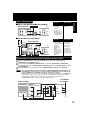
The following table shows the status of the output jacks when in VCR or DVD mode.
VCR
DVD
Note
Video Output
Audio Out 1
Audio Out 2
YES
YES
Component
Video Output
S-VIDEO OUT
N/A
N/A
YES
VHF/UHF
Antenna Out
YES
YES
• PROG functions on the remote are not available when using Component Video Output and
S-VIDEO OUT. Please set TV to either RF INPUT or VIDEO INPUT, and then press PROG.
To enjoy PROGRESSIVE SCAN video
(1). Connect Component Video Output to the component video input terminals of a television.
(See p. 13.)
(2). When PROGRESSIVE OUT is set to “ON” in the DVD Main Menu (p. 55), a Progressive
Scan signal is output from the Component Video Output Connector.
Notes
• The screen may shift off-center when using progressive output. Please adjust the screen position if
this occurs. (Refer to your TV manual.)
• If the television is not progressive compatible, a progressive scan picture is not available.
Connect the Video Output or S-Video Output connector (see p. 12, 13) and set PROGRESSIVE
OUT to “OFF” in the DVD Main Menu. (See p. 55.)
10
On Screen Displays / Light-up Indicators
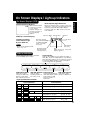
On Screen Displays (VCR)
When a function button
is pressed, e.g. PLAY,
or you change
channels, and also if a
cassette is inserted, a
5-second display
appears.
Whenever a blank section of a tape comes up in
Play mode, or when the selected channel has no
broadcast signal with Weak Signal Display
Feature (p. 33) set to OFF, the TV screen will
turn solid blue.
Function Status
Current Time
Initial Setup
Blank Tape/ No Signal Indications
Function & Channel Displays
Channel
VCR Status & Clock Displays
To display or remove
screen shown at right,
➛ press DISPLAY.
Counter
Cassette inserted
(Rec Time Remaining
is displayed in OTR
mode, e.g. “0:25”.
See p.21.)
Note
• For on Screen Displays in DVD
mode, see p. 44.
Tape Speed
(See p. 4.)
Broadcast Audio
Being Received
(See pp. 26, 27.)
Date
(When clock is set, a 5-second
display appears.)
Light-up Indicators
Light-up indicators allow easy confirmation
of current DECK function status.
VCR mode Indicator
Timer Indicator
Lights up when DECK is set for Timer Recording, or
when One Touch Recording (OTR) is used. Flashes
when Timer Recording is set, but a tape has not been
inserted into DECK and when a power interruption
occurs during Timer Programming.
VCR REC Indicator PLAY Indicator
Lights when output
Lights up during
selection is VCR mode. recording. Flashes in
Flashes in Auto Clock
Rec. Pause mode.
Set or Channel Auto Set.
<Light-up combination example>
Light-up Indicator
DVD mode Indicator
Lights during playback in Lights when output
either VCR mode or DVD selection is DVD mode.
mode. Flashes in Still,
Frame by Frame, or
Slow mode.
Function Status
VCR
+ PLAY
VCR playback in progress
[See p. 20]
VCR
+
VCR recording in progress
[See p. 21]
VCR
+ TIMER
VCR timer setting in progress
[See pp. 24, 25]
VCR
+ TIMER +
DVD
+ PLAY
VCR ➛
REC
REC
REC
VCR Timer Recording in progress [See pp. 24, 25]
➛ TIMER ➛ PLAY
PLAY ➛ TIMER ➛
REC
➛ VCR
DVD playback in progress
[See pp. 22, 23]
VCR fast forward in progress
[See p. 20]
VCR rewind in progress
[See p. 20]
11
Connections
Basic Connections
• If your TV has AUDIO and VIDEO IN terminals, connect them to DECK for higher
quality picture and sound.
• You can enjoy stereo sound even if your TV is not stereo by connecting a stereo amplifier
to DECK.
• Connect DECK and TV with an RF Coaxial Cable a (supplied) or an AV Cable b (not
supplied) as shown in the figure below.
■ DSS Receiver
DECK
■ DECK
TV
■ Cable Box
TV
DECK
TV
Antenna or Cable
DSS
Receiver
Cable Box
IN
IN
IN
OUT
OUT
or
1 Disconnect antenna or cable from TV and
connect to DECK.
2 Connect DECK to TV with RF Coaxial Cable.
a
DVD/VCR DECK
TV
OUT
IN 1
RF COAXIAL CABLE
(supplied)
IN FROM ANT.
VHF/
UHF
VIDEO
L
AUDIO
VHF/UHF
OUT TO TV
AUDIO IN VIDEO
IN
L
R
R
b
AV CABLE (not supplied)
When using “Nut type” RF coaxial cables, tighten with
fingers only. Overtightening may damage terminals.
Note to CABLE system installer
This reminder is provided to call the CABLE system installer’s attention to Article 820-40 of the NEC
in USA (and to the Canadian Electrical Code in Canada) that provides guidelines for proper
grounding and, in particular, specifies that the cable ground shall be connected to the grounding
system of the building, as close to the point of cable entry as practical.
12
Other Connections
Cable Box
ANT or CATV
DVD/VCR DECK
Cable Box
IN
VHF/
UHF
OUT
IN OUT
R
AUDIO
L
■ Connect With Two Cable Boxes
or
You Can
DVD/VCR DECK
Cable Box
IN
OUT
TV
VHF/UHF
OUT TO TV
2-Way Splitter
Cable Box
OUT1 OUT2
IN OUT
A/B Switch
IN 1 IN 2
You Cannot
• record and view
both scrambled
and unscrambled
channels if
additional
equipment is
added.
This connection
requires: two
converter boxes,
an A/B switch,
and a 2-way
splitter.
OUT IN1 IN FROM ANT.
CATV
• record
scrambled
channels.
• use Remote
Control to select
channels without
using Multi-brand
control feature.
VIDEO
ANT
You Cannot
• view any
(including
scrambled)
channel.
TV
OUT IN1 IN FROM ANT.
VHF/UHF
OUT TO TV
You Can
TV)
IN OUT
R
AUDIO
L
VIDEO
VHF/UHF
Initial Setup
■ With a Cable Box (DECK
• view a channel
other than the
one selected
for any type of
recording.
• set a Timer
recording of a
channel unless
you select it on
the Cable Box.
Connections For DVD Only (enjoying higher picture quality)
1 Connect AUDIO OUT2 (L, R) to the AUDIO IN (L, R) of the TV. (audio input for
COMPONENT or S-VIDEO mode).
2 If your TV has COMPONENT VIDEO INPUT, connect to COMPONENT VIDEO OUT.
If your TV does not have COMPONENT VIDEO INPUT but has S-VIDEO INPUT, connect
to S-VIDEO OUT.
3 When in DVD mode, set your TV to either COMPONENT VIDEO IN or S-VIDEO IN.
Notes • You can watch DVDs through the S-VIDEO or COMPONENT VIDEO, VHF/UHF OUT TO TV,
and VIDEO OUT connections to your TV. The VCR and TUNER pictures are available only
from the VIDEO OUT and VHF/UHF OUT TO TV connections to your TV.
• PROG functions on the remote are not available when using S-VIDEO OUT and COMPONENT
Video Output. Please set TV to either RF INPUT or VIDEO INPUT, and then press PROG.
• TV must have capability to accept and display a progressive scan signal to use
PROGRESSIVE mode. Consult your TV operating instructions.
From DECK’s
A/V OUTPUT
DVD/VCR DECK
DVD OUTPUT
TV
COMPONENT
VIDEO OUT AUDIO OUT2
Y
PB
IN
L
PB
R
IN
AUDIO
L
PR
S-VIDEO OUT
PR
IN
Y
R
VIDEO
S-VIDEO
IN
or
13
Connections (continued)
Audio Connections
Ready Checklist
Turn down the volume, then turn DECK, as well as other equipment to be connected, off before
proceeding with connection.
Do not block ventilation holes of any of the equipment and arrange them so that air can circulate
freely.
Read through the instructions before connecting other equipment.
Ensure that you observe the color coding when connecting audio and video cables.
■ Connecting Amplifier (2ch stereo system) [Analog connection]
Speaker
DVD/VCR DECK
Amplifier
AUDIO OUT2
L
R
Speaker
AUDIO IN
R L
Enjoying digital audio output from the digital audio output connector
Notes on audio output from the optical digital audio output connector
Disc
Sound recording format Optical digital audio output from connector
Dolby Digital
DVD-Video Linear PCM
(48/96 kHz 16/20/24 bit)
DTS
DVD-RAM Dolby Digital
Dolby Digital bitstream (1 - 5.1 ch)
or PCM (48 kHz sampling/16 bit only)*1
Linear PCM (2 ch)
(48 kHz sampling/16 bit only)*2
Bitstream or PCM (48 kHz sampling/16 bit only)*1
Dolby Digital bitstream (1 - 5.1 ch)
or PCM (48 kHz sampling/16 bit only)
Video CD
Linear PCM(48 kHz/16 bit)
MPEG1
Linear PCM (2 ch)
PCM (44.1 kHz sampling)
CD
Linear PCM
Linear PCM (44.1 kHz sampling)
MP3
MP3
PCM (It depends on the MP3 file)
*1 The type of audio output from the connector can be selected by the Settings for DVD Operation.
(See p. 53.)
*2 When “LPCM(DVD)” is set to OFF in the DVD Main Menu, only 48 kHz sampling/16 bit is ouput.
When set to ON, sampling of sound quality greater than 48 kHz/16 bit is reduced to 48 kHz/16 bit.
(See page 53.)
For your reference:
• Dolby Digital is a digital sound compression technique developed by the Dolby Laboratories Licensing
Corporation. Supporting 5.1-channel surround sound, as well as stereo (2-channel) sound, this
technique enables a large quantity of sound data to be efficiently recorded on a disc.
• Linear PCM is a signal recording format used in CDs. While CDs are recorded in 44.1 kHz/16 bit, DVDs
are recorded in 48 kHz/16 bit up to 96 kHz/24 bit.
• If you have a Dolby Pro Logic Surround decoder, you will obtain the full benefit of Pro Logic from the
same DVD movies that provide full 5.1 channel Dolby Digital soundtracks, as well as from titles with the
Dolby Surround mark. For information on Panasonic or Technics Dolby Pro Logic Surround Sound
Decoders please contact your local dealer.
Manufactured under license from Digital Theater Systems, Inc. US Pat. No’s. 5,451,942, 5,956,674,
5,974,380, 5,978,762, 6,487,535 and other US. and world-wide patents issued and pending. “DTS”
and “DTS 2.0 + Digital Out” are trademarks of Digital Theater Systems, Inc.
Copyright 1996, 2003 Digital Theater Systems, Inc. All Rights Reserved.
Manufactured under license from Dolby Laboratories.
Dolby and the double-D symbol are trademarks of Dolby Laboratories.
14
When DVDs recorded in Dolby Digital or DTS are played, Dolby Digital bitstream or DTS
bitstream is output from the DECK OPTICAL digital audio output connector. When DECK
is connected to a Dolby Digital decoder or DTS decoder, you can enjoy theater-quality
audio in your home. [An optical digital audio cable (optional) is required when an optional
Dolby Digital decoder or DTS decoder is used.]
Initial Setup
■ Connecting Amplifier (5.1 ch Surround system) [Digital connection]
DECK Dolby Digital Decoder Amplifier Speaker
or
DECK DTS (Digital Theater Systems) Decoder Amplifier Speaker
Notes on connecting an optical
digital audio cable (optional)
• Remove the attached cap, and firmly
connect the cable to the connector.
Surround
Speaker
Surround
Speaker
[5.1ch Surround system]
Center
Speaker
DVD/VCR DECK
(Rear)
Optical Digital
Audio Cable
(optional)
Decoder with Dolby
Digital /DTS
Front
processing (optional) Speaker
To Optical
Digital Audio
Input Connector
Front
Speaker
Amplifier
Subwoofer
Caution for optical digital audio output connector:
• When connecting an amplifier (with an Optical Digital Input Connector) which does not
Dolby Digital or DTS decoder, be sure to select “PCM” at “Dolby Digital” and “PCM” at
Settings for DVD Operation “Audio Output” (see p. 53).
Otherwise, any attempt to play DVDs may cause such a high level of noise that it may
to your ears and damage your speakers.
• When a Dolby Digital/DTS decoder is connected, please select “Bitstream” at “dts” or
Digital” in Settings for DVD Operation “Audio Output”.
If “PCM” is selected, there will be stereo sound. (See p. 53.)
• Video CDs and CDs can be played as usual.
contain the
“dts” in
be harmful
“Dolby
Note
• Some DTS decoders which do not support DVD-DTS interface may not work properly with DECK.
15
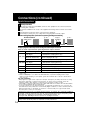
Initial Setup for Basic Connections (Ready to Play)
Before doing Initial Setup
1
2
3
Turn TV on.
See connections
RF Coaxial Cable Connection and
page 12.
<RF Coaxial Cable Connection>
ÖSet TV to channel 3.
<AV Cable Connection>
ÖSet TV to VIDEO.
AV Cable Connection on
[DECK ➛ TV]
• Go to “Initial Setup (Ready to Play).” (See below.)
[Cable Box ➛ DECK ➛ TV], [DSS ➛ DECK ➛ TV]
• Turn on Cable Box and set it to your Public Broadcasting Station (PBS) channel in your time zone.
• If you use a DSS Receiver, it must be turned off.
Initial Setup (Ready to Play)
1
2
Press VCR on remote for VCR mode.
Plug DECK Power Cord into AC wall outlet. DECK comes on and auto channel and
clock set starts.
• If screen below does not appear, check DECK - TV connection and, if TV is tuned to channel 3, try
switching it to channel 4.
• To change VCR’s output channel, please see “VCR’s Output Channel” on page 19.
Plug VCR Power plug into an AC wall outlet.
Notes
• Function buttons are void during Initial Setup.
• To eject a tape during Auto Set, press EJECT on remote or
STOP/EJECT twice on DECK.
Then make settings manually. (See p. 18.)
• If Auto Clock Set takes more than 30 minutes, press STOP
and perform settings manually. (See p. 18.)
Continued on next page...
16
*Important: If a remote control button does not work when pressed,
press the VCR button on the remote and try the button again.
Settings are made automatically.
When complete, this screen appears.
Initial Setup
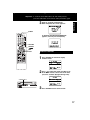
3
EJECT
If “AUTO CLOCK SET IS INCOMPLETE”
appears, manually set clock (below).
ACTION
SELECT
SET
VCR
Manual Clock Set
If Auto Clock Set was incomplete.
1
2
Press ACTION* on remote to display
CLOCK screen.
Press
to select the month and SET to set.
In the same manner, select and set the date,
year, time, and DST (Daylight Saving Time).
STOP/EJECT
3
Press ACTION to start clock and exit.
17
Reset Language, Channels, Clock,
Press ACTION*
to display MENU.
1
2 ■ Language
• PROGRAM functions are not available when
using COMPONENT Video Output and S-VIDEO
OUT. Please set TV to either RF INPUT or VIDEO
INPUT, and then press PROGRAM.
■ Channels
■ Clock
1) Press
to select
language item.
1) Press
to select “SET
UP CHANNEL,” and press
SET.
1) Press
to select “SET
CLOCK,” and press SET.
2) Press SET repeatedly to
change language item as
shown below.
2) Press
to select
“ANTENNA,” then press
SET to set your antenna
system (“TV” or “CABLE.”)
2) Press
to select
“MANUAL,” and press
SET.
(For Auto Clock Set,
select “AUTO CLOCK
SET.”)
For Spanish
3) Press
to select
“AUTO SET,” then press
SET.
• If you use a Cable Box, set it
to the PBS channel in your
time zone.
(“TIME ZONE ADJUST”
appears only when auto
clock is set.)
For French
• After Channel Auto Set is
finished, Auto Clock Set will
be performed.
For English
3) Press ACTION to exit.
18
3) Press
and to select,
then set the date, time,
and DST (Daylight Saving
Time).
4) Press ACTION to start
Clock and exit this mode.
VCR’s Output Channel
*Important:
If a remote control button does not work
when pressed, press the VCR button on the
remote and try the button again.
POWER
NUMBER
keys
CH /
(Only when Auto Clock is set.)
1) Press
to select “SET
CLOCK,” and press SET.
2) Press
to select “TIME
ZONE ADJUST,”
■ VCR’s Output
Channel
1) Press
to select
“VCR’S OUTPUT
CH.,” and press SET.
SET
VCR
Basic Operation
■ Time Zone Adjust
ADD/DLT
ACTION
SELECT
2) Press SET.
Add or Delete a Channel
and press SET to subtract
or add hour(s) as
necessary.
3) Press ACTION.
To add channel:
Select channel with NUMBER keys
and press ADD/DLT.
3) Press ACTION.
• “TIME ZONE ADJUST”
returns to “0” if clock is set
manually.
To delete channel:
Select channel with CH /
NUMBER keys and press
ADD/DLT.
or
After 3 seconds
DST (Daylight Saving Time)
DECK auto adjusts clock for DST.
(p. 17.)
• To Make Corrections,
repeat steps 1) ~ 3).
Spring (First Sunday in April)
DST:ON ➛ Sets clock ahead one hour.
Autumn (Last Sunday in October)
DST:ON ➛ Turns clock back one hour.
• If your area does not observe
Daylight Saving Time, select
DST:OFF.
• Keep these time changes in mind
when programming DECK for timer
recordings.
19
Playback/ Record on a Tape
Ready Checklist
All connections are made. (pp. 12 ~ 15)
TV and DECK are plugged in.
TV is on and tuned to CH 3, 4, or VIDEO.
Remote is in VCR mode. (Press VCR.)
➛ The VCR mode Light-up Indicator lights on DECK.)
(➛
VCR/TV
EJECT
CH
/
Playback a Tape
1
Insert a tape.
2
Press PLAY* to play a tape.
• DECK power comes on. If Auto VCR/TV (see p. 34)
is set to “OFF,” press VCR/TV on the remote for
VCR mode.
• If tape has no rec. tab (p. 6), auto play begins.
• The PLAY Light-up Indicator lights on DECK.
Special Features During Play
■ Forward/Reverse Scene Search
➛ Press FF/SLOW+ or REW/SLOW-.
➛ Press PLAY to release.
After search has begun, each additional press of
FF/SLOW+ or REW/SLOW- changes speed as
shown below.
[SP] : Approx. 5× ↔ Approx. 7×
[SLP] : Approx. 11× ↔ Approx. 21×
VCR
FF/
SLOW+
REW/
SLOWPAUSE/
STILL
REC
DVD
PLAY
STOP
SPEED
Notes
• Picture interruption may occur with some TVs.
• FF and REW search speed may vary depending on
current tape position.
• After 10 minutes in search mode, VCR returns to Play
mode to protect the tape and the video heads.
■ Still (Freeze) Picture
➛ Press PAUSE/STILL.
➛ Press PLAY to release.
■ Frame by Frame Picture
➛ Press PAUSE/STILL in Still mode.
➛ Press PLAY to release.
■ Slow Motion Picture
➛ Press FF/SLOW+ (increase speed) or REW/
SLOW- (decrease speed) in Still mode.
➛ Press PLAY to release.
3
Press STOP to stop a tape.
■ Press REW/SLOW- or FF/SLOW+ in Stop
mode to rewind or fast forward a tape.
■ Press EJECT on remote, or STOP/EJECT on
DECK to eject a tape.
Notes
• These features work best in SP or SLP
mode.
• The sound will be muted.
• To reduce picture noise, see “Manual
Tracking Control” on page 4.
• After 3 minutes in Still or Slow mode, VCR
stops to protect the tape and the video
heads.
Playback using DECK buttons
2
Press PLAY.
1
Insert a tape.
S-VHS Quasi Playback (SQPB)
• Tapes recorded in S-VHS can easily be played back
using the same procedure as with VHS tapes.
• This VCR automatically distinguishes between S-VHS
and VHS tapes and plays them back.
• Picture quality will be normal VHS, not S-VHS and
picture noise may occur. (Color loss or picture
disruption during Search, Pause, etc. is normal.)
• S-VHS recording is not possible.
20
Light-up Indicators
■ Press STOP/EJECT to stop
and/ or eject a tape.
*Important: If a remote control button does not work when pressed,
press the VCR button on the remote and try the button again.
Record on a Tape
Insert a tape with a record tab (p. 6).
2
Press CH
, or NUMBER keys
to select the channel.
3
• DECK power comes on. If Auto VCR/TV (see p. 34) is
set to “OFF,” press VCR/TV on the remote for VCR
mode.
• If channel number is over 100, first press 100 key
then the other 2 digits.
• For “LINE” input, see p. 35.
Press SPEED
to select the record speed (p. 4).
Note
Remove loose or peeling labels from
tapes to prevent tape jam.
SP = Standard Play
SLP = Super Long Play
4
Basic Operation
1
This video recorder, equipped with HQ
(High Quality) system, is compatible
with existing VHS equipment.
mark.
Only use tapes with the
Only tapes tested and inspected for
use in 2, 4, 6, and 8 hour machines
are recommended.
Press REC
to start recording.
(The VCR REC Light-up Indicator lights on
DECK.)
• To edit out unwanted scenes, press PAUSE/STILL
to pause, and again to resume recording.
• You cannot view another channel during recording.
5
<One Touch Recording screen>
Press STOP
to stop recording.
■ One Touch Recording (recording in progress),
➛ press REC repeatedly to set the recording length
(30 min. ~ 4 hours) (see right).
• DECK shuts off after the preset record length.
■ Record one station, watch another,
➛ press VCR/TV on the remote (change to TV
mode),
➛ select channels at TV (recording continues).
Normal Rec
■ Select Channels at DECK
(In Stop or Rec. Pause mode)
➛ press VCR/TV on the remote (change to TV
mode),
➛ select channels at DECK.
■ Play a disc while recording a tape.
➛ insert a disc during recording,
➛ press DVD, and then press PLAY.
0:30
1:00
Press REC repeatedly
4:00
3:00
2:00
1:30
Record using DECK buttons
4
Press REC to
start recording.
1
Insert a tape.
Notes
• It is not possible to record from DVD/ Video CD/ CD to
VHS tape using DECK.
• Watching one channel and recording another is not
possible when using Cable Box or DSS Receiver.
• After 5 minutes in Pause mode, DECK stops to protect a
tape and video heads.
2
Select
Light-up
Channel. Indicators
■ Press STOP/EJECT to stop.
21
Basic DVD Operation
Ready Checklist
All connections are made. (pp. 12 ~ 15)
DECK is plugged in.
If DECK is connected to an audio amplifier,
turn the stereo system’s power on.
1
Press DVD to select DVD mode.
2
Press OPEN/CLOSE *,
and then place a disc into the disc tray.
• The DVD mode Light-up Indicator lights on
DECK.
• If a disc is already inserted, go to step 3.
(Depending on the disc, playback may start
automatically.)
OPEN/
CLOSE
• Hold disc by its edges
only (p. 6) with printed
side up and use guides
place into tray.
1 to
Use 1 8 cm (3″) or 2
2 12 cm (5″) disc.
POWER
10
DVD-RAM ➡ see p. 42
NUMBER
keys
3
SELECT
MENU
SET
STOP
FF/
SLOW+
DVD
PLAY
REW/
SLOW-
SKIP+
SKIP-
PAUSE/
STILL
TITLE
VSS
RETURN
Press PLAY to start playing.
Disc tray closes automatically.
• The PLAY Light-up Indicator
lights on DECK.
• You may also close tray by
pressing OPEN/CLOSE.
• Data reading time differs with
each disc.
<Example1>
TITLE MENU
If an interactive DVD* or a
Video CD with playback
control*2 is used and TITLE
MENU appears, go to step 4.
4
TITLE MENU
Cats
Samurai
Friend
Music
Operation using DECK buttons
2, 6 Press
OPEN/CLOSE.
3
2
Press PLAY.
Insert a disc.
Cats
1
<Example2>
Samurai
Friend
Music
Press
or
NUMBER keys (see
below) to select title,
and press SET or
PLAY to start playing.
• Pressing SET or PLAY
is not necessary when
using NUMBER keys.
Using NUMBER keys starts play automatically.
The number of available titles varies with each
disc.
<Input
1 digit number
1: 1
Example> 2 digit number 12 : 10 ➛ 1 ➛ 2
Press SKIP+
| or SKIP- |
to go to next or
previous menu screen.
• SKIP function not available with all discs.
Please refer to disc jacket for operation information.
5
Press STOP.
*1 Interactive DVD...
May include multiple camera angles, stories,
etc.
2
* Video CD with playback control...
Particular scenes or information can be
interactively selected from a menu that
appears on the screen.
22
To return to menu (play stops)
Press TITLE, MENU, or RETURN. (DVD)
Press RETURN. (Video CD)
5
6
Press STOP to stop playing.
Press OPEN/CLOSE to eject the disc.
*Important: If a remote control button does not work when pressed,
press the DVD button on the remote and try the button again.
■ Forward/Reverse Scene Search
Press FF/SLOW+ or REW/SLOW- during play.
Press PLAY to release.
• Starting forward/reverse search during play
started from menu on Video CDs may recall
menu.
• Search speed, slow at first, increases with each
additional press of the button up to 5 levels.
■ Forward/Reverse Chapter/Track Skip
chapter/track returns to the start of that
chapter/track. Each additional press skips
back one chapter/track.
| or |
during play started
• Pressing SKIP
from menu on Video CDs may recall menu.
Current playback position
Chapter/Track Chapter/Track Chapter/Track
Reverse Skip
[DVD-RAM]
• Pressing SKIP- |
Forward Skip
once midway through a
program/play list returns to the start of that
program/play list. Each additional press skips
back one program/play list.
Current playback position Marker
Program/Play List Program/Play List Program/Play List
Reverse Skip
Forward Skip
■ Still Picture or Pause
Press PAUSE/STILL during play.
Press PLAY to release.
• DVD/Video CD : DECK will enter still picture mode.
• CD : DECK will enter pause mode.
■ Frame by Frame Picture (DVD/Video CD)
Press PAUSE/STILL in still mode.
Press PLAY to release.
• Each press advances picture one frame.
• Hold button down for consecutive frame
advance.
• Whether pictures are advanced by “FRAME” or
“FIELD” is selected automatically. (See p. 54.)
■ Slow Motion Picture (DVD/Video CD)
Press FF/SLOW+ or REW/SLOW- in still mode.
Press PLAY to release.
• Slow motion speed, slow at first, is increased
with each additional press of the button up to
5 levels.
• Reverse slow motion is not available for Video
CDs.
Auto-Power Off Function
Power turns off after DECK has been in Stop
mode (DVD) for about 5 minutes.
• When
appears on the screen while a button is
being operated, it means that the corresponding
operation is prohibited by DECK or the disc.
Press VSS in DVD mode.
• The Surround sound effect can be changed by
pressing VSS repeatedly as shown by the figure
below.
SURROUND1
SURROUND2
SURROUND
OFF
SURROUND3
Notes
• Surround sound effect is available in DVD mode only.
• Turn off the surround effects on the other equipment.
• V.S.S. will not work, or will have less effect, with
some discs.
• Turn V.S.S. off if it causes distortion.
• Sound will only come from the two front speakers if
V.S.S. is on.
Basic Operation
Press SKIP+
| or SKIP- |
during play.
Each press skips a chapter (DVD), track
(Video CD/CD) or Program/Play List/Marker
(DVD-RAM).
[DVD / Video CD / CD]
• Pressing SKIP- |
once midway through a
V.S.S. (Virtual Surround Sound)
Enjoy a surround-like effect if you are using two
front speakers only. The effect is broadened and
sound seems to come from virtual speakers on
either side if the disc has surround signals
recorded on it.
Resume Function
DECK memorizes the point where STOP is
pressed (STOP
is flashing on screen).
Press PLAY to resume play from this point.
Pressing STOP again or opening the tray
cancels RESUME, however, RESUME is not
canceled when power is turned off and on.
• RESUME works only with discs for which elapsed
play time is displayed during play.
• When a DVD-RAM still picture is played back, the
counter will not be displayed, however RESUME
will function.
Enjoy Video CDs featuring
playback control without using
menus (Video CDs only)
1. Do steps 1-4 (previous page).
When menu appears, press STOP.
2. Press NUMBER keys to select desired track
(play begins).
• Check disc for track numbers.
• Press “1” to start at beginning of disc.
To Resume Menu use,
Press STOP and press PLAY, then the menu
will be displayed.
Now, go to step 4 (previous page).
Notes
• Please read the disc jacket for operation
information.
• If a single sided disc is placed in upside down,
“THIS TYPE OF DISC CANNOT BE PLAYED.
PLEASE INSERT A DIFFERENT DISC” is
displayed.
• Remove disc and press DECK POWER off when
not in use.
• Disc continues to rotate with menu displayed
even after play is done. Press STOP to clear
menu display when finished with menu.
23
Timer Recording
Ready Checklist
All connections are made. (pp. 12 ~ 15)
TV and DECK are plugged in.
Clock set correctly. (p. 18)
Tape has record tab intact. (p. 6)
Remote is in VCR mode. (Press VCR.)
➛ The VCR mode Light-up Indicator lights on DECK.)
(➛
Sufficient tape remaining for recording time.
1
2
POWER
Press PROG*
to display Program.
Example
31
1
12
DAILY
13
SELECT
SET
VCR
• See selection order left.
Today
14
ADD/DLT
1) Press .
2) Set record DATE,
to select:
press
1~31= one time, or
DAILY=Monday~Friday,
or WEEKLY= same time
each week.
SELECT /
Selection Order
WEEKLY
(SA)
WEEKLY
(SU)
WEEKLY
(MO)
3) Set remaining items,
press SET
to set START/ STOP
times, CH (channel) or
LINE input (p. 35), and
tape speed (SP, SLP).
Then press
to select.
PROG
Press PROG
to end programming.
3
To Enter More Programs,
press
to select and
press SET
to set an unused program
number, and then repeat
step 2.
Or
Press PROG
to exit.
VCR mode Indicator
Light-up Indicators
TIMER Indicator
VCR REC Indicator
• When timer is set, the TIMER Light-up Indicator lights on DECK.
• When timer recording starts, the VCR REC Light-up Indicator lights on
DECK.
• You can set Timer Recording with the power on or off.
• “TIMER REC WILL START SOON” appears on-screen for 2 minutes before
Timer Recording starts. If DECK is in DVD mode, no message appears, but
the VCR REC Light-up Indicator will flash.
24
*Important: If a remote control button does not work when pressed,
press the VCR button on the remote and try the button again.
Review, Replace or Clear Program Contents:
(Recording is not in progress)
1
Press PROG
to display Program List.
2
Press
to select number.
To cancel a Timer
Recording in progress...
Hold down STOP in VCR mode for
a few seconds to cancel the Timer
Recording.
(The TIMER Light-up Indicator goes
out on DECK.)
• Any future daily or weekly recording will
be performed as programmed.
3 To Replace program...
or
VCR Operation
Repeat Step 2 (p. 24) to
set new programs.
To Clear program...
Press ADD/DLT.
4
Press PROG
to end the programming.
Notes
• If you are using a Cable Box, the VCR’s channel for Timer Recording must be set to the Cable Box
input channel and Cable Box must be manually set to the desired channel. Cable Box power must
be left on.
• 2 minutes before Timer Recording is performed, “PLEASE PREPARE FOR TIMER REC” appears
and TIMER Light-up Indicator flashes.
Be sure a cassette with record tab is loaded and DECK is in Stop mode.
• If a power interruption occurs while programming the timer, the timer program(s) may be canceled. If
“TIMER PROGRAMS WERE LOST DUE TO POWER INTERRUPTION” appears on-screen, please
re-enter the timer programs.
• If the start time for Timer Recording comes up during recording and playing back, Timer Recording will
not be performed.
Important notes when using DSS Receiver
• When recording programs via DSS Receiver, DSS Receiver must be left on.
• When recording programs via an antenna or cable, DSS Receiver must be turned off.
25
MTS Broadcast/ VHS Hi-Fi Stereo System
Connection
Make the Audio/Video Connection as shown on pp. 12 ~ 15.
• You can use TV connected to a Stereo amplifier and speakers instead of Stereo TV.
Receivable Broadcast Types
The following are possible audio broadcast types and
on-screen displays.
The signal being received is indicated with a “ ” mark
while the selected audio mode is indicated with an arrow.
To display the broadcast signal being received,
➛ press DISPLAY*.
MTS Stereo and SAP broadcast
Multi-channel Television Sound Stereo
(main language) and Secondary Audio
Program (sub language) broadcasts are
being received simultaneously.
Select STEREO or SAP audio mode.
MTS Stereo broadcast
Multi-channel Television Sound Stereo
broadcast. Select STEREO audio mode.
AUDIO
• If stereo broadcast is weak and display
flickers, select MONO audio mode for
possible better results.
DISPLAY
(SAP/Hi-Fi)
SAP broadcast
Secondary Audio Program (sub
language) broadcast. Select SAP audio
mode for the sub language.
MONO broadcast
Normal monaural sound broadcast.
26
®
Equipped with
-TV
Noise Reduction for true
®
MTS reproduction.
-TV
Noise Reduction is
required for good stereo
separation and audio
®
fidelity.
is a registered
trademark, and is licensed
®
by
Technology
Licensing.
*Important: If a remote control button does not work when pressed,
press the VCR button on the remote and try the button again.
Audio Mode for Recording
1
Press AUDIO (SAP/Hi-Fi)
to display audio mode.
(Display disappears after 5 seconds.)
2
Press AUDIO (SAP/Hi-Fi)
repeatedly to select desired mode.
• Refer to “Receivable Broadcast Types”
on p. 26.
• Arrow indicates selection.
Make a recording.
See p. 21.
Audio Mode for Playback
1
Start playback.
See p. 20.
2
Press AUDIO (SAP/Hi-Fi)
to display audio mode.
3
VCR Operation
3
Press AUDIO (SAP/Hi-Fi)
repeatedly to select desired mode.
• Arrow indicates
selection.
• Select “HIFI (L/R)” or “HIFI (L)” or “HIFI
(R)” to listen to stereo recordings in
stereo sound.
Select “NORMAL” for monaural sound.
• Display disappears after 5 seconds.
Notes
• Only tapes recorded in Hi-Fi stereo will playback with true stereo sound.
Standard stereo tapes will playback in monaural sound.
• To listen to Hi-Fi stereo playback, the DECK AUDIO (L/R) jacks must be connected to a stereo TV or an
external stereo amplifier and speakers. (See pp. 12, 14.)
• If tracking is adjusted during playback, Hi-Fi audio may revert to normal audio.
• Hi-Fi and normal audio playback volume level may differ.
27
Multi-Brand Control Feature
Multi-Brand Control Setup
The Remote Control can be set to control certain Televisions.
1
2
3
Find your TV Brand Code Number on the following
page.
Set up for TV control,
➛ hold down TV button,
➛ enter code with NUMBER keys.
Confirm code entry,
➛ press POWER to turn selected unit on or off.
• See table below for controllable functions in each mode.
Notes • Repeat setup after remote battery replacement.
• Remote will not control every TV made by the
manufacturer listed. If you get no response, your particular
unit cannot be controlled.
There are NO additional codes for the products listed. If
your product is not listed, then the remote is not
compatible with that product.
Using Multi-Brand Control
After remote is set up, you can select VCR, DVD, or TV
for the desired function.
Press VCR, DVD, or TV on the remote.
(Table below shows available remote buttons for each mode.)
Unit
DVD/VCR
TV
DVD
VCR
All
VOL +/-
TV
EJECT/OPEN/CLOSE*, DISPLAY, PLAY,
STOP, FF/SLOW+, REW/SLOW-,
VCR/TV, PAUSE/STILL, SKIP, AUDIO,
CM/ZERO, SPEED, REC, TAPE
POSITION, PAGE, COUNTER RESET
Mode
* Bold : VCR Function
Italic : DVD Function
POWER, INPUT, NUMBER keys,
ENTER, CH / , VOL +/-
Bold Italic : VCR and DVD Functions
Normal
: TV
Notes
• Not all functions listed may be controllable.
• In TV mode, it may be necessary to press ENTER after pressing NUMBER keys for channel selection.
28
TV Brand Code Numbers
Panasonic ................................................. 01, 02
Quasar ...................................................... 01, 02
RCA ................................................................. 03
GE ................................................................... 03
Zenith .............................................................. 04
Magnavox ....................................................... 05
Sylvania .......................................................... 05
Sharp ......................................................... 06, 07
Sony ................................................................ 08
Toshiba ........................................................... 09
Sanyo .............................................................. 10
Fisher .............................................................. 10
JVC ................................................................. 11
Hitachi ............................................................. 12
Mitsubishi .................................................. 07, 13
Samsung ........................................................ 14
Gold Star ............................................ 15, 16, 17
Important Notes
• Some manufacturers use several codes for one brand.
If the first code entered fails, try the next one listed.
• Some Televisions require you to turn on the power manually.
VCR Operation
POWER
TV
NUMBER
keys
VCR
DVD
ENTER
29
Tape Operation
Zero Search
Search System
For each recording, an invisible index mark is
placed on the tape. A program index and
information are also included for timer
recordings. These marks are used to access or
scan recordings.
Index Search
1
Press SEARCH*
to display SEARCH
in Stop or Play
mode, and then
press NUMBER
keys to select
recording number.
• To calculate number,
see below.
Press FF/SLOW+ or
REW/SLOW- on the
remote to start
search.
2
Play begins at
search end.
To search forward or
back 1 index, press
FF/SLOW+ or REW/
SLOW- on the
remote while screen
at left is displayed
(10 sec.).
• To cancel, press
PLAY or STOP.
To go to rec. 2 from rec. 4, enter 3 and press
REW.
2
3
4
5
6
7
Example 2:
To go to rec. 6 from rec. 2, enter 4 and press
FF.
1
NOTE:
2
3
4
5
1
2
3
4
5
6
7
Press DISPLAY during play to display
Counter.
Press COUNTER
RESET on remote at
desired position to
reset to “0:00:00”.
Continue to record, playback etc.
Press STOP.
Press CM/ZERO
in Stop mode to start
Zero Search.
• DECK will go into FF or REW mode and stop
at the last point the Counter was set to
0:00:00.
Commercial Skip
DECK fast forwards (skips) over 1, 2, or 3
minutes of recorded tape as desired.
1
■ To Calculate Index Number
Example 1:
1
To quickly return to a specified tape location.
Press CM/ZERO in Play mode.
• The skip time can be changed by pressing
CM/ZERO repeatedly as shown by the figure
below.
PLAY
1st Press
1 min Skip
2nd Press
2 min Skip
3rd Press
3 min Skip
indicates start points of each recording.
• No indication appears on-screen.
Note
• If Index Search is started very close to an index
mark, that index mark may not be counted in the
search.
30
*Important: If a remote control button does not work when pressed,
press the VCR button on the remote and try the button again.
Repeat Play
Set to playback a recording over and over.
1
2
Press ACTION
to display MENU.
Press
to select “SET UP
VCR,” and press
SET.
3
ACTION
4
Press ACTION
to return to normal screen.
Note
SET
STOP
FF/
SLOW+
PLAY
REW/
SLOW-
DISPLAY
VCR Operation
• Playback repeats at tape end or if
unrecorded portion over 30 sec. is detected.
NUMBER
keys
SELECT
Press
to select “REPEAT
PLAY,” and press
SET to set “ON” or
“OFF.”
• For repeat play in DVD mode, see page 47.
Auto Operation Functions
■ Auto Play
SEARCH
CM/ZERO
COUNTER
RESET
Insert a tape ➛ Power comes on,
➛ Play starts if there is no record tab
(see p. 6).
■ Auto Rewind
Play
Fast Forward ➛ Tape end ➛ Rewind ➛ Stop
■ Play Auto Eject
(Repeat Play must be off)
Play ➛ Tape end ➛ Rewind ➛ Stop
➛ Tape ejects
(If there is no record tab or some timer
programs are set.)
31
Tape Operation (continued)
*Important:
Tape Select
Select your tape length so the tape position and amount
of tape remaining are properly displayed.
(See “Tape Position Display” section below.)
1
2
3
If a remote control button
does not work when
pressed, press the VCR
button on the remote and
try the button again.
Press ACTION*
to display MENU.
Press
to select “SET UP VCR,” and
press SET.
Press
to select “TAPE SELECT,”
and press SET to set
“T-120,” “T-160” or “T-180.”
• Select “T-120” for tapes 120 minutes or less, “T-160”
if 140 or 160 minutes, and “T-180” if 180 minutes.
4
Press ACTION
to return to normal screen.
Tape Position Display
To find out the present tape position and amount of tape
remaining.
ACTION
SELECT
SET
Tape position is displayed incorrectly in the following
cases:
• If VHS-C type cassettes, tapes under 30 minutes, tapes
over 180 minutes, or incompatible tapes are used.
• If the correct tape length is not selected.
(See “Tape Select” section above.)
1
Press TAPE POSITION
to detect current tape position.
• “DETECTING TAPE POSITION”
only appears the first time a
cassette is inserted and it takes
several seconds for correct
indication to appear.
• The present tape position
indication and amount of tape
remaining (according to tape
speed) are displayed.
Tape remaining time display may
not be precise.
2
32
Press TAPE POSITION
(or wait 5 seconds) to return to normal screen.
TAPE
POSITION
Special VCR Features
Weak Signal Display Feature
When “ON,” picture is displayed regardless of signal
strength.
1
2
Press ACTION
to display MENU.
Press
to select “SET UP CHANNEL,”
and
press SET.
3
• ON:
Picture is displayed regardless of signal condition,
and may not always be clearly visible.
OFF: Screen turns solid blue when signal is weak or
non-existent.
• Selecting ON has no effect on connected equipment with
blue back feature.
4
ACTION
SELECT
SET
Press ACTION
to return to normal screen.
VCR Operation
Press
to select “WEAK SIGNAL
DISPLAY,” and
press SET
to set “ON” or “OFF.”
Auto Shut-Off Feature
The power shuts off at a preset time.
1
2
Press ACTION
to display MENU.
Press
to select “SET UP VCR,” and
press SET.
3
4
Press
to select “AUTO SHUT-OFF.”
Press SET repeatedly to
change shut-off time as shown
below.
OFF
2 Hours
6 Hours
4 Hours
Press ACTION
to return to normal screen.
Note
• The shut-off countdown will not function during Play or
Record.
33
Special VCR Features (continued)
VCR/TV Selection Feature
VCR/TV Selector Feature
The VCR/TV selection can be set to auto or manual.
1
2
Press ACTION*
to display MENU.
*Important:
If a remote control button
does not work when
pressed, press the VCR
button on the remote and
try the button again.
Press
to select “SET UP VCR,”
and
press SET.
3
Press
to select “AUTO VCR/TV,”
and
press SET
to set “ON” or “OFF.”
VCR / TV
• OFF(Manual): You select “VCR” or “TV” mode using the
VCR/TV button on the remote.
• ON(Auto):
“VCR” mode is automatically set when
VCR is turned on, or in Play mode.
4
Press ACTION
to return to normal screen.
ACTION
SELECT
Note
• For more on VCR/TV selection, see “Record one station,
watch another” and “Select channels on DECK” sections
(see p. 21).
VCR Lock Feature
When set to ON, all operations are prohibited. (Except
for timer record, tape eject, channel change, and power
on/off.) Useful for households with small children.
VCR LOCK ACT I VATED
To turn on, hold down REC on
the DECK in Stop mode with no
tape inserted for 7 sec.
(Please ignore the NO
CASSETTE warning.)
To turn off, repeat above.
VCR LOCK OFF
• VCR Lock cancels in 24 hours.
34
SET
STOP
STILL/
PAUSE
INPUT
REC
Copying Your Tapes (Dubbing)
Connection
VCR/ Camcorder (Hi-Fi)
DVD/VCR DECK
OUT
OUT IN1
VIDEO
AUDIO
TV
Front of DECK
VIDEO IN2 L-AUDIO
IN FROM ANT.
IN2-R
VIDEO
L
AUDIO1
R
L
VHF/
UHF
VHF/UHF
OUT TO TV
(Audio/Video In Terminals
on the front of DECK are
available)
R
1 Connect VIDEO OUT terminal on Playing VCR to VIDEO IN terminal on DECK.
To monitor the dubbing, also connect TV as shown.
2 Connect “L” and “R” AUDIO OUT terminals on Playing VCR to “L” and “R” AUDIO IN
terminals on DECK.
In place of Playing VCR, you can use other equipment, such as a Camcorder.
Simply connect the unit’s Audio/Video outputs to DECK.
1
2
3
Insert a pre-recorded tape.
Recording (Editing) DECK
Insert a blank tape with record tab.
Press INPUT to set DECK Input mode
to LINE for Video Input.
(See “Selecting the Input Mode” below.)
Press PLAY, then PAUSE
immediately to enter PLAY/PAUSE
mode.
VCR Operation
Playing (Source) VCR
Press REC, then STILL/PAUSE
immediately to enter REC/PAUSE
mode.
The operation of steps 4 and 5 must be done on the
playing and recording VCRs at the same time.
4
5
Press PLAY to start dubbing.
Playing VCR starts playback.
Press STILL/PAUSE to start dubbing.
DECK starts recording.
Press STOP to stop dubbing.
Press STOP to stop dubbing.
■ To Monitor Dubbing on TV
1 Turn TV on and tune to the Recording
VCR channel (CH 3 or CH 4).
2 If Auto VCR/TV (see p. 34) is set to
“OFF,” press VCR/TV on the remote for
VCR mode.
Note • Dubbing tapes protected with Copy
Guard will result in poor quality
recordings.
■ Selecting the Input Mode
Method 1:
Method 2:
Press INPUT repeatedly.
Channel Number ➛ LINE1 ➛ LINE2
Press CH / .
Display will change as below.
1
2
Press
LINE2
LINE1
3
(CABLE) (TV)
125 or 69
Press
• LINE1: For rear audio/video connection.
LINE2: For front audio/video connection.
Caution:
• Unauthorized exchanging and/or copying of copyrighted recordings may be copyright
infringement.
• Please note that some tapes cannot be dubbed on DECK.
Also, it is not possible to dub DVD/ Video CD/ CD to VHS tapes using DECK.
• When appears on the screen while a button is being operated, it means that the corresponding
operation is prohibited by DECK or the disc.
35
Disc Operation
Subtitle Language (DVD only)
You can select a different subtitle language (if offered)
than the one set at the Settings for DVD Operation.
(See p. 52.)
1
Press SUB TITLE*
in Play mode to display the
subtitle selection on-screen.
Ready Checklist
Please read “Basic DVD Operation”
on page 22.
[Subtitle language]
[Audio sound track language]
ENG
FRA
DEU
ITA
ESP
NLD
SVE
NOR
DAN
POR
RUS
JPN
CHI
KOR
MAL
VIE
THA
• Display disappears after
5 seconds.
2
Press SUB TITLE
repeatedly,
, or
NUMBER keys to select
desired language.
Subtitle language being played
back (see chart, right).
Notes
• If after several presses of the button the language does not
change, language selection is not offered on the disc.
• When disc is removed, subtitles revert to initial setting
language. If the initial language is not recorded on the disc,
the disc’s priority language will appear.
• With DVD-RAM, the subtitle can only be set to ON/OFF.
The subtitle language cannot be selected.
• Subtitles may not change to the selected language
immediately.
Audio Soundtrack Language (DVD only)
You can change the audio soundtrack language, selected
at the Settings for DVD Operation, to a different language if
available. (See p. 52.)
(This operation works only with discs on which multiple
audio soundtrack languages are recorded.)
1
Press AUDIO
in Play mode to display the
audio selection on-screen.
• Display disappears after
5 seconds.
Information of the audio stream
currently being played back is
displayed. (See page 53.)
2
Press AUDIO repeatedly,
, or NUMBER keys to
select desired language.
Audio soundtrack language
being played back (see chart,
above right).
36
∗
English
French
German
Italian
Spanish
Dutch
Swedish
Norwegian
Danish
Portuguese
Russian
Japanese
Chinese
Korean
Malay
Vietnamese
Thai
Other
• Change the No. by pressing
press SET.
, and
[Audio attribute 1 type, sampling
frequency, bit No. of the disc (see p. 53.)]
96 kHz 16 bit
20 bit Linear PCM disc
or
48 kHz 24 bit
Dolby Digital disc
Dolby Digital 1c h - 5.1 ch
1 ch - 5.1 ch
DTS
DTS disc
LPCM
Notes
• If, after several presses of the AUDIO
button the language does not change,
language selection is not offered on
the disc.
• When disc is removed, language
reverts to initial setting. If this
language is not recorded on the disc,
the language recorded will be heard.
• With DVD-RAM, Audio Soundtrack
Language cannot be set. Audio
stream and Audio mode (LR/L/R)
setting can be made. Audio stream
operation method is the same as
Audio Soundtrack Language. Press
to move the cursor to Audio mode,
then press AUDIO or
to select LR/
L/ R.
*Important: If a remote control button does not work when pressed,
press the DVD button on the remote and try the button again.
When appears on the screen while a
button is being operated, it means that
the corresponding operation is
prohibited by DECK or the disc.
Multiple Angle Viewing (DVD only)
DVDs may contain scenes shot from multiple camera
angles allowing the same scene to be viewed at different
angles. You can view these angles, if available, using the
ANGLE button.
1
Press ANGLE
in Play mode to display the
angle selection on-screen.
• Display disappears after
5 seconds.
2
NUMBER
keys
Press ANGLE repeatedly,
, or NUMBER keys to
select desired angle.
Number of angle being played back.
Note
• This function not available with DVD-RAM.
SELECT
SET
1
2
Press AUDIO in Play mode
to display the audio screen.
Press
to select VOCAL
and
press AUDIO or
to
select as shown below.
SUB TITLE
• DVD Karaoke (1 vocal): VOCAL ON VOCAL OFF
• DVD Karaoke (2 vocals): VOCAL V1 VOCAL V2 VOCAL V1 + V2
• Video CD:
LR
L
DVD Operation
ZOOM
ANGLE
AUDIO
Vocal Selection for Karaoke Discs
(DVD/Video CD)
VOCAL OFF
R
Picture Zoom (DVD only)
You can enlarge specific portions of a picture and select
the zoom ratio using the ZOOM button during DVD
playback.
Notes
• The subtitle cannot be enlarged or
moved.
• The picture zoom feature does not
work with a Video CD.
• During picture zoom, “ZOOM1” or
“ZOOM2” appears on-screen for
5 seconds.
• Zooming, on some discs, may result in
poor picture quality, or may not
operate at all.
Press ZOOM repeatedly to change display as
follows.
• You can enlarge the center portion of the image to one of
2 magnifications.
■ Use the , , and
down, left and right.
buttons to move the position up,
37
Disc Operation (continued)
Ready Checklist
DECK is in DVD mode, press DVD.
Video CD or CD is inserted.
Program Play (Video CD/CD only)
You can program specific tracks and order of play.
1
2
3
4
Press ACTION*
to display DVD MAIN MENU.
Press
to select “PLAY MODE,”
and
press SET
to display.
Press
to select
“PROGRAM PLAY,”
and
press SET
to display.
Press
to select a track number
(Track numbers on disc
are displayed.), and
press SET.
CLEAR
ACTION
SELECT
SET
STOP
• Repeat step 4 to select another track.
• The selected track is added on the right side.
DISPLAY
5
Press
to select “START,” and
press SET
to start play of programs
in the sequence selected.
• To cancel, press STOP
during play, then press
CLEAR.
38
*Important: If a remote control button does not work when pressed,
press the DVD button on the remote and try the button again.
Notes
• Up to 16 tracks can be programmed.
• “ ” or “ ” (depending on disc) indicates
additional PROGRAM PLAY screen.
Press
for next or previous
screen.
• To clear the last programmed track
Press
to move to “CLEAR LAST”
and press SET. (Pressing CLEAR also
clears.)
• To clear all programs
to move to “CLEAR ALL”
Press
and press SET. (Programs are also
cleared when the power is turned off or
the disc is removed.)
Program Repeat Play
(Video CD/CD only)
1
2
Do operation steps 1 through 5 on the
previous page.
Press DISPLAY to display Disc Information
screen.
(Disc Information Screen)
3
4
6
Press SET to enter Select mode.
(DECK Information Screen)
Press
to select “DISC.”
(DECK Information Screen)
DVD Operation
5
Press DISPLAY to display DECK Information
screen.
Press SET to set mode.
Cursor moves to “REPEAT.”
To cancel, select “REPEAT : OFF” in step 5,
then press SET.
39
Disc Operation (continued)
Random Play (Video CD/CD only)
Tracks are played in a random order.
1
2
3
Ready Checklist
DECK is in DVD mode, press DVD.
Press ACTION*
to display DVD MAIN MENU.
Press
to select “PLAY MODE,”
and
press SET
to display.
Press
to select “RANDOM
PLAY,” and
press SET
to begin random play.
• To cancel, press STOP
during play, then press
CLEAR.
NUMBER
keys
CLEAR
ACTION
MENU
SELECT
SET
PLAY
STOP
TITLE
40
*Important: If a remote control button does not work when pressed,
press the DVD button on the remote and try the button again.
Title Menu (DVD only)
Some DVDs have more than one title, e.g. movies.
If the disc offers a title menu, you can select the desired
title number. (Operation may vary according to the disc.)
1
TITLE MENU
Cats
Samurai
Press TITLE*
in Play mode
to display the title screen.
Friend
Music
<Example>
2
TITLE MENU
Cats
Samurai
Friend
Music
Music
Music
Press
or NUMBER
keys
to select a title, and
press SET or PLAY
to start playing.
• “Pressing SET or PLAY” is not
necessary when using
NUMBER keys.
of the world
<Example>
1
DVD MENU
1 SUBTITLE
Press MENU
in Play mode to display
DVD MENU.
DVD Operation
DVD Menu (DVD only)
DVDs may offer a special menu. This menu may include
guides to unique contents, audio/subtitle languages, etc.
Although contents and operation may vary, the following
steps show basic procedure for using the menu.
2 AUDIO
3 ANGLE
<Example>
2
DVD MENU
1 SUBTITLE
2 AUDIO
3 ANGLE
<Example>
or NUMBER
Press
keys
to select an item, and
press SET or PLAY
to perform.
• Pressing SET or PLAY is not
necessary when using
NUMBER keys.
Repeat step 2 if there is
more than one menu.
41
DVD-RAM Operation (DVD-RAM only)
You can enjoy playing your personally recorded/edited DVD-RAM discs on this DECK.
Note
• This DECK was designed for playback only. DVD-RAM recording is not possible.
Play a DVD-RAM
1
2
Do steps 1 ~ 3 on page 22.
• Play begins from the first program title recorded on the
DVD-RAM.
Press D.NAVI* or PLAY LIST to display Direct
Navigator or Play List menu for easy title or
scene selection.
• See below for “Direct Navigator” or next page for “Play
List information”.
3
4
Press STOP to stop playing.
Press OPEN/CLOSE to eject the disc.
Direct Navigator
If the DVD-RAM features Direct Navigator, a list of
recorded titles is displayed. Simply select a title number
and start playback. (Operation can vary with disc used.)
1
2
Press D.NAVI
in Play/Stop mode to display the Direct
Navigator menu.
Recording
Program No. time length
Page No.
Press
to select a page and press
to
select a title (Program No.).
Then, press SET or PLAY to start playing.
• “Pressing SET or PLAY” is not necessary when using
NUMBER keys.
Using NUMBER keys starts playing automatically.
The number of available titles varies with each disc.
<Input
1 digit number
1: 1
Example> 2 digit number 12 : 10 ➛ 1 ➛ 2
3
42
Press D.NAVI to clear Direct navigator menu.
Recording time
and date
Titles
(Example)
*Important: If a remote control button does not work when pressed,
press the DVD button on the remote and try the button again.
Play List
If the DVD-RAM features a Play List, your preselected list of favorite scenes is displayed for easy
access. (Operation can vary according to how you edited the DVD-RAM.)
1
2
Press PLAY LIST
in Play/Stop mode to display the Play List menu.
Established
Play List No. time length Page No.
Press
to select a page and press
to
select a title (Play List No.).
Then, press SET or PLAY to start playing.
• “Pressing SET or PLAY” is not necessary when using
NUMBER keys.
Using NUMBER keys starts playing automatically.
The number of available titles varies with each disc.
<Input
1 digit number
1: 1
Example> 2 digit number 12 : 10 ➛ 1 ➛ 2
3
Recording time
and date
Titles
(Example)
Press PLAY LIST to clear Play List menu.
10
SELECT
SET
PLAY LIST
STOP
DVD Operation
NUMBER
keys
PLAY
D.NAVI
Notes
• Titles of Direct Navigator and Play List cannot be changed using this DECK.
• With Direct Navigator, up to 99 programs can be displayed. With Play List, up to 99 titles (999 scenes)
can be displayed.
• While DVD MAIN MENU is displayed, Direct Navigator and Play List display will not appear even if TITLE
or MENU is pressed.
• When
appears on the screen while a button is being operated, it means that the corresponding
operation is prohibited by DECK or the disc.
43
DVD Operation using On-Screen Displays
When DISPLAY is pressed, On-Screen Displays show
disc information (title/chapter/track number, elapsed
playing time) and DECK information (repeat play, play
mode).
1
Ready Checklist
DECK is in DVD mode, press DVD.
Press DISPLAY* in Play or Stop mode to
display “On-Screen Displays.”
• Each press of DISPLAY changes the on-screen
display as follows. (Refer to pp. 44 ~ 48.)
Selected Disc information
(See pp. 45, 46.)
Selected DECK information (See pp. 47, 48.)
NUMBER
keys
Normal Screen
Note
• DISPLAY button does not function while main menu of
DVD, title menu of DVD, Direct Navigator or Play List is
displayed.
2
3
SELECT
Press
to select an item, and
press SET.
SET
Press
or NUMBER keys
to select the setting, and press SET.
<Example of DVD-Video>
• When numbers are
displayed (e.g. title
number), NUMBER keys
are also available.
• If the number entered is
not on the disc, the entry
will have no effect. Reenter the correct
number.
• For more details, refer to
the disc operation
<Example of Video CD> information.
DISPLAY
To return to normal
screen,
press DISPLAY
repeatedly.
<Example of DVD-RAM>
Notes
• When DISPLAY button is pressed during
playback of a Video CD with Playback
control, NUMBER keys are not available
on the displayed screen. In this case,
press DISPLAY again to remove the
displayed screen.
• When
appears on the screen while a
button is being operated, it means that
the corresponding operation is prohibited
by DECK or the disc.
44
*Important: If a remote control button does not work when pressed,
press the DVD button on the remote and try the button again.
Detailed Descriptions of each On-Screen Display
■ Disc information screen (for DVD-Video)
1. TITLE No.
Go directly to a preset title number.
• Select “TITLE”, and press SET.
• Change the No. by pressing
SET.
or NUMBER keys, and press
1
2
3
4
5
2. CHAPTER No.
Go directly to a preset chapter number.
• Select “CHAPTER”, and press SET.
or NUMBER keys, and press
• Change the No. by pressing
SET.
• This function does not work with some discs.
3. Elapsed playing time
The screen may be changed by selecting the elapsed time.
• Select the elapsed playing time (“xx:xx:xx”), and press SET.
• Change the elapsed time by pressing NUMBER keys.
Enter time starting with seconds.
If the time entered is not on the disc, the entry will have no effect.
Re-enter the correct time.
e.g., press 0 ➛ 1 ➛ 2 ➛ 3 ➛ 4 ➛ 5 ➛ SET for “01 : 23 : 45”.
press 3 ➛ 0 ➛ SET for “00 : 00 : 30”.
• This function does not work with some discs.
4. Disc currently being played
The type of disc currently inserted is displayed.
5. Operating mode
The current operation is displayed.
• Select “TRACK”, and press SET.
• Change the No. by pressing
or NUMBER keys, and press
SET.
A
B
B. Elapsed playing time
When disc information screen is displayed, it is not
possible to enter an elapsed playing time.
C. Disc currently being played
The type of disc currently inserted is displayed.
D. Operating mode
The current operation is displayed.
E. Playback control ON/OFF
C
D
E
DVD Operation
■ Disc information screen (for Video CD/ CD)
A. TRACK No.
Go directly to a preset track number.
<Video CD>
PBC ON Video CD menu play is displayed.
PBC OFF Video CD menu play is not displayed.
F. Play mode (See p. 38, 40.)
When Play mode is set (p. 38, 40), the mode name is
displayed.
F
<CD>
PROGRAM PLAY program play
RANDOM PLAY
random play
---normal play
Note • Track No. and the elapsed playing time are not displayed during play started from menu of
Video CDs with playback control.
45
DVD Operation using On-Screen Displays (continued)
■ Disc information screen (for DVD-RAM)
1. Direct Navigation (PROGRAM) or PLAY LIST No.
Go directly to a preset title number.
1
2
3
4
• Select “PROGRAM” or “PLAY LIST”, and press SET*.
or NUMBER keys, and press
• Change the No. by pressing
SET.
2. Elapsed playing time
The screen may be changed by selecting the elapsed
time.
• Select the elapsed playing time (“xx:xx:xx”), and press SET.
• Change the elapsed time by pressing NUMBER keys.
Enter time starting with seconds.
If the time entered is not on the disc, the entry will have no
effect.
Re-enter the correct time.
e.g., press 0 ➛ 1 ➛ 2 ➛ 3 ➛ 4 ➛ 5 ➛ SET for “01 : 23 : 45”.
press 3 ➛ 0 ➛ SET for “00 : 00 : 30”.
• This function does not work with some discs.
3. Disc currently being played
The type of disc currently inserted is displayed.
4. Operating mode
The current operation is displayed.
Direct Navigation
(PROGRAM)
1
2
3
4
PLAY LIST
NUMBER
keys
SELECT
SET
Note • When
appears on the screen while a button is being operated, it means that the
corresponding operation is prohibited by DECK or the disc.
46
*Important: If a remote control button does not work when pressed,
press the DVD button on the remote and try the button again.
■ DECK information screen (for DECK)
a
b
c
a. Repeat Play mode (see p. 48)
Repeat play mode can be selected.
• Select “REPEAT”, and press SET.
• Change the desired mode during play by pressing
, and press SET.
Repeat Play mode
DVD-Video
DVD-RAM
TITLE
OFF (NORMAL)
(PROGRAM) PROGRAM
CHAPTER
DISC
OFF (NORMAL)
(PLAY LIST) PLAY LIST
ALL PLAY LISTS OFF (NORMAL)
Video CD/CD
TRACK
DISC
OFF (NORMAL)
b. SURROUND (see p. 23)
c. A/V OPTIMIZER (see p. 55)
Note • For repeat play in VCR mode, see p. 31.
SET
DVD Operation
SELECT
47
DVD Operation using On-Screen Displays (continued)
For your reference
Repeat Play mode example (see p. 47)
• CHAPTER/TITLE REPEAT PLAY (DVD-Video)
CURRENT PLAYBACK POSITION
TITLE
chapter
chapter
POWER
OPEN/
CLOSE
chapter
CHAPTER REPEAT
NUMBER
keys
TITLE REPEAT
NORMAL PLAY
ACTION
• TRACK/DISC REPEAT PLAY (Video CD/CD)
SELECT
CURRENT PLAYBACK POSITION
track
track
track
TRACK REPEAT
DISC REPEAT
NORMAL PLAY
• PROGRAM/DISC REPEAT PLAY (DVD-RAM [PROGRAM])
CURRENT PLAYBACK POSITION
PROGRAM PROGRAM PROGRAM PROGRAM PROGRAM PROGRAM
PROGRAM REPEAT
DISC REPEAT
NORMAL PLAY
• PLAY LIST/ALL PLAY LIST REPEAT PLAY (DVD-RAM [PLAY LIST])
CURRENT PLAYBACK POSITION
PLAY LIST PLAY LIST PLAY LIST PLAY LIST PLAY LIST PLAY LIST
PLAY LIST REPAT
ALL PLAY LIST REPEAT
NORMAL PLAY
Note • For repeat play in VCR mode, see p. 31.
*Important: If a remote control button does not work when pressed,
press the DVD button on the remote and try the button again.
48
SET
PLAY
STOP
SKIP+
SKIPFF
REW
PAUSE
MP3/JPEG Playback Operation
This unit can play MP3/JPEG format CD-R or
CD-RW recorded for personal use on a PC, etc.
Some discs may not play due to the condition of
the recording.
1
2
3
Press POWER* on the remote or DECK.
Press OPEN/CLOSE,
then place an MP3/JPEG disc into the
disc tray.
Press OPEN/CLOSE to close.
• MP3/JPEG MENU is displayed.
• Playback starts automatically
(except JPEG files).
• CD directory is displayed.
Parent
folder
File area
Folder area
(Current folder
appears green.)
PLAY MODE
: MP3 file
: Folder
ROOT
VA
END_WALTZ
DD_CUB I C
NOCTURNE
NORN
TECHNO
POPS
JAZZ
4
5
Press
to select an MP3 file (
).
(During STOP mode)
Press SET or PLAY to start playback.
■ Forward/Reverse Search
Press FF/SLOW+ or REW/SLOW- during
play.
Press PLAY to release.
(Selected
file/folder is
highlighted.
Titles are
displayed
up to 11
characters.)
(Diagram left shows CD
directory structure as displayed
in example OSD above.)
Notes
• Only File (not Folder) area
operation is possible.
• Files are displayed in the
following order:
(!...0,1....9,A,B......Z).
• Select file (During STOP mode)
to select an MP3 file ( ).
1) Press
➡ MP3 Playback (see right)
2) Press
to select a JPEG file ( ).
➡ JPEG Playback (see p. 50)
3) Press SKIP+
| (next) or SKIP- |
(previous) to skip a file/folder page
(7 files) in the File area.
• Select folder (During STOP mode)
1) Press
to select a folder ( ).
2) Press SET to display files/folders
contained in the folder.
• Select parent folder (During STOP
mode)
1) Press
to select a folder ( ).
2) Press SET to make changes to the
previous directory display.
■ Forward/Reverse Track Skip
| or SKIP- |
during play.
Press SKIP+
Each press skips a track.
• If pressed within first 3 seconds of playback,
skips to the previous track. If over 3 seconds,
returns to top of track. (SKIP- |
only.)
• Put DECK in Stop mode before performing
folder/file selection (see step 4.)
■ Pause
Press PAUSE during play.
Press PLAY to release.
c
d
Press STOP to stop play.
Press OPEN/CLOSE to eject the disc.
The MP3/JPEG MENU is closed
automatically.
Note
• Copyright protected files and files containing
errors cannot be played back. The DECK skips to
the next file.
DVD Operation
<Example>
: JPEG file
: Parent folder
a
b
• Search speed, slow at first, increases with
each additional press of the button up to 5
levels.
<Example>
Function
Status
MP3 Playback
Do steps 1~3 at left.
■ Select PLAY MODE [MP3 Playback]
(During STOP mode)
Press
to select the desired PLAY MODE
(see below).
[PLAY MODE]
NORMAL:
All MP3 files are selected and played back
one time only.
SINGLE REPEAT:
The selected MP3 file is played back
repeatedly.
FOLDER REPEAT:
The MP3 files contained in the selected folder
are played back repeatedly.
However, folders below the selected folder
are not played back.
DISC REPEAT:
All MP3 files are played back repeatedly.
Press ACTION to return to the DVD
MAIN MENU. (➛ Press ACTION again
to return to the MP3/JPEG MENU.)
49
MP3/JPEG Playback Operation (continued)
JPEG Playback
You can play back JPEG images.
Displayable Image Size: 32×32~7680×7680 pixels
Note • Some JPEG format may not be played
back.
Do steps 1~3 on page 49.
1
2
Press
to select a JPEG file ( ).
Press SET or PLAY.
Selected JPEG file is displayed.
[JPEG Playback Screen]
■ Select PLAY MODE [JPEG Slide-show]
(During STOP mode)
Press
to select the desired PLAY MODE
(See below).
[PLAY MODE]
NORMAL:
All JPEG files are selected and played back
one time only.
SINGLE REPEAT:
The selected JPEG file is played back
repeatedly.
FOLDER REPEAT:
The JPEG files contained in the selected
folder are played back repeatedly. However,
folders below the selected folder are not
played back.
DISC REPEAT:
All JPEG files are played back repeatedly.
<Example>
■ Returned on the MP3/JPEG MENU
➡ Press STOP. (See p. 49)
■ Next/Previous Search
➡ Press SKIP+
| or SKIP- |
.
■ Start Slide-show ➡ Press FF/SLOW+ or
REW/SLOW-. (below)
■ Enlarging an image ➡ Press ZOOM. (P. 51)
■ Rotating an image ➡ Press ANGLE. (P. 51)
3
Press STOP to return to the MP3/JPEG
MENU.
JPEG Slide-show
(During JPEG Playback.)
<Example>
JPEG files are displayed automatically
(about every 3 seconds) as a slide-show.
Operation can be done when files are in order,
such as in the diagram below.
1
Press FF/SLOW+ or REW/SLOW-.
ROOT
<Example>
REW/SLOW01 PIC
FF/SLOW+
Image changes every 3 seconds.
■ Cancel slide show
➡ Press STOP to return the MP3/JPEG
MENU. (See p. 49)
■ Still picture
➡ Press STILL (only SLIDE).
➡ Press PLAY to release.
■ Forward/Reverse File Skip
➡ Press SKIP+
| or SKIP- |
.
Each press skips a file.
2
50
Press ACTION to return to the DVD
MAIN MENU.
AAA
DDD
TTT
UUU
VVV
WWW
ZZZ
REW/SLOW-
FF/SLOW+
JPEG Zoom
(During JPEG Playback.)
You can enlarge specific portions of a JPEG
picture and select the zoom ratio using the
ZOOM button on the remote during JPEG
Playback screen.
Set Zoom size.
Press ZOOM repeatedly to change display
as follows.
➡ Press STOP to return the MP3/JPEG MENU.
SELECT
ACTION
SET
STOP
• You can enlarge the center portion of the image
to one of 2 magnifications.
• Operation can be done during Rotation (below).
× 1.0 (ORIGINAL)
FF/
SLOW+
REW/
SLOWSTILL
ANGLE
PLAY
SKIP+
SKIPZOOM
× 1.5 (ZOOM 1)
1st press
× 2.0 (ZOOM 2)
2nd press
3rd press
■ Use the , , and
buttons to move the
position up, down, left and right.
(Position cannot be changed on ×1.0
ORIGINAL images.)
JPEG Rotation
Set rotation.
Press ANGLE repeatedly to change
display as below.
DVD Operation
(During JPEG Playback.)
You can rotate a JPEG picture using the ANGLE
button on the remote during JPEG Playback
screen. (The JPEG picture will be rotated 90°
clockwise.)
➡ Press STOP to return the MP3/JPEG MENU.
• Operation can be done during Zoom (above).
• The vertical/horizontal ratio of rotated JPEG
images may vary when they are displayed.
1st press
2nd press
3rd press
4th press
MPEG Layer-3 audio decoding technology licensed from Fraunhofer IIS
and Thomson multimedia.
51
Settings for DVD Operation
1
2
Press ACTION*
to display DVD MAIN MENU.
Press
to select an item,
and
press SET.
Once initial settings are done, they remain in
memory (even after power is turned off) until
changed. This means DECK will operate under
the same conditions (especially DVDs) each
time.
Ready Checklist
DECK is in DVD mode, press DVD.
DISC LANGUAGES (See below)
All languages offered on the disc can be set.
If a language not offered is set, the original disc
language will be selected.
NUMBER
keys
AUDIO OUTPUT (See p. 53.)
You can set the audio output that comes from
the digital audio output terminal.
STILL MODE (See p. 54.)
ACTION
To select “FIELD” (Field still) or “FRAME”
(Frame still) to prevent jitter or make small text
or fine patterns clearly visible in a still picture.
When “AUTO” is set, “FIELD” or “FRAME” is
selected automatically.
SELECT
SET
TV MODE (See p. 54.)
To select whether the video material for a
wide-screen will be played back in the Pan &
Scan style, Letterbox style or 16 : 9 style.
Disc Languages (DVD only)
To select and set the language of the audio
soundtrack, subtitles, or title/DVD menus for all
discs to be played.
3
Press
to select “DISC
LANGUAGES,” and
press SET
to display screen.
4
Press
to select an item,
and
press SET
repeatedly for
desired language.
(Please refer right.)
5
Press ACTION to redisplay DVD MAIN
MENU and go to step 2 to setup
another item.
Or, press ACTION twice to exit.
“AUDIO” selections
(Factory preset: English)
To select the audio soundtrack language.
English/Spanish/French/Japanese
Original: Original disc language
OTHER 0000: Other language selection*1
“SUBTITLE” selections
(Factory preset: AUTO)
To select the subtitle language.
AUTO: Same language selected for “AUDIO”
• If language set for “AUDIO” is used in playback,
subtitles will not appear.
• If another language is used during playback,
the subtitles will appear in the language
selected at “AUDIO” setup.
English/Spanish/French/Japanese
OTHER 0000: Other language selection*1
“MENUS” selections
(factory preset: English)
To select the language used in title menus or
DVD menus.
English/Spanish/French/Japanese
OTHER 0000: Other language selection*1
To enter OTHER **** code number,
Press NUMBER keys (Please refer to language
codes on p. 56).
To make corrections, press
repeatedly to
delete language code number, and correct.
*1 If the selected language is not offered, the
original disc language is selected.
52
*Important: If a remote control button does not work when pressed,
press the DVD button on the remote and try the button again.
Audio Output (DVD only)
Select the digital output to be output from the optical
digital audio output connector of DECK.
1
2
Press ACTION
to display DVD MAIN MENU.
Press
to select
“AUDIO OUTPUT,”
and
press SET
to display screen.
3
Press
to select an item,
and
press SET
repeatedly for
output. (See below.)
■ “LPCM (DVD)” selections
OFF:
PCM:
■ “Dolby Digital” selections
Bitstream: Dolby Digital bitstream (1 ch - 5.1 ch)
is output. (Factory preset)
PCM:
When you have connected an amplifier
that doesn’t have a built-in Dolby
Digital decoder.
■ “dts” selections
Recommended setting
Type of amplifier
to be connected LPCM Dolby
DTS
(DVD) Digital
No amplifier is
connected
AV amplifier
(with digital audio
input connector) PCM
PCM*1
PCM*1
without Dolby
Digital/DTS
decoder
AV amplifier
including Dolby PCM Bitstream
PCM
Digital decoder
AV amplifier
including Dolby
PCM Bitstream*2 Bitstream*2
Digital/DTS
decoder
• Make settings according to amplifier
connected to optical audio output as shown in
above table.
*1 When connecting an amplifier (with an
optical digital input connector) which does
not contain the Dolby Digital or DTS
decoder, be sure to select “PCM”.
If “Bitstream” is selected, starting DVD
play may cause such a high level of noise
as to be harmful to your ears and damage
the speakers.
*2 When a dts decoder is connected, please
select “Bitstream” in “dts.” When a Dolby
Digital decoder is connected, please
select “Bitstream” in “Dolby Digital.” If
“PCM” is selected, there will be stereo
sound.
DVD Operation
Linear PCM of less than 48 kHz/16 bit
is output. When playing DVDs
recorded in linear PCM of over
48 kHz/20 bit, no digital audio is
output. (Factory preset)
When playing DVDs recorded in linear
PCM of 48 kHz/20 bit/24 bit or more,
digital audio converted to 48 kHz/16 bit
is output.
(Digital output of PCM audio is
restricted to 48 kHz/16 bit or below for
copyright protection.)
Ready Checklist
DECK is in DVD mode, press DVD.
Bitstream: DTS bitstream is output. (Factory
preset)
PCM:
When you have connected an amplifier
that doesn’t have a built-in DTS
decoder.
■ “DRC (Dynamic Range Compression)”
selections
OFF:
ON:
4
Normal audio range is selected.
(Factory preset)
For dynamic sound even at low
volume,
this is useful for late-night listening.
[Dolby Digital DVDs only].
Press ACTION to redisplay DVD MAIN
MENU and go to step 2 to setup another
item.
Or, press ACTION twice to exit.
53
Settings for DVD Operation (continued)
Still Mode (DVD only)
Set to reduce jitter in a displayed still picture or a motion
picture.
1
2
Press ACTION*
to display DVD MAIN MENU.
Press
to select “STILL MODE,”
and
press SET repeatedly for
mode. (See below.)
ACTION
SELECT
AUTO:
“FIELD” (Field still) or “FRAME” (Frame still) is
automatically selected during the still mode.
(Factory preset)
FIELD: “FIELD” (Field still) is always selected.
This setting will reduce jitter when compared
with “AUTO” on some discs.
FRAME: “FRAME” (Frame still) is always selected.
Some texts and fine patterns will be seen
clearly when compared with “AUTO” on some
discs.
3
SET
Press ACTION
to exit this mode.
TV Mode (DVD only)
Set the screen display style for wide-screen video
material playback.
1
2
Press ACTION
to display DVD MAIN MENU.
Press
to select “TV MODE,” and
press SET repeatedly for
mode. (See below.)
Example
• Pan & Scan (Factory preset)
4:3 Pan & Scan (Factory preset) :
Wide-screen video data is played in Pan & Scan
style (left and right of screen is trimmed.)
• Video data not formatted in Pan & Scan will play in
letterbox style.
4:3 Letterbox :
Wide-screen video data is played in Letterbox style
(top and bottom of screen has black margin).
16:9 :
Set “16:9” when using Wide-screen TV.
3
54
Press ACTION
to exit this mode.
• Letterbox
*Important: If a remote control button does not work when pressed,
press the DVD button on the remote and try the button again.
PROGRESSIVE OUT
Notes
Sets the Component Video Output Connector (p. 10, 13)
to output the Progressive scan signal.
1
2
Press ACTION
to display DVD MAIN MENU.
Press
to select
“PROGRESSIVE OUT,”
and
press SET repeatedly for
mode. (See below.)
OFF:
ON:
3
Progressive scan signal is not output.
Progressive scan signal is output from the
Component Video Output Connector.
Press ACTION
to exit this mode.
• If the television is not progressive
compatible, a progressive scan picture is
not available. Connect the Video Output
or S-Video Output connector (see p. 12,
13) and set PROGRESSIVE OUT to
“OFF”.
• CONSUMERS SHOULD NOTE THAT
NOT ALL HIGH DEFINITION
TELEVISION SETS ARE FULLY
COMPATIBLE WITH THIS PRODUCT
AND MAY CAUSE ARTIFACTS TO BE
DISPLAYED IN THE PICTURE.
IN CASE OF 525 PROGRESSIVE SCAN
PICTURE PROBLEMS, IT IS
RECOMMENDED TO SET
PROGRESSIVE OUT TO “OFF”.
IF THERE ARE QUESTIONS
REGARDING YOUR TV SET
COMPATIBILITY WITH THIS MODEL
525p DVD/VCR DECK, PLEASE
CONTACT OUR CUSTOMER SERVICE
CENTER.
A/V OPTIMIZER
You can set to preset audio/video effects as desired.
Press A/V OPTIMIZER
in Play mode to display
the A/V OPTIMIZER
selection on-screen.
• Display disappears after
5 seconds.
2
ACTION
SELECT
SET
Press A/V OPTIMIZER
to select the desired mode
below.
NORMAL
CINEMA
ACTION
DRAMA
DVD Operation
1
A/V
OPTIMIZER
The video/audio effect of each mode is listed below.
Mode
NORMAL
Video
Standard video
CINEMA
Bright areas are subdued.
DRAMA
Standard video
ACTION
Brightness and sharpness are
enhanced.
Audio
Standard audio
Enhances high/low range for
dynamic sound.
Reduces high/low range so dialog
and vocals can be heard clearly.
Enhances high/low range for
dynamic sound.
Note
• With some discs, the audio/video effect may not be obtained, and the audio/video effects may not
work well.
55
Language Code List
Enter the appropriate code number for the initial settings “AUDIO”, “SUBTITLE” and/or
“MENUS” (see p. 52).
Code
56
Language
Code
Language
Code
Language
Code
Language
6566
Abkhazian
7074
Fiji
7678
Lingala
8373
Singhalese
6565
Afar
7073
Finnish
7684
Lithuanian
8375
Slovak
6570
Afrikaans
7082
French
7775
Macedonian
8376
Slovenian
8381
Albanian
7089
Frisian
7771
Malagasy
8379
Somali
6577
Ameharic
7176
Galician
7783
Malay
6983
Spanish
6582
Arabic
7565
Georgian
7776
Malayalam
8385
Sundanese
7289
Armenian
6869
German
7784
Maltese
8387
Swahili
6583
Assamese
6976
Greek
7773
Maori
8386
Swedish
6588
Aymara
7576
Greenlandic
7782
Marathi
8476
Tagalog
6590
Azerbaijani
7178
Guarani
7779
Moldavian
8471
Tajik
6665
Bashkir
7185
Gujarati
7778
Mongolian
8465
Tamil
6985
Basque
7265
Hausa
7865
Nauru
8484
Tatar
6678
Bengali; Bangla
7387
Hebrew
7869
Nepali
8469
Telugu
6890
Bhutani
7273
Hindi
7879
Norwegian
8472
Thai
6672
Bihari
7285
Hungarian
7982
Oriya
6679
Tibetan
6682
Breton
7383
Icelandic
8083
Pashto, Pushto
8473
Tigrinya
6671
Bulgarian
7378
Indonesian
7065
Persian
8479
Tonga
7789
Burmese
7365
Interlingua
8076
Polish
8482
Turkish
6669
Byelorussian
7165
Irish
8084
Portuguese
8475
Turkmen
7577
Cambodian
7384
Italian
8065
Punjabi
8487
Twi
6765
Catalan
7465
Japanese
8185
Quechua
8575
Ukrainian
9072
Chinese
7487
Javanese
8277
Rhaeto-Romance
8582
Urdu
6779
Corsican
7578
Kannada
8279
Romanian
8590
Uzbek
7282
Croatian
7583
Kashmiri
8285
Russian
8673
Vietnamese
6783
Czech
7575
Kazakh
8377
Samoan
8679
Volapük
6865
Danish
7589
Kirghiz
8365
Sanskrit
6789
Welsh
7876
Dutch
7579
Korean
7168
Scots Gaelic
8779
Wolof
6978
English
7585
Kurdish
8382
Serbian
8872
Xhosa
6979
Esperanto
7679
Laotian
8372
Serbo-Croatian
7473
Yiddish
6984
Estonian
7665
Latin
8378
Shona
8979
Yoruba
7079
Faroese
7686
Latvian, Lettish
8368
Sindhi
9085
Zulu
Warning and Instruction Displays
These displays will alert you to a missed operation or provide further instructions.
OSD
Caution
Page
PLEASE SET CLOCK BY
PRESSING ACTION KEY
If you attempt to set or review a Timer Recording and
the Clock is not set...
24
PLEASE PREPARE
FOR TIMER REC
If the DECK is not in Stop mode, or cassette is not
inserted, or cassette has no record tab, or tape is at
its end 2 minutes before a Timer Recording is about
to begin...
24
25
CHECK CASSETTE
RECORD TAB
If you press REC on the remote control or DECK,
and a cassette is inserted with no record tab...
6
NO CASSETTE
If you press PLAY, FF, REW, or REC on the remote
control or DECK without a cassette inserted...
20
21
TO CANCEL TIMER REC
HOLD DOWN STOP KEY
FOR APPROX 3 SEC
If you press STOP or POWER during a Timer
Recording...
(visible in VCR mode only)
25
If head cleaning becomes necessary while playing
back a tape...
4
PLEASE CHECK THE DISC,
AND FOR STAINS OR
SCRATCHES ON DISC
If you press PLAY, and DECK reads data from
a stained or scratched disc in DVD mode.
6
THIS DISC MAY NOT BE PLAYED
IN YOUR REGION
Playback of a disc with different region number was
attempted. Only discs marked region “1”, “ALL”, or
those that include “1” are playable on this DECK.
3
THIS TYPE OF DISC CANNOT BE
PLAYED. PLEASE INSERT A
DIFFERENT DISC
An unusable disc is inserted in the unit, or the disc is
not installed with label side up.
6
CANNOT PLAY THIS FILE
This file format cannot be played.
(Appears during MP3/JPEG file playback)
49
VIDEO HEADS MAY
NEED CLEANING
PLEASE INSERT HEAD
CLEANING CASSETTE
OR REFER TO MANUAL
END
: PLAY
For Information
57
Before Requesting Service
Check the following points if you are having trouble with your DECK.
Power
No power…
• Completely insert Power Plug into an AC outlet.
• Press POWER button on.
• Make sure power source is active.
Power turns itself off...
• Auto power-off (shutoff) occurs after about 5 min. in DVD
mode with no operation, or if there is no broadcast signal in
TV or Playback mode.
Turn the power back on. (pp. 23, 33)
Recording & Playback
58
Solution
Solution
TV program cannot be recorded...
• Check connections between DECK, external antenna, and
TV.
• Check channel selections.
• Make sure your antenna system (CABLE or TV) is correctly
set. (Channels [p. 18])
• Make sure cassette record tab is intact. (p. 6)
Timer recording cannot be
performed…
• Confirm that clock is set to current time and date.
• Make sure Cable/DSS box (if used) is left on and tuned to
channel to be recorded.
• Set recording start/stop times correctly. (p. 24)
• Timer recording may not be performed or continued if a power
interruption occurs before or during a Timer Recording, even
after power is restored.
There is no playback picture, or the
playback picture is noisy or contains
streaks...
• Select channel 3 or 4 on TV to match VCR output channel
(3 or 4) (p. 16) or select LINE.
• Set VCR/TV selector to “VCR.”
• Adjust TRACKING control in either direction. (p. 4)
• Try Head Cleaning. (p. 4)
During special effects playback
picture may contain some vertical
jitter when using a TV with an
Automatic Vertical Hold Control...
• Set TV’s Vertical Hold Control to MANUAL, then adjust.
DECK cannot be controlled...
•
•
•
•
Make sure DECK power is on.
Check Remote batteries.
Make sure Remote is in proper mode. (p. 28)
Make sure Timer Recording is not in progress.
Remote Control
Solution
DECK cannot be remote controlled...
•
•
•
•
•
•
PROG buttons do not respond...
• PROG functions are not available in COMPONENT Video
Output and S-VIDEO OUT. Set TV to either RF IN or VIDEO
IN. (p. 10)
• Check Remote batteries. (p. 4)
• Press VCR or DVD button for DVD/VCR mode. (p. 28)
Make sure DECK power is on.
Make sure Remote is in VCR mode.
Aim Remote Control directly at remote sensor on DECK. (p.9)
Avoid any object blocking signal path.
Check Remote batteries. (p. 4)
Exposing DECK remote sensor to direct fluorescent
or outdoor light may cause signal interference.
DVD/ Video CD/ CD
Solution
Play fails to start even when PLAY is
pressed...
• This DECK cannot play discs other than DVDs, Video CDs
and CDs.
• The disc may be dirty and require cleaning.
Picture is distorted during rapid
advance or rapid reverse...
• The picture will be somewhat distorted at times:
this is normal.
No Forward/Reverse Scene Search
play...
• Some discs may have sections which prohibit
Forward/Reverse Scene Search. (p. 23)
Audio soundtrack and/or subtitle
language is not the one selected at
the initial settings...
• If the audio soundtrack and/or subtitle language selected at
DVD initial settings does not exist
on the disc, it will not be accessible.
No subtitles...
• Subtitles appear only when available on disc.
• “OFF” is selected at the changing subtitle language. Select
“ON” at the “Subtitle Languages” section (p. 36) to display
the subtitles.
Alternative audio soundtrack
(or subtitle) language cannot be
selected...
• Alternative language cannot be selected with discs which do
not contain more than one language.
• For some discs, alternative language cannot be selected with
the AUDIO or SUB TITLE button. Try selecting it from the
DVD MAIN MENU if available.
Angle cannot be changed...
• This function is dependent on software availability. Even if
disc has multiple angles, they may be recorded for specific
scenes only. (p. 37)
Miscellaneous
Solution
Video cassette cannot be inserted...
• Insert the cassette with window side up; record tab facing
you.
Video cassette ejects when a
recording is started or the power is
turned off for timer recording...
• Make sure cassette record tab is intact. (p. 6)
In Stop mode, the motor (CYLINDER) • To enable Quick play mechanism, the cylinder will rotate for
about 3 minutes. This reduces response time from Stop to
continues to rotate...
Play mode.
The disc cannot be removed..
For Information
Programs cannot be viewed on TV...
• Make sure TV is tuned to VCR's output channel (3 or 4).
• Check connections between DECK, external antenna, and
TV.
• Set VCR/TV selector to “TV.” (p. 21)
• Make sure proper signal source is selected.
• If the television is not progressive compatible, a progressive
scan picture is not available.
Connect the Video Output or S-Video Output connector
(pp. 12, 13) and set PROGRESSIVE OUT to “OFF” in the
DVD Main Menu. (p. 55)
• First, unplug DECK. Then, prepare a rigid wire (e.g. an
extended paper clip) and, applying moderate force, insert it
straight into the hole at the base of the tray. The tray will
eject a little. Now, pull the tray all the way out and remove the
disc. (p. 9)
59
Index
DECK & VCR
A
ACTION button .................................... 8, 18
Accessories ............................................... 4
ADD/DELETE button
(Add or Delete a Channel) ................ 8, 19
Audio Broadcast types
(Stereo/SAP/Mono) ............................... 26
Audio Mode (Playback, Recording) ....... 27
Auto Operation Functions ....................... 31
Auto Shut-Off ........................................... 33
B
Batteries .................................................... 4
C
Channel (“SET UP CHANNEL”) ............. 18
Channel Up/Down,
Tracking/V-Lock Button ........................ 4, 8
Clock (“SET CLOCK”) ............................. 18
CM/ZERO SEARCH button ................. 8, 30
Commercial Skip ..................................... 30
Connections .................................... 12 ~ 15
Copy Your Tapes (Dubbing) ................... 35
COUNTER RESET button .................. 8, 30
D
DISPLAY button .................................. 8, 11
DST (Daylight Saving Time) ................... 19
E
EJECT button ...................................... 8, 20
ENTER button
(For tuning TV Channel) ................... 8, 28
F
FAST FORWARD/SLOW+ button ....... 8, 20
H
Head Cleaning .......................................... 4
I
Index Search ........................................... 30
Initial Setup (Ready to Play) ............. 16, 17
INPUT button ....................................... 8, 35
L
Light-up Indicators .................................. 11
Location of Controls
(Remote, DECK) .............................. 8 ~ 10
60
M
Multi-Brand Control ........................... 28, 29
O
On-Screen Displays (VCR) ..................... 11
One Touch Recording ............................ 21
P
PLAY button (Playback a Tape) ......... 8, 20
POWER button .......................................... 8
PROG button (PROGRAM) ................. 8, 24
Program Clear, Review, Replace .......... 25
Q
Quality Picture ........................................... 4
R
REC button (Record on a Tape) ......... 8, 21
Record Tab ................................................ 6
Remote Sensor ......................................... 9
Repeat Play ............................................. 31
Reset All Memory Functions ..................... 9
REWIND/SLOW- button ...................... 8, 20
S
SAP/Hi-Fi ................................................. 27
SEARCH button .................................. 8, 30
Specifications ............................................ 7
SPEED button ..................................... 8, 21
Still (Freeze) Picture ............................... 20
STILL/PAUSE button (Still Picture) ..... 8, 20
STOP button ........................................ 8, 20
T
Tape Position, Tape Status ..................... 32
Tape Select ............................................. 32
Timer Recording ..................................... 24
Trouble Shooting ............................... 58, 59
TV mode button ................................... 8, 28
V
VCR mode button ................................ 8, 28
VCR/TV button .................................... 8, 21
VCR/TV Selection Feature ...................... 34
VOLUME +/- button (TV Volume) ....... 8, 28
W
Warning and Instruction Displays .......... 57
Weak Signal Display ............................... 33
DVD
A
ACTION button .................................... 8, 52
ANGLE button
(Multiple Angle Viewing) ............. 8, 37, 51
AUDIO button
(Audio Soundtrack Language) ......... 8, 36
Audio Output
(For Selecting Audio Output) ................ 53
Auto-Power Off Function ......................... 23
A/V OPTIMIZER ....................................... 55
C
CLEAR button ............................... 8, 38, 40
Component Video Output ................. 10, 13
D
Direct Navigator ...................................... 42
Disc Languages ...................................... 52
DISPLAY button
(“On-Screen Display”) ....................... 8, 44
DTS .......................................................... 14
DVD Menu ............................................... 41
DVD mode button ................................ 8, 28
DVD-RAM (DVD-VR) ........................ 42, 43
F
Frame by Frame Picture ......................... 23
Forward/Reverse Chapter/Track Skip .... 23
Forward/Reverse Scene Search ............ 23
J
JPEG ................................................ 49 ~ 51
K
Karaoke
(Vocal Selection for Karaoke Discs) ..... 37
M
MENU button
(To display DVD Menu) ..................... 8, 41
MP3 .......................................................... 49
Multiple Angle Viewing ........................... 37
P
PLAY button (Play a Disc) .................. 8, 22
Play List ................................................... 43
Program Play (For Video CD/ CD) ......... 38
Progressive Scan ........................ 10, 13, 55
R
Random Play (For Video CD/ CD) ......... 40
Repeat Play ....................................... 47, 48
Resume Function .................................... 23
RETURN button .................................. 8, 22
Rotation ................................................... 51
S
SKIP+ l or SKIP- l button
(Forward/Reverse Chapter/Track) .... 8, 23
Slide-show .............................................. 50
SLOW+/SLOW- button
(Slow Motion Picture) ........................ 8, 23
STILL/PAUSE button
(Still Picture or Pause) ...................... 8, 23
Still Mode
(For selecting “FIELD” or “FRAME”) ..... 54
STOP button ........................................ 8, 22
SUB TITLE button
(For selecting Subtitle Language) .... 8, 36
S-Video Out ....................................... 10, 13
T
TITLE button (Title Menu) ................... 8, 41
TV Mode
(For selecting the screen display style) 54
V
Video CD ................................................. 23
V.S.S. (Virtual Surround Sound) ......... 8, 23
Z
ZOOM button (Picture Zoom) ........ 8, 37, 51
For Information
L
Language Code List ............................... 56
O
OPEN/CLOSE button .......................... 8, 22
Optical Digital Audio Output ............. 10, 15
61
Memo
62
Memo
For Information
63
Panasonic Broadcast & Television Systems Company
Unit of Panasonic Corporation of North America
www.panasonic.com/broadcast
Executive Office:
1 Panasonic Way 4E-7, Secaucus, NJ 07094
(201) 348-5300
EASTERN ZONE (including Southeast):
1 Panasonic Way 4E-7, Secaucus, NJ 07094
(201) 348-7196
WESTERN ZONE (including Southwest):
3330 Cahuenga Blvd W., Los Angeles, CA 90068
(323) 436-3608
Government Sales:
(201) 348-5300 (Eastern U.S.), (323) 436-3608 (Western U.S.)
Panasonic Canada Inc.
5770 Ambler Drive, Mississauga, Ontario L4W 2T3
(905) 624-5010
Panasonic Sales Company
Division of Panasonic Puerto Rico, Inc.
Ave. 65 de infantería. Km. 9.5 San Gabriel Industrial Park, Carolina, PR 00985
(787) 750-4300
Printed in Indonesia
LSQT0966 A
S0505-0