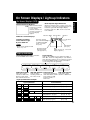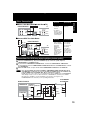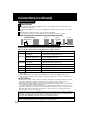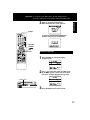
1
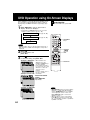
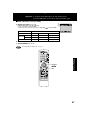
*Important: If a remote control button does not work when pressed,
press the VCR button on the remote and try the button again.
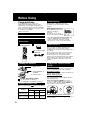
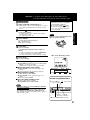
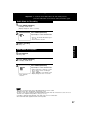
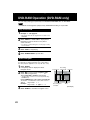
Record on a Tape
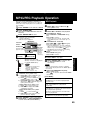
Insert a tape with a record tab (p. 6).
2
Press CH
, or NUMBER keys
to select the channel.
3
• DECK power comes on. If Auto VCR/TV (see p. 34) is
set to “OFF,” press VCR/TV on the remote for VCR
mode.
• If channel number is over 100, first press 100 key
then the other 2 digits.
• For “LINE” input, see p. 35.
Press SPEED
to select the record speed (p. 4).
Note
Remove loose or peeling labels from
tapes to prevent tape jam.
SP = Standard Play
SLP = Super Long Play
4
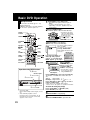
Basic Operation
1
This video recorder, equipped with HQ
(High Quality) system, is compatible
with existing VHS equipment.
mark.
Only use tapes with the
Only tapes tested and inspected for
use in 2, 4, 6, and 8 hour machines
are recommended.
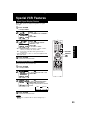
Press REC
to start recording.
(The VCR REC Light-up Indicator lights on
DECK.)
• To edit out unwanted scenes, press PAUSE/STILL
to pause, and again to resume recording.
• You cannot view another channel during recording.
5
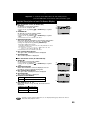
<One Touch Recording screen>
Press STOP
to stop recording.
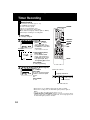
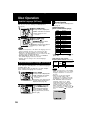
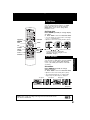
■ One Touch Recording (recording in progress),
➛ press REC repeatedly to set the recording length
(30 min. ~ 4 hours) (see right).
• DECK shuts off after the preset record length.
■ Record one station, watch another,
➛ press VCR/TV on the remote (change to TV
mode),
➛ select channels at TV (recording continues).
Normal Rec
■ Select Channels at DECK
(In Stop or Rec. Pause mode)
➛ press VCR/TV on the remote (change to TV
mode),
➛ select channels at DECK.
■ Play a disc while recording a tape.
➛ insert a disc during recording,
➛ press DVD, and then press PLAY.
0:30
1:00
Press REC repeatedly
4:00
3:00
2:00
1:30
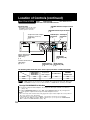
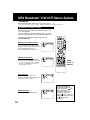
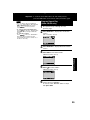
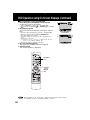
Record using DECK buttons
4
Press REC to
start recording.
1
Insert a tape.
Notes
• It is not possible to record from DVD/ Video CD/ CD to
VHS tape using DECK.
• Watching one channel and recording another is not
possible when using Cable Box or DSS Receiver.
• After 5 minutes in Pause mode, DECK stops to protect a
tape and video heads.
2
Select
Light-up
Channel. Indicators
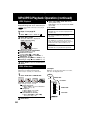
■ Press STOP/EJECT to stop.
21