1
Setting up your controller
Setting initial controller parameters
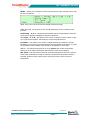
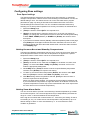
First you should check the MODE page to see that these settings are correct for your
general use. Once the unit has been switched on select the page title and push the
wheel so that Display blinks. [Turn] the wheel till you see Mode and [Press] it to
engage that page.
Temperature Scale
To set the temperature scale to either Centigrade or Fahrenheit:
1.
Select the [Mode] page.
2.
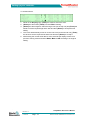
[Turn] the wheel to select Scale Deg.
3.
[Press] the wheel once more and [Turn] it to select C (Centigrade) or F
(Fahrenheit).
4.
If you need to set another function while on this page then [Turn] the wheel to
select that function. Otherwise, if there is no other function to change then leave
the wheel untouched for a short time and it will return to the Display page.
T/C Sensor
To set the T/C Sensor type to either J-Type or K-Type:
1.
Select the [Mode] page.
2.
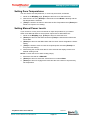
[Turn] the wheel to select T/C Type.
3.
[Press] the wheel once more and [Turn] it to select J (J-Type) or K (K-Type).
4.
If you need to set another function while on this page then [Turn] the wheel to
select that function. Otherwise, if there is no other function to change, then leave
the wheel untouched for a short time and it will return to the Display page.
TempMaster S6/12 Users Manual
Not Under documentation control if printed. May be revised without notice.
Electronic version available at www.moldmasters.com
Revision1.4
Page 16
© Jul 2010