1
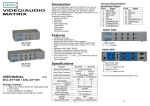
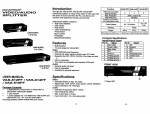
VIDEO/AUDIO SPLITTER Introduction Function Through the VAS-812PF, VAS-814PF, VAS-818PF video/audio splitter, by virtue of the video of VGA card and the audio of sound card from the PC, can drive 2,4,8 monitors and earphones function concurrently. (VAS-812PF) 1 In 2 Out Video/audio splitter is ideal for: Test bench facilities Data center Help desks Video broadcasting: Presentation Stock quotes Timetables Educational facilities Features (VAS-814PF) 1 In 4 Out (VAS-818PF) 1 In 8 Out USER MANUAL VAS-812PF / VAS-814PF / VAS-818PF Package Contents1 Smart View VAS-812PF or VAS-814PF or VAS-818PF video/audio splitter 1 user manual 1 power adapter AC 7.5V 800mA for VAS-812PF and VAS-814PF, DC 7.5V 1.5A for VAS-818PF Any thing missed, please contact with your vendor. Multi-function. 1U rack design for VAS-818PF. Video: With 400 MHz pixel frequency. Extends the video signal up to 65 meter (213”). Supports the DDC, DDC2, DDC2B. (For video out port 1) Can be cascaded. The output is compatible with standard VGA card. Audio: General audio line level. Can be cascaded. Available for general earphone. Video Out Connector (HD-15 Female) Max. Resolution Pixel Frequency Audio Out Connector (3.5φMini-Stereo Jack) Power Adapter VAS-812PF VAS-814PF VAS-818PF 2 2 -1- 4 AC 7.5V 800mA Housing Weight 8 2048 x 1536 60 Hz 400 MHz 8 DC 7.5V 1.5A Metal 465 g 670 g 1325 g Dimensions [LxWxH]mm 130x75x42 200X75X42 343x105X42 Technical Specifications Input/Output Signal Pin # 1 2 3 4 5 6 7 8 Signal Red video Green video Blue video ID2 Ground Analog ground Analog ground Analog ground Pin # 9 10 11 12 13 14 15 FRONT VIEW Specifications Video: Extended Distance: Max. 65 meter. Signal Type: VGA, SVGA, XGA, QXGA,UXGA, Multisync. Input Connector: HD-15 female. Audio: Operation Frequency: 50Hz~15KHz. Input Impedance: 20KΩ. Max. Audio Input: 2.5Vp-p. Input Connector: 3.5φmini-stereo jack. 4 1. Power LED -2- Signal NC Ground ID0 ID1 Horizontal sync Vertical sync ID3 REAR VIEW port of the latter splitter, meanwhile, connect the 3.5φ audio cable between the “audio out” port of the former splitter and the “audio in” port of the latter splitter. Note: Cascading too many tiers of splitters might cause the image or audio quality declined. 1. Input Power Jack 2. “Audio In” Port & “Video In” Port 3. “Audio Out” Port & “Video Out” Port *There are 2/4/8 out ports for VAS-812PF / VAS-814PF / VAS-818PF. Installation 1. Turn off the PC and monitor. 2. Connect the HD-15 video cable between the “video output” of PC and “video in” port of the video/audio splitter. 3. Connect the 3.5φaudio cable between the audio output device and the “audio in” port of video/audio splitter. 4. Connect the HD-15 video cables between the “video input” of monitors and “video out” ports of video/audio splitter. 5. Plug the 3.5φearphones into the “audio out” ports of the video/audio splitter. 6. Turn on the video/audio splitter and then LED lights up. 7. Turn on the PC, monitors and the related devices. Note: If you install the DDC monitor for the splitter, the rest of monitors must be the same resolution as the DDC monitor. Available monitors include the VGA, SVGA, XGA, QXGA, UXGA, Multisync, and exclude the CGA, EGA, Mono. P.S.: The example cascades the 2 and 4 ports video/audio splitters; however, you can cascade the video/audio splitter with demanded port. Trademarks: All the companies, brand names, product names are referred to this manual, are the trademarks or registered trademarks belonging to their respective companies. Operation for cascade: 1. The function for displaying the identical image on more monitors as well as hearing the same audio from more earphones, you request to attach another video/audio splitter. 2. Connect the HD-15 male/male video cable between the “video out” port of the former splitter and the “video in” -3- -4-