1
Introduction
Through the VAS-812PF, VAS-814PF, VAS-818PF
video/audio splitter, by virtue of the video of VGA card and
the audio of sound card from the PC, can drive 2,4,8
monitors and earphones function concurrently.
VIDEO/AUDIO
Video/audio splitter is ideal for:
■ Test bench facilities
•
■
■
Data center
Help desks
Video broadcasting:
Presentation
Stock quotes
Timetables
Educational facilities
(VAS-812PF)
1 In 2 Out
Technical Specifications
Input/Output Signal
Features
(VAS-814PF)
1 In 4 Out
■
■
Multi-function.
1U rack design for VAS-818PF.
Video:
■
■
■
With 400 MHz pixel frequency.
Extends the video signal up to 65 meter (213 feet).
Supports the DDC, DDC2, DDC2B. (For video out port
■
Can be cascaded.
D
• The output is compatible with standard VGA card.
Audio:
(VAS-818PF)
11n 8 Out
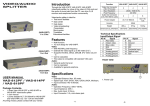
USER MANUAL
VAS-812PF / VAS-814PF
/VAS-818PF
Package Contents
■
1 MONOPRICE VAS-812PF or VAS-814PF or
VAS-818PF video/audio splitter
1 user manual
1 power adapter AC 7.5V 800mA for VAS-812PF and
VAS-814PF, DC 7.5V 1.5A for VAS-818PF
Any thing missed, please contact with your vendor
- General audio line level.
■ Can be cascaded.
■ Available for general earphone.
FRtoNTVIEW
Specifications
Video:
■
■
■
Extended Distance: Max. 65 meter.
Signal Type: VGA, SVGA, XGA, QXGA, UXGA, Multisync.
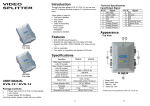
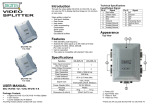
1. Power LED
Input Connector: HD-15 female.
Audio:
• Operation Frequency: 50Hz~15KHz.
•
Input Impedance: 20KQ.
■
Max. Audio Input: 2.5Vp-p.
■
Input Connector: 3.5 <p mini-stereo jack.
-1-
-2-
REAR VIEW
Note:
Cascading too many tiers of splitters might cause the
image or audio quality declined.
1. Input Power Jack
2. "Audio In" Port & "Video In" Port
3. "Audio Out" Port & "Video Out" Port
*There are 2/4/8 out ports for VAS-812PF / VAS-814PF /
VAS-818PF.
Installation
1. Turn off the PC and monitor
2. Connect the HD-15 video cable between the "video
output" of PC and "video in" port of the video/audio
splitter.
3. Connect the 3.5 </> audio cable between the audio output
device and the "audio in" port of video/audio splitter.
4. Connect the HD-15 video cables between the "video
inpuf of monitors and "video out" ports of video/audio
P.S.: The example cascades the 2 and 4 ports video/audio
splitters; however, you can cascade the video/audio splitter
with demanded port.
splitter.
5. Plug the 3.5 <p earphones into the "audio out" ports of the
video/audio splitter.
6. Turn on the video/audio splitter and then LED lights up.
7. Turn on the PC, monitors and the related devices.
Note:
■ If you install the DDC monitor for the splitter, the rest of
monitors must be the same resolution as the DDC
monitor.
■Available monitors include the VGA, SVGA, XGA, QXGA,
UXGA, Multisync, and exclude the CGA, EGA, Mono.
Operation for cascade:
1. The function for displaying the identical image on more
monitors as well as hearing the same audio from more
earphones, you request to attach another video/audio
splitter.
2. Connect the HD-15 male/male video cable between the
"video out" port of the former splitter and the "video in"
port of the latter splitter, meanwhile, connect the 3.5 <p
audio cable between the "audio out" port of the former
splitter and the "audio in" port of the latter splitter.
-3-
Trademarks:
All the companies, brand names, and product names
referred to this manual are the trademarks or registered
trademarks belonging to their respective companies.