1
3.5
Contacts importing, exporting and sharing
This tablet enables you to import or export contacts between tablet, SIM
card, microSD card and tablet storage.
From Contacts screen, touch
to open options menu, touch Import/
Export, then select to import/export contacts from/to SIM card, Tablet,
Tablet storage, Accounts, etc.
To import/export a single contact from/to SIM card, choose an account
and target SIM card(s), select the contact you want to import/export, and
to confirm.
touch the icon
To import/export all contacts from/to SIM card, choose an account and
to confirm.
target SIM card(s) mark Select all and touch the icon
You can share a single contact or contacts with others by sending the
contact's vCard to them via Bluetooth, Gmail, etc.
Touch a contact you want to share, touch the Menu key
, and
select Share from contact details screen, then select the application to
perform this action.
3.6
Accounts
Contacts, data or other information can be synchronized from multiple
accounts, depending on the applications installed on your tablet.
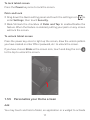
To add an account, drag down the quick setting panel and touch
enter Settings, then touch Accounts\Add account.
to
You are required to select the kind of account you are adding, like
Google, Email, etc.
As with other account set-ups, you need to enter detailed information,
like username, password, etc.
You can remove an account to delete it and all associated information
from the tablet. Open the Settings screen, touch the account you want
18