1
ENG
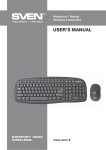
Wireless Combo Set
Keyboard + Mouse
1. SPECIAL FEATURES
• Modern slim design, high quality, economical solution
• Wireless mouse with 5 buttons and a scroll wheel included
• Resolution 1000 dpi
• 2.4 GHz USB Nano receiver
• Coverage range up to 10 m
• Automatic detection not requiring matching of receiver with pointing device
• Compatible with Windows XP/Vista/7/8
• USB Interface
• High-quality membrane
• 14 shortcut buttons to Internet and Multimedia
2. PACKAGE CONTENTS
• Wireless keyboard — 1 pc
• Wireless mouse — 1 pc
• 2.4 GHz USB Nano receiver — 1 pc
• ААА type batteries — 4 pcs
• User’s manual — 1 pc
• Warranty card — 1 pc
3. SYSTEM REQUIREMENTS
• Windows XP/Vista/7/8, MacOS 10.4 or higher, Linux
• Free USB port
4. INSTALLATION
• Open the cover of the mouse battery compartment, insert two AAA type batteries into the battery
compartment matching polarity, and close the cover
of the battery compartment (see Fig. 1).
• Open the cover of the battery compartment at the
bottom of the keyboard, insert two AAA type
batteries matching polarity, and close the cover of
the battery compartment.
!
!
During installation of batteries please match
polarity. Incorrect polarity can cause
malfunction of the device, which gives no
claims for warranty servicing.
Cover of the
mouse battery
compartment
Cover of the mouse
battery compartment
Cover of the keyboard battery
compartment
Always install only the same type batteries, because installation of different types of batteries
with different level of charge can cause leaking
of one of the batteries, which can damage the
device.
AAA type
batteries
Fig. 1
2
AAA type
batteries
Mouse battery
compartment
Keyboard battery compartment