1
SVAN 953 USER MANUAL
_
The description of the SV 55 pin-outs is given in App. C. The printers with the different connections
on the RS 232 socket require the special, individual RS 232 – RS 232 cable that should fulfil the suitable
wire crossing.
The printer, in which the Centronics interface is available instead of the RS 232 one, can be
connected to the instrument by means of the SV 52 RS 232 – Centronics interface.
The printers, which have only USB interface, are currently not driven by the instrument.
Notice: Switch the power off before connecting the instrument to any external device
(e.g. a printer or a Personal Computer).
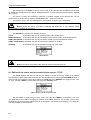
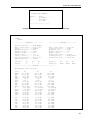
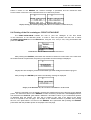
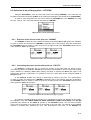
The REPORT list contains the following elements:
TITLE
that enables the user to give the header to the printed report;
PRINT RESULTS
that enables the user to print out the measurement results on the default printer;
PRINT STATISTICS that enables the user to print out the statistics of the measurement results;
PRINT CATALOGUE that enables the user to print out the catalogue of the files;
OPTIONS
that enables the user to determine the options of the report.
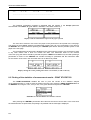
REPORT list
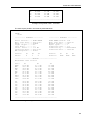
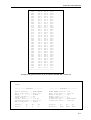
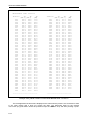
Notice: All reports are printed in the character format using the ASCII set.
8.1 Edition of the user’s text to be added to the reports - TITLE
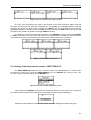
The TITLE enables the user to edit the text added to the file and to the report to be printed.
This operation is performed in the same way as it was described in the case of the FILE NAME window. In
order to enter the position the user has to select the TITLE text in the REPORT list, using the <>, <>
(or <>, <> with <SHIFT>) push-buttons and press the <ENTER> one.
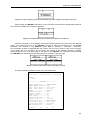
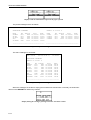
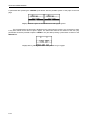
REPORT list with the TITLE selected
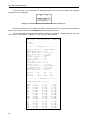
The text edition is made using the <>, <>, <>, <> and <SHIFT> push-buttons. The <>,
<> push-buttons are used for changing the position of the edited character. The number (counted from
the beginning of the text) of the edited character is displayed in the first line of the display, in the brackets.
The text is limited to 128 characters.
8-2