1
SVAN 953 USER MANUAL
L80
L90
40.9 dB
39.3 dB
_
51.4 dB
50.0 dB
57.2 dB
55.5 dB
-------------------------------------------------
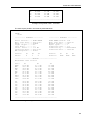
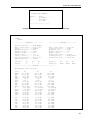
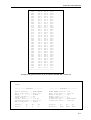
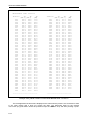
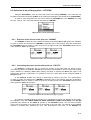
Example of the printed results from the DOSE METER mode - A4 format
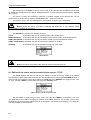
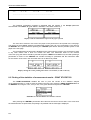
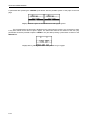
The following confirmation question is displayed after the printing, if the Prompt parameter
was selected in the EJECT P. (path: MENU / REPORT / OPTIONS / EJECT P.).
Displays with the confirmation request of the paper ejection
The user has to answer in this case if the paper in the printer has to be ejected to the new page.
The change of the available answers is possible after pressing the <>, <> push-buttons. The return to
the REPORT list is performed after pressing the <ENTER> push-button with the possible ejection of the
paper to the new page.
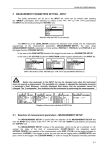
The message about the time limit is displayed in the case when the printer is not connected or there
is any other reason that it does not receive the data. The instrument waits for the reaction
of the user (any push-button should be pressed except the <SHIFT> and <ALT> one) and after pressing a
push-button it returns to the REPORT list. Another message is presented and the instrument waits
for the reaction of the user in the case when there is no data to be printed.
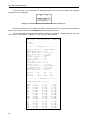
a)
b)
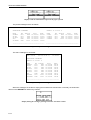
Displays during the results printing when there is no transfer (a) and no data (b)
8.3 Printing of the statistics of measurement results - PRINT STATISTICS
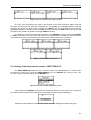
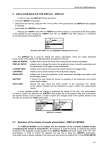
The PRINT STATISTICS enables the user to print the results of the statistics analysis
on the attached printer. In order to enter the position the user has to select the PRINT STATISTICS text in
the REPORT list, using the <>, <> (or <>, <>) push-buttons and press the <ENTER>.
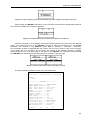
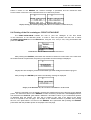
REPORT list with the PRINT STATISTICS selected
After pressing the <ENTER> push-button the instrument checks its current state. In the case when
the measurements are performed, the printing is impossible and the message is displayed.
8-8