1
4.4
Defaults of the RWTH User Environment (Lin)
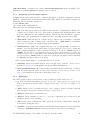
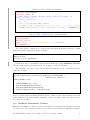
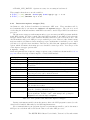
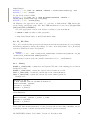
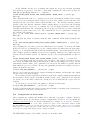
The default login shell is the Z (zsh) shell. Its prompt is symbolized by the dollar sign. With
the special “.” dot command a shell script is executed as part of the current process (”sourced“).
Thus changes made to the variables from within this script affect the current shell, which is
the main purpose of initialization scripts.
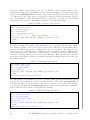
$ . $PSRC/pex/440
For most shells (e.g., bourne shell) you can also use the source command:
$ source $PSRC/pex/440
Environment variables are set with
$ export VARIABLE =value
This corresponds to the C shell command (the C shell prompt is indicated with a “%” symbol)
% setenv VARIABLE value
If you prefer to use a different shell, keep in mind to source initialization scripts before you
change to your preferred shell or inside of it, otherwise they will run after the shell exits.
$ . init_script
$ exec tcsh
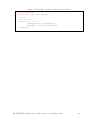
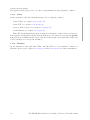
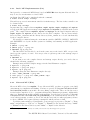
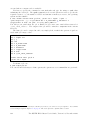
If you prefer using a different shell (e.g. bash) as default, please append the following lines at
THE END of the .zshrc file in your home directory:
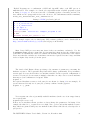
if [[ -o login ]]; then
bash ; exit
fi
4.4.1
Z Shell (zsh) Configuration Files
This section describes how to configure the zsh to your needs.
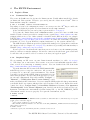
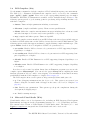
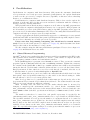
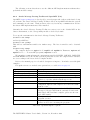
The user configuration files for the zsh are ~/.zshenv and ~/.zshrc, which are sourced (in
this order) during login. The file ~/.zshenv is sourced on every execution of a zsh. If you want
to initialize something e.g. in scripts that use the zsh to execute, put it in ~/.zshenv. Please
be aware that this file is sourced during login, too.
Note: Never use a command which calls a zsh in the ~/.zshenv, as this will cause an endless
recursion and you will not be able to login anymore.
Note: Do not write to standard output in ~/.zshenv or you will run into problems using scp.
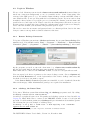
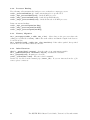
In login mode the file ~/.zshrc is also sourced, therefore ~/.zshrc is suited for interactive
zsh configuration like setting aliases or setting the look of the prompt. If you want more
information, like the actual path in your prompt, export a format string in the environment
variable PS1. Example:
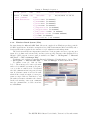
$ export PS1='%n@%m:%~$'
This will look like this:
user@cluster:~/directory$
You can find an example .zshrc in $PSRC/psr/zshrc.
You can find further information (in German) about zsh configuration here:
http://www.rz.rwth-aachen.de/go/id/owu
4.4.2
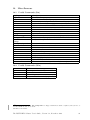
The Module Package
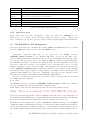
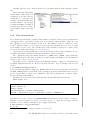
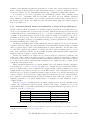
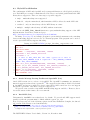
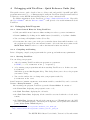
The Module package provides the dynamic modification of the user's environment. Initialization scripts can be loaded and unloaded to alter or set shell environment variables such as
$PATH, to choose for example a specific compiler version or use software packages. The need
to load modules will be described in the according software sections in this document.
The RWTH HPC-Cluster User's Guide, Version 7.2, November 2010
25