1
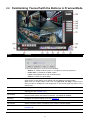
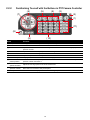
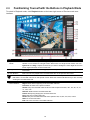
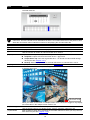
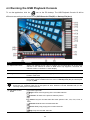
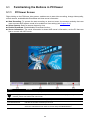
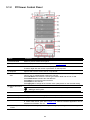
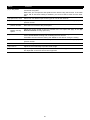
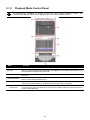
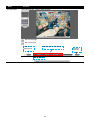
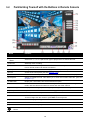
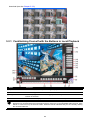
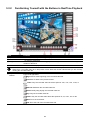
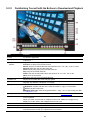
2.2 Familiarizing Yourself with the Buttons in Preview Mode
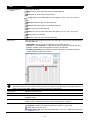
Name
Function
(1) Exit
Call up the Logout dialog box.
(2) Split Screen Mode
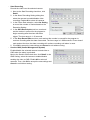
In the logout dialog box, you may do the following:
- Reboot: To restart the NVR system. It is required to enter the password
- Power OFF: To shutdown the NVR system.
- Login: Using different ID to login to NVR system.
- Cancel: To close the logout dialog.
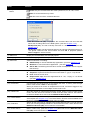
Select from 2 different split screen types to view all the cameras or one camera on a
single screen. It also allows you to switch and view different camera number.
When user is in single screen mode, user can right-click and drag a square on the
area you want to enlarge the view. Right-click on the screen again will return to the
normal view.
Start/stop video recording.
(3) Record
(4) EMap
(5) Network
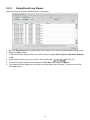
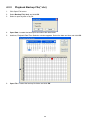
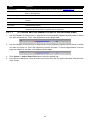
Display the map in each area, and the location of camera/ sensor/ relay and the
warning (see also Chapter 2.2.1).
Enable/disable remote system access. This feature allows you to access NVR server
from a remote location via internet connection. The default is disabled.
(6) Setup
Configure the system settings. (see also Chapter 3)
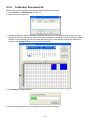
(7) PTZ
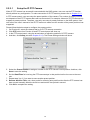
To call out the PTZ control panel(see also Chapter 2.2.2)
(8) Preview
Switch to Preview mode. This allows you to view live camera display.
(9) Playback
Switch to Playback mode. This allows you to view the recorded video file. (see also
Chapter 2.3).
(10) Status bar
Display the recoding date, time and hard disk space of NVR unit.
9