1
Full Descriptions
SeqEd 8-7
SEQED
FUNCTION
SeqEd is an interactive editor for entering and modifying sequences and for assembling parts of
existing sequences into new genetic constructs. You can enter sequences from the keyboard or
from a digitizer.
DESCRIPTION
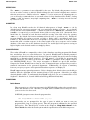
SeqEd uses the screen of your terminal as a window into a sequence. Changes you make in the
sequence take place at the cursor position and are reflected immediately on the screen. You can
insert or delete symbols, move the cursor, search for patterns, check sequences by reentering
them, and edit documentation and embedded comments.
SetKeys lets you change the positions of the keys on your terminal keyboard to make it more
convenient to enter the letters G, A, T, and C.
You can enter a sequence and control SeqEd either from the terminal keyboard or from a
Graf/Bar digitizer.
EXAMPLE
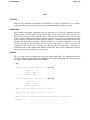
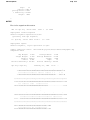
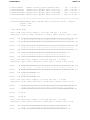
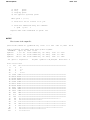
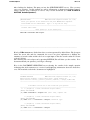
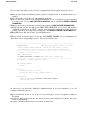
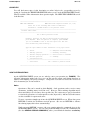
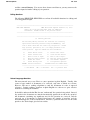
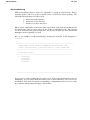
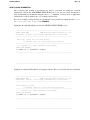
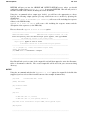
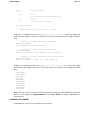
When you run SeqEd with a command like % seqed sample.seq, your screen will look
something like this:
sample.seq
***** K E Y B O A R D *****
seqed
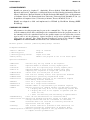
: Some documentary text about your sequence can be placed
:
: here in the heading.
:
: You can have as many lines of header comments as you wish, and
:
: you can edit them in this space with the HEAding command.
:
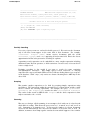
1
9
20
28
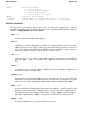
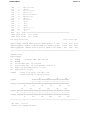
$The scale below has extra dots where comments occur$
<The number indicates which symbol the comment precedes.<
>There can be as many comments as you like>
$The four comments closest to the cursor are displayed$
AGTCTTAGTCGATCGTAcTGCATRCGA
....|:.......:|.........i.......:.|.........|.........|.........|.........|..
0
10
20
30
40
50
60
70
~~~~~~~~~~~~~~~~~~~^
|......|......|......|......|......|......|......|......|......|......|
0
10
20
30
40
50
60
70
80
90
100
"sample.seq"
27 nucleotides