1
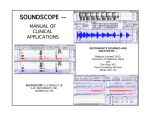
Windows Sound Recorder in action
The remainder of this manual will describe the Matlab Record program—its inner
working and functionality.
Running the program:
The program can be run by typing record at the Matlab prompt or by opening the
program in the Matlab editor and selecting Run from the Debug menu
Recording:
Sound recording is initiated through the Matlab graphical user interface (GUI) by
clicking on the record button. The duration of the recording can be adjusted to be
anywhere from 1 to 6 seconds. (These are the GUI defaults, but the code can be modified
to record for longer durations if desired.)
Upon being clicked, the record button executes a function that reads in mono data from
the microphone jack on the sound card and stores it a Matlab vector.
Most of the important information in a typical voice waveform is found below a
frequency of about 4 kHz. Accordingly, we should sample at a least twice this frequency,
or 8 kHz. (Note that all sound cards have a built in pre-filter to limit the effects of
aliasing.) Since there is at least some valuable information above 4 kHz, the Record GUI