1
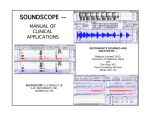
‘Zoomed in’ on the waveform
Zooming out:
The Zoom out button will change the axis back to what it was before Zoom in was used.
If you zoom in multiple times, zooming out will return you to the previous axis limits.
Listening to the Waveform:
The Play button uses Matlab’s sound function to play back (send to the speakers) the
waveform that appears in the GUI. If you have zoomed in on a particular section of the
waveform, only that portion of the waveform will be sent to the speakers.
Saving and Loading Data:
Save is used to write the waveform to a wave file. If zoomed in on segment of data, only
that portion of the waveform will be saved.
Click Load to import any mono wave file into the Record GUI for analysis.
Record Program
Jesse Hansen
[email protected]