1
5. MicrovisionIP Installation
Unless prevented by other considerations, it is desirable to position the
MicrovisionIP Control Electronics package horizontally, with the lettering on the side
panels “right side up”. This facilitates cooling of the electronics, as well as being
cosmetically optimized, and affords the best thermal stability during operation.
However, it is permissible to operate the unit in any orientation, and the user
should consider easy access to the vacuum chamber as more important in the
mounting of the MicrovisionIP.
5.1 Installation
Rotate the locking ring on the stainless steel analyser connector so that the slot
lines up with the keyway on the connector tube. Hold the MicrovisionIP unit so that
the keyway lines up with the locating key on the analyser flange.
Gently slide the MicrovisionIP unit on to the analyser.
Take great care, the pins on the vacuum feedthrough are easily
damaged. DO NOT force the MicrovisionIP unit on to the analyser.
When all of the pins are engaged, push the MicrovisionIP firmly onto the analyser
to ensure electrical continuity. The last 3mm (1/8”) is important. When correctly
fitted, the front face of the stainless steel RF/analyser connector should butt up
against the analyser flange.
Finally, rotate the locking ring to lock the MicrovisionIP in place. You will not be able
to do this if the MicrovisionIP is not pushed fully onto the analyser.
5.2 Electrical connections
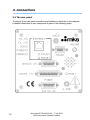
Insert the 15-way D-Type socket on the output lead of the power supply unit into
the 15-way D-Type connector labeled “POWER” on the rear panel of the
MicrovisionIP.
Attach the line cord to the power supply. The power supply will automatically set
itself to operate with the local line voltage.
When power is applied, the LED on the rear of the MicrovisionIP will illuminate.
In the case of an Ethernet connection, connect a cat5 patch lead to the socket
marked “ETHERNET”. If a direct connection to the host PC is required, use a
crossover cable. If connecting via a network hub, a standard patch lead may be
used.
22
MicrovisionIP SP101006.104 – 7 July 2009
MKS Instruments, Spectra Products