1
5.2.2 Setting the Date
You have four options to set the date.
5.2.2.1 Scheduler Frequency
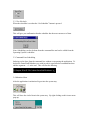
You have “Scheduler Frequency” to set how often you want the in indexing done. You
have the choice of Weekly or Daily.
5.2.2.2 Day of Week
The “Day of Week” is used to set the day of the week if weekly is selected from the
“Scheduler Frequency” box. If daily is selected then “Day of Week” is disabled. This is a
drop down menu, select the day then click on it.
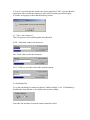
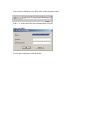
The following box will appear to confirm your select, click OK for it to go away.
5.2.2.3 Hours and Minutes
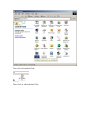
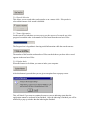
“Hours and Minutes” is used to set the time at the indexing should begin. The hour is set
using the box on the right and the minutes are set using the box on the left. The arrows
going up increment the values by one and the arrows going down decrement the values
by one.
5.2.2.4 Time of Day
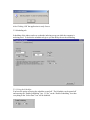
“Time of Day” selects the time of day since the “Hour and Minutes” box only uses a 12hour clock.