1
Note: Elite Extra was built around FireFox and Google Chrome web browsers. Please be sure
that you are using either of these two browsers when logging into your instance of Elite Extra.
The use of other browsers such as Internet Explorer is not advised as parts of your Elite Extra
system may be showing
incomplete data.
ADMINISTRATOR
LOGIN
As an Administrator of Elite
Extra, you have access to the
Administrator
Dashboard
page, which gives you access
to add, edit, and delete
customers, dealers, staff,
drivers, scheduled runs, and
orders. Administrative access
also allows you to view
reports
which
contain
information
on
orders,
deliveries, and total dollars.
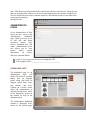
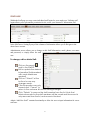
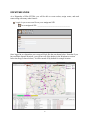
Login to your account from your assigned URL
Your assigned URL: ________________________________
DASHBOARD PAGE
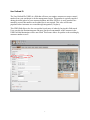
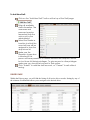
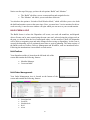
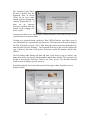
The dashboard page for an
administrator
login
will
display the dealer or location
names that are dispatch
points, along with links for
Support, Quick Stats, alerts,
new features, and more.
Clicking on a dealer’s name
allows the administrator to
dispatch for that dealer. Refer
to the Dispatcher section of
the manual for help in the
dispatcher login.
The administrator dashboard
contains 8 functional areas,
which are the tabbed pages
4