1
WIRING
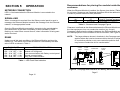
Connection to the control panel
There are two basic configurations, depending upon the power supply
used. These are listed below with their wiring details.
1.
2.
When used with a Smart PSU
The A and B terminals of TB1 on the Ethernet Module must be
connected to the A and B terminals, respectively, on AB (RS485)
line 1 of the control panel. The plus ‘+’ and minus ‘-‘ terminals of
TB1 on the Ethernet Module should be connected to either of the
fused 12 volt outputs (12V1 or 12V2) on JP2 of the Galaxy 3A
Smart PSU, observing the correct polarity.
When used with a standard 1A or 3A PSU
The A and B terminals of TB1 on the Ethernet Module must be
connected to the A and B terminals, respectively, on AB (RS485)
line 1 of the control panel. The plus ‘+’ and minus ‘-‘ terminals of
TB1 on the Ethernet Module should be connected to the 12 volt
outputs of the PSU, observing the correct polarity. These outputs
will be marked with a telephone icon, or identified as AUX
depending upon the revision of the PSU.
SECTION 4:
TESTING
Inform the IP Address destination (e.g. Alarm Receiving Software,
Monitoring Package) that an engineer test is to be carried on the
Ethernet Module.
•
•
•
Enter menu option 56 – COMMUNICATION
Select 4 - Network
Send a test transmission by selecting the engineer test option
(option 5).
Verify that the test has been successfully received.
Note: If any other communication device is configured for signalling,
such as the Telecom Module, ISDN module or RS232 module, then a
test signal will also be sent on these devices when selected from option
56.4.5.
When the Ethernet Module is connected to the Galaxy control panel,
because the module is pre-set to a specific address, a keypad
addressed as 11 (B on the rotary address switch) cannot also be
present on this line.
On the Galaxy 128, Galaxy 500, Galaxy 504 and 512 (High Security),
the module is shown as address 13 on the keypad display.
NOTE:
When connecting the Ethernet Module to the host it is
important that the installation engineer ensures that the power
drawn by the apparatus, together with any other auxiliary
apparatus, lies within the rating of the host supply. Information
relating to the Ethernet module current draw can be found in
the specification section of this document.
Page 6
Page 11