1
248
The Laptop DJ Handbook: Setups and Techniques of the Modern Performer
were constructed as the antithesis of the timeline-based Arrangement view. Rather than
following a scrolling sequence of events, audio and MIDI files in the form of Live clips
(explained in Chapter 12) are triggered, or “played,” using a methodology unconcerned with linearity.
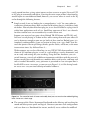
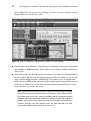
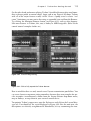
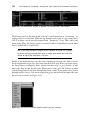
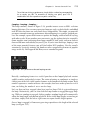
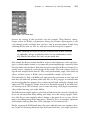
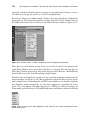
The overall principle is fairly simple: The clip grid is composed of clip slots, each of
which holds independent clips housing individual sounds, be they loops, samples, entire
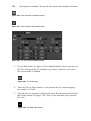
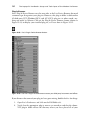
songs, or MIDI files. Entirely dependent on you as the performer, clips can be individually fired off in an improvised “remix” fashion, or they can be arranged into horizontal rows and launched in combination as a scene (think: independent rows dedicated to
a song’s intro, verse, chorus, and so on). Whereas individual clips house their own
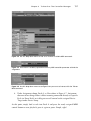
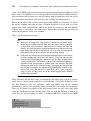
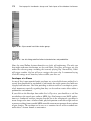
playback features, note that scenes (rows) of clips also have their own dedicated
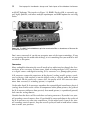
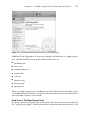
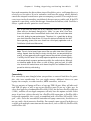
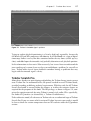
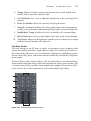
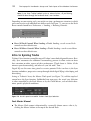
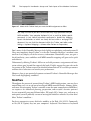
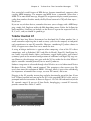
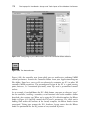
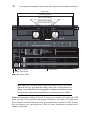
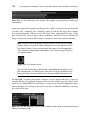
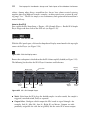
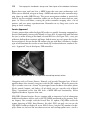
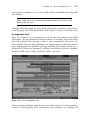
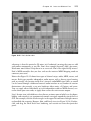
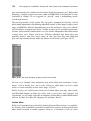
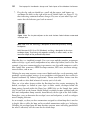
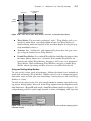
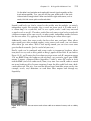
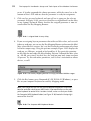
play and stop controls directly under the Master track header (see Figure 10.19).
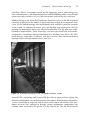
Figure 10.19 Use scene launchers to play an entire row of clips.
To serve as an example, some performers strip tracks down into constituent “instruments,” such as drums, bass, vocal, synth, and so on, while others use Live’s audio
tracks as virtual turntables to mix entire songs “DJ style.”
Finally, nearly every visible feature, from track Volume faders, pan pots, effects sends,
and Mute/Solo buttons, to those less visible, such as view states, track selection, and
clip controls, are all readily assignable to computer keyboard keys and/or MIDI control
surfaces. In short, Live does the adapting; the performer doesn’t.
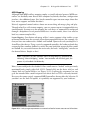
Session Mixer
Earlier on, I mentioned one particularly powerful Session Mixer feature—its modularity. In form, the Session Mixer somewhat resembles the structure of mixing desks most
often found entrusted to studio engineers; however, in function it caters to artists