1
30
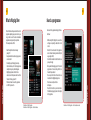
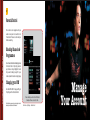
On screen updates
Manage Your Account
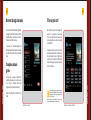
We will be sending you periodic information on
various Airtel Services that might be of interest to
you, like your statement of account, payment
reminders, payment confirmation, promotional
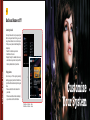
offers etc. A yellow envelope will appear on your
TV screen everytime you receive such a message.
As soon as you see this icon on your TV, you should
press the yellow button on your remote to read the
message. It will also help you stay informed on
your subscription status.
• To see or delete old messages go to
‘My Account’ section from Main Menu.
• To change the time for which the message
icon flashes on screen, go to ‘My Settings’,
‘User Settings’ and finally to ‘Manage Pop-ups’.
Product Details