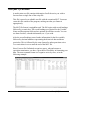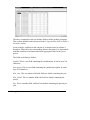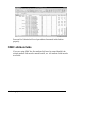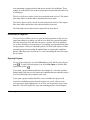
1
Forecast Pro Unlimited Eric A. Stellwagen Business Forecast Systems, Inc. Copyright © 1990-2009 Business Forecast Systems, Inc. All Rights Reserved Worldwide. No part of this document may be reproduced without express written permission of Business Forecast Systems, Inc. Software Version 6.0 Manual Last Revised: July 22, 2009 Business Forecast Systems, Inc. 68 Leonard Street, Belmont, MA 02478 USA Phone: (617) 484-5050 Fax: (617) 484-9219 Email: [email protected] Web: www.forecastpro.com Copyright Notice Copyright © 1990 - 2009 by Business Forecast Systems, Inc. All Rights Reserved Worldwide. No part of this manual may be reproduced, transmitted, transcribed, stored in a retrieval system, or translated into any human or computer language, in any form or by any means, electronic, mechanical, magnetic, optical, chemical, manual or otherwise, without express written permission of Business Forecast Systems, Inc., 68 Leonard Street, Belmont, MA 02478 USA. Disclaimer Business Forecast Systems, Inc. makes no representations or warranties with respect to the contents hereof and specifically disclaims any implied warranties of merchantability or fitness for any particular purpose. Further, Business Forecast Systems, Inc. reserves the right to revise this publication and to make changes from time to time in the contents hereof without obligation of Business Forecast Systems, Inc. to notify any person or organization of such revision or change. Trademarks Forecast Pro is a registered trademark of Business Forecast Systems, Inc. Other product names mentioned in this manual are trademarks or registered trademarks of their respective companies and are hereby acknowledged. Contents GETTING STARTED Before You Begin ............................................................................................ 3 Forecasters and Collaborators ........................................................................... 3 How to Use This Manual .................................................................................. 4 Statistical Reference Manual (PDF only) ......................................................... 6 Checking Your Forecast Pro Unlimited Package ............................................. 6 What You Need to Run Forecast Pro Unlimited .............................................. 7 Registering Your Forecast Pro Unlimited Package .......................................... 7 Future Development of Forecast Pro Unlimited ............................................... 7 Installing Forecast Pro Unlimited ................................................................. 9 Installation Instructions..................................................................................... 9 A Quick Overview of Forecasting ............................................................... 11 What is Statistical Forecasting? ...................................................................... 11 Forecasting Methodologies ............................................................................. 13 Some Forecasting Tips.................................................................................... 15 iii TUTORIAL The Basics ...................................................................................................... 19 The Main Menu .............................................................................................. 19 An Overview ................................................................................................... 21 Setting the Defaults ......................................................................................... 21 Defining the Script .......................................................................................... 23 Reading in the Data......................................................................................... 24 Generating the Forecasts ................................................................................. 26 Viewing the Forecast Report .......................................................................... 27 Customizing the Graph View.......................................................................... 29 Overriding the Forecasts ................................................................................. 31 Working With a Hot List ................................................................................ 33 Saving the Forecasts ....................................................................................... 35 Saving the Project ........................................................................................... 38 Using Forecast Modifiers ............................................................................. 39 Specifying Forecast Modifiers for Individual Items ....................................... 39 Specifying Forecast Modifiers for Multiple Items ......................................... 41 Specifying Custom Forecast Modifiers .......................................................... 42 Collaborating With Colleagues.................................................................... 43 Sharing a Stand-alone Project ......................................................................... 43 Updating a Forecast Project ........................................................................ 47 Defining the Forecasting Process ................................................................... 47 Step One: Updating Your Data Files .............................................................. 48 Step Two: Opening Your Forecast Project ..................................................... 48 Step Three: Saving Your Work....................................................................... 50 Building Event Models ................................................................................. 51 Modeling Promotions ..................................................................................... 52 Modeling Weekly Data ................................................................................... 55 Adjustment for Outliers .................................................................................. 59 More Adjustments for Promotions.................................................................. 60 Building Multiple-Level Models .................................................................. 61 Bottom-up and Top-down Forecasting ........................................................... 61 Defining Groups Using Attribute Fields ......................................................... 64 iv Combining Multiple Level and Event Adjustment Models ............................ 65 Short-Lived Products ...................................................................................... 66 Using Weighting Transformations .............................................................. 69 Adjusting for 4 vs. 5 Week Periods ................................................................ 69 Other Uses for Weighting Transformations .................................................... 72 Detecting and Correcting Outliers .............................................................. 73 How Outlier Detection and Correction Works ............................................... 74 Reviewing the Outliers ................................................................................... 75 Correcting the Outliers.................................................................................... 76 Out-of-sample Testing .................................................................................. 79 Setting Up the Script for Evaluation ............................................................... 80 Examining the Analytic Output ...................................................................... 81 Comparing an Alternative Model ................................................................... 82 Operating From the Command Line .......................................................... 85 Command-Line Operation .............................................................................. 85 REFERENCE Setting Up Your Data ................................................................................... 91 Overview ......................................................................................................... 91 Selecting a Data Format .................................................................................. 95 Spreadsheet (XLS, XLSX and WK*) Formats ............................................... 96 Text (MLT) Formats ..................................................................................... 101 Using ODBC ................................................................................................. 103 Using Attribute Fields to Define a Hierarchy ............................................... 106 Saving Your Work ...................................................................................... 109 Forecast Projects ........................................................................................... 110 Numeric Output Files.................................................................................... 111 Formatted Forecast Reports .......................................................................... 112 Override Reports ........................................................................................... 113 Outlier Reports .............................................................................................. 113 Working with Scripts and Hierarchies ..................................................... 115 Defining the Script ........................................................................................ 115 v Defining the Hierarchy ................................................................................. 116 Reconciling the Hierarchy ............................................................................ 118 Using Forecast Modifiers ........................................................................... 123 Model Specification Modifiers ..................................................................... 123 Event Model Modifiers ................................................................................. 128 The Weighting Transformation Modifier ..................................................... 129 Outlier Detection/Correction Modifiers........................................................ 129 Reconciliation Modifiers .............................................................................. 130 Miscellaneous Custom Modifiers ................................................................. 131 Command Reference .................................................................................. 133 Operations Overview .................................................................................... 133 The Forecast Pro Unlimited Interface ........................................................... 134 The Forecast Report View ............................................................................ 140 The Graph View ............................................................................................ 141 The Override Forecasts View ....................................................................... 144 The Override Report View ........................................................................... 147 The Outlier Report View .............................................................................. 147 The Numeric Output View............................................................................ 147 Menu Items and Dialog Boxes...................................................................... 151 Command-line Operation.............................................................................. 164 Understanding How Forecast Overrides are Allocated .......................... 167 Adjustments Made to a Single Level ............................................................ 167 Adjustments Made to More Than One Level ............................................... 169 Examples Where Overrides Cannot be Fully Allocated ............................... 171 Summation .................................................................................................... 173 Appendixes................................................................................................... 175 Speeding Up the Program ............................................................................. 175 End-User License Agreement ....................................................................... 177 Suggested Reading ........................................................................................ 181 Index ............................................................................................................. 183 vi 1 GETTING STARTED Chapter 1 Before You Begin Forecasters and Collaborators Forecast Pro Unlimited is available in two different types of licenses— Forecaster licenses and Collaborator licenses. The type of license you install will dictate the functionality you can access. A Forecaster has access to all of the functionality described in this manual. A Collaborator can view and manipulate a forecast project created by a Forecaster (including viewing graphs and reports, adding overrides and comments, saving output, etc.) but cannot generate new statistical forecasts. Operationally, the two installations are very similar, however, a Collaborator does not have access to any of the functionality relating to reading historical data and generating statistical forecasts. Thus, there are sections of this manual which will not be relevant to Collaborators. 3 How to Use This Manual This manual is divided into three parts. Part 1 Getting Started Chapter 1 describes the Forecast Pro Unlimited system requirements and product support policy. Chapter 2 describes the installation procedure. Chapter 3 provides an overview of forecasting. Part 2 Tutorial Lesson 1 walks you through a sample forecasting session using automatic model selection. Lesson 2 teaches you how to use forecast modifiers to dictate model selection. Lesson 3 teaches you how to collaborate with colleagues to establish the final forecast. Lesson 4 teaches you how to update your forecast project as new data become available. Lesson 5 teaches you how to build event models to capture promotional effects. Lesson 6 teaches you how to set up and forecast a multiple-level script. Lesson 7 teaches you how to use weights to adjust for trading day impacts or to forecast new products based on similar products. Lesson 8 teaches you how to use Forecast Pro Unlimited’s outlier detection and correction functionality. Lesson 9 teaches you how to assess forecasting performance using a holdout sample approach. 4 Before You Begin Lesson 10 teaches you how to operate the program from the command line. All of the lessons use sample data provided with the software. Part 3 Reference Chapter 1 explains how to select the appropriate data format and how to set up your database. Chapter 2 describes the various reports and output files that can be saved. Chapter 3 describes how to set up a Forecast Pro Unlimited script and also discusses the strategies that Forecast Pro Unlimited uses to produce consistent forecasts for hierarchical data. Chapter 4 describes all available forecast modifiers and their functions. Chapter 5 is a complete reference to Forecast Pro Unlimited menus, options and commands. Chapter 6 describes how Forecast Pro Unlimited reconciles forecast adjustments between different levels of the forecasting hierarchy. The Appendixes describe how to speed up processing and provide other supplementary information. Many users won't want to work their way through each and every part of this manual. However, we urge you to go through at least Chapters 1-3 of Getting Started, Lesson 1, 2 3 & 4 of the Tutorial and as many other lessons as you want. This will give you a good overview of Forecast Pro Unlimited operations and capabilities. When you are ready to set up your own data, please consult Chapter 1 of Part 3 Reference. Statistical Reference Manual (PDF only) 5 Statistical Reference Manual (PDF only) The Forecast Pro Statistical Reference Manual describes the statistical techniques, statistics, and strategies that are implemented in Forecast Pro. It is not necessary that you fully understand, or even read, this manual in order to produce accurate forecasts with the product. The manual is provided in electronic format (pdf). When Forecast Pro Unlimited is installed, the file is copied into the program directory. You can access the file directly or via the Help menu in Forecast Pro Unlimited. Chapter 1 is a detailed statistical reference. It explains the theory behind Forecast Pro Unlimited’s statistical models, diagnostics and methodology. Chapter 2 is a discussion of some of the general considerations that apply to automatic batch forecasting. Checking Your Forecast Pro Unlimited Package Your Forecast Pro Unlimited package should contain the following items: This User's Manual. This book walks you through the installation and use of Forecast Pro Unlimited. One installation CD. A warranty registration card. A maintenance and support contract. If your package is missing any of the above items please contact Business Forecast Systems, Inc. 6 Before You Begin What You Need to Run Forecast Pro Unlimited A computer running a Windows operating system. A minimum of 512 MB of random access memory (RAM). Additional memory will greatly enhance program performance. 4 gigabytes is recommended. A hard disk drive with 30 MB of free space. Registering Your Forecast Pro Unlimited Package Please take a moment NOW to fill out and mail the Registration Card you received with Forecast Pro Unlimited or visit www.forecastpro.com and register on-line. Registering your software entitles you to the following benefits: • Free maintenance and support service for one year. This service provides program updates and unlimited technical support for the first year you license the program. After the first year, this service is available on a subscription basis. Technical support is provided via the telephone (during regular business hours Eastern Standard Time), via email, mail and fax. • Automatic notification of upgrades, revisions and new products. • Special pricing on upgrades, revisions and new products. Future Development of Forecast Pro Unlimited BFS has made many changes to Forecast Pro Unlimited to accommodate special needs and circumstances in the corporate environment. BFS will continue to improve Forecast Pro Unlimited in the years to come. If you What You Need to Run Forecast Pro Unlimited 7 encounter problems or have any suggestions for improvements or additional features please contact the BFS product development staff. 8 Before You Begin Chapter 2 Installing Forecast Pro Unlimited Installation Instructions To install Forecast Pro Unlimited on your hard disk perform the following steps. If you have an Internet connection, make sure that it is active. Place the Forecast Pro Unlimited CD in your CD drive (we’ll use “D:” for these instructions). Select Run from the Start menu. Enter D:\SETUP for the command line and click OK. Follow the directions that appear on the screen. Setup will then create the program directory, data directories, copy the appropriate files, create a launch icon on the program menu and place a launch icon on the desktop. 9 If you have any difficulty installing Forecast Pro Unlimited please do not hesitate to contact BFS technical support (phone: 617 484-5050, email: [email protected]). If you wish to remove Forecast Pro Unlimited from your computer, use the Add/Remove Programs utility in the Windows Control Panel. 10 Installing Forecast Pro Unlimited Chapter 3 A Quick Overview of Forecasting What is Statistical Forecasting? Everybody forecasts, whether they know it or not. Businesses have to forecast future events in order to plan production, schedule their work force, or prepare even the simplest business plan. Most business forecasting is still judgmental and intuitive. Sometimes this is appropriate. People must integrate information from a large variety of sources—qualitative and quantitative—and this is probably best done by using the extraordinary pattern recognition capabilities of the human brain. Unfortunately, many companies also use judgmental forecasting where they should not. Not everyone understands the concept of forecasting. It tends to get mixed up with goal setting. If a company asks its salespeople to forecast sales for their territories, these “forecasts” often become the yardsticks by which they are judged. The main advantage of statistical forecasting is that it separates the process of forecasting from that of goal setting, and makes it systematic and objective. 11 Objective, quantitative forecasting can help almost any business substantially. There is, in other words, value added for business. The future is uncertain, and this uncertainty must be represented quantitatively. Statistical forecasting represents uncertainty as a probability distribution. Two kinds of information are needed to describe the distribution: the point forecasts and the confidence limits. A point forecast is the mean value of the distribution of future values, and can be thought of as a best estimate of the future value. Its upper and lower confidence limits describe the spread of the distribution above and below the point forecast. Forecast Pro Unlimited depicts this information graphically as well as numerically. The upper confidence limit is often calibrated to the ninety-fifth percentile. This means that the actual value should fall at or below the upper confidence limit about 95% of the time. You can set the percentiles of both the upper and lower confidence limits. Let's illustrate this idea with an example. Suppose you were in charge of forecasting widget sales for your company. If you wanted to determine expected revenues for next month, you would be most interested in the point forecast, since it is the mean value of the distribution. The point forecast gives you the minimum expected forecast error. 12 A Quick Overview of Forecasting On the other hand, suppose you wanted to know how many widgets to produce. If you overproduce, warehousing costs will be excessive. But if you underproduce, you will probably lose sales. Since the cost of lost sales is usually greater than the cost of overstocking, you will be most interested in the upper confidence limit. The upper confidence limit tells you how many widgets to produce to limit the chance of “stocking out” to less than 5%. Forecasting Methodologies A wide variety of statistical forecasting techniques are available, ranging from very simple to very sophisticated. All of them try to capture the statistical distribution that we have just discussed. Forecast Pro Unlimited offers the five methodologies that are most appropriate for automated business forecasting: simple moving averages, discrete data models (Poisson or negative binomial), Croston’s intermittent data model, exponential smoothing and Box-Jenkins. Extended exponential smoothing models (“event models”) are also included to accommodate promotions and weekly seasonality. All of these models are univariate techniques. They forecast the future entirely from statistical patterns in the past. Thus you must have historic records, preferably for several years, of the variable you want to forecast. Forecast accuracy depends upon the degree to which statistical data patterns exist, and their constancy over time. The more regular the series, the more accurate the forecasts. The simple moving average is widely used in business, mostly because it is so easy to implement. However, it is really only appropriate for very short or very irregular data sets, where statistical features like trend and seasonality cannot be meaningfully determined. Discrete data models are used for data consisting of small whole numbers. These models are characteristically used to model a slow-moving item for which most orders are for only one piece at a time. Forecasts are nontrended and nonseasonal. Forecasting Methodologies 13 Croston’s intermittent demand model is not a widely known or used technique but, in certain circumstances, it is extremely useful. It is usually used to model data in which a significant number of periods have zero demand but the nonzero orders may be substantial. This is characteristic of a slow-moving item which is ordered to restock a downstream inventory. Forecasts are nontrended and nonseasonal. Exponential smoothing models are widely applicable. They are also widely used, because of their simplicity, accuracy, and ease of use. Their robustness makes them ideal even when the data are short and/or volatile. Exponential smoothing works by identifying and extracting trend and seasonality, and extrapolating them forward. Box-Jenkins is a more elaborate statistical method than exponential smoothing. Box-Jenkins works by capturing the historic correlations of the data, and extrapolating them forward. It often outperforms exponential smoothing in cases when the data are fairly long and nonvolatile. However, it doesn't usually perform as well when the data are statistically messy. You can use Forecast Pro Unlimited’s expert selection to automatically choose the appropriate forecasting technique for each item forecasted. Alternatively, you can dictate that a specific method be used. If you are already familiar with statistical forecasting, you can use Forecast Pro Unlimited to customize your models. It provides extensive diagnostics and statistical tests to help you make informed decisions. If your data are driven by promotions or exhibit hard-to-capture seasonality (e.g., weekly data) you may want to experiment with event models. These models allow you to assign each period into logical categories and incorporate an adjustment for each category. For example if you establish a category for promoted months then your model would include an adjustment for promoted months. If you ran three different types of promotions you could establish three categories and have a different adjustment for each type of promotion. To build a monthly seasonal model for weekly data you would establish twelve categories based upon which month the week was in. If you are new to forecasting and these techniques seem a little intimidating, don't worry. We designed Forecast Pro Unlimited to guide you completely 14 A Quick Overview of Forecasting through the forecasting process. Just follow the program's advice all the way to accurate forecasts. Some Forecasting Tips Forecast Pro Unlimited uses the history of your data to forecast the future. Thus it is extremely important that your data be as accurate and as complete as possible. Keep in mind the rule, “Garbage in, garbage out!” You will also want to give some thought to what data you should forecast. If you want to forecast demand for your product you should probably input and forecast incoming orders rather than shipments, which are subject to production delays, warehousing effects, labor scheduling, etc. Better yet, use point-of-sale data. Many corporations are making large investments to obtain data as close to true demand as possible. The more data you can supply the program the better. The program can work with as few as five data points, but the forecasts from very short series are simplistic. Although collecting additional data may require some effort, it is usually worth it. If your data are seasonal, it is particularly important that you have adequate data length. The automatic model selection algorithms in Forecast Pro Unlimited will not consider seasonal models unless you have at least two years worth of data. This is because you need at least two samples for each month or quarter to distinguish seasonality from one-time irregular patterns. Ideally you should use three or more years of data to build a seasonal model. Finally, remember that forecasts are never perfect. Forecast Pro Unlimited bases its forecasts solely on the past history of your data. If you know something that Forecast Pro Unlimited did not, then you may want to adjust the forecasts judgmentally. For instance, you may know of future events like a large upcoming sale or the introduction of a new product. You can use the quantitative forecasts as a starting point, and apply your own insight and knowledge of future events to improve them. Some Forecasting Tips 15 2 TUTORIAL Lesson 1 The Basics Before you can use Forecast Pro Unlimited effectively, you must learn some basic concepts. This tutorial will guide you through these fundamentals. The tutorial is divided into staged lessons. You should complete them all to get a sound introduction to Forecast Pro Unlimited. This first lesson provides an overview of Forecast Pro Unlimited and guides you through a sample forecasting session. Before you can use Forecast Pro Unlimited, you must install it. If you have not already done so, follow the installation instructions discussed in Chapter 2. The Main Menu To start Forecast Pro Unlimited click the Start button, select All Programs and click the Forecast Pro Unlimited icon. After the program is loaded, you will see a display like the one below. 19 menu barÆ toolbar Æ dialog bar Æ Navigator Æ ← Forecast Report window Hot List Æ status bar Æ The main window, entitled Forecast Pro Unlimited consists of a menu bar, a toolbar, a dialog bar, a Navigator (currently unavailable), a Hot List area, a Forecast Report window and a status bar. The menu bar provides access to all procedures. The most commonly used procedures can also be accessed instantly via the icons on the toolbar. The dialog bar is currently blank. After data have been read in, the dialog bar will include the span of the data, the specified holdout sample and the currently displayed units. The Navigator and Hot List are currently unavailable. After data have been read in, the Navigator and Hot List can be used to select individual items that you wish to view. The Forecast Report window is used to display the forecasting model, withinsample statistics, historic data and forecasts. The Forecast Report window is one of three context-sensitive views. A graph view will become available after data has been read in. An override view will become available after forecasts have been generated. Active views display information for the item currently selected on the Navigator. When more than one view is active, the program will tile them. The views are toggled on or off using the green icons or the View menu. Three additional noncontext-sensitive views are also available—the override report view, the outlier report view and the numeric output view. These views display information for all items forecasted and are toggled on or off using the yellow icons or the View menu. 20 The Basics An Overview Running Forecast Pro Unlimited consists of executing the following five steps: 1. Prepare the database. This is performed outside of the program and entails selecting the type of data format to use and preparing the files. Creating your data files is discussed in the first chapter of the Reference section. For this lesson you will use sample data files provided with the package. 2. Specify the data format and default options. This is accomplished by selecting the appropriate entries from the Options dialog box. All options set by the user will be used for the current forecast project. You can also save your selections as the default for future projects. 3. Create the script. The script is a list of the data files to be forecasted and any special instructions. It is created using the Define Script dialog box. 4. Select Operations>Read Data. Forecast Pro Unlimited will then read the data from disk into RAM and display the starting and ending dates for the forecast run on the dialog bar. 5. Select Operations>Forecast. The software will then execute the current script to prepare the forecasts. Once the forecasts have been created you may view them graphically, adjust them and save them to disk. The remainder of this lesson will guide you through steps 2-5. Setting the Defaults To set the default options click the teal Options icon ( Options dialog box shown below. ) which will open the An Overview 21 There are six pages of options on the dialog box accessible via the tabs. The more commonly changed options are found on the Basic tab shown above. The Formats tab is used to set details of the data file interface. The defaults have been carefully chosen and should only need to be changed for users using comma-delimited data files, or who do not follow the US conventions for the decimal separator. The Outliers tab allows you to control the settings for outlier detection and correction. This will be covered in Lesson 8. The Overrides tab allows you to customize the override facility. The Command Line tab allows you to control the settings for command-line operation. This will be covered in Lesson 10. The Advanced Controls tab is used to set details of the optimization routines. Let’s take a closer look at the Basic tab. Forecast Pro Unlimited reads in the historical data from the Input Data directory. Project files are saved to the Projects directory. Forecast files and reports are written to the Output directory. The Data Mode specifies the format of the historical data. (The forecast output can be saved in any supported format.) You can set the percentiles for the confidence limits, the lead time for safety stock calculations, the length of the forecasts (forecast horizon) and can tell Forecast Pro Unlimited whether or not to allow negative forecasts. The data for this lesson were copied into your Forecast Pro Unlimited input folder when you installed the program (normally Forecast Pro Unlimited\Input in your Shared Documents folder). Make sure that the Input Data directory is set correctly and that the other options match those shown above. Click the OK button to accept the defaults and return to the main menu. If you are using a Forecaster license: proceed to the next section—Defining the Script. 22 The Basics If you are using a Collaborator license: the next three sections (Defining the Script, Reading in the Data and Generating the Forecasts) describe operations that are not supported. The first step in a Collaborator session is to open a forecast project that was created by someone using a Forecaster license. Select File>Open and open the forecast project “Tutorial 1” then skip the next three sections and proceed to the Viewing the Forecast Report section. Defining the Script The next step is to define the script. The script lists the data file(s) you wish to forecast. In this example we will prepare sales forecasts for 123 Bakery. The data consist of monthly sales of Muffins and Cakes. Click the red Script icon ( below. ) to call up the Define Script dialog box shown You can type the filenames on the script, one to a line, or you can doubleclick the filename displayed in the list box to insert the filename onto the script. If you are in ODBC mode, the tables and queries in your database replace filenames. Double-click the filename 123 Bakery to insert it on the first line of the script. When you list a data file on a line of the script the program will forecast every series in the data file, with the exception of helper variables, whose names must begin or end with an underbar. Thus, our first line instructs the program to forecast all series found in 123 Bakery.xls. Defining the Script 23 Your script should look like the one above. Accept the script and return to the main menu by clicking the OK button. Reading in the Data You may have noticed that the red Read Data icon ( ) which had been grayed out is now activated. Click this icon to read the data into memory. When you read data, any existing data in memory is replaced. Click the green View Graph icon ( ) to open the graph view and display a graph for 123 Bakery. Double click Total on the Navigator to expand the Navigator’s tree. You’ll see that the total sales breakdown into Muffins and Cakes. Select Total>Muffins on the Navigator to display its graph. If you expand Total>Muffins on the Navigator you’ll discover a customer-level breakdown and finally an SKU level. Experiment with the Navigator until you are comfortable with its operation. In the next lesson, we’ll show you some shortcuts for navigating through complex hierarchies. After you have explored the data, arrange your display so that it matches the one shown below. 24 The Basics You probably noticed that after the data had been read in the dialog bar was updated to include the time span of the data and the holdout sample. The dialog bar displays the earliest and latest period found for the entire script. The ending date is very important. If an individual item has data on the ending date, the item is active and will be forecasted. If an item’s history ends prior to the ending date, the item is inactive and will not be forecasted. If you do not adjust the starting or ending dates Forecast Pro Unlimited will prepare forecasts using all available data for each active series. For our current example we will not adjust the time span of the data nor will we define a holdout sample. Reading in the Data 25 Generating the Forecasts Click the red Forecast icon ( ) to generate the forecasts. Notice that the Graph view now includes forecast components and the Forecast Report view includes the forecasts and information about how they were generated. Select Total>Muffins>Stuff-Mart. Notice that both views are immediately updated to match your current selection. For this example we used expert selection to create the forecasts. Expert selection can be thought of as an automatic pilot. It analyzes your data statistically to determine the best forecasting technique to use and then proceeds to build the forecasts. Expert selection begins by running a series of statistical tests on the data. The results of these tests are run through a rule-based logic system. At times this logic system will directly select an appropriate forecasting method. At other times the rule-based logic will narrow down the potential forecasting methods that could be used without producing a clear winner. In these instances, expert selection will use an out-of-sample test to select between the competing models. The Expert Analysis section of the Forecast Report documents how Forecast Pro Unlimited makes its decision. In our example, the rule-based logic was 26 The Basics inconclusive, but narrowed down the choices to either an exponential smoothing model or a Box-Jenkins model. An out-of-sample test was then used to choose between these two candidates. Notice that the expert system acts in much the same way as an expert statistical analyst. It performs a series of statistical tests, interprets the results, performs more tests if necessary and finally makes recommendations based upon the results. Expert selection works well for most applications. However, Forecast Pro Unlimited also allows you to customize your script by adding modifiers to the Navigator. A modifier on a particular item gives Forecast Pro Unlimited instructions on how to create the forecasts for that item. We will explore the use of modifiers in Lesson 2. Viewing the Forecast Report Let’s take a closer look at Forecast Report view. Turn off the Graph view by clicking its green icon ( ). You are currently looking at a standard format Forecast Report. The Forecast Report can be customized and can include up to nine sections. They are: Viewing the Forecast Report 27 Expert Analysis documents the logic behind the expert selection’s decision. This section will be omitted if a user-specified forecasting model is used. Model Details documents the specific forecasting model that was used to generate the forecasts. Within-Sample Statistics provides a set of standardized model statistics that can be used to diagnose the current model as well as to compare and contrast alternative forecasting approaches. Historic Data (not currently active) lists the history and fitted values along with some aggregated totals and summary statistics. Forecast Data lists the forecasts and confidence limits along with some aggregated totals and summary statistics. Safety stocks (not currently active) lists the safety stocks for different lead times along with the demand during lead time and reorder point. Out-of-Sample Rolling Evaluation and Out-of-Sample Static Evaluation (not currently active) list the out-of-sample statistics that are generated when a holdout analysis is performed. Outliers (not currently active) lists any detected and/or corrected outliers. Overrides displays any overrides and/or comments that were entered. Right click on the Forecast Report view to invoke its context menu. Select Forecast Report Design. Notice that this dialog box allows you to select a standardized report style or create a custom one. Select Forecast Only and click OK. 28 The Basics Notice that this report is much simpler that the standard one. Return to the Forecast Report Design dialog box and experiment with the settings. After you are comfortable with their operation edit the settings to display the Standard report style and click OK. Customizing the Graph View Let’s now explore some of the graphical options. Display the Graph view by clicking its green icon ( ). Turn off the Forecast Report view by clicking its green icon ( ). Your display should now match the one shown below. The green line on the graph represents the demand history for Total>Muffins>Stuff-Mart. The red line is the forecast and the blue lines are the confidence limits. Move the cursor to a point on the graph, hold the mouse very still and click the left mouse button. Notice that the display now includes a vertical red line and a box listing the corresponding date and numeric values of the graph variables. Click January 2010 (the months are marked along the X-axis). Notice that the red line and box have moved to the new location. Customizing the Graph View 29 Click the right mouse button to invoke the Graph view’s context menu. Select Data Only. Notice that selecting Data Only turned off all of the forecastrelated components (e.g., the forecasts and confidence limits). Select Data Only a second time to turn the forecast-related components back on. Click the right mouse button to redisplay the context menu. Notice that each individual graph component (History, Corrected History, Forecast, Confidence Limits, Statistical Forecasts, Fitted Values and Historic Intervals) can be toggled on or off. Select Graph Settings. The Graph Settings dialog box allows you to customize your graph in numerous ways. The Include tab allows you to toggle the forecast-related components on and off. Select the Components tab. 30 The Basics Type “123 Bakery, Inc.” into the Title field and click the Apply button. Notice that the title has been added to the graph. Clicking the Apply button implements your current selection without leaving the Graph Settings dialog box. (Clicking OK implements your current selection and exits the dialog box.) Forecast Pro Unlimited supports two types of graphs—time series and year over year. Select “Year over Year”. Notice that the titles that we had specified for the time series graph have disappeared. Select “Time Series”. Notice that the titles are back. Because the graph types are distinctly different, Forecast Pro Unlimited maintains their formatting separately. When you are viewing a time series graph, you have the option of displaying all of the data in a nonscrollable display or “zooming in” and graphing a subset of the data. Remove the check from the “All” option and click OK. Notice that the graph now displays 36 data points and is scrollable. Use the horizontal scrollbar to scroll through the display. Return to the Components tab of the Graph Settings dialog box, select “All” and click Apply. Then move to the Layout tab. The tab allows you to select the graph style you wish to display and choose custom line colors and widths. Experiment with the settings. After you are comfortable with their operation edit the settings so they match the ones shown above and click OK. Overriding the Forecasts There will undoubtedly be times when you want to judgmentally override the statistical forecasts. For instance you may know of a large incoming order and need to change a number or two. Forecast Pro Unlimited allows you to make these changes quickly and easily. Overriding the Forecasts 31 Click the green Override Forecasts icon ( ) or select View>Overrides from the menu. Your display should look like the one below. The Override view provides several different ways to override the statistical forecasts. You can enter values in individual override cells, you can select a range of cells and use the Percent, Increment or Value buttons to write the desired overrides to the target override row or you can use the mouse to drag points on the graph. If a time period has overrides in both Override 1 and Override 2, Override 2 will take precedence. Highlight the Statistical values for August and September of 2009. Set the Percent box to 12% and click the Percent button. Notice that the proposed overrides are written to the target row indicated to the immediate left of the Commit button—in this example, Override 1. Notice also that the values displayed in the Forecast row have not changed—this is because we have not yet committed to the overrides. Uncommitted overrides are displayed in red, both in the override row and on the graph. Click the Commit button to accept the overrides. Notice that the formerly uncommitted values in the override row change to black, the Forecast row is updated and the graph is updated. Notice also that the icon for Total>Muffins>Stuff-Mart on the Navigator now appears in red and the icons for Total>Muffins and Total in yellow. A red Navigator icon signifies that an override has been made to the item. If a group 32 The Basics icon appears in yellow it signifies that an override has been made to a variable lower down that branch of the hierarchy. When you make an adjustment to an item in a hierarchy, Forecast Pro Unlimited will automatically reconcile the entire hierarchy to reflect the change. Thus when we made our override to Total>Muffins>Stuff-Mart this impacted the groups above our selection and all groups and items below our selection. The Reference section of this manual describes how the reconciliation is performed. Important: If you restrict your overrides to a single level of the hierarchy, the reconciliation process is simple and intuitive. We strongly urge you to limit your overrides to a single level if at all possible. We have illustrated the basics of the override facility. There is a considerable amount of additional functionality, including the ability to associate comments with override cells, the ability to add and remove override rows, the ability to name override rows, the ability to make overrides on the graph using your mouse, the ability to enter overrides as formulas, the ability to view the history and the ability to make incremental adjustments to the Statistical Forecast row rather than overriding the values. All of this functionality is described in the Reference section of this manual. Turn off the Override view by clicking its green icon ( ). Working With a Hot List The Hot List is the (currently empty) box, located in the bottom left-hand corner of the screen, below the Navigator. Placing items on the Hot List allows you to efficiently navigate and work with a subset of your items. Right click on the Navigator to invoke the Navigator’s context menu. Select Expand All to fully expand the Navigator. Drag Total>Muffins>Stuff-Mart from the Navigator into the Hot List area. Your display should now look like the one below. Working With a Hot List 33 Click on the different items in the Hot List and notice that as you do so, the Navigator selection and views are immediately updated to match your selection. Right click in the Hot List area to call up the Hot List’s context menu. Notice that there are a full range of options to control how Hot List items are displayed and to remove items. Select Remove>All Items to clear the Hot List. 34 The Basics Now select Total>Muffins>Stuff-Mart on the Navigator and right click to bring up the Navigator’s context menu and select Add to Hot List. Notice that there is a full range of options to add items to the Hot List. Children, Parents and Siblings refer to one level down on the current branch, one level up on the current branch and the same level on the current branch respectively. In the “Analysis” menu selection, Overrides refer to items with direct overrides and Affected refers to items with indirect overrides (i.e., items where a direct override elsewhere in the hierarchy changed the items’ forecast). Experiment with adding and removing items from the Hot List until you are comfortable with its operation. Clear the Hot List, select Total>Muffins>Stuff-Mart on the Navigator, invoke the Navigator’s context menu and select Add to Hot List > This Level. Your screen should now match the display below. Saving the Forecasts Forecast Pro Unlimited provides two different ways to output your forecasts. Each is described below. The numeric output file(s) is used to save the forecasts and other information in a concise format. If you plan to import the forecasts into a database or a Saving the Forecasts 35 planning system—this is the file you should use. You have a great deal of control over the content and format of this file and can save it in text, spreadsheet, ODBC, or XML formats. The Forecast Report is an Excel file containing a separate forecast worksheet for each item forecasted. Each report worksheet will contain the currently displayed graph for the item and the currently displayed forecast report. Thus, in addition to allowing you to view information on screen, the graph view and the forecast report view also are used to design the Excel-based forecast report. Click Project>Export. Notice that both of these output files can be saved for either all items forecasted or just the items on the current Hot List. Arrange your display so that it includes both the Graph view and the Forecast Report view. Right click on the Hot List to display its context menu and select Save Forecast Report. A dialog box will appear allowing you to name the Excel file. Name the file Hot List Report and save it. Examine Hot List Report.xls in Excel and verify that it contains a worksheet for each item on the Hot List and that the contents and format matches the currently displayed graph and report views. 36 The Basics Close the Graph window and the Forecast Report window. Open the Numeric Output Preview window by clicking the yellow Preview Numeric Output icon ( ). The Numeric Output Preview window displays the contents and format of the currently specified numeric output file. Click Settings>Numeric Output Design. This dialog box allows you to design the Numeric Output. The first tab allows you to specify whether you wish to limit the output to time series elements only or include model details and summary statistics. It also allows you to specify the file type and control the layout. The Forecast Output tab and the Statistical Output tabs allow you to specify the contents. Explore the options on this dialog box. If you are unsure of the function of any selection click the Help button for a description. Saving the Forecasts 37 The settings you select will be used for your current project. If you click the Set as Default button on the displayed tab, the current settings will also be saved as the default to use for all new projects. Exit the dialog box. Click the purple Save Numeric Output icon ( ). A dialog box will appear allowing you to name the file. Name the file Test Numeric Output and save it. Examine the file and verify that its contents and format matches those specified in the Numeric Output Design dialog box. Saving the Project Our final step will be to save our current forecasting session as a project. Saving a forecast project allows you to return later and pick up where you left off or to share the session with others. Select File>Save As and save the project using the name test project. Be aware that a forecast project saves the data, forecasts and overrides that are currently in memory. If you update your input data files after saving a project, when you reopen the project you’ll have the option of either opening the project as it existed when you saved it or reading in the updated data and revising the forecasts. Exit the program. This concludes Lesson 1. 38 The Basics Lesson 2 Using Forecast Modifiers In the very first lesson you prepared forecasts using expert selection— Forecast Pro Unlimited’s default model selection procedure. In this lesson you will use forecast modifiers to dictate the forecasting models to be used for specific items. Specifying Forecast Modifiers for Individual Items Start up the program and click the red Script icon ( ) to call up the Define Script dialog box. Double click on ACME Hardware to place it on the first line of the script. Click OK to accept the script. Click the red Read Data icon ( ) to read in the data and then the red Forecast icon ( ) to generate the forecasts. Fully expand the Navigator using the Expand All option on its context menu and open the Graph view by clicking its green icon ( ). Select Total>USA>PG1-204-2. Your display should now match the one shown below. 39 If you do not instruct Forecast Pro Unlimited to use a specific forecasting technique it will use expert selection to select the appropriate technique for each item forecasted. If you examine Total>USA>PG1-204-2’s forecast report you’ll notice that it includes an Expert Analysis section and that expert selection chose to forecast this item using a nontrended, seasonal exponential smoothing model. Let’s say that we wish to dictate that a Winters exponential smoothing model be used for this item. Winters is a form of exponential smoothing which includes both a trend and seasonal component. To specify the model, right click on Total>USA>PG1-204-2 to bring up the Navigator’s context menu and then select Model>Exponential Smoothing>Winters. 40 Using Forecast Modifiers Notice that \WINTERS now appears next to Total>USA>PG1-204-2 on the Navigator. \WINTERS is a forecast modifier. In this instance it is used to indicate that you have opted to use a Winters exponential smoothing model for this item rather than expert selection. Examine the forecast report to verify that the Winters model was used. You’ll notice that the Expert Analysis section is no longer present and that the Model Details section indicates that a “User Defined \WINTERS” model was built. Select Total>USA>PG1-204-4 on the Navigator. Right click to call up the context menu and select Model>Very Simple Models>Same as Last Year>Plus Percent. Specify the percentage as “10” and click OK. Notice that \SALYP=10 now appears next to Total>USA>PG1-204-4 on the Navigator. This model will set the forecasts to equal the same values as the preceding year plus 10%. Specifying Forecast Modifiers for Multiple Items Select the group Total>Canada on the Navigator. Right click to call up the context menu and select Model>Box-Jenkins>Auto. Notice that \BJ now appears to the right of the group Total>Canada. Specifying Forecast Modifiers for Multiple Items 41 Let’s say that we wish to dictate that a Box-Jenkins model be used for every item in the group Canada. To accomplish this, select Apply Modifier(s) To>Children on the Navigator’s context menu. Notice that the \BJ modifier now appears on all of Total>Canada’s “children” (i.e., all items one level down in the group Total>Canada). Specifying Custom Forecast Modifiers In addition to the commonly used forecasting models found on the Model context menu, Forecast Pro Unlimited supports a broad range of custom modeling modifiers. These modifiers accommodate a wide range of modeling options including confidence limits percentiles, safety stock lead times and power transformations. Custom modifiers are entered using the Custom Modifier option on the Navigator’s context menu. Consult the Using Forecast Modifiers section to see a full list of the available modifiers. The modifiers are also documented in the help system. Experiment with the various modeling options until you are comfortable with their operation. When you are finished, exit the program. This concludes Lesson 2. 42 Using Forecast Modifiers Lesson 3 Collaborating With Colleagues Corporate forecasting often requires collaboration among colleagues. Perhaps your manager wishes to review your forecasts and make a few changes. Perhaps you want to run your forecasts past the sales force who may know about pending orders. Perhaps your business has distinctly different markets that require specific individuals to work on specific markets. Whatever the reason, it is often useful to be able to work with others to establish the final forecasts. In this lesson we will explore how Forecast Pro Unlimited supports collaborative forecasting. Sharing a Stand-alone Project In this lesson we will open a forecast project that was created by someone else, review their work and make some overrides. Providing a colleague access to your forecast project is a simple way to share your work. As long as your colleague has Forecast Pro Unlimited (Forecaster license or Collaborator license), he or she can open the project and continue the session. 43 When you save a forecast project, Forecast Pro Unlimited creates three files. If the project name is Sample the three files are: Sample.FPProj is the project settings file. The project settings file is an XML file containing the project settings and script definition. Sample.mdb is the project tables file. The project tables file is a Microsoft Access database file containing separate tables for the in-place overrides/comments, forecast modifiers and Hot List. Sample.fcb is the project snapshot file. The project snapshot file is a binary file that saves the forecast components that are currently in memory (e.g., the forecasts, summary statistics, etc.) so that the session can be restored without having to read in the data, recalculate the forecasts, etc. This allows you to return to your session where you left off and to share the session with others. When sharing projects with others, you need to provide all three files. To illustrate how to share a project we’ll open up a project that is included with Forecast Pro Unlimited. Start Forecast Pro Unlimited, select File>Open and open the project, Tutorial 3. The data in this project represent sales of different types of cameras and film. Notice that we did not define a script, read the data or click the forecast button. When we opened the forecast project, Forecast Pro Unlimited restored 44 Collaborating With Colleagues the script, forecasts, overrides and Hot List that were present when the forecast project was saved. The person restoring the forecast project does not even need to have access to the files containing the historical data that were used to generate the forecasts—the only thing he or she needs is the forecast project files. Notice that the person who created the forecasts entered some overrides in June, July and August. For convenience, let’s refer to the person who created this file as “John”. Notice also that the background color for these cells is yellow. This indicates that the cells contain comments. Click on the June override cell to display the comment. The comment informs us that John increased the forecast for the summer months by 20% in anticipation of a planned promotion. Let’s say that we feel that a 20% lift is overly optimistic for August (the final month of the promotion) and we want to lower it to 15%. Set the target row box (located to the immediate left of the Commit button) which currently reads John to Override 2. Highlight the cell for August on the Statistical forecast row. Set the percent box to 15 and click the Percent button. Let’s now add a comment. Highlight the cell for the override you just made, click the comment field and type, “John, I lowered the promotional lift for summer madness to 15%” and click the Commit button to accept the overrides and comment. Now let’s edit the row label Override 2. Click on the row label Override 2 and right mouse click to call up the context menu. Select Edit Row Label. Enter Management and click OK. Notice that the row label has changed. At this point we have several options on how we might save our work. For instance, we could: Use File>Save as to save a new forecast project to send back to John. Click the purple Save Numeric Output icon ( ) to save an output file to submit to production, management or some other destination. Click the purple Save Forecast Report icon ( reports to Excel. ) to save formatted Exit Forecast Pro Unlimited without saving changes to the Tutorial 3 project. Sharing a Stand-alone Project 45 This concludes Lesson 3. 46 Collaborating With Colleagues Lesson 4 Updating a Forecast Project For most organizations updating the forecast is a routine operation that occurs every planning period. For instance, if the forecasts are prepared using monthly data, then each month the data are updated to include the latest observation and the forecasts are regenerated. Forecast projects enable you to quickly update last period’s forecast and give you the option of loading or not loading your previously specified forecasting models, Hot List and forecast overrides. In this lesson we will explore how this is accomplished. Defining the Forecasting Process An important key to implementing a successful forecasting process using Forecast Pro Unlimited is to define the process upfront and make sure that everyone involved understands their role in establishing the final numbers. Some of the more important questions to answer before you start include: What output is required and what format should it be in? 47 What naming conventions should be used for data files, output files and forecast projects, where should these files be kept and how will they be backed up? Who is authorized to enter forecast overrides and at what level(s) are they entered? What are the steps required to update our forecasts each planning period? Depending on the complexity of your forecasting process and the number of individuals involved, it may be useful to document the decisions made and the steps required to update the forecasts each planning period. Step One: Updating Your Data Files Consider the following situation. It is early June 2009 and we have historic demand data that starts in 1/2004 and ends in 5/2009. Thus, our first forecast period will be June 2009. We use Forecast Pro Unlimited to create our forecasts and then we save a forecast project named Tutorial 3-June 2009. Now imagine that a month passes by. We now have our sales figures for June and we update our historic data files. This is accomplished externally to Forecast Pro Unlimited. It may entail running a data extraction routine to generate the new files, updating your spreadsheets by hand, or some other process to update the historical data files. Step Two: Opening Your Forecast Project Start Forecast Pro Unlimited, select File>Open and select the project, Lesson 3-June 2009. The dialog box below appears. 48 Updating a Forecast Project Forecast Pro Unlimited has noticed that the forecast project Lesson 3-June 2009 and the data file 123 Bakery.xls are out-of-sync. It is giving you two options. If you select “Do not recalculate the forecast”, Forecast Pro Unlimited will open the project and restore the forecasts session as it existed when it was saved last month. It will not read the new data. It will not revise the forecasts. Select “Do not recalculate the forecast” and click OK to verify this. Notice that the historic data ends in May of 2009 and the first forecast period is June 2009. Now select File>Open and select the project, Lesson 3-June 2009 again. The data file and project are still out of sync so the dialog box reappears. If we now select “Recalculate the forecast and apply”, Forecast Pro Unlimited will read in the revised data, generate new forecasts and (if you request them) restore the project settings, Hot List, forecast modifiers and overrides. Select “Recalculate the forecast and apply” and click OK. Expand the Navigator and select Total>Muffins>Stuff Mart>BRA-12-11. Notice that the historic data now ends in June 2009 and the first forecast period is July 2009. Notice also that Forecast Pro Unlimited has restored the Hot List, forecast modifiers and overrides and that the overrides correctly reflect the new dates. At this point we have generated a new forecast. Let’s save this project using a different name so that we can retain both our Tutorial 3-June 2009 project and our new July forecasts. Select File>Save As and name the project Tutorial 3July 2009. Step Two: Opening Your Forecast Project 49 Step Three: Saving Your Work If this was a real forecasting session we would now review the new forecasts, add any needed overrides, adjust the forecasting models as appropriate, share the forecast project with others, etc. until we establish the final July forecast. Once we’ve established the final forecast we would save our final project file for the July forecast and save any desired output files. Exit Forecast Pro Unlimited using File>Exit. This concludes Lesson 4. 50 Updating a Forecast Project Lesson 5 Building Event Models Event adjustment models extend exponential smoothing by allowing you to adjust for events like sales promotions, strikes or simply for unexplained outliers. You can adjust for events of several different types. These could be promotions of different types or sizes, or different calendar effects like Easter and Independence Day weeks. Forecast Pro Unlimited knows these occurrences simply as events of types 1, 2, etc. Event adjustment models work almost the same as seasonal index models. In a seasonal index model, each month gets its own index, which is updated each time that month recurs. In an event adjustment model, each event type gets its own index, which is updated each time an event of that particular type recurs. The difference is that while January recurs every 12 months, an event of type 1 usually recurs irregularly. Since Forecast Pro Unlimited knows that January occurs every 12 months, you don't have to provide that information. To implement event adjustment, however, you must tell the program when events of each type occur. To do this, you must construct an event variable which classifies each period by event type (0=no event, 1=event of type 1, 2=event of type 2, etc.). The format is the same as that for any other historic data record, except that its variable name must begin or end with an underscore ( _ ) and its data entries must all be integers. The event variable must be defined for each period in the 51 historic record. If you want to forecast the effects of future known events, you must include these future periods as well. For more statistical details, please consult the statistical reference for exponential smoothing in the Forecast Pro Statistical Reference Manual. In this lesson you will use an event model to capture the relationship between sales of mouthwash and promotions. You will also use an event model to capture seasonal patterns in weekly data. Modeling Promotions Click the red Script icon ( ) and create a script listing Minty Fresh Mouthwash on the first line. Click OK to accept the script, then click the red Read Data icon ( ) to read in the data and, finally, click the green View Graph icon ( ) and use the Navigator to display a graph of MintyFresh24. MintyFresh24 represents monthly sales of a nationally advertised brand of mouthwash in a certain size package. The prominent peaks on the graph are not due to seasonal patterns⎯they are the result of price promotions. Select MintyFresh32 on the Navigator. This series represents sales of the same product in a different size package. “_PriceSpecials” is an event variable—we will discuss this variable shortly. 52 Building Event Models Let's begin by modeling MintyFresh24 and MintyFresh32 using expert selection. Click the red Forecast icon ( ). When the calculations are complete, view the forecast report for MintyFresh24. Notice that a nontrended additive seasonality exponential smoothing is selected and that the adjusted Rsquare is 0.50. Exponential smoothing recognized the effects of the promotions as a form of irregular seasonality. The forecasts from such a model tend to repeat the promotional pattern of the last year of historic data. If, as is usually the case, your future promotions are patterned differently, the forecasts may be very bad. Include the fitted values on the graph. (This is accomplished by toggling on Fitted on the graph’s context menu). Notice that the model predicted several peaks that did not occur as well as missing several that did. The model is trying to capture the peaks as part of the seasonal pattern. However, the promotions that caused these peaks did not always fall in the same months and thus cannot be modeled using a seasonal model. Select _PriceSpecials on the Navigator. _PriceSpecials is an event variable. _PriceSpecials takes the value of zero when MintyFresh24 and MintyFresh32 are not promoted and the value of one when they are. Notice that the series includes the promotional schedule for the forecast period. When you use _PriceSpecials to build an event model an adjustment will be included for the promoted months (any variable whose Modeling Promotions 53 name begins or ends with an underbar is recognized as a “helper” variable and will not be forecasted). _PriceSpecials reflects the simplest type of event variable. Each month is coded either as promoted (1) or not promoted (0). At times you may have more than one type of event. For example, imagine that you had both price promotions and rebate promotions. In this case you would create an event file coding months as not promoted (0), price promoted (1) or rebate promoted (2). When you build the event model it will include two different adjustments, one for price promoted months (type 1 months) and one for rebate promoted months (type 2 months). Select MintyFresh24 on the Navigator. Right click to call up the context menu and select Events. Selecting Events will display the available helper variables and allow you to select the one you wish to use. In this example there is only one helper variable, _PriceSpecials. Select _PriceSpecials to build the event model. Examine the forecast report for MintyFresh24. Notice that an exponential smoothing model was used and that the model includes an event smoothing weight. In addition, notice that the adjusted R-square is now 0.79. The graph the results reveals a much better fit to the data and forecast peaks that correspond to the months indicated as promoted rather than the “seasonal” pattern. 54 Building Event Models Select Apply Modifier(s) to on the Navigator’s context menu and select All Items. This will specify that the event model should be built for every item on the Navigator. In this example, this is appropriate since the same promotional schedule was used for both MintyFresh24 and MintyFresh32. If the two products had been promoted differently we would have created two separate event variables. Business Forecast Systems has conducted extensive out of sample testing on event adjustment models. This research demonstrates that event adjustment models nearly always yield a substantial real world benefit in forecast accuracy. Modeling Weekly Data Select File>New. The program will ask you if you wish to save changes to the current project—click No. Click Settings>Options, set the forecast horizon to 52 and click OK. In this exercise we will model weekly beer sales for a brand of beer in various types of packages. Create a script containing the two lines Beer Beer Events In the last example, our event schedules were included directly in our data file. In this example, we’ve elected to put the event variables in a separate file named Beer Events. Maintaining your event schedules and/or weighting variables (discussed in Lesson 11) in a separate file from the historic data is often convenient. For instance, if your IT department generates the historic Modeling Weekly Data 55 data files for you each forecast period, keeping the event schedules in a separate file allows you to edit and maintain them without the assistance of the IT department. Read in the data, create the forecasts, expand the Navigator and graph C-6. C6 represents sales of beer in cans packaged in 6-packs. In order to get a better view of the data, turn off the Forecast Report window. Right click the Graph view to invoke its context menu and select Graph Settings. Open the Components tab, remove the checkmark for “All”, set “Periods” to 156 and click OK. Note that the display is now scrollable. Periods allows you to select how many data points will be shown on-screen when the All option is not selected. Add the fitted values to the graph using the graph’s context menu. 56 Building Event Models One noticeable feature of this data set is that sales for the weeks containing the three US summer holidays (Memorial Day, 4th of July, Labor Day) are higher than other weeks. If you look closely at the data you’ll notice that these holidays sometimes change weeks, and when this occurs, the fit can be poor. For instance the 4th of July fell in week 27 before 2006, but fell in week 28 in 2006 and thereafter. The fitted value for week 27 in 2006 exhibits a strong peak and “misses” the actual holiday peak that fell in week 28. Forecast Pro Unlimited used a standard Winters model to forecast C-6. This model uses 52 seasonal indexes for the data and does not accommodate the holidays changing weeks from year to year. Graph the event variable _Holidays. _Holidays takes on the value of “1” for the week containing Memorial Day, the value of “2” for the week containing the 4th of July, the value of “3” for the week containing Labor Day and “0” for all other weeks. Including an event index for each holiday allows us to model the holidays that move around the calendar. (If we were to model this data as a monthly series, the holidays would not change periods and an event model would not be necessary.) Build the model by clicking C-6 on the Navigator and using the context menu to add the event variable _Holidays. Modeling Weekly Data 57 The model now includes 52 seasonal indexes to capture seasonality and three event indexes to capture the summer holidays. Examine the fit to the holiday weeks and notice that the event model is not “missing” the holidays when they move around the calendar. Although we would like the seasonal indexes to capture a smooth seasonal pattern in this case they do not. This is because of the low level of temporal aggregation and other problems peculiar to weekly data: The year usually begins and ends with a partial week. Holidays such as Easter and Independence Day do not occur in the same week each year. Some years may contain 53 weeks, depending upon how a week is defined. Different corporations address this differently. Generally speaking, monthly models will more accurately capture seasonality. Nevertheless, many corporations must deal with weekly seasonal data because production and inventory control require it. Event adjustment models can help you with some of the problems that you will face. Event models allow you to control how many indexes to include in the model. To illustrate, let's model C-6 using the _P&H event variable. 58 Building Event Models _P&H maps each week into one of 13 periods (i.e. weeks 1-4 are coded 1, weeks 5-8 are coded 2, etc.). The summer holiday weeks (Memorial Day, 4th of July and Labor Day) are coded as 14, 15 and 16 respectively. You may want to examine the data in the Beer Events.xls spreadsheet to see precisely how this is accomplished. Turn back on the Forecast Report view and then use the Navigator’s context menu to specify that _P&H be used as the event schedule for C-6. The resulting model uses 16 event indexes—13 to capture the seasonality and three for the summer holidays. Notice that the forecasts exhibit much smoother seasonality than our previous model. That is because there are now more samples of each index to be estimated. Adjustment for Outliers Historic data sets often exhibit the effects of one-time events that cause outliers. The event that causes the outlier may be known or unknown. Although exponential smoothing is a remarkably robust procedure, these outliers may decrease the quality of the forecasts and (especially) the confidence limits. Adjustment for Outliers 59 You can eliminate the effect of an outlier by coding it as a special event that occurs only once. If you have several outliers, each must be coded as a distinct event type. Forecast Pro Unlimited will “explain” each outlier as the result of its associated event. The impact of outliers on the forecasts and the confidence limits will be greatly reduced. Beware however: if outliers continue to occur in the forecast period, then the confidence limits are likely to be unrealistically narrow. More Adjustments for Promotions The event adjustment model provides a very flexible framework to treat promotional effects of many kinds. This section briefly notes some of them. Its purpose is to indicate some directions you may want to take with your own business data. The examples that are given require coding additional event types in your event variable. Each new event type provides additional ability for Forecast Pro Unlimited to explain your historic data by making the event variable more complex. Keep in mind that if your event description is overly complex, the out-of-sample performance of your model may deteriorate. You must strike the right trade-off between goodness-of-fit to your historic data and model complexity. To do this will require experimentation and monitoring of actual model performance. Example 1. A promotion in (say) September may have effects in August and October as well. Buyers may delay purchases in August and they may be overstocked in October. You can code the pre- and post-promotional effects as event types of their own. These events will, of course, be associated with decreases in sales. Example 2. Sometimes one SKU of a brand or product line is promoted but closely related SKU's are not. The result may be that the promoted SKU cannibalizes the sales of the other SKUs. You can treat this effect by coding cannibalization events for these SKUs. But be cautious. Overuse of this technique will result in an overly complex model and possible deterioration of forecast performance. This concludes Lesson 5. 60 Building Event Models Lesson 6 Building Multiple-Level Models In this lesson, you will learn how to define group variables and prepare multiple-level forecasts. Bottom-up and Top-down Forecasting Start the program, click the red Script icon and select Presto Camera Company. Accept the script, read in the data, forecast the data, open the graph view and fully expand the Navigator. Your screen should now look like the one shown below. 61 Notice that the Navigator tree structure matches the hierarchy shown below. Total Camera vCamera Film iCamera vFormat_Film iCamera_Film Etc. The tree contains three group variables (Total, Camera and Film). The tree also contains six end items (vCamera, iCamera, vFormat_Film, iCamera_Film, ASA100_BW and ASA100_Color). The demand histories for group variables are not in the database. They are created by Forecast Pro Unlimited by aggregating the appropriate end items. Thus, the history for the group Camera is defined as the sum of vCamera + iCamera. The history for the group Film is defined as the sum of vFormat_Film + iCamera_Film + ASA100_BW + ASA100_Color. The history for the group “Total” is defined as the sum of the groups Camera + Film. When you forecast a multiple-level hierarchy Forecast Pro Unlimited will automatically reconcile the forecasts. By default a bottom-up reconciliation will be performed (this is the case in our current example). That means that the group-level forecasts will be generated by aggregating their component forecasts. For example, the forecast for the group Camera would be made by summing the forecasts of vCamera and iCamera. 62 Building Multiple-Level Models An alternative is to use top-down reconciliation. Select Camera on the Navigator and right click to display the Navigator’s context menu. Select Top down. Notice that the \TOPDOWN modifier now appears next to Camera. The \TOPDOWN group modifier instructs the program to adjust lower-level forecasts to sum up to the indicated level. Let’s illustrate how this works by considering the various steps involved in forecasting our current example. Step One: Prepare forecasts at all levels (i.e., prepare forecasts for “Total”, Camera, Film, vCamera, iCamera, vFormat_Film, iCamera_Film, ASA100_BW and ASA100_Color based on their past history). Step Two: Since the group Camera is being forecasted top down, the forecasts of vCamera and iCamera are adjusted proportionally so that they sum to the Camera forecast. Step Three: Since the group Film is being forecasted bottom up (the default) the Film forecast is replaced with the sum of the forecasts for vFormat_Film, iCamera_Film, ASA100_BW and ASA100_Color. Step Four: Since the group “Total” is being forecasted bottom up (the default) the “Total” forecast is replaced with the sum of the forecasts for Film + Camera. Bottom-up and Top-down Forecasting 63 There is one other group modifier. \INDEXES instructs the program to estimate the seasonal indexes at the group level and use them for all members in the group. This is particularly useful when some members of the group have short histories or small demand and seasonal factors are thus difficult to calculate. Defining Groups Using Attribute Fields The spreadsheet Presto Camera Company.xls is shown above. In this example, we defined the groups Total, Camera and Film directly in the spreadsheet using attribute fields (columns A and B). If we had included additional attribute fields we would have created a larger hierarchy. Consult the Setting Up Your Data section of this manual for complete details. 64 Building Multiple-Level Models Combining Multiple Level and Event Adjustment Models In many cases, the SKU's or product lines in a multiple-level hierarchy are subject to promotional effects. You can use the event model methodology described in Lesson 5 to account for such effects. Example 1. A product line, consisting of aggregated SKU's is promoted as a unit. You believe that all the SKU's in the product line will be affected similarly. You can deal with this by using the following approach. LINE \EVENT=_PROMO \TOPDOWN SKU1 SKU2 SKU3 This causes Forecast Pro Unlimited to execute the following procedure. Forecast the group LINE, taking promotions into account. Forecast the SKU's without taking promotions into account. Adjust the SKU forecasts so that they sum to the LINE forecasts. This propagates the group level promotional effects to the SKU's. Example 2. Now suppose that only one SKU of the group is promoted. The following approach can account for this promotion. LINE SKU1 \EVENT=_PROMO SKU2 SKU3 This causes Forecast Pro Unlimited to forecast the SKU's individually. It then sums these forecasts to obtain forecasts for the group LINE. What if you were to add the keyword \TOPDOWN to the group LINE in this example? The effect would be that the promotion of SKU1 affects it but does not affect overall sales at the group level. This might be the case if the Combining Multiple Level and Event Adjustment Models 65 promotion affected sales only by cannibalizing other SKU's in the group. This is a dubious effect. It is usually better to prepare forecasts bottom-up when there are distinct models for the lower-level units. Short-Lived Products A manufacturer often maintains a product line for a long period of time but frequently changes the SKU's that make up the line. A laser printer manufacturer, for instance, often introduces new models and retires old ones. The result may be that the overall product line can be accurately forecasted, but the individual item histories are too short to support seasonal models. In these instances the top-down approach is particularly useful. For instance assume that SKU1 and SKU2 have been phased out and replaced by SKU3 and SKU4. We also assume that at the end of the historic data, only SKU3 and SKU4 are alive. However, the histories for SKU3 and SKU4 are too short to generate seasonal forecasts. The manufacturer is interested in forecasting the group LINE, SKU3 and SKU4. The approach below takes care of the problem. LINE \INDEXES SKU1 SKU2 SKU3 SKU4 This causes Forecast Pro Unlimited to follow the following procedure. Forecast LINE, obtaining seasonal indexes. Use the LINE seasonal indexes to deseasonalize the SKU's. Forecast the resulting nonseasonal SKU-level data. These nonseasonal models require very little data. Use the LINE seasonal indexes to reseasonalize the SKU-level forecasts. 66 Building Multiple-Level Models By default, the LINE forecasts are then replaced by the summed SKU-level forecasts. If you do not want this to happen, you can add the keyword \TOPDOWN to the group LINE. The script presented in this example can also be used when the SKU-level histories are long lived. The result is that seasonality is accounted for at the LINE level. This is desirable when the SKU's are likely to have similar seasonal patterns, but the data are too irregular for accurate estimation of seasonal indexes at the SKU level. This concludes Lesson 6. Short-Lived Products 67 Lesson 7 Using Weighting Transformations Forecast Pro Unlimited includes a weighting transformation which will divide your historical data by user-defined weights, forecast the resultant (deweighted) series and then multiply (reweight) the forecasts. This procedure can be useful in a variety of situations including adjusting for the number of working days in a month, defining a seasonal pattern and supplying a growth curve for a new product. In this section we will use the weights procedure to adjust for the number of weeks in each month. The section will conclude with a discussion of how to apply weights in other situations. Adjusting for 4 vs. 5 Week Periods It is not uncommon for companies to divide the year into twelve periods each consisting of either four or five complete weeks. This is often referred to as a 4-4-5 calendar. In situations where the forecasts ultimately need to be broken down by week, this method may be preferable to using actual calendar months which include partial weeks. 69 If the number of weeks in each period is consistent from year to year (i.e., period 1 always has 4 weeks, period 2 always has 4 weeks, period 3 always has 5 weeks, etc.) then the variation due to the number of weeks in each period will be captured as part of the seasonality and no special action is required. In cases where the number of weeks in each period varies from year to year (i.e., some years period 1 has 4 weeks other years it has 5) a weighting transformation can be used to capture the variation due to how many weeks are in each period. The procedure is very straightforward. You construct a weighting variable that classifies each period of the historical data and forecast period as containing either 4 or 5 weeks. Forecast Pro Unlimited divides the historical data by the weights. (This converts sales per period into sales per week per period.) This deweighted series is forecasted. The forecasts are then reweighted by multiplying by the corresponding weights. The data for this exercise are contained in two Excel files. 4-4-5 Data.xls contains five time series that were collected using twelve 4 or 5 week periods per year. The number of weeks per period is not consistent from year to year. 4-4-5 Helper.xls contains the helper variable “_Weeks”. Helper variables are either weighting variables or event variables. They are identified by the use of a preceding or trailing underbar. They can either be placed in the same data file as the series they are helping or placed in their own separate file. In this example the helper variable _Weeks contains the number of weeks in each period. It covers the historical span as well as the forecast period. Select Settings>Options and make sure that the data mode is set to Xls and that the forecast horizon is set to 12. Create a script containing the two lines 4-4-5 Data 4-4-5 Helper Read in the data and click the red Forecast icon to build the models. When the calculations are complete, make sure that the Graph and Forecast Report views are open and view the results for Product 1 (shown below). Notice that a seasonal model is selected and that the adjusted R-square is 0.50. 70 Using Weighting Transformations Right click on Product 1 to call up the Navigator’s context menu. Select Weights and then select _Weeks. The second model’s superior fit and narrower confidence limits are easily discernible from a visual inspection of the graph. Notice that a seasonal model is selected and that the adjusted R-square is now 0.82. Right click on Product 1 to call up the Navigator’s context menu. Select Apply Modifier(s) To>All Items. Since the other four products all use the Adjusting for 4 vs. 5 Week Periods 71 same calendar, applying the weighting transformation improves the model in all cases. Other Uses for Weighting Transformations The weighting transformation is useful in a wide variety of situations. This section briefly notes some of them. Its purpose is to indicate some directions you may want to take with your own business data. Trading day corrections. Many businesses are sensitive to the number of working days per period. Consider a service provider who is closed on the weekends. The number of working days in January (and all other months) will vary from year to year depending on how many weekend days happen to fall in any given month. If the number of working days has an impact on sales, then it needs to be accounted for in the model. A simple solution would be to use a weighting transformation where the weights consist of the number of working days per month. User defined seasonality. At times you may wish to supply your own estimate of the seasonal pattern rather than trying to extract it directly from the data. This might be desirable if the data were short or very noisy. The weighting variable would consist of seasonal multipliers for the series. Since the seasonality is being handled by the weighting variable you may want to restrict the model selection to nonseasonal models (perhaps using the custom model \EXSM=*N). New product forecasting. The weighting transformation can be used to force a new product’s forecast to mimic a certain shape. The weighting variable would consist of the desired shape (e.g., the history of a similar product). Since the shape of the forecast is being handled by the weighting variable you may want to restrict the model selection to nontrended, nonseasonal models (perhaps by forcing a Simple exponential smoothing model). This concludes Lesson 7. 72 Using Weighting Transformations Lesson 8 Detecting and Correcting Outliers An outlier is a data point that falls outside of the expected range of the data (i.e., it is an unusually large or small data point). If you are forecasting a time series that contains an outlier there is a danger that the outlier could have a significant impact on the forecast. One solution to this problem is to screen the historical data for outliers and replace them with more typical values prior to generating the forecasts. This process is referred to as outlier detection and correction. Correcting for a severe outlier (or building an event model for the time series if the cause of the outlier is known) will often improve the forecast. However if the outlier is not truly severe, correcting for it may do more harm than good. When you correct an outlier, you are rewriting the history to be smoother than it actually was and this will change the forecasts and narrow the confidence limits. This will result in poor forecasts and unrealistic confidence limits when the correction was not necessary. It is the authors’ opinion that outlier correction should be performed sparingly and that detected outliers should be individually reviewed by the forecaster to determine whether a correction is appropriate. 73 Forecast Pro Unlimited incorporates an automated algorithm to detect and (optionally) correct outliers. In this lesson we will explore its operation. How Outlier Detection and Correction Works Start Forecast Pro Unlimited, select Settings>Options and display the Outliers tab. There are three modes for outlier detection and correction. None turns outlier detection and correction off. This is the default and many Forecast Pro Unlimited users do not use (nor need to use) outlier detection. Detection only will detect outliers and display the suggested corrected values, however, the forecasts will be generated using the uncorrected history. Detection and correction will detect outliers and will automatically use the corrected values when generating forecasts. The detection and correction algorithm works as follows: 1. The specified forecasting model is fit to the time series, the residuals (fitted errors) are generated and their standard deviation is calculated. 2. If the size of the largest error exceeds the outlier threshold, the point is flagged as an outlier and the historic value for the period is replaced with the fitted value. 74 Detecting and Correcting Outliers 3. The procedure is then repeated using the corrected history until either no outliers are detected or the specified maximum number of iterations is reached. In a multiple-level problem the detection is only performed on the end items (i.e., the nongroup level). If the correction option has been selected, after all end items are corrected, the group level totals are reaggregated to reflect the corrected values. You can adjust the Sensitivity setting to make the outlier threshold more or less sensitive. The proper setting will depend on the stability of your data set. Set the detection and correction mode to Detection only, make sure the other settings match the selections shown above and click OK. Reviewing the Outliers In this exercise we will perform the following steps: 1. Use the Detection only mode to identify the outliers. 2. Use the Outlier Report view and the Graph view to review the detected outliers and determine whether a correction is warranted. 3. Use the \OUTLIER=CORRECT modifier to correct the outliers that we feel should be corrected. Make sure that the data mode is set to XLS and that the forecast horizon is set to 12. Create a script containing the single line 123 Bakery Read in the data and click the red Forecast icon to build the models. When the calculations are complete, click the yellow View Outlier Report icon ( ) to open the outlier report view and turn off any other open views. Reviewing the Outliers 75 Notice that a total of 6 outliers have been detected and their current Status is Detected. Correcting the Outliers Open the Graph view and double click on the first item listed on the override report. Your display should now match the one shown below. 76 Detecting and Correcting Outliers Notice that when you double clicked an item on the outlier report, the Navigator jumps directly to that item. Thus, you can use the outlier report as the equivalent of a Hot List to navigate through the listed items. All of the global report views (yellow icon views) support this kind of navigation. Notice that the graph is displaying both the actual history for December 2007 and the suggested correction. The data point is rather unusual and you can see that the forecast has a small spike in December which is being driven by the outlier. Right click the item on the Navigator (not the outlier report) to bring up the Navigator’s context menu. Select Outliers>Correct. Notice that the status in the outlier report has changed to Corrected and that correcting for this outlier has changed the shape of the forecasts. Double click on the next item on the outlier report. Here too, we have a fairly significant outlier and will want to correct for it. Examine the remaining items on the Hot List and experiment with the Outlier options on the Navigator’s context menu. When you are comfortable with their operation, exit the program. This concludes Lesson 8. Correcting the Outliers 77 Lesson 9 Out-of-sample Testing A good deal of the empirical knowledge about forecasting has come from comparisons of different methodologies. The M-Competition (Makridakis et al. [1982]) and M-3 Competition (Makridakis and Hibon [2000]) are the largest and most famous of these comparisons. Forecast Pro participated in the M-3 competition and outperformed all other software entrants and 16 out of 17 academic teams. The rather simple comparison methodology for the original M-Competition was as follows. The researchers assembled a collection of 1001 time series of yearly, quarterly and monthly data. The data were obtained from microeconomic, industrylevel, macroeconomic and demographic sources. Twenty forecasting methods were tested for the entire sample of 1001 time series, and three on a subset of only 111 time series. A sample of time points (6 for annual series, 8 for quarterly, 18 for monthly) was held out from the end of each time series. Each forecast model was fitted to the remaining data, and used to forecast the values of the holdout sample. The forecasts were then compared to the withheld data, and errors computed for each horizon, each time series and each forecast method. The errors were then summarized and analyzed in a variety of ways. 79 The most significant weakness in this methodology is that it uses only one forecast base for each time series, the last point in the fitting sample. One obtains only a “snapshot” of performance from one point in time. A forecast base just before or after a dramatic event in the data may completely change the results. Furthermore, you obtain only one forecast error for each horizon time from 1 to the end of the fit set. This procedure is referred to as a static evaluation. Forecast Pro Unlimited implements both a static and a rolling base evaluation. The rolling base procedure begins in the same way. However, after the forecasts have been made, the model is rolled forward by one period. Forecasts are then made from the new base to the end of the withheld data. This process is repeated until the withheld data sample is exhausted. If 6 data points have been withheld, then you obtain 6 1-step forecasts, 5 2-step forecasts, 4 3-step forecasts, etc. The model coefficients are not reestimated as each additional data point is assimilated. The forecast model is based entirely upon the original fit set. Setting Up the Script for Evaluation Forecast Pro Unlimited is shipped with data files containing the 111 series from the original M-competition. Annual contains 20 annual series, Quarterly contains 23 quarterly series, and Monthly contains 68 monthly series. In this lesson we will compare the out-of-sample performance of two different forecasting techniques using the monthly data set. The main idea of this facility in Forecast Pro Unlimited is to give you the opportunity to test options for time series from your own company. This lets you tune Forecast Pro Unlimited to your data. Click the red Script icon and on the first line enter: M-data Monthly Accept the script and then click the red Read Data icon to read in the data. Set the holdout sample on the dialog bar to 6. Click the red Forecast icon to create the forecasts. 80 Out-of-sample Testing Examining the Analytic Output After processing is complete, select the group Monthly on the Navigator and view the Out-of-Sample Rolling Evaluation for Items in Group section of the Forecast Report view. The tables display the following information. Means are always taken over all the variables forecasted for a particular script line. Hor is the forecast horizon. N is the number of cases used to compute all statistics for this horizon other than the MAPE (see below). MAPE N is the number of cases used to compute the MAPEs for this horizon. This can be less than the total number of forecasts for the horizon when some of the actuals are zero, thus preventing computation of the MAPE. MAD is the Mean Absolute Deviation for the horizon, over all series on the current script line. Cumulative MAD is the cumulative MAD for all horizons up to and including the current horizon. Examining the Analytic Output 81 MAPE is the Mean Absolute Percentage Error for the horizon, over all series on the current script line. Cumulative MAPE is the cumulative MAPE for all horizons up to and including the current horizon. GMRAE is the Geometric Mean of Relative Absolute Error for this horizon. Below Upper Limit is the fraction of times that the actual was at or below the upper confidence limit as set in Settings Options. This allows you to calibrate the empirical upper limit to the theoretical upper limit. This is useful when you are using the upper limit to set stocking levels. Figures listed in the row below the last forecast horizon refer to all horizons. Each group on the Navigator will produce such a report. Comparing an Alternative Model Right click Monthly on the Navigator to display the context menu. Select Model>Very Simple Models>Simple Moving Average and set the number of terms to 3. Then right click Monthly a second time and select Apply Modifier(s) to>All items. We have now forecasted all items using a 3-month simple moving average. Select the group Monthly on the Navigator and view the Out-of-Sample Rolling Evaluation for Items in Group section of the Forecast Report view. 82 Out-of-sample Testing There are several ways to compare the results of this forecast and our expert selection forecast. The most common approach is to look at the MAPEs (Mean Absolute Percent Error) for the two. In our example, the MAPEs for expert selection are lower than the MAPEs for the moving averages for every time horizon—clear evidence that expert selection outperforms the moving averages. The other comparison statistic that can be used, is the GMRAE (Geometric Mean of Relative Absolute Error). This statistic is calculated using the relative error between the naive model and the currently selected model. A GMRAE of 0.55 indicates that the size of the current model’s error is only 55% of the size of the error generated using the naive model for the same data set. In our example the GMRAEs for expert selection are lower than the GMRAEs for the moving averages—further evidence that expert selection outperforms the moving averages. This concludes Lesson 9. Comparing an Alternative Model 83 Lesson 10 Operating From the Command Line When the command line to execute the program includes a project file (FPProj) and the \b parameter, Forecast Pro Unlimited will read the project, create the forecasts, save all output files and then exit. This feature is particularly useful when you are integrating forecasting with other software systems and desire a “hands-off” approach. Command-Line Operation In this lesson we will first use Forecast Pro Unlimited interactively to create a project file. We will then exit the program and execute the script via the command line. Start Forecast Pro Unlimited and select Settings>Options. Set the data mode to Xls, the forecast horizon to 12 and then click on the Command Line tab. 85 The Project Components to Apply section allows you to control how the forecasts are generated when the project is run from the command line. If Modifiers is selected, the project’s forecast modifiers (if any are present) will be used to generate the forecasts in command-line mode. If this option is not selected, all forecast modifiers in the project will be ignored when running from the command line. If Overrides is selected, the command-line run will begin by reading in the data, generating the statistical forecasts and then it will apply any matching overrides/comments in the project to the new forecasts. If this option is not selected, all overrides in the project will be ignored when running from the command line. If Settings is selected, the command-line run will use all of the settings associated with the project (e.g., all settings in the Settings dialog box, numeric output formatting, etc.). If this option is not selected, the default settings (i.e., the settings that have been saved as the defaults for use with new projects) will be used when running from the command line. The Output Files section allows you to specify the output files to generate when the project is run from the command line. The format and content of these files will match the current project’s settings. Make sure your settings match the ones above. Click the OK button to save your selections. Click the red Script icon and define a script consisting of the single line 123 Bakery 86 Operating From the Command Line Click OK to accept the script and then select File>Save to save the project. Name the project “Test”. Exit Forecast Pro Unlimited. We will now run the project from the command line. Select Run from the Windows Start Menu. Execute the program including Test.FPProj as a parameter followed by “ /b”. If you installed Forecast Pro Unlimited into a directory named “C:\Program Files\Forecast Pro Unlimited v1” the command line should read (including the quotation marks): "C:\Program Files\Forecast Pro Unlimited v6\ForecastProUnlimited.exe" Test.FPProj /b After issuing the command, the program will execute the script and create all of the requested output files. Examine your output directory to confirm the files were created. For more detailed information regarding command-line operation consult the Reference section of this manual. This concludes Lesson 10. Command-Line Operation 87 3 REFERENCE Chapter 1 Setting Up Your Data Forecast Pro Unlimited requires historic data to be input in a specific format. For many users, the data format is an initial stumbling block on the way to success in forecasting their own data. This usually happens when a user misunderstands some of the details of the data format. This chapter explains the data formats supported by Forecast Pro Unlimited, advises you how to select a format, and describes how to create the files. If you read the material carefully, and examine the sample data files that are shipped with Forecast Pro Unlimited, you will be up and running quickly. The first two sections describe data requirements and the different data file formats. After you have selected your file format, consult the appropriate section for instructions on how to create the files. Overview Forecast Pro Unlimited works with historic time series, i.e., sequences of values of a variable at some time interval. Business series are usually expressed in terms of the calendar, and can be daily, weekly, monthly or quarterly. Forecast Pro Unlimited can work with any type of time series, but is oriented towards weekly, monthly and quarterly calendar data. 91 Collection and maintenance of reliable historic data is up to you and your IT department, and can be implemented in many different ways, depending on information flow conditions in your organization. Data length Forecast Pro Unlimited works by fitting a statistical model to your historic data and extrapolating it via the fitted model. Thus, your data must be long enough to provide reasonably stable estimates of the most important features of the data. Very short or very noisy historic records usually yield very simple models because the data are too short to support statistical estimates of important features like seasonality. If the data are very short, say four points or fewer, Forecast Pro Unlimited can pick up neither seasonality nor trend, and reverts to the Simple Moving Average model. For more than four points but less than two years worth of data, Forecast Pro Unlimited can fit and forecast trends but not seasonality. If your data are in fact nonseasonal, your forecasts are likely to be adequate. If your data are in fact seasonal, the forecasts are likely to be poor—Forecast Pro Unlimited cannot extract or forecast the seasonality and part of the seasonality may be mistaken for trending. However, seasonal forecasts from short data sets are feasible when the short data sets are nested within aggregate product groups with longer histories. The seasonality of the aggregate can be “borrowed” and applied to the short data sets. See the section entitled Multiple-level Scripts in the next chapter for details. Seasonality can be estimated and forecasted from two to three years of data but this amount of data is marginal, especially when your data are noisy or intermittent. In some cases, patterns in the noise are mistaken for seasonality, yielding inappropriate “seasonal” forecasts. Robust capture of seasonality requires three or more years of data. Four to seven years is even better, since there is more information from which the program can separate seasonality and trend from the noise. 92 Setting Up Your Data There is little additional payoff in accuracy beyond about seven years of data, and the cost in computer time can be substantial. Missing values and zeros Each of the statistical forecasting methods requires an unbroken stream of historic values. Unfortunately, however, missing values are common in business data. You therefore need a well-formulated approach to missing data. There are two parts to the approach. You must first decide how to encode missing values in the input data file. Then you must decide how these missing values are to be treated by Forecast Pro Unlimited. The encoding of missing values depends upon the data format. However, one problem is common to all of the formats—the distinction between missing values and zeroes. Forecast Pro Unlimited ordinarily considers zeroes to be actual data values and treats them as such. If they were really intended as missing values, then the forecasts can be badly biased. Forecast Pro Unlimited treats a sequence of leading zeroes as missing values if you check “Ignore leading zeroes” on the Formats tab of the Settings>Options dialog box and it treats trailing zeroes as missing if you check “Ignore trailing zeroes”. If you can avoid using this strategy, do so. Its dependence upon these flag settings makes it a little risky. Zeroes in the middle of your data are always treated as numerical values. Therefore, embedded missing values must be explicitly coded as missing. Since the way you do this depends upon the data format, it will be addressed as we discuss each specific data format. Forecast Pro Unlimited interprets your input data and missing values as the data are read. Thus you cannot change treatment of missing data for a data set that has already been read except by rereading it from scratch. The interpretation of zeros and missing values depends upon the “Ignore leading zeroes” and “Ignore trailing zeroes” flags, and upon the “Missing values” setting on the Formats tab of the Settings>Options dialog box. There are three possible settings for missing values—Truncate, Impute or Zero. Overview 93 Truncate directs Forecast Pro Unlimited to use only the most recent unbroken stream of data. All data up to and including the last missing value are discarded. Impute directs Forecast Pro Unlimited to discard leading and trailing missing values but to impute embedded missing values via linear interpolation. Zero directs Forecast Pro Unlimited to reset missing values to zeroes and to treat them as numerical values. This setting is appropriate when the data file is written from a database in which only the non-zero records are stored. In other cases it might lead to badly biased forecasts. Header information You will need to collect not only the time series data, but also certain header information. The header information includes the following. Variable name. The name by which the program refers to an individual item (often an SKU). An item name is limited to 256 of the following characters: 0-9 A-Z a-z ! # $ % & ? @ _ + - / * . ~ < > However, you may also be limited by restrictions imposed by the software to which you export your data. SQL databases, for instance, sometimes require that the first character in a name is a letter, and do not regard upper and lower cases as distinct. If the variable name begins or ends with an underbar (_), Forecast Pro Unlimited tags it as a potential helper variable and will not forecast it. Helper variables are used for event modeling and weighting transformations. Variable description. A short description of the variable. Variable descriptions must not exceed 256 characters in length. Variable descriptions are displayed within Forecast Pro Unlimited and can be included in Numeric Output Files and Forecast Report Files. Starting year and period. The year and period corresponding to the first available data point. If the first available observation for a monthly series was April, 2001 then the starting year would be 2001 and the starting period would 94 Setting Up Your Data be 4. The starting year must be 100 or later. For data that are not calendaroriented, enter 100 for the starting year and 1 for the starting period. Periods per year. 12 for monthly data, 4 for quarterly data, etc. For data that is not calendar oriented, use 1. Note that most weekly corporate calendars involve occasional years of 53 weeks—these occurrences will cause the forecast date tags to be off by a week. Periods per cycle. The number of periods per seasonal cycle, usually equal to the number of periods per year. An exception might be daily data, where periods per cycle could be set to 7 to capture weekly patterns and periods per year set to 365. Or, if weekend days are excluded, periods per cycle might be 5 and periods per year 260. For nonseasonal data, periods per cycle should be 1. This is a critical entry because Forecast Pro Unlimited uses it for seasonal adjustments. Selecting a Data Format The program accepts three different data formats—Text (MLT), Spreadsheet (XLS & WK*) and Open Database Connectivity (ODBC). Examples of each file type are shipped with the program. Which data format you choose will depend on your application and database operations. Before making your choice you should be aware of the following advantages and disadvantages of each file type. Spreadsheet (XLS, XLSX & WK*) files Uses Excel and Lotus format spreadsheets (XLS, XLSX, WK1, WK3, WK4) to hold data. You can make and forecast multiple spreadsheet files on one script if you wish. PROS. If you are comfortable using a spreadsheet then the spreadsheet format allows you to create, update and manipulate your data in a familiar environment. Processing time for xls files is faster than for ODBC. Creating forecast reports from Excel is straightforward. Selecting a Data Format 95 CONS. The layout of your spreadsheet must follow the Forecast Pro Unlimited rules. You may have to change your current spreadsheet layout to one you find slightly less convenient. Text (MLT) files Uses text files to hold data. You can make and forecast multiple MLT files on one script if you wish. PROS. Processing time is faster than for ODBC and slightly faster than for large spreadsheet files (1,000+ series). Most databases can output text files. CONS. Editing, viewing and updating large files can be clumsy. Not all editors accept very long files. ODBC Open database connectivity (ODBC) allows Forecast Pro Unlimited to read and write data directly to databases for which an ODBC driver exists. Most popular databases support ODBC including Access, Oracle and SQL server. PROS. ODBC can provide direct access to data stored in the corporate database obviating the need for intermediate files. CONS. Reading and writing directly to the corporate database can raise security issues. Data transfer can be slow for some configurations. The next three sections supply the details you need to set up your data in one of the Forecast Pro Unlimited formats. If you have chosen a format, you need read only the pertinent section. Spreadsheet (XLS, XLSX and WK*) Formats Forecast Pro Unlimited can read Excel (XLS, XLSX) files and Lotus (WK1, WK3 and WK4) files. 96 Setting Up Your Data You must create your spreadsheet file from within your spreadsheet program. Forecast Pro Unlimited checks data types as it reads the spreadsheet. If it sees text where it expects a number, or a floating point number where it expects an integer, an error message will be displayed. A blank cell is interpreted as a missing value. Do not use zeros to represent missing values⎯they will be interpreted as numbers and will probably distort your forecasts badly. Entire spreadsheet vs. named range You may either devote an entire worksheet to the data (recommended) or specify a portion of a worksheet by giving it the range name BFSDATA. In a multi-worksheet workbook the data are assumed to reside in the first (topmost) worksheet unless an alternate sheet has been specified by naming it BFSDATA. The cell references in the examples below assume that the entire worksheet has been devoted to the Forecast Pro Unlimited database. If you opt to specify a named range, cell A1 in the samples will correspond to the cell in the uppermost left corner of your named range. Row format If your data are already stored by rows, you will want to consider the row format first. You can probably alter your spreadsheet to the Forecast Pro Unlimited row layout in just a few minutes. In row format each time series occupies a single row on the spreadsheet. The data are assumed to reside in the topmost (first) spreadsheet in the workbook unless an alternate sheet has been specified by naming it BFSDATA. Row 1 of the spreadsheet is devoted to column headings. The keyword “description” must be used as the column heading for the description column. The other cells in row 1 are ignored by Forecast Pro Unlimited. You can use them for titles, calendar information, etc. Here is an example of a row format spreadsheet. Spreadsheet (XLS, XLSX and WK*) Formats 97 The above example does not use attribute fields to define product groupings. This is often desirable and is discussed in the Using attribute fields to define a hierarchy section. In our example, each data record consists of six header items in columns A through F, followed by the historic data in the remainder of the row, beginning in column G. Each item is placed in a separate cell. Columns A through F contain the following six items required items. A Variable name. Up to 256 characters. B Variable description. Up to 256 characters. C Starting year. Must be an integer. D Starting period. Must be an integer. E Periods per year. Must be an integer. F Periods per seasonal cycle. Must be an integer. See the Overview section at the beginning of this chapter for more details on these items. The time series data begin in column G. The starting year (column C) and starting period (column D) refer to the year and period for column G, whether or not that cell actually contains data. Thus, in the example spreadsheet, the first value for PG-204-2 is for January 2003 in column I, even though the header defines the starting period as 11 and the starting year as 2002. 98 Setting Up Your Data Column format If your data are already stored by columns, you will want to consider the column format first. You can probably alter your spreadsheet to the Forecast Pro Unlimited row layout in just a few minutes. In column format each time series occupies a single column on the spreadsheet. The data are assumed to reside in the topmost (first) spreadsheet in the workbook unless an alternate sheet has been specified by naming it BFSDATA. Column A of the spreadsheet is devoted to row headings. The keyword “description” must be used as the row heading for the description row. The other cells in column A are ignored by Forecast Pro Unlimited. You can use them for titles, calendar information, etc. Here is an example of a column format spreadsheet. The above example does not use attribute fields to define product groupings. This is often desirable and is discussed in the Using attribute fields to define a hierarchy section. Spreadsheet (XLS, XLSX and WK*) Formats 99 In our example, each data record consists of six header items in rows 1 through 6, followed by the historic data in remainder of the rows, beginning in row 7. Each item is placed in a separate cell. Rows 1 through 6 contain the following six required items. 1 Variable name. Up to 256 characters. 2 Variable description. Up to 256 characters. 3 Starting year. Must be an integer. 4 Starting period. Must be an integer. 5 Periods per year. Must be an integer. 6 Periods per seasonal cycle. Must be an integer. See the Overview section at the beginning of this chapter for more details on these items. The time series data begin in row 7. The starting year (row 3) and starting period (row 4) refer to the year and period for row 7, whether or not that cell actually contains data. Thus in the example spreadsheet, the first value for PG1-204-2 is for January 2003 in row 9, even though the header defines the starting period as 11 and the starting year as 2002. Formatting rules Keep the following points in mind when you are creating your spreadsheet. If you are not using attribute fields each variable name must be unique. If you are using attribute fields each variable name within a given group must be unique. If you use zeroes to pad the data prior to an item's availability, make sure that Ignore leading zeros is selected on the Formats tab of the Settings Options dialog box. 100 Setting Up Your Data Text (MLT) Formats A multivariate text file contains information for all the series you wish to forecast from a single line of the script file. This file is stored as an editable text file with the extension MLT. You must create this file outside of the program, making sure that you format it appropriately. The MLT file format is straightforward. The file begins with record headings followed by a semicolon. The record headings are required for the Variable Name and Description fields and are optional for all other records. You can use them for titles, calendar information, etc. if you wish. After the record headings comes header information for the first variable, followed by decimal numbers representing the historical data and then a semicolon. This is followed by the same format for subsequent time series. Two semicolons in a row mark the end of the MLT file. Since Forecast Pro Unlimited recognizes spaces, tabs and returns as equivalent terminators, you have a great deal of flexibility in formatting your data. The most common format is to organize series by rows, as in the following example. Text (MLT) Formats 101 The above example does not use attribute fields to define product groupings. This is often desirable and is discussed in the Using attribute fields to define a hierarchy section below. The header consists of the first six items: Variable name. Up to 256 characters enclosed in quotes. Variable description. Up to 256 characters enclosed in quotes. Starting year. Must be an integer. Starting period. Must be an integer. Periods per year. Must be an integer. Periods per seasonal cycle. Must be an integer. See the Overview section at the beginning of this chapter for more details on these items. The remaining fields contain historic data. Each time series is terminated with a semicolon, and the file is terminated with two semicolons. The one-time-series-per-line format illustrated above is easy to read, however, keep in mind you can use any combination of rows and columns. Formatting rules Keep the following points in mind when you are creating your .MLT files. The record headers, variable name field and variable description field must always appear in quotes. If you are not using attribute fields, each variable name must be unique. If you are using attribute fields, each variable name within a given group must be unique. If you plan to use commas to separate items, or as place holders for large numbers, you will need to set a few options on the format tab of the Settings Options dialog box to insure that they are interpreted correctly. 102 Setting Up Your Data Be careful not to use dollar signs, page breaks or other symbols that may confuse Forecast Pro Unlimited. Use the word MISSING instead of a number to indicate a missing value. If you use zeroes to pad the data prior to an item's availability, make sure that Ignore leading zeros is selected on the Formats tab of the Settings Options dialog box. Using ODBC ODBC provides direct data communications between Forecast Pro Unlimited and a wide variety of databases. This is accomplished through intermediary ODBC drivers that lie between Forecast Pro Unlimited and your database. You must obtain the driver from the database manufacturer or a third party and install it according to the directions provided. ODBC drivers are available for many database products including Access, Oracle, DB2, SQL Server, FoxPro, Paradox and Btrieve. Database structure Forecast Pro Unlimited reads data from structured tables or views defined in the database. Ordinarily, the tables created for the Forecast Pro Unlimited interface are just a subset of the entire database. Here is an example of a of a data table formatted for Forecast Pro Unlimited. Using ODBC 103 The above example does not use attribute fields to define product groupings. This is often desirable and is discussed in the Using attribute fields to define a hierarchy section. In our example, each data record consists of six header items in columns 1 through 6, followed by the corresponding historic data point. It is important to note that each data record must contain the aggregated value for the given period. The fields are defined as follows. ItemId0. This is a text field containing the variable name. It can be up to 256 characters. Description. This is a text field containing the variable description. It can be up to 256 characters. Hist_Year. This is a number field with field size double containing the year. Hist_Period. This is a number field with field size double containing the period. Ppy. This is a number field with field size double containing the periods per year. 104 Setting Up Your Data Ppc. This is a number field with field size double containing the periods per cycle. Hist_Value. This is a number field with field size double containing the aggregated historic data value for the record’s “date” as defined by the Hist_Year and Hist_Period. See the Overview section at the beginning of this chapter for more details on these items. To connect to an ODBC database you set the data mode to ODBC in Settings, and then select Operations>ODBC Connect. You will be prompted to establish the file data source (select an ODBC driver) and then to select a database. When you invoke the Define Script dialog box, the list box to the right includes all tables from your database that do not end with an underbar ( _ ), including those that have nothing to do with Forecast Pro Unlimited. A table from the database is treated just like a file when you are using one of the file data modes. Thus you should arrange data into the tables or views that make logical sense as entries in the script. Formatting rules ODBC drivers vary a great deal. If you experience any difficulties connecting to the database, the first thing to check is that you are using the latest ODBC driver available for your database. With the exception of the last one (which only pertains to Oracle) all of the notes below have been verified using Microsoft Access. There is a chance that your ODBC driver might be more (or less) restrictive. Missing values are indicated by whatever rules are used by the native database. Every database recognizes the distinction between zeroes and missing values. If you want, you can encode leading and trailing missing values as zeroes. In that case you must make sure that “Ignore leading zeros” and/or “Ignore trailing zeroes” is selected on the Format tab of the Settings Options dialog box. Using ODBC 105 Table names and variable names should begin with a letter and should not include blank spaces. If you are not using attribute fields each variable name must be unique. If you are using attribute fields each variable name within a given group must be unique. Oracle Users: Some Oracle drivers will only work if the Hist_Value field is defined as FLOAT (not NUMBER). All other numeric fields can be NUMBER with the decimal places set to zero. Using Attribute Fields to Define a Hierarchy If you do not include any attribute fields, when you read the data into Forecast Pro Unlimited, it will create a one-level hierarchy (i.e., there will be no group totals). If your data file, table or query includes attribute fields prior to the Variable Name field, Forecast Pro Unlimited will automatically build a multiple-level hierarchy. The first level of the hierarchy will correspond to the first attribute field, the second level of the forecasting hierarchy will correspond to the second attribute field, etc. Let’s illustrate this with an example. The spreadsheet 123 Bakery.xls is a sample data file shipped with Forecast Pro Unlimited. It is shown below. 106 Setting Up Your Data In our example, our first attribute field is Total. Notice that the value for the field Total is “Total” for all items. Since all items have the same value for the first attribute field, when we read this spreadsheet into Forecast Pro Unlimited the first level of our forecasting hierarchy will provide a grand total for all items in our spreadsheet. Notice that the next attribute field is Category, which contains both Muffins and Cakes. Thus, when we read this spreadsheet into Forecast Pro Unlimited the second level of our forecasting hierarchy will breakdown total sales into Muffins and Cakes. The next attribute field is Customer. Thus, the third level of our forecasting hierarchy will breakdown the Muffins and Cakes into Customers. The next field is the Variable Name (labeled “SKU”) so the final level of our hierarchy will breakdown the Category-by-Customer into SKUs. The order of appearance on the spreadsheet dictates the structure of the hierarchy so you’ll want to take care when constructing your spreadsheet. Often this entails sorting your spreadsheet on the attribute fields prior to reading it into Forecast Pro Unlimited. If you use a pivot tables in Excel to create your input files the resulting spreadsheet will only include records in the attribute fields when the attributes change. Thus, the data in our example would be represented as shown below. Using Attribute Fields to Define a Hierarchy 107 Forecast Pro Unlimited will read spreadsheets formatted in this fashion properly. ODBC attribute fields If you are using ODBC the first attribute field must be named ItemId0, the second attribute field must be named ItemId1, etc. All attribute fields must be text fields. 108 Setting Up Your Data Chapter 2 Saving Your Work Forecast Pro Unlimited can save five different types of output. Forecast Projects allow you to save your forecasting session so that you can return later and pick up where you left off or to share the session with others. The forecast project saves the data, forecasts, overrides, Hot List, modifiers etc. as they currently exist in memory. If you update your input data files after saving a project, when you reopen the project you’ll have the option of either generating new forecasts using the updated data or restoring the conditions present when the project was saved (i.e., not recalculating the forecasts using the new data). Numeric Output Files can contain time series output such as history, forecasts, fitted values and confidence limits as well as statistical output such as the forecasting model specification and summary statistics. These files can be saved in text, spreadsheet, ODBC or XML formats. You can include output for either all items forecasted or just for the Hot List. Generally speaking, if you will be importing the forecasts into another application these are the files you will want to use. Formatted Forecast Reports can be saved to Excel. You can save these reports for the currently displayed item, all items on the Hot List or all items forecasted. The Excel workbook will include a separate worksheet for each 109 item containing a graph (optional) and the on-screen Forecast Report. These reports are convenient if you wish to present the forecasts and/or models used to colleagues. The Override Report can be viewed on-screen and saved to Excel. This report lists items where overrides and/or comments have been made. The Outlier Report can be viewed on-screen and saved to Excel. This reports lists items where outliers have been detected and/or corrected. The following sections discuss these output files in more detail. Forecast Projects Forecast Projects allow you to save your forecasting session so that you can return later and pick up where you left off or to share the session with others. The forecast project saves the data, forecasts, overrides, Hot List, modifiers etc. as they currently exist in memory. If you update your input data files after saving a project, when you reopen the project you’ll have the option of either generating new forecasts using the updated data or restoring the conditions present when the project was saved (i.e., not recalculating the forecasts using the new data). Opening Projects To save a forecast project you select File>Save or click the blue Save Project icon ( ). To open a forecast project you select File>Open or click the blue Open Project icon ( ). If you open a project and data files have not changed (i.e., the time and date stamps match), the project will restore the conditions present when the project was saved allowing you to continue your work. If you open a project and the data files are not available, the project will restore the conditions present when the project was saved—thus you can review projects, make adjustments, etc. even if you do not have access to the data files. This will often be the case when sharing projects with colleagues. 110 Saving Your Work If you open a project and data files have changed, a dialog box will appear allowing you to either generate new forecasts using the updated data or restore the conditions present when the project was saved (i.e., do not recalculate the forecasts using the new data). Project Files The project consists of three separate data files. The Project Settings File (*.FPProj) is an XML file containing the project settings and script definition. The Project Tables File (*.mdb) is a Microsoft Access database file containing separate tables for the in-place overrides/comments, forecast modifiers and Hot List. The Project Snapshot File (*.fcb) is a binary file that saves the forecast components that are currently in memory (e.g., the forecasts, summary statistics, etc.) so that the session can be restored without having to read in the data, recalculate the forecasts, etc. This allows you to return to your session where you left off and to share the session with others. When sharing projects with others, you need to provide all three files. Numeric Output Files Numeric Output Files can contain time series output such as history, forecasts, fitted values and confidence limits as well as statistical output such as the forecasting model specification and summary statistics. These files can be Numeric Output Files 111 saved in text, spreadsheet, ODBC or XML formats. You can include output for either all items forecasted or just for the Hot List. Generally speaking, if you will be importing the forecasts into another application these are the files you will want to use. You can specify the format and content of Numeric Output File using Settings>Numeric Output Design. The operation of the Numeric Output Design dialog box is described in the Command Reference section of this manual. You can preview the contents of the current Numeric Output File using the Numeric Output view. You can open this view using View>Numeric Output or using the yellow Preview Numeric Output icon ( ). To save a Numeric Output file for all items forecasted, select Project>Export>Full Numeric Output or click the purple Save Numeric Output icon ( ). To save a Numeric Output file for the current Hot List you select Project>Export>Hot List Numeric Output or use the Save Numeric Output option on the Hot List’s context menu. Formatted Forecast Reports Formatted Forecast Reports can be saved to Excel. You can save these reports for the currently displayed item, all items on the Hot List or all items forecasted. The Excel workbook will include a separate worksheet for each item. These reports are convenient if you wish to present the forecasts and/or models used to colleagues. Each report contains the information found in the current Forecast Report view and (optionally) the graph found in the current graph view. You can specify the format and content of Formatted Forecast Report using Settings>Forecast Report Design and Settings>Graph Settings. The operation of the Forecast Report Design and Graph Settings dialog boxes are described in the Command Reference section of this manual. 112 Saving Your Work To save a Forecast Report file for all items forecasted, you select Project>Export>Full Forecast Report or click the purple Save Formatted Forecast Report icon ( ). To save a Forecast Report file for the current Hot List you select Project>Export>Hot List Forecast Report or use the Save Forecast Reports option on the Hot List’s context menu. You can print a forecast report for the currently displayed item using File>Print, the blue Print icon or the Print this page option on the Forecast Report view’s context menu. You can also save an Excel report for the currently displayed item using the Save this page to Excel option on the Forecast Report view’s context menu. Override Reports Override Reports can be viewed on-screen and saved to Excel. These reports list the items where overrides and/or comments have been made. To open an Override Report you select View>Override Report or click the yellow View Override Report icon ( ). To save an Override Report, select Project>Export>Override Report or use the view’s context menu. You can specify the format and content of the report using Settings>Override Report Design. The operation of the Override Report Design dialog box is described in the Command Reference section of this manual. Outlier Reports Outlier Reports can be viewed on-screen and saved to Excel. These reports list the items where outliers have been detected and/or corrected. To open an Outlier Report you select View>Outlier Report or click the yellow View Outlier Report icon ( ). To save an Outlier Report you select Project>Export>Outlier Report or use the view’s context menu. Override Reports 113 The content and format of the report is controlled using the Outlier Report’s context menu. 114 Saving Your Work Chapter 3 Working with Scripts and Hierarchies The script is a list of the data files to be forecasted. Together, the script and the data files define the hierarchy that will appear in the Navigator when you read the data into Forecast Pro Unlimited. This chapter explains how to define scripts and also discusses the strategies that Forecast Pro Unlimited uses to produce consistent forecasts for hierarchical data. Defining the Script The information contained in the script is recorded in the current forecast project. In the case of a new forecast project, the script is initially blank. If you open an existing forecast project, the script is the same as when the project was saved. The Define Script dialog box pictured below is accessed by clicking on the red Script icon ( ) or by selecting Operations>Script. 115 The dialog box consists of the script area and the data list box. You can use the vertical scroll bar to see other lines of the script. The data list box displays the currently available data files or ODBC tables. If you double-click a filename or tablename in the box, the text is transferred to the currently selected script line. Defining the Hierarchy Product data can almost always be organized into several levels of aggregation. Suppose that an SKU (Stock Keeping Unit) consists of a size and color of a shoe in a certain style. These are the items of importance for production and inventory control. The corporation might aggregate these SKU's first into styles and then into style lines for marketing and sales. These might be aggregated further into geographical regions for the benefit of top management. Forecast Pro Unlimited allows you to define product hierarchies and create one set of self-consistent forecasts. It allows top-down or bottom-up reconciliation, seasonal adjustment based upon aggregate data and model selection at the aggregate level. It is not necessary that item histories begin and end at the same time. Thus items may consist of SKU's that have been retired or replaced by new SKU's. Obsolete SKU's will contribute to the group level history but will not themselves be forecasted. You will notice that the starting and ending dates for the overall script consist of the starting date for the oldest item and the ending date for the newest. Forecasts will be prepared for all items and groups that are “alive” at the end of the data set. Those whose histories terminate before that time are considered dead—they contribute to the historic 116 Working with Scripts and Hierarchies aggregates (and therefore influence aggregate forecasts) but they are not themselves forecasted. Forecast Pro Unlimited allows you to organize your data into hierarchies two different ways. The most common approach is to define the groupings directly in the data file using attribute fields. This approach was discussed in the Setting Up Your Data chapter. The other approach is to define the groups on your script. Here, for example, is a script that a beer manufacturer might use This script defines three aggregate groups named Brand, Retail and Commercial. These group variables are not in the database—they are created internally by aggregating all data files found between a _GROUP= statement and its corresponding _END flag. Thus, the group Retail is defined as the sum of all of the time series found in the data files Cans and Bottles. The group Commercial is defined as the sum of all of the time series found in the data file Kegs. The group Brand aggregates the two lower-level groups Retail and Commercial. Notice that each group definition begins with a _GROUP=NAME line and ends with an _END. The indentation is optional and serves only to make the script easier to read. In addition to using the _GROUP= and _END modifiers on the script you can also define groups within a data file using attribute fields. Groups defined within files will appear on the Navigator when the data are read in. You can combine script-based and within-file group definitions if you wish. Defining the Hierarchy 117 Reconciling the Hierarchy If no group-level reconciliation modifiers have been specified, a bottom-up approach will be used to reconcile the forecasts. The procedure operates as follows. First Forecast Pro Unlimited prepares forecasts for each and every group and item. Then it recomputes the group-level forecasts by aggregating the constituent forecast (bottom up). The original group-level forecasts are replaced, but the width of their confidence limits are retained and re-centered on the new forecasts. Two group-level modifiers can be used to specify alternative reconciliation approaches. These modifiers can only be used on group-level data. \TOPDOWN directs Forecast Pro Unlimited to perform top-down reconciliation for all members of the indicated group. This procedure begins by preparing forecasts for each and every group and item. Then it proportionally adjusts the nested lower level items and groups forecasts to sum to the \TOPDOWN group forecast. If the \TOPDOWN group is itself nested within larger groups, the forecasts for the larger groups are computed by the bottom-up approach. (An example of top-down reconciliation is given below.) You cannot define a \TOPDOWN group as a member of another \TOPDOWN group. \INDEXES directs Forecast Pro Unlimited to calculate the seasonal indexes at the indicated group level and use them to deseasonalize the histories for the nested items and groups. The deseasonalized series are then forecasted and as a final step reseasonalized. This approach works well when the items share the same seasonality. It allows one to deal with items whose histories are too short to extract seasonality directly. You cannot nest \INDEXES groups 118 Working with Scripts and Hierarchies within each other. Model parameters are reestimated for each item of the \INDEXES group. The following screenshot illustrates the use of the \TOPDOWN modifier. In the example above, \TOPDOWN directs Forecast Pro Unlimited to compute forecasts and confidence limits for the aggregate groups Retail and Commercial at the aggregate level. The item level forecasts and confidence limits are multiplicatively adjusted so that the item level forecasts sum correctly to the group level forecasts. Forecasts for Brand are obtained by bottom-up aggregation of the groups Retail and Commercial. Note the assumptions behind this approach. We have assumed that the nested items are statistically similar, so that we can obtain better forecasts of the groups Retail and Commercial by forecasting them as a unit. However, the forecast models for these two groups are judged as distinct compared to the irregularity. Thus the best forecasts of Brand are obtained by direct aggregation of the two member groups. It would be illegal to add the modifier \TOPDOWN to the line defining BRAND unless we remove the \TOPDOWN modifiers from the two member groups. In this case the entire hierarchy would be reconciled using top-down aggregation. Usually, in a hierarchy involving three or more levels of aggregation, you will want to place the \TOPDOWN modifiers somewhere near the middle. Reconciling the Hierarchy 119 Two things happen as we move from item level data upwards through the hierarchy. The effects of irregularity decrease through aggregation. Statistical models become more complex and distinct from each other. Thus the signal-to-noise ratio increases as we move upwards through the hierarchy. Now consider the case where both the \TOPDOWN and \INDEXES keywords are used for Retail and Commercial. In this case, Forecast Pro Unlimited extracts seasonal indexes for these groups at the group level. It then deseasonalizes each item level history by using the indexes from the parent group, forecasts the resulting nonseasonal data, and then reseasonalizes the forecasts. The forecasts are then reconciled as already described. A note about negative values In a multiple-level problem, it is assumed that the data are basically nonnegative—the aggregate level data must be non-negative, but the item level data can include a few negatives. Negative sales figures are relatively common since many companies register returns as negative sales. Furthermore, returns are often accumulated on the books and taken as occasional “hits” on sales. While this may make good accounting sense, it raises forecasting problems and will certainly decrease accuracy. Ideally, companies would either distribute returns to the months in which the products were shipped, or maintain returns as an entirely different historic record. Nevertheless, listing sales as negative is common and must be dealt with in some way. Beyond an expected decrease in accuracy for forecasts from a product with negative sales, negatives pose a technical problem for product hierarchies. Multiplicative seasonal indexes cannot be extracted from a nonpositive series and additive indexes cannot be disaggregated to nested products. Thus, if the group level data contain negatives, Forecast Pro Unlimited will use an additive index model and seasonal disaggregation will not be allowed (i.e., the \INDEXES flag will be ignored). In the case of positive group level data with negative values in the constituent data, the multiplicative adjustment of 120 Working with Scripts and Hierarchies negative values may have a different effect than one expects—a seasonal index of 1.5 to a sales figure -100 yields the value -150. Top-down adjustment is also problematic when negative forecast values are involved. Therefore, Forecast Pro Unlimited clips negative forecasts to zero if you have specified top-down disaggregation, regardless of how you have set Allow negative forecasts in the Options dialog box in the Settings menu. Reconciling the Hierarchy 121 Chapter 4 Using Forecast Modifiers By default, Forecast Pro Unlimited will automatically select a forecasting model for each item on the Navigator using expert selection. The expert selection option works extremely well and is the method of choice for the majority of Forecast Pro Unlimited users. The expert selection algorithm is described in the Forecast Pro Statistical Reference Manual. Alternatively you can dictate the models and/or forecasting options using forecast modifiers. Forecast modifiers are added to items on the Navigator using the Navigator’s context menu. This chapter documents the available modifiers. A complete listing of the available modifiers is also found in the on-line help system. Model Specification Modifiers Model specification modifiers are used to dictate that a specific model be used for the time series. Supported modifiers are listed below grouped by model type. 123 Expert Selection Model>Expert Selection (no modifier). If an item on the Navigator does not contain a modifier then Forecast Pro will use its expert selection algorithm to automatically select the appropriate forecasting method. If an item on the Navigator does contain one or more modifiers and you select Model>Expert Selection the modifiers will be removed and Forecast Pro will use its expert selection algorithm to automatically select the appropriate forecasting method. Exponential Smoothing Model>Exponential Smoothing>Auto: \EXSM. Use the automatic fitting exponential smoothing model. Model>Exponential Smoothing>Simple: \SIMPLE. Use the simple exponential smoothing model. Model>Exponential Smoothing>Holt: \HOLT. Use the Holt exponential smoothing model. Model>Exponential Smoothing>Winters: \WINTERS. Use the Winters exponential smoothing model. Model>Exponential Smoothing>Custom: \EXSM=XY. Use a custom exponential smoothing model with trend type X (N=no trend, L=linear trend, D=damped trend, E=exponential, *=Forecast Pro decides), seasonality type Y (N=nonseasonal, M=multiplicative seasonal, A=additive seasonal, *=Forecast Pro decides) and optimized smoothing weights. 124 Using Forecast Modifiers Model>Exponential Smoothing>Custom: \XY(A,B,C,D). Use a custom exponential smoothing model with trend type X (N=no trend, L=linear trend, D=damped trend, E=exponential, *=Forecast Pro decides), seasonality type Y (N=nonseasonal, M=multiplicative seasonal, A=additive seasonal, *=Forecast Pro decides) and user defined smoothing weights (A=level, B=trend, C=damping/growth, D=seasonal). Model>Exponential Smoothing>Custom: \SS. Use Forecast Pro’s automatic identification procedure to determine whether to use seasonal simplification and the appropriate bucket size. Model>Exponential Smoothing>Custom: \SS=n. Use seasonal simplification with bucket size equals n. Box-Jenkins Model>Box-Jenkins>Auto: \BJ. Use the automatic fitting Box-Jenkins model. Model>Box-Jenkins>Custom: \ARIMA(p,d,q). Use a non seasonal BoxJenkins model with model orders p, d and q. Model>Box-Jenkins>Custom: \ARIMA(p,d,q)*(P,D,Q). Use a seasonal BoxJenkins model with model orders p, d, q, P, D and Q. Model>Box-Jenkins>Custom: \CONST. Include a constant intercept in the Box-Jenkins model. Discrete Data Model>Discrete: \DISCRETE. Use a simple exponential smoothing model and base confidence limits on one of the discrete distributions (Poisson or Model Specification Modifiers 125 negative binomial). This option is used to obtain better estimates of the confidence limits for low volume integer series (typically with many zeros). Intermittent Data Model>Intermittent: \INTER. Use the Croston’s intermittent data model. Very Simple Models Several of the menu options available under Model>Very Simple Models invoke the dialog box below. Model>Very Simple Models>Simple Moving Average: \SMA=n. Use an nterm simple moving average. If the Automatic option is selected Forecast Pro Unlimited will choose the number of terms to use and the forecast modifier will be displayed as \SMA. Model>Very Simple Models>Same as Last Year>No Change: \SALY. Set each forecasted value to equal the value for the same period last year (either history or forecast as the case may be). Model>Very Simple Models>Same as Last Year>Plus Percent: \SALYP=n. Set each forecasted value to equal the value for the same period last year plus the specified percentage (n). Model>Very Simple Models>Same as Last Year>Plus Increment: \SALYI=n. Set each forecasted value to equal the value for the same period last year plus the specified increment (n). 126 Using Forecast Modifiers Model>Very Simple Models>Same as Last Year>Plus Delta Percent: \SALYDP. Set each forecasted value to equal the value for the same period last year adjusted by the percentage change between the value for the same period last year and the same period two years ago. Model>Very Simple Models>Same as Last Year>Plus Delta Increment: \SALYDI. Set each forecasted value to equal the value for the same period last year adjusted by the unit change between the value for the same period last year and the same period two years ago. Model>Very Simple Models>Fixed Forecast Value: \FIXED=n. Set each forecasted value to n. Model>Very Simple Models>Fixed Forecast Value: \FIXEDAFT=(Year, Period, n). Set each forecasted value which falls after the year and period specified to n. Curve Fitting Models>Curve Fit>Automatic: \CFIT. Use the curve fitting routine that minimizes the BIC over the historic data. Models>Curve Fit>Straight Line: \CFIT=LINE. Fit a straight line to the data set. Models>Curve Fit>Quadratic: \CFIT=QUAD. Fit a quadratic curve to the data set. Models>Curve Fit>Exponential: \CFIT=EXPO. Fit an exponential curve to the data set. Models>Curve Fit>Growth Curve: \CFIT=GROW. Fit a growth curve to the data set. Model Specification Modifiers 127 Event Model Modifiers To build an event model, you must tell the program when events of each type occur. To do this, you must construct an event schedule which classifies each period by event type (0=no event, 1=event of type 1, 2=event of type 2, etc.). The format is the same as that for any other historic data record, except that its entries are all small integers. The event schedule must be defined for each period in the historic record. If you want to forecast the effects of future known events, you must include these future periods as well. The event schedule is a helper variable. Helper variables names must start or end with an underbar. Helper variables are not forecasted and their values are not included in group totals. Helper variables are used solely in conjunction with event models and weighting transformations. For examples of constructing event variables and building event models, consult Building Event Models in the tutorial section. For more statistical details, consult the section on exponential smoothing in the Forecast Pro Statistical Reference Manual. The following modifiers are associated with event models. Events>Select: \EVENT=_X. Use an event model. _X is the name of the time series containing the event schedule. Model>Exponential Smoothing>Custom: \EXSM=XYZ. Use an exponential smoothing model with trend type X (N=no trend, L=linear trend, D=damped trend, E=exponential, *=Forecast Pro decides), seasonality type Y (N=nonseasonal, M=multiplicative seasonal, A=additive seasonal, *=Forecast Pro decides) and event type Z (M=multiplicative, A=additive, *=Forecast Pro decides). This modifier can only be used in conjunction with \EVENT=. Model>Exponential Smoothing>Custom: \XYZ(A,B,C,D,E). Use an exponential smoothing model with trend type X (N=no trend, L=linear trend, D=damped trend, E=exponential, *=Forecast Pro decides), seasonality type Y (N=nonseasonal, M=multiplicative seasonal, A=additive seasonal, *=Forecast Pro decides), event type Z (M=multiplicative, A=additive, *=Forecast Pro decides) and user defined smoothing weights (A=level, B=trend, 128 Using Forecast Modifiers C=damping/growth, D=seasonal, E=event). This modifier can only be used in conjunction with \EVENT=. The Weighting Transformation Modifier The weighting transformation is most commonly used to deseasonalize your variables using externally supplied seasonal weights, or to normalize the data for trading day effects (e.g., 4-4-5 calendars, number of working days per month, etc.). To use the weighting transformation you must create a helper variable containing the weights. Helper variables names must start or end with an underbar. Helper variables are not forecasted and their values are not included in group totals. Helper variables are used solely in conjunction with event models and weighting transformations. The following modifier is used to specify the weighting transformation. Weights>Select: \WGT=_X. Use an weighting transformation. _X is the name of the time series containing the weights. The procedure divides each value of the specified time series by the corresponding value (weight) in _X. It then forecasts the deweighted variable and multiplies the forecasts by their corresponding weights. The weighting variable _X must span the entire history and forecast period for each variable to be forecasted. Outlier Detection/Correction Modifiers When you generate forecasts, Forecast Pro Unlimited uses the current settings in the Outliers tab to determine the default behavior for detection and correction or outliers. There are three choices: None. Do not detect nor correct for outliers. The Weighting Transformation Modifier 129 Detection only. Detect and report outliers but do not correct for them (i.e., base the forecasts on the uncorrected values). Detection and correction. Detect and correct outliers (i.e., base the forecasts on the corrected values). You can override this project level-setting for individual items using the forecast modifiers listed below. Forecast Pro Unlimited only detects outliers for end items (i.e., non-group level data), so the modifiers cannot be used for groups. Outliers>Default: (no modifier). Revert back to the default project-level setting for the specified item. This option is used to remove any of the outlier modifiers (listed below) from the Navigator. Outliers>Off: \OUTLIER=OFF. Do not detect nor correct outliers for the specified item. Outliers>Detect: \OUTLIER=DETECT. Detect and report outliers for the specified item, but do not correct for them (i.e., base the forecasts on the uncorrected values). Outliers>Correct: \OUTLIER=CORRECT. Detect and correct outliers for the specified item (i.e., base the forecasts on the corrected values). Reconciliation Modifiers If no group-level reconciliation modifiers have been specified, a bottom-up approach will be used to reconcile the forecasts. The procedure operates as follows. First Forecast Pro Unlimited prepares forecasts for each and every group and item. Then it recomputes the group-level forecasts by aggregating the constituent forecast (bottom up). The original group level forecasts are replaced, but their confidence limits are retained and proportionately adjusted. 130 Using Forecast Modifiers Two group-level modifiers can be used to specify alternative reconciliation approaches. These modifiers can only be used on group-level data. Top down: \TOPDOWN. directs Forecast Pro Unlimited to perform top-down reconciliation for all members of the indicated group. This procedure begins by preparing forecasts for each and every group and item. Then it proportionally adjusts the nested lower level items and groups forecasts to sum to the \TOPDOWN group forecast. If the \TOPDOWN group is itself nested within larger groups, the forecasts for the larger groups are computed using a bottom-up approach. Indexes: \INDEXES. directs Forecast Pro Unlimited to calculate the seasonal indexes at the indicated group level and use them to deseasonalize the histories for the nested items and groups. The deseasonalized series are then forecasted and as a final step reseasonalized. This approach works well when the items share the same seasonality. It allows one to deal with items whose histories are too short to extract seasonality directly. You cannot nest \INDEXES groups within each other. Model parameters are reestimated for each item of the \INDEXES group. Miscellaneous Custom Modifiers The modifiers listed below can be entered from the keyboard via Custom Modifier on the Navigator’s context menu. Custom Modifier: \LOWER=l. Set the lower confidence limit equal to the value l. L must be between 0.1 and 50.0 inclusive. Custom Modifier: \UPPER=u. Set the upper confidence limit equal to the value u. U must be between 50.0 and 99.9 inclusive. Custom Modifier: \CONF(l,u). Set the lower confidence limit equal to the value l and the upper confidence limit equal to u. l must be between 0.1 and 50.0 inclusive and u must be between 50.0 and 99.9 inclusive. Miscellaneous Custom Modifiers 131 Custom Modifier: \LEADTIME=n. Set the lead time for the safety stock to n. The specified lead time appears highlighted in the Safety Stock section of the Forecast Report and determines the values written to the numeric output file. Custom Modifier: \POW=key. Use a Box-Cox power transformation. Key may equal LOG, SQRT, INVERSE or any decimal number from -1.0 to 1.0. If you enter \POW=AUTO, Forecast Pro Unlimited will test your data and implement an appropriate Box-Cox transformation (or none at all). Consult the Forecast Pro Statistical Reference Manual for a discussion of the BoxCox power transformations. 132 Using Forecast Modifiers Chapter 5 Command Reference This chapter presents a command overview, a description of the user interface, a detailed description of each menu command and instructions on how to drive the program from the command line. Operations Overview To prepare forecasts from Forecast Pro Unlimited, you must follow the following procedure. Prepare the database. Specify the data format and output options. This is accomplished using the Settings menu. Options set by the user will apply to the current forecast document and can also be saved to the ForecastProUnlimited.ini file and used as defaults for all future forecast documents using the “Set as Default” button. Thus, you need only set the options when you use Forecast Pro Unlimited for the first time, or when you wish to change the current settings. Create the script. The script is a list of the data files to be forecasted. It is created using the Define Script dialog box, which can be accessed from Operations>Script or via the red Script icon ( ). 133 Select Operations>Read Data. Forecast Pro Unlimited will then read the data from disk into RAM and display the starting and ending dates for the forecast run on the dialog bar. Select Operations>Forecast. The program will then execute the script to prepare the forecasts. The forecasts are retained in memory and support the following optional steps. Select View>Overrides to adjust the forecasts and, if appropriate, reconcile them across multiple levels. Select View>Forecast Report to obtain text reports about individual forecasts. Select View>Graph to view the forecasts graphically. Select Project>Export>Full Numeric Output to save them to disk or to your database via ODBC. The remaining sections of this chapter document this procedure, as well as all other options, in more detail. The Forecast Pro Unlimited Interface This section describes the Forecast Pro Unlimited interface. 134 Command Reference menu bar Æ toolbar Æ dialog bar Æ ← override window Navigator Æ ← graph window Hot List Æ ← Forecast Report window status bar Æ The Forecast Pro Unlimited window consists of the following seven parts. Menu bar Toolbar Dialog bar Navigator Hot List 6 view windows (three are shown above) Status bar The Menu bar The menu provides access to all commands. A complete listing of all menu items and their associated dialog boxes is presented later in this chapter. The Toolbar The icons on the toolbar provide a quick access to the most commonly used commands. Here are the icons and their functions. New Project. Closes the current forecast project allowing you to start a new one. The Forecast Pro Unlimited Interface 135 Open Project. Opens an existing forecast project. Save Project. Saves the active forecast project. Print. Prints the currently selected view. Copy. Copies the current selection to the Windows clipboard. Paste. Inserts the contents of the Windows clipboard into the current insertion point. Script. Accesses the Define Script dialog box allowing you to edit the current script. Read Data. Reads in the data listed on the current script from its primary source. Forecast. Executes the current script file and creates the forecasts. This option is only available when a script has been defined and the data have been read. View Forecast Report. Opens and closes the Forecast Report view. View Graph. Opens and closes the Graph view. Override Forecasts. Opens and closes the Override view allowing you to adjust the forecasts for the current selection. View Override Report. Opens and closes the Override Report view. View Outlier Report. Opens and closes the Outlier Report view. Preview Numeric Output. Opens and closes the Preview Numeric Output view. This view previews the contents and format of the Numeric Output file. Save Formatted Forecast Report. Allows you to save Formatted Forecast Reports to disk. The Excel file will contain a report for every item forecasted. You can save Formatted Forecast Reports for the items on the current Hot List only using the Hot List’s context menu. 136 Command Reference Save Numeric Output. Allows you to save a Numeric Output file to disk. The file will contain output for every item forecasted. You can save a Numeric Output file for the items on the current Hot List only using the Hot List’s context menu. Options. Opens the Options dialog box allowing you to change the settings for the current forecast project. The Dialog bar The dialog bar is used to display the current script line, to set the span of the data and to define a holdout sample. Defining the fit set. All time series methods begin by fitting the coefficients of a model to historic data. You can alter the beginning year and beginning period to specify the first point of the fitting sample and/or the ending year and ending period to specify the last point. The dialog bar automatically selects the largest fit set for which data exists. Normally, you will want to accept the defaults. However, you may want to ignore earlier data if you distrust their relevance. Defining a holdout sample. Edit the holdout sample box to specify a number of data points to be withheld from the end of your data set. If you withhold 2 or more points, Forecast Pro Unlimited automatically generates out-of-sample evaluation statistics for any models that you build. If you do not want to perform out-of-sample testing, set the holdout sample to zero. The Navigator The Navigator is the primary way to select an item to view in the forecast report, graph and override windows. After the data have been read, the Navigator displays the available time series in a tree structure. Selecting an item on the Navigator will automatically display all relevant information in the open views. The Navigator also features color-coded icons to allow you to spot items that contain overrides and/or comments. A red icon indicates that the item contains The Forecast Pro Unlimited Interface 137 an override and/or comment. A green icon indicates that the item does not contain an override or comment. A yellow icon on a group indicates that at least one item further down that branch of the tree contains an override and/or comment. The Navigator’s context menu provides a convenient way to build a Hot List, apply forecast modifiers and control the display of the Navigator tree. Most of the options are self explanatory, however a few warrant some explanation. The options under Add to Hot List are used to copy items onto the current Hot List (the Hot List is described in the next section). Children, Parents and Siblings refer to one level down on the current Navigator branch, one level up on the current branch and the same level on the current branch respectively. On the Analysis submenu, Overrides refer to items with direct overrides and Affected refers to items with indirect overrides (i.e., items where a direct override elsewhere in the hierarchy changed the item’s forecast). The Model, Events, Weights, Outliers, Top down and Indexes options are all used to specify forecast modifiers. The most commonly used modifiers can be applied directly using the menu options. The less commonly used modifiers can be entered from the keyboard using the Custom Modifier option. A list of all supported modifiers and their function is found in the Using Forecast Modifiers chapter of this manual. 138 Command Reference The Hot List Placing items on the Hot List allows you to efficiently navigate, work with and report on a subset of the items listed on the Navigator. Items can be added to the current Hot List by dragging from the Navigator or by using the Add to Hot List option on the Navigator’s context menu. When you select an item on the Hot List, Forecast Pro Unlimited will immediately select the item on the Navigator and update the affected views. The Hot List’s context menu allows you to change how items are displayed, save Numeric Output files and Forecast Report Files for the current Hot List items, and remove items from the Hot List. View Windows There are six view windows available in Forecast Pro Unlimited. Three of them, Forecast Report, Graph and Override Forecasts, are context specific— meaning that the contents displayed in these windows will match the current Navigator selection and update automatically as you move about the Navigator. The context-specific views all have green icons. The remaining three views, Override Report, Outlier Report and Preview Numeric Output are global (i.e., their contents pertain to all items forecasted The Forecast Pro Unlimited Interface 139 and are independent of the current Navigator selection). The global views all have yellow icons. A description of each of the views appears below. The Status bar As you use Forecast Pro Unlimited the status bar displays relevant information. The Forecast Report View The Forecast Report view is a scrollable text display containing information about the forecasts and how they were generated. In addition to providing a convenient way to view information while using Forecast Pro Unlimited, the Forecast Report view is also used to design the text section of the formatted forecast reports that are output to Excel. The Forecast Report Design dialog box allows you to customize the Forecast Report view. This dialog box is invoked by selecting Settings>Forecast Report Design or by selecting Forecast Report Design from the Forecast Report view’s context menu. You can either select one of the four standardized report styles or define a custom report. Include graph in output can be used in conjunction with any style report and specifies whether to include or omit a graph when saving a formatted forecast report to Excel. A description of each report style appears below. Forecast Only is a minimal display consisting solely of the forecasts. 140 Command Reference Basic displays a listing of the forecasting model used, a set of the most commonly used within-sample statistics, and a forecast display including confidence limits and summary statistics. Standard is the default display. It includes the expert selection logic (if applicable), the model details including model coefficients, a full set of within-sample statistics, a listing of detected/corrected outliers (if outlier detection is active), a listing of any overrides and the same forecast display found in the Basic style. Complete displays everything found in the Standard display as well as a numeric listing of the historic values, fitted values, converted forecasts, safety stocks and an expanded forecast display. Custom allows you complete control over what is included in the display. Your selections under the Custom option are automatically retained for the project allowing you to switch between the Custom style and one or more of the standard styles without having to reset your custom settings. Important note: The Custom option allows you to set the numeric precision for the within-sample statistics. These precision settings are used for both Custom and standard report styles. The Graph View The graph view is used to display variables and forecasts graphically. In addition to providing a convenient way to view the forecasts while using Forecast Pro Unlimited, the graph can also be included in the formatted forecast reports that you save to Excel. The format and content of the formatted forecast report’s graph will match the current settings for the graph view. The Graph View 141 The Graph Settings dialog box allows you to customize the Graph view. This dialog box is invoked by selecting Settings>Graph Settings or by selecting Graph Settings from the Graph view’s context menu. The Settings dialog box contains four pages or tabs. We will discuss each in turn. The Include tab allows you to the select components to be displayed on the graph. The components can also be toggled on or off using the Graph view’s context menu. Selecting Data only toggles off all of the active components with the exception of the history. 142 Command Reference The Components tab includes three sections. The Display section allows you to select the graph type. Time series displays a graph where the y-axis covers both the historic and forecast period. The All option will display the entire data set in a nonscrollable display. If the All option is not selected, the Periods option allows you to set how many periods should be included in a scrollable display. Year over year displays a graph where the y-axis is one year long and the data for each year are “stacked” on the display. The Years option allows you to specify the number of years to include in the display. Important note: Because the two graph types are fundamentally different, Forecast Pro Unlimited maintains your settings for these graph types separately. The Labels section allows you to define labels for the X and Y axis and add titles to the graph. The include variable name option will use the variable name followed by the description as the graph’s subtitle. The Clear button erases the current labels. The Y-Axis Scale section controls the scaling. Automatic allows Forecast Pro Unlimited to select the Y-axis scale. Custom lets you set the minimum and maximum for the Y-axis scale. Include zero begins the y-axis at zero or at the minimum negative value. Relative scaling is only relevant when you are graphing more than one variable. If it is on, each variable will be displayed on its own scale. If it is The Graph View 143 off, all variables will be displayed on the same scale. It is important to know whether relative scaling is on or off when you interpret the graph. Most of the options in the Layout tab are self-explanatory. The Style section allows you to set the graph style. The Line Colors and Widths section allows you to specify the line colors and widths for the different variables and forecast components displayed. The Include section allows you to toggle on or off various components of the graph. If the Show Ancestry option is selected and the variable name is displayed on the graph, the variable name will appear preceded by any applicable parent group names. The Items tab allows you to choose up to five variables you want to graph. The Override Forecasts View The override view is used to enter overrides to the statistically generated forecasts. Changes made at any level of the forecasting hierarchy will automatically reconcile all levels. Refer to the Reconciliation Modifiers section of the Using Forecast Modifiers chapter for a discussion on how the reconciliation is accomplished. 144 Command Reference Up to ten override rows can be used and you can adjust the forecasts using percentages, increments or by typing in new values. You can also enter comments for any cell on the display. There is an Overrides tab on the Settings>Options dialog box that allows you to control the document-level options, including how overrides should be applied (replacement values vs. incremental adjustments) and the precision of the display. This tab is fully documented in the Menu Items and Dialog Boxes section of this Command Reference chapter. There are four rows in the example shown above. Statistical contains the statistically based forecasts generated by Forecast Pro Unlimited prior to any overrides being applied. Override 1 and Override 2 contain any overrides that you have entered for the current forecasts. Proposed overrides are displayed in red, committed overrides are displayed in black. The Commit button is used to convert proposed overrides to committed overrides. The Formula checkbox allows you to enter overrides as either formulas or “hard numbers”. The override view’s context menu allows you to rename the override row labels and add or subtract rows on the fly. Forecast contains the current committed forecasts. These are the values that are displayed on the graph, and the values that will be written as “forecasts” in The Override Forecasts View 145 any output files that you save to disk. The Forecast values may differ from the Statistical values if you have committed to overrides for the currently displayed forecasts or any other forecasts in the hierarchy that would impact the currently displayed forecasts. There are three steps in the override process—selecting the point or points to override, entering the override(s) and committing to the override(s). Points can be selected in the override window or in the graph window. The sum of the values for the points selected will be displayed in the Value edit box. If you want to adjust the selected points by a certain percentage, enter the percentage in the Percent edit box and press the button. If you want to adjust each selected point by a certain increment, enter the increment in the Increment edit box and press the button. If you want to change the sum of the selected points to a defined value, enter the value in the Value edit box and press the button. Adjustments made using the edit boxes will appear in the target override row specified to the left of the Commit button. You can also enter overrides for a single point by typing a new value into one of the override row cells or by using the right mouse button to drag it to the desired new value on the graph. After you have entered the desired overrides and comments, click the Commit button to accept the changes and reconcile the hierarchy. For large complex hierarchies the reconciliation can take a little time. To minimize the reconciliation time, Forecast Pro Unlimited supports a manual override mode. When this mode is active, the override window will include a Retain button as well as a Commit Button. The Retain button is used to accept overrides without reconciling the hierarchy. In this mode you would typically enter and retain all of the overrides you wish to make (i.e., for multiple items) and then click Commit to perform the reconciliation. The control to turn on manual override mode is found on the Overrides tab of the Settings>Options dialog box. 146 Command Reference The Override Report View The Override Report view lists items where overrides and/or comments have been made. To open the Override Report view, select View>Override Report or click the yellow View Override Report icon ( ). If you double click an item on the Override Report, the Navigator will jump directly to that item. Thus, you can use the Override Report as the equivalent of a Hot List to navigate through the listed items. All of the global report views (yellow icon views) support this kind of navigation. The content and format of the report is controlled using the Override Report view’s context menu. The context menu also allows you to print the currently displayed report and save it to Excel. The Outlier Report View The outlier report view lists items where outliers have been detected and/or corrected. To open the outlier report view, select View>Outlier Report or click the yellow View Outlier Report icon ( ). The content and format of the report is controlled using the outlier report’s context menu. The context menu also allows you to print the currently displayed report and save it to Excel. The Outliers tab of the Settings>Options dialog box includes an Include iteration statistics in reports option. If this option is active the outlier report will include detailed statistics describing the outlier detection. Consult the Forecast Pro Statistical Reference Manual for details. The Numeric Output View The Numeric Output view displays the contents and format of the currently specified numeric output file. When designing the numeric output, it is useful to have the Numeric Output view open. The Override Report View 147 Selecting Settings>Numeric Output Design opens the Numeric Output Design dialog box which is used to specify the format and content of the Numeric Output file (and the Numeric Output view). The Numeric Output Design dialog box contains both a Set as Default button and an OK button. Clicking the OK button will save your current settings for use with the current project. Clicking the Set as Default button will save your current settings for use with the current project and also save them as the default settings for all new projects. The Numeric Output Design dialog box contains up to three pages or tabs. (The Statistical Output tab is only visible when the “Time series and statistics” option is chosen on the Output Format tab.) We will discuss each tab in turn. The Output Format tab is used to specify the basic layout for the Numeric Output file. Time series only vs. Time series and statistics. Selecting Time series and statistics displays the Statistical Output tab allowing you to include withinsample statistics and/or information on the forecasting model used in the Numeric Output file. Forecast file prefix. Specify the character(s) to use as the default prefix when naming the Numeric Output file. If the Single Output file option is selected in 148 Command Reference the Layout section, the default Numeric Output filename will be the prefix followed by the project name followed by “Numeric Output”. If the Single Output file option is not selected, each output filename will be the prefix followed by the corresponding input filename. The Layout section of this tab allows you to specify the default data mode, the orientation (row vs. column), whether or not to include group level output and whether or not to include item-level data. Single output file. Output a single Numeric Output file containing information for all forecasted items will be written. If Single output file is not selected, then a separate Numeric Output file will be written for each input file. Break record up into lines. If selected, then each Numeric Output component specified on the Forecast Output tab (see below) will appear on a separate line of the Numeric Output file. The Text Format section of this tab allows you to specify the conventions to use when outputting a text file. You will only be able to edit these settings when the data mode is set to Txt (text) or Mlt (text input file format). The Forecast Output tab is used to define the data label fields, to select the forecast components to include and to set their precision. If you are outputting a fixed width text file then you may also set the column widths. Attributes. Include separate attribute fields for each level of the hierarchy. If you used attribute fields in your input data files to define groups then you will most likely want to select this option so that your output file will match your input file. Consult the Setting Up Your Data chapter for a discussion of attribute fields. The Numeric Output View 149 Include record type. Include a record type field that identifies which forecast component is being output. This is useful if you use the Break record up into lines option and are outputting more than one numeric output component. Item Name. Include a field listing the “name” of the variable as it appears on the Navigator. If the Include ancestry option is active the ancestry will be shown as part of the item name. The variable names used for all numeric output components other than “Forecasts” will include a suffix indicating the record type. Description, First historic date and First forecast date. Include fields for the selected options. The Numeric Output section of the tab allows you to select the Numeric Output components you would like to include. The Statistical Output tab is used to define the within-sample statistics and model details that you wish to include and to set their precision. If you are outputting a fixed width text file then you may also set the column widths. Most of the options are self explanatory. However, we have noted some details below. Model specification. The model specification is a concise description of the model used. The notation that is used here is also used on the Forecast Report. Consult the Forecast Pro Statistical Reference Manual for further details. Transform. The Box-Cox transformation power. 1 indicates no transform, .5 the square root and 0 the natural log. 150 Command Reference Menu Items and Dialog Boxes This section covers all of the Forecast Pro Unlimited menu items and their associated dialog boxes. The File Menu The file menu is used to manipulate forecast project files, save ODBC connections strings for use in command-line operation, print the currently displayed forecast report and to exit Forecast Pro Unlimited. File>New is used to open a new forecast project. This task can also be accomplished using the blue New Project icon ( ). File>Open is used to open an existing forecast project. This task can also be accomplished using the blue Open Project icon ( ). File>Close is used to close the current forecast project. File>Save is used to save the current forecast project using the currently specified name. This task can also be accomplished using the blue Save Project icon ( ). File>Save as is used to save and name the current forecast project. File>Print is used to print the currently selected view. This task can also be accomplished using the blue Print icon ( ). File>Print Preview is used to display the currently selected view formatted as it will be printed (see File>Print above). Checking the appearance of the output prior to printing can save you trips to the printer. File>Print Setup is used to change various printing options. File>Exit is used to exit Forecast Pro Unlimited. Menu Items and Dialog Boxes 151 The Settings Menu The settings menu provides access to the Options dialog box which allows you to change your project settings and to other dialog boxes which allow you to customize the various Forecast Pro Unlimited views. With the exception of Settings>Options which is described below, all of the other menu options lead to dialog boxes that are described in detail in the Forecast Pro Unlimited Interface chapter. Settings>Options Selecting Settings>Options opens the Options dialog box which is used to change various Forecast Pro Unlimited settings. The Settings dialog box contains both a Set as Default button and an OK button. Clicking the OK button will save your current settings for use with the current project. Clicking the Set as Default button will save your current settings for use with the current project and also save them as the default settings for all new projects. The Settings dialog box contains six pages or tabs. We will discuss each in turn. The Basic tab contains frequently accessed settings that every user should understand. Input Data. Specify the complete path name of the directory where the program should read data. 152 Command Reference Projects. Specify the complete path name of the directory where the program should write the project files. Output. Specify the complete path name of the directory where the program should write all output files (e.g., numeric output files, forecast reports, etc.). Data mode. Select the type of data file that you will be using from the list of supported types. Allow negative forecasts. Most business data are inherently positive, although there are exceptions like telephone connection gain or sales data that include returns as negatives. Users with positive data are understandably disturbed when their forecasts turn negative. This can occur when Forecast Pro Unlimited captures a downward trend at the end of your historic data. If Allow negative forecasts is turned off, Forecast Pro Unlimited will clip forecasts to zero that would otherwise be negative. If Allow negative forecasts is turned on, then Forecast Pro Unlimited takes no special actions to avoid negative forecasts. Forecast horizon. Specify how many periods ahead you want Forecast Pro Unlimited to forecast. Upper confidence limit. Specify the percentile for the upper confidence limits. The upper confidence limit for a specific item can also be specified using the \Upper= modifier. Lower confidence limit. Specify the percentile for lower confidence limits. The lower confidence limit for a specific item can also be specified using the \Lower= modifier. Safety stock lead time. Specify the lead time for the safety stocks. The specified lead time appears highlighted in the Safety Stock section of the Forecast Report and determines the values written to the numeric output file. Menu Items and Dialog Boxes 153 The Formats tab controls the formatting of the input and output. Decimal separator. Specify whether a period or a comma is used for the decimal point. The program’s default is the convention appropriate for the United States, which is the period. Column delimiter. Specify whether items in an MLT file are separated by spaces, commas or tabs (i.e., are the files space delimited, comma delimited or tab delimited). Thousands separator. Specify the thousands separator used for input MLT files. The choices are none, comma and period. Forecast Pro Unlimited does not use thousand separators in output. Ignore leading zeros. If this option is selected then leading zeros prior to the first nonzero data point will be ignored (i.e., the data has not started yet and the zeros are interpreted as placeholders). For a more complete discussion on the handling of missing data and the distinction between a zero value and a missing value, please refer to the Missing Values and Zeros section in the Setting Up Your Data chapter. Ignore trailing zeros. If this option is selected then trailing zeros after the last nonzero data point will be ignored (i.e., the data has ended and the zeros are interpreted as placeholders). This means that the time series would be considered “dead” in multiple-level scripts and not forecasted. In nonmultiplelevel scripts the forecasts for the time series would begin after the last nonzero point. For a more complete discussion on the handling of missing data and the distinction between a zero value and a missing value, please refer to the Missing Values and Zeros section in the Setting Up Your Data chapter. 154 Command Reference Missing Values. Specify how you wish the program to treat missing values. The options are: truncate the data set (i.e. discard all data that precedes the missing value); impute the missing data or set missing data points to zero. Regardless of how this option is set, missing values that appear prior to the first data point are ignored. For a more complete discussion on the handling of missing data and the distinction between a zero value and a missing value, please refer to the Missing Values and Zeros section in the chapter entitled Setting Up Your Data. Include group totals for data files. If this switch is on, Forecast Pro Unlimited will automatically include a group total for each data file listed on the script. Including or not including a group total for the data files will yield different hierarchies on the Navigator. Text file encoding. Specify the format to use when writing two-byte characters to text files. This option is only of relevance if your data or scripts utilize nonASCII characters. (Non-Latin based languages such as Japanese, Chinese, Russian, Arabic, etc. use non-ASCII characters.) Code page. Specify the Windows code page to use when text file encoding is set to multi-byte. The code page specifies the character set to use when writing a multi-byte text file. (Most code pages are designed to support a specific language.) Display Precision: Numeric. Specify the precision (i.e., number of decimal places) to use when displaying time series data in the view windows. Display Precision: Percentage. Specify the precision (i.e., number of decimal places) to use when displaying percentages in the view windows. Menu Items and Dialog Boxes 155 The Outliers tab is used to specify whether or not to detect and/or correct outliers. It also allows you to set the sensitivity settings for outlier detection and to dictate the amount of detail in the outlier report. None turns outlier detection off. The forecasts will be generated using the uncorrected history. Detection only will detect outliers and display the suggested corrected values, however, the forecasts will be generated using the uncorrected history. Detection and correction will detect outliers and will automatically use the corrected values when generating forecasts. Sensitivity (std deviations) allows you to set the sensitivity of the outlier detection algorithm. If a given fitted error exceeds this threshold and it is the largest error detected during the current iteration it will be flagged as an outlier. Consult the Forecast Pro Statistical Reference Manual for details on how outlier detection and correction works. Maximum iterations allows you to set the maximum number of iterations permitted during outlier detection for a given item. This setting thereby also defines the maximum number of outliers than can be detected for a given item. Consult the Forecast Pro Statistical Reference Manual for details on how outlier detection and correction works. Include iteration statistics in reports allows you to include detailed statistics describing the outlier detection process in the outlier report. Consult the Forecast Pro Statistical Reference Manual for details. The Overrides tab controls operation and display of the Override view. 156 Command Reference Adjustment mode. If this selection is set to “Override” any overrides entered will replace the corresponding statistical forecasts (or overrides entered on a preceding row). If this switch is set to “Incremental” overrides you enter will be added as incremental adjustments to the statistical forecast rather than replacing it. Thus the final forecast will equal the sum of the statistical forecast and all overrides entered. If you attempt to change this setting when overrides exist for the current project, you will receive a warning and all overrides will be erased. Manual reconciliation mode. If this switch is on, the override window will include a Retain button as well as a Commit button. The Retain button is used to accept overrides without reconciling the hierarchy. This is useful when working with large complex hierarchies where the reconciliation process takes some time. In manual reconciliation mode you would typically enter and retain all of the overrides you wish to make (i.e., for multiple items) and then click the Commit button to perform the reconciliation once, rather than having to wait for the program to reconcile after each item that you override. Number of adjustment rows. This setting controls the number of adjustment rows displayed in the Override view. Allow disaggregation. If this switch is on, the Override window will include a “Disaggregate to” drop down box, allowing you to disaggregate (i.e., push down) any overrides made at a group level to a lower-level of the hierarchy. The disaggregation is based on a proportional allocation. Forecast Pro Unlimited supports command-line operation allowing you to create forecasts in a “hands-off” mode. For a complete description of how to run the product from the command line consult the Operating From the Menu Items and Dialog Boxes 157 Command Line lesson in the tutorial and the Command-line Operation section of this chapter. The Command Line tab allows you to dictate the options to apply if the current project is run via the command line. The first three options control how the forecasts are generated when the project is run from the command line. Modifiers. If this option is selected, the project’s forecast modifiers (if any are present) will be used to generate the forecasts in command-line mode. If this option is not selected, all forecast modifiers in the project will be ignored when running from the command line. Overrides. If this option is selected, the command-line run will begin by reading in the data, generating the statistical forecasts and then it will apply any matching overrides/comments in the project to the new forecasts. If this option is not selected, all overrides in the project will be ignored when running from the command line. Settings. If this option is selected, the command-line run will use all of the settings associated with the project (e.g., all settings in the Settings dialog box, numeric output formatting, etc.). If this option is not selected, the default settings (i.e., the settings that have been saved as the defaults for use with new projects) will be used when running from the command line. Project settings are saved in the project file (*.FPProj). Default settings are stored in the ForecastProUnlimited.ini file. The remaining options specify the output files to generate when the project is run from the command line. Numeric output. If this option is selected, the command-line run will save the numeric output. You have the option of saving this file for all items forecasted or (if you select Hot List only) just for the items listed on the Hot List. Forecast Report. If this option is selected, the command-line run will save a formatted forecast report file to Excel. You have the option of saving this file for all items forecasted or (if you select Hot List only) just for the items listed on the Hot List. Keep in mind that these files can potentially be very large. 158 Command Reference Outlier report and Override report. If either or both of these options are selected, the command-line run will save the specified report(s). The format and contents (including all items vs. Hot List only) will match the current settings in the project (or the defaults if you’ve specified to use them). Project (FPProj). If this option is selected, the command-line run will update and save new project files. Normally the only part of the project that will change during the command-line run is the binary file (*.fcb). This is a “snapshot” file that allows you to open up the project without reading in the data and generating new forecasts. The Advanced Controls tab allows you to set expert selection options, control the timing of some program operations and adjust how frequently Forecast Pro Unlimited checks for program updates. Adjusting the expert selection and performance options can improve processing speed for forecasting, applying forecast modifiers and saving projects. Exclude ARIMA. If this switch is on Forecast Pro Unlimited’s expert selection mode will not consider Box-Jenkins models. This will speed the forecast generation process considerably. Exclude seasonal simplification. If this switch is on Forecast Pro Unlimited’s expert selection mode will not consider seasonally simplified forms of exponential smoothing models. If you are forecasting data where the number of periods per cycle is greater than 13 (e.g., weekly data) this will speed the forecast generation process considerably. Automatic recalculation. If this option is selected, Forecast Pro Unlimited will automatically recalculate the forecast and re-reconcile the hierarchy every time you apply a forecast modifier. For large hierarchies this can be time Menu Items and Dialog Boxes 159 consuming. If you turn this option off, when you specify a forecast modifier the forecasts will not be updated until you click the red Forecast icon. This allows you to specify multiple forecast modifiers without having to wait for the program to recalculate the forecasts in between each specification. Display dates generically. If this option is selected then monthly labels will be displayed using period numbers rather than the names of the months. For example, “2007-01” will be used rather than “2007-Jan”. This option is often used when working with a fiscal calendar where displaying the names of the months could be confusing. Check for product updates automatically. If this option is selected, Forecast Pro Unlimited will periodically check online for product updates and alert you if they are available. If your support and maintenance contract is up to date, product updates are free. The Operations Menu The operations menu is used to perform basic program operations. Most of the actions can also be performed via icons. Operations>ODBC Connect Operations>ODBC Connect is used to connect to an ODBC database. After selecting this option you will be prompted for the type of database and the database file. This option is only available when the data mode is set to ODBC. Operations>Script Operations>Script accesses the Define Script dialog box allowing you to edit the current script. This dialog box can also be accessed via the red Script icon ( ). Please read the chapter entitled Defining the Script for complete details on the script. 160 Command Reference Operations>Read Data Operations>Read Data reads in the data listed on the current script from its primary source. This task can also be accomplished using the red Read Data icon ( ). Operations>Forecast Operations>Forecast executes the current script file and creates the forecasts. This option is only available when a script has been defined and the data has been read in. This task can also be accomplished using the red Script icon ( ). The Project Menu The project menu is used to import overrides and modifiers from other projects, to export (i.e., save to disk) numeric output files and report files and to set project passwords. Project>Import Project>Import>Overrides from is used to import overrides and their associated comments from a saved project into the current project. In order for a value to be imported, the item name, ancestry and date all need to match an item in the current project. Project>Import>Modifiers from is used to import forecast modifiers from a saved project into the current project. In order for a modifier to be imported the item name and ancestry must match an item in the current project. Project>Export The Project>Export menu allows you to save numeric output files and all Forecast Pro Unlimited report files. Consult the appropriate section of the Forecast Pro Unlimited Interface chapter for details on designing the content and format of these output files. Menu Items and Dialog Boxes 161 Project>Set password Project>Set password is used to password protect your project. When you attempt to open a password-protected project, Forecast Pro Unlimited will prompt you for the password and only open the project if the correct password is entered. When you password protect a project, Forecast Pro Unlimited uses Microsoft Access’s security functionality to password protect the project’s .mdb file. This means that in addition to requiring the password to open the project in Forecast Pro Unlimited, the password is also required to open the project’s .mdb file in Microsoft Access. The View Menu The View menu allows you to view reports, display graphs and customize your display. View>(All available views) The first six options on the View menu will toggle the selected view window on and off. This can also be accomplished using the appropriate green or yellow icon. View>Toolbar View>Toolbar displays and hides the Toolbar, which includes buttons for some of the most common commands in Forecast Pro Unlimited. A check mark appears next to the menu item when the Toolbar is displayed. View>Status Bar View>Status Bar displays and hides the Status Bar, which describes the progress of the currently running forecast job, or the action to be executed by the selected menu item or depressed toolbar button. A check mark appears next to the menu item when the Status Bar is displayed. 162 Command Reference View>Modifiers View>Modifiers displays the currently selected forecast modifiers on the Navigator. The Window Menu The Window menu enables you to arrange your open windows in various ways. Window>Cascade Window>Cascade arranges all nonminimized windows in an overlapped fashion. Window>Tile Window>Tile arranges all nonminimized windows in a tiled (nonoverlapped) fashion. The Help Menu Forecast Pro Unlimited includes extensive on-line help. Help>Help Topics Help>Help Topics displays an index of all of the help topics available. Clicking on an entry will jump to the selected topic. Help>User Guide (PDF) Help>User Guide (PDF) accesses a pdf version of the Forecast Pro Unlimited User’s Guide. Menu Items and Dialog Boxes 163 Help>User Guide (PDF) Help>Statistical Reference (PDF) accesses a pdf version of the Forecast Pro Statistical Reference Manual. Help>Check for Updates Help>Check for Updates will check online to see if you are running the latest release of the program. If a product update is available you’ll receive a message alerting you to this fact with instructions describing how to receive the update. If your support and maintenance contract is up to date, product updates are free. Help>About Forecast Pro Unlimited Help>About Forecast Pro Unlimited displays the Forecast Pro Unlimited version number and copyright notice. Command-line Operation You can run Forecast Pro Unlimited noninteractively. When the command line to execute the program includes a project filename (*.FPProj) and the /b parameter, Forecast Pro Unlimited will read in the data, create the forecasts, save all output files and then exit. This feature is particularly useful when you are integrating forecasting with other software systems and need a “hands-off” approach. To drive Forecast Pro Unlimited entirely automatically, follow these two steps. 1.) Prepare a valid project and place it in your project directory. The easiest way to prepare this file is to use Forecast Pro Unlimited interactively to define all desired project settings, output formats, a script and (optionally) forecast modifiers and overrides, and then save the project using use File>Save. Alternatively, you can generate the file externally but this will require understanding the project file and the (optional) corresponding MDB file formats. 164 Command Reference 2.) Drive Forecast Pro Unlimited by issuing the command “C:\Program Files\Forecast Pro Unlimited v6\ForecastProUnlimited.exe” Test.FPProj /b where we assume that the program is located in the directory “C:\Program Files\Forecast Pro Unlimited v6” and a project named Test.FPProj is located in your current project directory. The “/b” parameter is used to indicate that you wish to run in command-line (batch) mode. You can issue the command in any number of ways, including: Select Run from the Start menu and issue the command from there. Set up a shortcut to issue the command. Issue the command from within a different application using a system call. The Command Line tab of the Settings>Options dialog box allows you to specify several key command line forecasting options and the output files to save in command-line mode. This tab’s functionality was fully described in the Menu Items and Dialog Boxes section earlier in this chapter. Important Notes 1. If there are spaces in the pathname you must include quotation marks as illustrated in the example above. 2. If you do not want the Forecast Pro Unlimited menu to appear, run the program minimized. Command-line Operation 165 Chapter 6 Understanding How Forecast Overrides are Allocated The override facility in Forecast Pro Unlimited allows you to adjust the statistically generated forecasts. Changes made at any level of the forecasting hierarchy will automatically reconcile all levels. This chapter was written to clarify exactly how the reconciliation is performed and document cases where adjustments cannot be fully implemented due to conflicting overrides or program settings. Adjustments Made to a Single Level In this section we will describe how Forecast Pro Unlimited reconciles the forecast hierarchy when overrides are made to a single level of the hierarchy. Important: If you restrict your overrides to a single level of the hierarchy, the reconciliation process is simple and intuitive. We strongly urge you to limit your overrides to a single level if at all possible. 167 Figure 1 below depicts a simple forecast hierarchy prior to any overrides being entered. Notice that at this point the Statistical forecasts equal the committed Forecasts. Total S=5 F=5 GroupB S=3 F=3 GroupA S=2 F=2 ItemA2 S=1 F=1 ItemA1 S=1 F=1 ItemB1 S=1 F=1 ItemB2 S=2 F=2 Figure 1. Let’s now modify the above hierarchy by overriding the forecast for ItemA1 to equal 75. This results in the hierarchy shown in Figure 2 below. Total S=5 F = 79 GroupB S=3 F=3 GroupA S=2 F = 76 ItemA1 S=1 O = 75 F = 75 ItemA2 S=1 F=1 ItemB1 S=1 F=1 ItemB2 S=2 F=2 Figure 2. Notice that at this point the committed Forecasts for GroupA and Total do not equal the Statistical forecasts. If we had started with the hierarchy depicted in Figure 1 and adjusted the GroupB forecast to 75 (rather than ItemA1) we would generate Figure 3. 168 Understanding How Forecast Overrides are Allocated Total S=5 F = 77 GroupA S=2 F=2 ItemA1 S=1 F=1 GroupB S=3 O = 75 F = 75 ItemA2 S=1 F=1 ItemB1 S=1 F = 25 ItemB2 S=2 F = 50 Figure 3. Notice that the committed Forecasts for ItemB1, ItemB2 and Total do not equal the Statistical forecasts. Notice also that Forecast Pro Unlimited allocated the GroupB override to ItemB1 and ItemB2 based on the proportions established by their Statistical forecasts. Adjustments Made to More Than One Level In this section we will describe how Forecast Pro Unlimited reconciles the forecast hierarchy when overrides are made to more than one level of the hierarchy. Important: There are many ways that this type of reconciliation could be performed—each one leading to different forecasts. If you plan to make overrides at more than one level of the hierarchy, it is essential that you understand how Forecast Pro Unlimited performs the reconciliation. Figure 4 below depicts a forecast hierarchy where ItemA1 has been overridden to equal 75. (It is identical to Figure 2.) Adjustments Made to More Than One Level 169 Total S=5 F = 79 GroupB S=3 F=3 GroupA S=2 F = 76 ItemA2 S=1 F=1 ItemA1 S=1 O = 75 F = 75 ItemB1 S=1 F=1 ItemB2 S=2 F=2 Figure 4. Let’s now modify the above hierarchy by overriding the forecast for Total to equal 500. This results in the hierarchy shown in Figure 5 below. Total S=5 O = 500 F = 500 GroupB S=3 F = 300 GroupA S=2 F = 200 ItemA1 S=1 O = 75 F = 75 ItemA2 S=1 F = 125 ItemB1 S=1 F = 100 ItemB2 S=2 F = 200 Figure 5. Notice that: 1.) Forecast Pro Unlimited used the Statistical forecasts for GroupA and GroupB to determine the allocation proportions NOT the previously committed Forecasts displayed in Figure 4. Using the committed Forecasts from Figure 4 would have resulted in a dramatically different allocation. 2.) Forecast Pro Unlimited did not alter the committed Forecast value for ItemA1 because it had been explicitly overridden. When Forecast Pro 170 Understanding How Forecast Overrides are Allocated Unlimited encounters an explicit override, it considers the value “locked” and will not alter it. This means that any needed allocations at a level containing “locked” forecasts will be made to the “unlocked” items only. Let’s now modify the above hierarchy by overriding the forecast for Item A2 to equal 75. This results in the hierarchy shown in Figure 6 below. Total S=5 O = 500 F = 500 GroupB S=3 F = 350 GroupA S=2 F = 150 ItemA1 S=1 O = 75 F = 75 ItemA2 S=1 O = 75 F = 75 ItemB1 S=1 F = 116.667 ItemB2 S=2 F = 233.333 Figure 6. Notice that normally the allocation of the 500 between GroupA and Group B would be based on the statistical forecast and result in forecasts of 200 and 300 respectively. However, we cannot change the GroupA forecast to 200 because it is “locked” at 150 due to the overrides on ItemA1 and ItemA2. Therefore, the forecast for GroupB becomes 350. Examples Where Overrides Cannot be Fully Allocated If you make forecast overrides to more than one level of the hierarchy you can generate situations where the overrides cannot be allocated. In these instances an error message will be displayed and the override will not be applied. Figure 6 below depicts a forecast hierarchy where ItemA1 and ItemA2 have both been overridden to equal 75 and ItemB1 has been overridden to equal 150. Examples Where Overrides Cannot be Fully Allocated 171 Total S=5 F = 302 GroupB S=3 F = 152 GroupA S=2 F = 150 ItemA2 S=1 O = 75 F = 75 ItemA1 S=1 O = 75 F = 75 ItemB1 S=1 O = 150 F = 150 ItemB2 S=2 F=2 Figure 7. Suppose you try to override the forecast for GroupA to equal 100. The override could not be applied because both ItemA1 and ItemA2 are “locked”. Forecast Pro Unlimited will display an error message and reject the override. Let’s now modify the above hierarchy by overriding the forecast for GroupB to equal 50. This results in the hierarchy shown in Figure 8 below. Total S=5 F = 200 GroupB S=3 O = 50 F = 50 GroupA S=2 F = 150 ItemA1 S=1 O = 75 F = 75 ItemA2 S=1 O = 75 F = 75 ItemB1 S=1 O = 150 F = 150 ItemB2 S=2 F = -100 Figure 8. Notice that the override for GroupB resulted in a negative committed Forecast for ItemB2. This result assumes that the “Allow Negative Forecasts” setting in the Forecast Pro Unlimited Options dialog box was selected. If this setting was not selected, the override could not be made and Forecast Pro Unlimited would display an error message and reject the override. 172 Understanding How Forecast Overrides are Allocated Summation It should be quite apparent that if you make adjustments to more than one level of a hierarchy the reconciliation becomes quite complex. Although several of the examples presented seemed involved, they were actually quite simple hierarchies consisting of only 3 levels and 4 end-items. Most users of Forecast Pro Unlimited are working with thousands of items and much more complex hierarchies. In developing the reconciliation routine for Forecast Pro Unlimited the authors considered using several different algorithms. In many situations the choice of which algorithm to use would change the forecast values— sometimes significantly. None of the algorithms were “statistically superior” to the others—they were simply different. Virtually all of the complexity (and differences between algorithms) disappears if you restrict yourself to making forecast adjustments to a single level of the hierarchy. Although we’ve stated this previously, it’s worth repeating: If you restrict your overrides to a single level of the hierarchy, the reconciliation process is simple and intuitive. We strongly urge you to limit your overrides to a single level if at all possible. Summation 173 Appendixes Speeding Up the Program If decreasing processing time is important for your application, you may wish to investigate some of the following options. 1. Hardware Upgrading your hardware will improve performance dramatically. Forecast Pro Unlimited will run on any Intel processor from the 386 on. Since this product deals with large amounts of floating point data, it makes sense to run it on as fast a machine as possible. As an illustration, using expert selection and four years of monthly history per item, a Core2/2.2GHz machine forecasted 10,000 items in 39 seconds. The same run took 4 minutes on a Pentium III/600MHz machine and 24 minutes on a Pentium/90MHz. Having enough RAM is also important—we recommend 2 Gigs. As you use the program, Forecast Pro Unlimited is storing and retrieving a great deal of information in memory. If you do not have an adequate amount of RAM Forecast Pro Unlimited will resort to using virtual memory (i.e., caching to 175 your hard drive). This is substantially slower than using RAM. Increasing the amount of RAM in your computer will improve performance of all of your applications. 2. Manual Override Mode If you make overrides to large complex hierarchies, the reconciliation can take a little time. To minimize the reconciliation time, Forecast Pro Unlimited supports a manual override mode. When this mode is active, the override window will include a Retain button as well as a Commit Button. The Retain button is used to accept overrides without reconciling the hierarchy. In this mode you would typically enter and retain all of the overrides you wish to make (i.e., for multiple items) and then click Commit to perform the reconciliation. The control to turn on manual override mode is found on the Overrides tab of the Settings>Options dialog box. 3. Manual Recalculation By default, Forecast Pro Unlimited will automatically recalculate the forecasts and re-reconcile the hierarchy every time you apply a forecast modifier. For large hierarchies this can be time consuming. Forecast Pro Unlimited allows you turn off the automatic recalculation using an option of the Advanced Controls tab of the Settings>Options menu. If you turn this option off, when you specify a forecast modifier the forecasts will not be updated until you click the red Forecast icon ( ). This allows you to specify multiple forecast modifiers without having to wait for the program to recalculate the forecasts in between each specification. 4. Outlier Detection and Correction The outlier detection and correction algorithm will slow down the processing. If you wish to use outlier detection and correction but speed is of concern, one option is to initially run the forecasts in the detection only mode to detect the outliers and then turn outlier detection off and use the \OUTLIER=CORRECT modifier to perform the corrections on the detected items. 5. Data Files If you are using xlsx files you might consider switching to xls files. Xlsx files are slower to read than xls files and use twice as much memory. Also if you 176 Appendixes are using large spreadsheet files breaking them up into several smaller files or increasing the amount of RAM available will speed up processing. 6. Model Selection Specifying “Exclude ARIMA” on the Advanced Controls tab of the Settings>Options dialog box will speed up forecast generation considerably. This option will remove Box-Jenkins models from consideration when using expert selection. If you are forecasting data where the number of periods per cycle is greater than 13 (e.g., weekly data) you might consider turning on the “Exclude seasonal simplification” option in the Advanced Controls tab of the Settings>Options dialog box. If this switch is on, Forecast Pro Unlimited’s expert selection mode will not consider seasonally simplified forms of exponential smoothing models. This will speed up forecast generation considerably Specifying the models to use rather than using the expert selection will substantially improve performance. This will require some work to determine the best type of model to use for your data. The best way to determine the appropriate model for your data set is to experiment using the forecast evaluation procedures (see methodology chapter in the Forecast Pro Statistical Reference Manual for details). End-User License Agreement This End-User License Agreement (“EULA”) is a legal agreement between Licensee (either an individual or a single entity) and Business Forecast Systems, Inc. (“BFS”) for the BFS software that accompanies this EULA. 1. DEFINITIONS A. “BFS” means Business Forecast Systems, Inc., 68 Leonard Street, Belmont, MA 02478 USA, the author and owner of the copyright of this computer program product. End-User License Agreement 177 B. “Computer” means the single computer, workstation, terminal or other digital electronic device on which You use this program. C. “Software” means the set of computer software programs in this package, regardless of the form in which You subsequently use it. D. “Licensee” means an individual or single entity exercising rights under and complying with all the terms of this EULA. In the remainder of this EULA, the Licensee is referred to as “You.” E. “Authorized User” means the Licensee in the case where the Licensee is an individual. In the case where the Licensee is an entity, “Authorized User” means (i) an employee of the Licensee, but only while such employee is acting within the scope of such employee’s employment by Licensee; and (ii) the primary user of the Computer on which the Software is installed. If You do not agree with the terms of this EULA, BFS does not grant any license to the Software and You should not download, install or use the Software. In such event that You do not agree with the terms of this EULA and have already installed or downloaded the Software, You must remove the Software from your Computer and return to BFS the complete software package, including disks and printed materials, and destroy all copies (or, if You downloaded the Software, notify BFS in writing that You have removed the Software from your Computer and destroyed all copies). If You do not comply with these return and notification requirements within thirty days (30) of your receipt of the Software, You will not be entitled to a refund of any license fees You paid. 2. OWNERSHIP BFS retains title, ownership, and all rights and interests in and to the Software, documentation and all other materials supplied by BFS. BFS does not sell the Software or any copies thereof, but only grants limited licenses to use the Software in accordance with the terms of this EULA. 3. GRANT OF LICENSE Upon acceptance of this EULA, BFS grants You a non-transferable, nonexclusive, limited right to use this copy of the Software. You may use the Software and the associated documentation only in connection with one 178 Appendixes Computer. You may physically move the Software from one Computer to another, provided that the Software is used on only one Computer at a time. You may not move the Software electronically from one Computer to another over a network. This license is granted for use by an individual Authorized User, and, in no event shall there be more than one Authorized User on the Computer where the Software is installed; e.g., there shall be no common sharing of a “Forecast Pro computer.” Each Authorized User must have a separate license to use the Software on his or her Computer. 4. LICENSE RESTRICTIONS You acknowledge that the Software and its structure, organization, and source code constitute valuable trade secrets of BFS. You shall not, nor shall permit, assist or encourage any third party to: • copy, modify, adapt, alter, translate, reverse engineer, decompile, disassemble, or attempt to derive the source code for the Software. • merge the Software with other software and/or create derivative works from the Software. • sublicense, distribute, publish, sell, lease, rent, loan, or otherwise transfer or allow access to the Software to any third party. • use the Software in the operation of a service bureau. • defeat, disable or circumvent any security measures BFS may use to prevent unauthorized use or copying of the Software. End-User License Agreement 179 5. TRANSFER OR REPRODUCTION You may not transfer or reproduce the Software with the exception of making a maximum of two (2) copies of the Software to be used for backup purposes only. When using a Computer with a hard disk, one copy of the Software may be installed on the hard disk provided that the copy is removed if the Software is used on another Computer. 6. LIMITED WARRANTY THE SOFTWARE, THE DOCUMENTATION, AND ANY OTHER MATERIALS THAT MAY BY BE PROVIDED BY BFS ARE PROVIDED "AS IS" WITHOUT ANY WARRANTY OF ANY KIND. BFS HEREBY EXPRESSLY DISCLAIMS ALL WARRANTIES WITH REGARD TO THE SOFTWARE, THE DOCUMENTATION, AND ANY OTHER MATERIALS, WHETHER EXPRESS, IMPLIED, STATUTORY OR OTHERWISE, INCLUDING WITHOUT LIMITATION, ANY IMPLIED WARRANTIES OF MERCHANTABILITY, FITNESS FOR A PARTICULAR PURPOSE, AND ANY WARRANTIES ARISING OUT OF COURSE OF DEALING OR COURSE OF PERFORMANCE. BFS EXPLICITLY DOES NOT WARRANT THAT THE SOFTWARE WILL MEET ALL OF YOUR REQUIREMENTS OR THAT THE OPERATION OF THE SOFTWARE WILL BE ERROR-FREE. YOU ACKNOWLEDGE THAT YOU HAVE RELIED ON NO WARRANTIES AND NO WARRANTIES ARE MADE HEREIN BY BFS. 7. LIMITATION OF LIABILITY BFS SHALL NOT BE LIABLE FOR ANY LOSS OR DAMAGE THAT MAY BE RELATED TO THE FURNISHING, PERFORMANCE, OR USE OF THE SOFTWARE, INCLUDING WITHOUT LIMITATION ANY INDIRECT, SPECIAL, INCIDENTAL, ECONOMIC, LOST PROFIT, OR CONSEQUENTIAL LOSS OR DAMAGE OF ANY KIND WHATSOEVER EVEN IF BFS HAS BEEN ADVISED OF THE POSSIBILITY OF THOSE DAMAGES. IN NO EVENT SHALL BFS’S LIABILITY UNDER THIS EULA EXCEED THE AMOUNT PAID FOR THE SOFTWARE LICENSE, IF ANY. 8. TERM AND TERMINATION 180 Appendixes This EULA is effective until terminated. Your rights under this EULA will terminate automatically without notice from BFS if You fail to comply with any provision of this EULA. Upon termination of this EULA, You must destroy all copies, full or partial, of the Software. You agree that upon termination of this EULA for any reason, BFS may take actions so that Software no longer operates. 9. GENERAL TERMS AND CONDITIONS A. You acknowledge that You have read this EULA understand it, and agree to be bound by its terms and conditions. This EULA supersedes all prior agreements, oral or written communications, proposals, representations and warranties and prevails over any conflicting or additional terms of any quote, order, acknowledgment, or other communication between the parties relating to its subject matter during the term of this EULA. No modification of this EULA will be binding, unless made in writing and signed by an authorized representative of each party. B. In the event that any portion of this EULA is held unenforceable, the unenforceable portion shall be construed in accordance with applicable law as nearly as possible to reflect the original intentions of the parties, and the remainder of this EULA shall remain in full force and effect. C. This EULA will be governed by and construed and enforced according to the laws of the Commonwealth of Massachusetts, USA excluding its conflict of law provisions. Suggested Reading The Forecast Pro Statistical Reference Manual is a pdf document that is copied to the program directory when you install Forecast Pro. It is also accessible via the Forecast Pro help system and is the primary suggested reference for all of the forecasting techniques, statistics and algorithms found in Forecast Pro. The Forecast Pro Statistical Reference Manual includes an extensive bibliography. A few recommended textbooks include: Suggested Reading 181 J. S. Armstrong [2001] Principles of Forecasting: A Handbook for Researchers and Practitioners, Norwell MA: Kluwer Academic Publishers. S. Makridakis, S. C. Wheelwright and R.J. Hyndman [1998] Forecasting Methods and Applications, Third Edition, New York: Wiley. P. Newbold and T. Bos [1990] Introductory Business Forecasting, Cincinnati: South-Western. 182 Appendixes Index \ARIMA, 125 \BJ, 125 \CFIT, 127 \CFIT=, 127 EXPO, 127 GROW, 127 LINE, 127 QUAD, 127 \CONST, 125 \DISCRETE, 125 \EVENT, 53, 128, 129 \EXSM, 124 \EXSM=, 124, 128 \FIXED=, 127 \HOLT, 124 \INDEXES, 64, 118, 120, 131 \INTER, 126 \OUTLIER=, 130 \POW, 132 \SALY, 126 \SALYDI, 127 \SALYDP, 127 \SALYI=, 126 \SALYP=, 126 \SIMPLE, 124 \SMA=, 126 \TOPDOWN, 63, 65, 118, 119, 120, 131 \WINTERS, 124 \XY, 125, 128 _GROUP, 117 1-2-3, 95, 96 Adjustment mode, 157 Allow disaggregation, 157 Allow negative forecasts, 153 Automatic recalculation, 159 Bottom-up, 62 Box-Jenkins, 14 modifiers, 125 Cannibalization, 60, 66 Cascade, 163 Check for updates, 164 183 Close, 151 Code page, 155 Column delimiter, 154 Comma delimited files, 154 Command line dialog box, 158 Command-line operation, 85, 164 Confidence limits, 12, 131, 153 Croston’s model, 14 Curve fitting modifiers, 127 Data directory, 152, 153 Data files format, 153 header information, 94 MLT, 96, 101 path, 152, 153 selecting format, 95 WK*, 95, 96 XLS, 95, 96 Data length, 15, 92 Data mode, 153 .WK1 column format, 99 row format, 97 .XLS column format, 99 row format, 97 Data only, 142 Decimal separator, 154 Detection and correction, 156 Detection only, 156 Event adjustment, 65 Event models, 51, 128 Event variable, 51, 53, 54 Excel, 95, 96 Exclude ARIMA, 159 Exclude seasonal simplification, 159 Exit, 151 Exponential smoothing, 14 184 Index modifiers, 124 Fcb files, 111 File Close, 151 File Exit, 151 File New, 151 File Open, 151 File Print, 151 File Print Preview, 151 File Print Setup, 151 File Save, 151 File Save as, 151 Forecast command, 161 Forecast file prefix, 148 Forecast horizon, 153 Forecast modifiers, 123 Forecast projects, 110 Forecast Report view, 140 Forecast reports, 112 FPProj files, 111 Generic dates, 160 Graph settings, 142 Graph view, 141 Hardware requirements, 7 Header, 94 Help topics, 163 Hot List, 139 Icons, 135 Import Modifiers, 161 Import Overrides, 161 Include group totals, 155 Include iteration statistics, 156 Incremental adjustments, 157 Installation automatic, 9 Leading zeros, 154 License agreement, 178 Main window, 20 Manual reconciliation mode, 157 Maximum iterations, 156 M-Competitions, 79 Mdb files, 111 Missing values, 93, 155 MLT, 96, 101 Modifiers, 130, 163 Multiple-level forecasting, 116 Navigator, 137 Negative forecasts, 153 New, 151 Numeric Output Design, 148 Numeric Output Files, 111 Numeric Output View, 147 Numeric Precision, 155 ODBC, 96, 103 ODBC Connect, 160 Open, 151 Operations Forecast, 161 Operations ODBC Connect, 160 Operations Read Data, 161 Operations Script, 160 Options dialog box, 152 Outlier detection/correction, 129, 156 Outlier Report view, 147 Outlier reports, 113 Outliers, 59 Output directory, 153 Override Report view, 147 Override reports, 113 Override view, 144 Passwords, 162 Percentage precision, 155 Periods per cycle, 95 Periods per year, 95 Point forecast, 12 Power transformation, 132 Print Preview, 151 Print Setup, 151 Printing, 151 Promotions, 52, 60 Read Data, 161 Safety stock lead time, 153 Save, 151 Save as, 151 Script, 115, 160 defining, 115 multiple-level, 116 overview, 21 Seasonal indexes, 57 Sensitivity outlier setting, 156 Settings Options, 152 Short lived products, 66 Simple moving average, 13 Speeding up the program, 175 Spreadsheet data, 95, 96 Starting Forecast Pro Unlimited, 19 Starting period, 94 Starting year, 94 Statistical row, 145 Status bar, 162 System requirements, 7 Text file encoding, 155 Thousands separator, 154 Tile, 163 Toolbar, 135, 162 Top-down, 63 Trailing zeros, 154 Updates, 164 Variable description, 94 header information, 94 name, 94 Very simple models, 126 View Modifiers, 163 View Status bar, 162 View Toolbar, 162 Weekly data, 55 Weighting transformation, 129 Window Cascade, 163 Index 185 Window Tile, 163 Winters, 57 WK*, 95, 96 XLS, 95, 96 Zeros, 93 186 Index