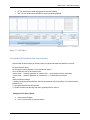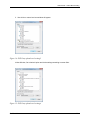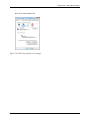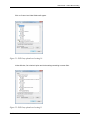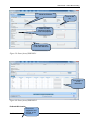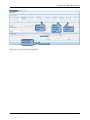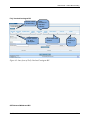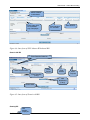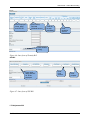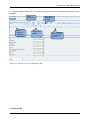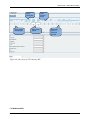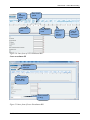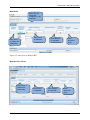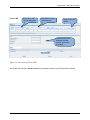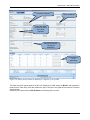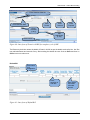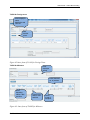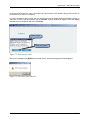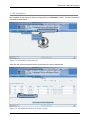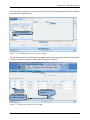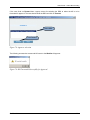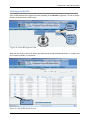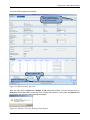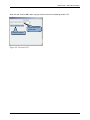
1
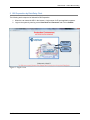
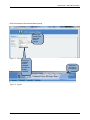
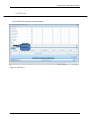
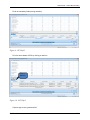
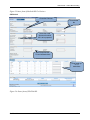
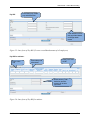
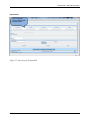
Integrated Financial Management System Online Bill Processing Government of Punjab, India User Manual, February-2012 Version 1.2 Confidential Notice © 2013 Tata Consultancy Services Limited This is a controlled document. Unauthorized access, copying, replication or usage for a purpose other than for which it is intended, are prohibited. All trademarks that appear in the document have been used for identification purposes only and belong to their respective companies. Confidential Document Release Note Customer: Government of Punjab Project: Punjab IFMS Application Document details Name Version no. Description Revision details Action taken (add/del/change) Previous page no. Add Add New page no. 24 Revision description Add Pay bill, Pay bill for ministers, Pension bill and revised TA bill Add Change password/Forgot Password, Forest Bill, EMD bill, Conveyance Bill, PDPLA Bill, TA bill for foreign tours, TA bill for Employees(Outer only), Medical bills for retiree Change Register serial numbers covered: The documents or revised pages are subject to document control. Please keep them up-to-date using the release notices from the distributor of the document. These are confidential documents. Unauthorized access or copying is prohibited. Approved by: Authorized by: Date: Date: Confidential Document Revision List Release Notice Reference (for release) Rev. No. Revision date Revision description Page no. Previous page no. Action taken Addenda/ New page Release notice reference About this Manual This manual describes the Online Bill Processing module and its functionality. Purpose This manual has been written to help you understand and use the Online Bill Processing module. Intended Audience This manual is intended for the Scanning team to use OBP from DDO’s Login and Business unit team to use Web applications. Prerequisites The following are the prerequisites for performing the tasks presented in this manual: Functional User is expected to have the functional knowledge of Online Bill Processing Technical User is expected to have basic knowledge about Internet and accessing an application through URL User Manual – Online Bill Processing Contents Introduction ........................................................................................................ 10 1.1. About Online Bill Processing ................................................................................ 10 1.2. About this User Manual and Users ......................................................................... 10 1.3. Conventions used in this User Manual .................................................................... 10 2 Bill Preparation by Data Entry Clerk ......................................................................... 11 2.1 Bill Selection ................................................................................................... 14 2.2 Bill Creation .................................................................................................... 15 2.3 ECS Info ............................................................................................................ 16 2.4 Upload ECS Party Excel Data Internet Setting ........................................................ 18 2.5 Forwarding Saved Bill ............................................................................................ 56 3 Bill Verification .................................................................................................... 58 4 Bill Approval By DDO ............................................................................................... 61 1 List of Figures Figure 1: Login screen ................................................................................................................ 11 Figure 2: Change Password......................................................................................................... 12 Figure 2: Unlock Account-I. ....................................................................................................... 12 Figure 3: Unlock Account-II. ...................................................................................................... 13 Figure 4: Logout ......................................................................................................................... 13 Figure 5: Bill Selection Link ....................................................................................................... 14 Figure 6: Bill Type Selection ...................................................................................................... 14 Figure 7: Budget detail screen- Common for all bills .................................................................. 15 Figure 8: ECS info 1 ................................................................................................................... 16 Figure 9: ECS Info 2 .................................................................................................................. 17 Figure 10: ECS Info 3 ................................................................................................................ 17 Figure 11: ECS Info 3 ................................................................................................................ 18 Figure 12: ECS Party upload excel setting 1 ............................................................................... 19 Figure 13: ECS Party upload excel setting 2 ............................................................................... 19 Figure 14: ECS Party upload excel setting 3 ............................................................................... 20 Figure 15: ECS Party upload excel setting 4 ............................................................................... 20 Figure 16: ECS Party upload excel setting 5 ............................................................................... 21 Figure 17: ECS Party upload excel setting 6 ............................................................................... 21 Figure 18: ECS Party upload excel setting 7 ............................................................................... 22 Figure 19: ECS Party upload excel setting 8 ............................................................................... 22 Figure 20: ECS Party upload excel setting 9 ............................................................................... 23 Figure 21: ECS Party upload excel setting 10 ............................................................................. 24 Figure 22: ECS Party upload excel setting 11 ............................................................................. 24 Figure 23: ECS Party upload excel setting 12 ............................................................................. 25 Figure 24: ECS Party upload excel setting 13 ............................................................................. 25 Figure 25: ECS Party upload excel setting 14 ............................................................................. 26 Figure 26: ECS Party upload excel setting 15 ............................................................................. 26 Figure 27: ECS Upload 1 ........................................................................................................... 27 Figure 28: ECS Upload 2 ........................................................................................................... 28 Figure 29: ECS Upload 3 ........................................................................................................... 28 Figure 30: ECS Upload 4 ........................................................................................................... 29 Confidential 6 User Manual – Online Bill Processing Figure 31: ECS Upload 5 ........................................................................................................... 29 Figure 32: ECS Upload 6 ........................................................................................................... 30 Figure 33: Outer form of Abstract Contingent Bill ...................................................................... 31 Figure 34: Inner form of Abstract Contingent Bill....................................................................... 31 Figure 35: Inner form of Advance Bill ........................................................................................ 32 Figure 36: Inner form of Arrear Bill ............................................................................................ 33 Figure 37: Inner form of Conveyance Bill ................................................................................... 34 Figure 38:Inner form of Detailed Contigent Bill. ........................................................................ 35 Figure 39: Outer form of EMD Bill-I. ......................................................................................... 36 Figure 40: Outer form of EMD Bill-II. ........................................................................................ 36 Figure 41: Inner form of Ex-Gratia Bill ...................................................................................... 37 Figure 42: Outer form of Forest Bill. .......................................................................................... 38 Figure 43: Inner form of Fully Vouched Contingent Bill ............................................................. 39 Figure 44: Inner form of GPF Advance/Withdrawal Bill ............................................................. 40 Figure 45: Inner form of Grant in Aid Bill .................................................................................. 40 Figure 46: Inner form of Gratuity Bill ......................................................................................... 41 Figure 47: Inner form of GIS Bill ............................................................................................... 41 Figure 48: Inner form of LTC Adjustment Bill ........................................................................... 42 Figure 49: Inner form of LTC Advance Bill ................................................................................ 43 Figure 50: Inner form of LTC Withdrawal Bill . ......................................................................... 44 Figure 51:Inner form of Leave Encashment Bill. ........................................................................ 44 Figure 52: Inner form of Medical Bill ......................................................................................... 45 Figure 53:Inner form of Medical Bill For Retirees ...................................................................... 46 Figure 54: Outer form of PD/PLA Bill. ....................................................................................... 46 Figure 55: Inner form of Pay Bill (To enter consolidated amount of all employees) .................... 47 Figure 56: Inner form of Pay Bill for minister ............................................................................. 47 Figure 57: Inner form of Payment Bill. ....................................................................................... 48 Figure 58: Inner form of Pension Bill ......................................................................................... 49 Figure 59: Outer form of Grant in Aid Bill for complete cycle of OBP ....................................... 50 Figure 60: Inner form of Grant in Aid Bill for complete cycle of OBP ........................................ 51 Figure 61: Inner form of Refund Bill .......................................................................................... 51 Figure 62:Inner form of TA bill for Foreign Tours. ..................................................................... 52 Figure 63: Inner form of TA Bill for Ministers............................................................................ 52 Figure 64: Inner form of TA Bill for Employees- I ..................................................................... 53 Figure 65: Inner form of TA Bill for Employees- II .................................................................... 53 Figure 66: Inner form of TA Bill for Employees- III ................................................................... 54 Figure 67: Inner form of TA Bill for Employees- IV ................................................................... 54 Figure 68:Outer form of TA bill for Employees(outer only)-I. .................................................... 55 Figure 69:Outer form of TA bill for Employees(outer only)-II. ................................................... 55 Figure 70: Link to Access Saved Bill .......................................................................................... 56 Figure 71: Saved Bill Details Screen........................................................................................... 56 Figure 72: Selection of Verifier .................................................................................................. 57 Figure 73: Successful Forward Alert ........................................................................................... 57 Figure 74: Saved Bill Verification Link ...................................................................................... 58 Figure 75: Saved Bill Details Screen (Verifier Login) ................................................................. 58 Figure 76: View Bill Details Screen (Verifier Login) .................................................................. 59 Figure 77: Bill Details Screen (Verifier Login) ........................................................................... 59 Confidential 7 User Manual – Online Bill Processing Figure 78: Approver selection ..................................................................................................... 60 Figure 79: Bill Forwarded Successfully for Approval. ................................................................ 60 Figure 80: Saved Bill Approval Link .......................................................................................... 61 Figure 81: Saved Bill Details Screen........................................................................................... 61 Figure 82: Bill as seen by Approver ............................................................................................ 62 Figure 83: Submit to TO Alert Showing Grant Details ................................................................ 62 Figure 84: Forward to TO ........................................................................................................... 63 Confidential 8 User Manual – Online Bill Processing Acronyms and Abbreviations Abbreviation/Acronym Description HOD Head of Department DoF Department of Finance DTO District Treasury Officer GOP Government of Punjab CO Controlling officer DDO Drawing and Disbursement Officer TO Treasury Office Confidential 9 User Manual – Online Bill Processing 1 Introduction This chapter presents an overview of the Online Bill Processing, developed in Integrated Financial Management System (IFMS) as part of the common applications. 1.1. About Online Bill Processing The IFMS Online Bill Processing module will give the opportunity to the DDO to submit the bill online. 1.2. About this User Manual and Users This guide contains all information needed to familiarize the user with the features and functionality of the Online Bill Processing. To give User a feel of the application’s Graphical User Interface (GUI), it includes screenshots wherever relevant. The intended users of this guide are all DDO’s, Data entry Clerk and Verifiers of all Districts of Punjab state. 1.3. Conventions used in this User Manual It is necessary to be familiar with the conventions used in this guide in order to fully and easily Understand the module. The conventions used in this document are as follows: “Window” refers to screens that are big and do not generally contain commands or options. “Dialog box” refers to screens that contain sets of command and option buttons. The sign indicates the navigation path from a menu to the subsequent submenu(s). The verb “enter” has been used for field values that have to be either typed in or selected from list boxes. The verb “type” has been used for field values that have to be typed in. Bold type has been used to highlight names of menus, windows, tabs, buttons, options, list boxes, fields, keys and points of emphasis. Notes and Supplemental Information sections have been used to provide related but important information. Notes and Supplemental Information sections have been used to provide related but important information. Confidential 10 User Manual – Online Bill Processing 2 Bill Preparation by Data Entry Clerk The following are the steps to be followed for Bill Preparation. 1. When the user enters the URL in the browser, a login screen for E-input application appears. 2. Login to the system by entering correct User Name and Password. And Click on Submit. Enter User Name Enter Password Figure 1: Login screen Confidential 11 User Manual – Online Bill Processing Change password. Enter old password. Enter new password. Click on save. Figure 2: Change Password. To unlock the account click on Forgot password. Click on forgot password. Figure 2: Unlock Account-I. Confidential 12 User Manual – Online Bill Processing Enter the username, birth date and date of joining. Enter user name, birth date and date of joining. Figure 3: Unlock Account-II. Enter new password, confirm password and click on change password. Click here for Logout from System Figure 4: Logout Confidential 13 User Manual – Online Bill Processing 2.1 Bill Selection The Data Entry Clerk will receive the claims of the employees or the retirees either physically or through the HRMS application. The Clerk will then select the Bill based on the type of claim received by the claimant. The link for bill selection is as shown below: Click here for Bill Selection Figure 5: Bill Selection Link When the user clicks on New he is directed to the screen shown below: Chose the type of Bill you need to prepare Click on Create Bill Figure 6: Bill Type Selection Confidential 14 User Manual – Online Bill Processing The user selects the type of bill he/she needs to prepare and clicks on Create Bill. 2.2 Bill Creation Each bill will have two sections: 1) The first section will be common to all the specified bills. 2) The second section will be Bill specific based on the type of Bill that is selected initially. Budget Detail Screen (Common for all bills): Chose the Claimant Enter the Bill No. Select the Head Structure for which bill is to be prepared Enter Gross Amount, TO and AG deductions Enter break up of TO deductions Enter Party name Select Cheque type either DDO cheque or Party cheque Save button to save the bill Cheque amount will be auto populated same as Net amount Figure 7: Budget detail screen- Common for all bills Confidential 15 User Manual – Online Bill Processing 2.3 ECS Info Click on ECS Info (electronic clearance system) Click on ECS Info. Figure 8: ECS info 1 Confidential 16 User Manual – Online Bill Processing Fill all the mandatory fields (having asterisks). Figure 9: ECS Info 2 Fill in the whole details of ECS by clicking on add row. Click on add row. Figure 10: ECS Info 3 Payment type is auto generated field. Confidential 17 User Manual – Online Bill Processing EFT for state bank of India having amount less than 200000 NEFT for any other bank and RTGS for amount exceeding 200000. Figure 11: ECS Info 3 2.4 Upload ECS Party Excel Data Internet Setting Please follow the below setting in internet explore for upload the Beneficiary details in excel file: For Excel ActiveX object : Go through the Internet Explorer, Tools and Internet options. Go to the Security tab, for the relevant zone, "custom level" - means If Application on Intranet then --> Local intranet like Our Application "custom level" - means If Application on internet then --> Trusted sites plus Internet and check the ActiveX settings. 1 .Setting "Initialize and script ActiveX controls not marked as safe for scripting" to "Prompt" fixed this problem for me 2 ."Prompt" Allowed Activex & Download 3 ."Enable" Include local directory path when uploading files to a server. Settings for ECS Excel Upload 1. Open Internet Explorer 2. Go to Tools and click on Internet Options Confidential 18 User Manual – Online Bill Processing Figure 12:ECS Party upload excel setting 1. After clicking on Internet Options new window will appear, In new Window Click on Security Tab Figure 13: ECS Party upload excel setting 2 Confidential 19 User Manual – Online Bill Processing 2. Now click on custom level new window will appear Figure 14: ECS Party upload excel setting 3 In New Window, Go to ActiveX option and do the settings according to screen Shot Figure 15: ECS Party upload excel setting 4 Confidential 20 User Manual – Online Bill Processing Figure 16: ECS Party upload excel setting 5 Figure 17: ECS Party upload excel setting 6 Confidential 21 User Manual – Online Bill Processing Figure 18: ECS Party upload excel setting 7 Figure 19: ECS Party upload excel setting 8 After doing all the settings as per given above click on ok button , after clicking on Ok button system will show prompt message as shown above. Now click on yes button Confidential 22 User Manual – Online Bill Processing Now Go to Local Intranet Tab Figure 20: ECS Party upload excel setting 9 Confidential 23 User Manual – Online Bill Processing Click on Custom Level New Window will appear Figure 21: ECS Party upload excel setting 10 In New Window, Go to ActiveX option and do the settings according to screen Shot Figure 22: ECS Party upload excel setting 11 Confidential 24 User Manual – Online Bill Processing Figure 23: ECS Party upload excel setting 12 Figure 24: ECS Party upload excel setting 13 Confidential 25 User Manual – Online Bill Processing Figure 25: ECS Party upload excel setting 14 Figure 26: ECS Party upload excel setting 15 After doing all the settings as per given above click on ok button , after clicking on Ok button system will show prompt message as shown above. Click on yes button Confidential 26 User Manual – Online Bill Processing After doing all these settings, you can upload excel file. If the data exceeds the limit of rows then you can upload an excel sheet containing required information. Click on upload ECS Party Excel Data. Figure 27: ECS Upload 1 Click on browse to search the excel sheet and upload it. Confidential 27 User Manual – Online Bill Processing Click on browse. Figure 28: ECS Upload 2 Click on the file name to upload and click on open. Click on Open. Figure 29: ECS Upload 3 Click on Fill Data to upload the excel sheet, an alert will populate for further processing. Click on yes for successful uploading of file. Click on Fill Data. Confidential 28 User Manual – Online Bill Processing Click on Yes. Figure 30: ECS Upload 4 On Clicking yes a new alert will populate on the screen then again click on yes. Click on Yes. Figure 31: ECS Upload 5 On clicking yes file will be successfully uploaded with required information. Confidential 29 User Manual – Online Bill Processing Figure 32: ECS Upload 6 Abstract Contingent Bill Creation Chose the Claimant Enter the Bill No. Select the Head Structure for which bill is to be prepared Enter Gross Amount, TO and AG deductions Confidential 30 User Manual – Online Bill Processing Enter break up of TO deductions Figure 33: Outer form of Abstract Contingent Bill The inner form of Abstract Contingent Bill will be Enter Remarks (if any) Add Attachment (if any) Figure 34: Inner form of Abstract Contingent Bill The Budget detail screen (Outer form of bill) for all the bills will be the same. Only the inner form will be specific to the type of bill selected. So for the remaining bills we will be looking at the inner form. Confidential 31 User Manual – Online Bill Processing Advance Bill Creation Add another employee Enter GPF No., name, designation Enter sanction order and date Figure 35: Inner form of Advance Bill Confidential Enter Advance amount Add Attachment (if any) 32 User Manual – Online Bill Processing Arrear Bill Creation Add another employee Enter total arrear and inst. Percent. Enter period of claim Enter name, desig and GPF No. of employee Enter DP, IR and OAH Total Payable will be directly calculated These values will be auto populated Figure 36: Inner form of Arrear Bill Confidential 33 User Manual – Online Bill Processing Conveyance bill Add another employee Enter period of claim Click on Save or Approve. Click on browse . Figure 37: Inner form of Conveyance Bill Confidential 34 User Manual – Online Bill Processing Detailed contigent bill Chose the Claimant Enter the Bill No. Select the Head Structure for which bill is to be prepared Enter Gross Amount, TO and AG deductions Enter break up of TO deductions Figure 38:Inner form of Detailed Contigent Bill. Emd bill Confidential 35 User Manual – Online Bill Processing Chose the Claimant Enter the Bill No. Select the Head Structure for which bill is to be prepared Enter Gross Amount, TO and AG deductions Figure 39: Outer form of EMD Bill-I. Enter break up of TO deductions Figure 40: Outer form of EMD Bill-II. Ex-Gratia Bill Creation Confidential Enter name, designation and GPF No. of the deceased 36 User Manual – Online Bill Processing Enter beneficiary name Enter sanction no. and date Enter total amount Click here to save the bill Figure 41: Inner form of Ex-Gratia Bill Confidential 37 User Manual – Online Bill Processing Forest bill Chose the Claimant Enter the Bill No. Select the Head Structure for which bill is to be prepared Enter Gross Amount, TO and AG deductions Enter break up of TO deductions Figure 42: Outer form of Forest Bill. Confidential 38 User Manual – Online Bill Processing Fully Vouched Contingent Bill Button to Add another entry Enter voucher no. and description Enter Sanction no., date and authority Enter sanctioned amount Enter remarks (if any) Figure 43: Inner form of Fully Vouched Contingent Bill GPF Advance/Withdrawal Bill Confidential 39 User Manual – Online Bill Processing Select advance or withdrawal Enter name, GPF No. and Basic pay of employee Enter sanction no. and date Enter amount Figure 44: Inner form of GPF Advance/Withdrawal Bill Grant in Aid Bill Enter Sanction Order No. Enter Period Enter Sanction Date Enter Amount Enter Remarks (if any) Enter Purpose Add Attachment (if any) Click to save Figure 45: Inner form of Grant in Aid Bill Gratuity Bill Confidential Add another employee 40 User Manual – Online Bill Processing Enter employee name, desig and GPF No. Enter DCRG, Paid and Withheld amount Total will be auto calculated Enter deduction amount Enter remarks (if any) Figure 46: Inner form of Gratuity Bill GIS Bill Enter name, desig and GPF no. of the employee Enter fund amount Enter purpose Figure 47: Inner form of GIS Bill LTC Adjustment Bill Confidential 41 User Manual – Online Bill Processing LTC Adjustment Bill is used when LTC Advance is greater than the LTC claimed. Gross amount 0 bill is prepared. Enter block year Enter details of employee Enter claim period Enter place of travel Enter LTC and LTC Advance amount Figure 48: Inner form of LTC Adjustment Bill LTC Advance Bill Confidential 42 User Manual – Online Bill Processing Enter block year Enter details of employee Enter claim period Enter place of travel Enter only the LTC Advance amount Figure 49: Inner form of LTC Advance Bill LTC Withdrawal Bill Confidential 43 User Manual – Online Bill Processing Add employee details Enter block year Enter Claim period Enter place of travel Enter LTC and Advance amount Total will be auto calculated Figure 50: Inner form of LTC Withdrawal Bill . Leave encashment bill Add another employee Enter employee name, desig and GPF No. Enter remarks (if any) Figure 51:Inner form of Leave Encashment Bill. Confidential 44 User Manual – Online Bill Processing Medical Bill Enter GPF No, name and designation of the employee Enter name of patient and relationship Enter period of treatment Enter sanction no. and date Enter amount of claim Figure 52: Inner form of Medical Bill Medical bill for retirees Enter name of patient and relationship Confidential Enter period of treatment Enter sanction no. and date Enter amount of claim 45 User Manual – Online Bill Processing Figure 53:Inner form of Medical Bill For Retirees PD/PLA bill Chose the Claimant Enter the Bill No. Select the Head Structure for which bill is to be prepared Enter Gross Amount, TO and AG deductions Enter break up of TO deductions Figure 54: Outer form of PD/PLA Bill. Confidential 46 User Manual – Online Bill Processing Pay Bill Enter Basic pay, Grade pay and allowances Total deduction will be auto populated based on Budget detail screen Figure 55: Inner form of Pay Bill (To enter consolidated amount of all employees) Pay Bill for minister: Enter name and Enter salary and allowances Enter TO BT and AG BT Gross amount, Total deduction and Net amount will be auto populated Figure 56: Inner form of Pay Bill for minister Confidential 47 User Manual – Online Bill Processing Payment bill Enter employee name to whom paid and particulars. Figure 57: Inner form of Payment Bill. Confidential 48 User Manual – Online Bill Processing Pension Bill: Enter name, GPF No and designation Enter Basic pension and allowances Enter TO BT and AG BT Gross amount, Total deduction and Net amount will be auto populated Figure 58: Inner form of Pension Bill We will take the example of Grant in Aid bill to understand the whole cycle of Online Bill Processing. Confidential 49 User Manual – Online Bill Processing Chose the Claimant Enter the Bill No. Select the Head Structure for which bill is to be prepared Enter Gross Amount, TO and AG deductions Enter break up of TO deductions Figure 59: Outer form of Grant in Aid Bill for complete cycle of OBP The Data entry clerk selects whether the bill is for Employee or DDO, enters the Bill No. and expenditure head structure. Data Entry Clerk also selects the type of cheque to be prepared and enters the relevant cheque details. Data Entry Clerk then clicks on STR 52 Details for accessing the inner form. Confidential 50 User Manual – Online Bill Processing Enter Sanction Order No. Enter Period Enter Sanction Date Enter Amount Enter Purpose Enter Remarks (if any) Add Attachment (if any) Click to save Figure 60: Inner form of Grant in Aid Bill for complete cycle of OBP The Data entry clerk then enters the details of Grant in Aid bill as per the details received by him. He/ She may add attachment and remarks if any. After entering the details the user clicks on Save and then on Close to return to main menu. Refund Bill Enter name and designation Enter sanction no and date Enter payee name and refunded amount Figure 61: Inner form of Refund Bill Confidential 51 User Manual – Online Bill Processing TA Bill for Foreign tours Enter employee name, description and GPF No. Add another place. Figure 62:Inner form of TA bill for Foreign Tours. TA Bill for Ministers Enter employee details Enter class and no. of persons Enter departing station, date and time Enter arriving station, date and time Select mode of transport Figure 63: Inner form of TA Bill for Ministers Confidential 52 User Manual – Online Bill Processing Enter employee details TA Bill for Employees(new) Enter departing station, date and time Enter arriving station, date and time Select mode of travel Figure 64: Inner form of TA Bill for Employees- I Enter TA Bill for Employees(continued) employee details Select type of vehicle in case of Type of journey is By Road Select mode of travel Figure 65: Inner form of TA Bill for Employees- II Confidential 53 User Manual – Online Bill Processing TA Bill for Employees(continued) Enter employee details Select Fare class in case of Type of journey is By Rail Select mode of travel Figure 66: Inner form of TA Bill for Employees- III TA Bill for Employees (continued) Enter no. of fares and amount Enter road trolly amount in case of transfer Enter no. of kms and rate, if journey type is By Road. Select Type of stay. Enter No. of days, rate and amount will be auto populated Figure 67: Inner form of TA Bill for Employees- IV Confidential 54 User Manual – Online Bill Processing TA Bill for Employees(outer only) Chose the Claimant Enter the Bill No. Select the Head Structure for which bill is to be prepared Enter Gross Amount, TO and AG deductions Figure 68:Outer form of TA bill for Employees(outer only)-I. Enter break up of TO deductions Figure 69:Outer form of TA bill for Employees(outer only)-II. Confidential 55 User Manual – Online Bill Processing 2.5 Forwarding Saved Bill Click to view saved bills Figure 70: Link to Access Saved Bill The saved bill screen is as shown below. Select Bill Click to delete bill Click to forward bill to verifier Figure 71: Saved Bill Details Screen Confidential 56 User Manual – Online Bill Processing In the saved bill screen the user is provided with check boxes for bill selection along with provision to forward the bill to verifier or to delete it. In order to forward the bill to verifier the user should select the bill he/she wants to forward by clicking on check box in front of that bill and then click on Forward. A popup window will appear, select the dealing assistant from the dropdown and click on Forward. Select Verifier Click on Forward Figure 72: Selection of Verifier Bill will be forwarded to the Worklist of selected verifier. And the following alert will be displayed. Figure 73: Successful Forward Alert Confidential 57 User Manual – Online Bill Processing 3 Bill Verification Bills forwarded by the data entry Clerk will be populated in the Worklist of Verifier. The link to access the saved bills is shown below: Link to access saved bill Figure 74: Saved Bill Verification Link When the user clicks on the above link he is redirected to the screen shown below: Click to view saved Bill Figure 75: Saved Bill Details Screen (Verifier Login) Confidential 58 User Manual – Online Bill Processing If the user wants to view the bill, he can click on the bill no..He/ She may add remarks or see the remarks by previous user as shown below. Click to view Remarks Figure 76: View Bill Details Screen (Verifier Login) The user may add his/her remarks and click on Save to save bill. After saving the user may forward the bill to DDO for approval or may send it back to data entry Clerk for correction. Select Bill Click to send Bill for correction Click to forward Bill to DDO for approval Figure 77: Bill Details Screen (Verifier Login) Confidential 59 User Manual – Online Bill Processing If the user clicks on Forward then a popup comes for selecting the DDO to whom the bill is to be forwarded for approval. The user should chose the DDO and click on Forward. Select DDO Click Forward Figure 78: Approver selection The following success alert comes and bill is sent to the Worklist of Approver. Figure 79: Bill Forwarded Successfully for Approval. Confidential 60 User Manual – Online Bill Processing 4 Bill Approval By DDO Once verifier sends a bill for approval it starts populating in the Worklist of Approver. The link to access the bill is as shown below in DDO’s login. Link to access Saved Bill Link to view Bills sent to TO Figure 80: Saved Bill Approval Link When the user clicks on above link he/she gets redirected to the Saved Bill Details screen. In it he/she can click on the link (Bill No.) to view the bill. Click to View Bill Figure 81: Saved Bill Details Screen Confidential 61 User Manual – Online Bill Processing The bill as seen by Approver is as below: Click to View Bill (as it would appear physically) for take printout of bill Click to Approve Bill Click to Save Bill Figure 82: Bill as seen by Approver When the user clicks on Approve the Submit To TO button gets enabled. The user can then click on Submit To TO if he/she wants to send the bill to Treasury office. When the user clicks on Submit To TO the following alert displaying grant details gets displayed. Figure 83: Submit to TO Alert Showing Grant Details Confidential 62 User Manual – Online Bill Processing When the user clicks on OK in Alert, a popup comes on screen for forwarding the bill to TO. TO where the Bill will be sent Click to Forward Figure 84: Forward to TO Confidential 63