1
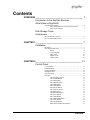
Contents
OVERVIEW _________________________________________ 1
Introduction to the DigiCart Recorder
What’s New in DigiCart/E
Supported File Formats................................................................... 2
File Format Indicators on the Front Panel LCD
3
Notes on file formats
3
Disk Storage Times
Accessories
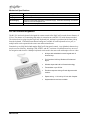
RC-320 Remote Control ................................................................. 4
RC-305 Infrared Keyboard ............................................................. 6
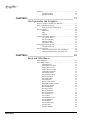
CHAPTER 1_________________________________________ 7
Installation
Mounting ........................................................................................ 7
Rear Panel Connections .................................................................. 7
Power
8
Control Signals
8
IEEE-1394
10
Digital Audio
10
Analog Audio
10
CHAPTER 2________________________________________ 11
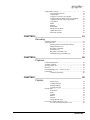
Control Panel
LCD Display................................................................................. 11
LED Indicators.............................................................................. 11
Peak Level Meters ........................................................................ 12
Headphone Jack ............................................................................ 12
Selection Knob.............................................................................. 12
Buttons.......................................................................................... 13
The Navigation Arrows
13
The ENTER Button
13
The EXIT Button
13
The DRIVES Button
13
The DIRS Button
13
The FILES Button
13
The SETUP Button
14
The UTILITY button
14
The EDIT button
14
The RECORD Button
14
The PLAY Button
15
The STOP Button
15
The VIEW LIST Button
15
The LOOP Button
15
The PAUSE Button
15
Bank Select and Hot Key Buttons
16
Contents • i