1
About Liebert® Nform™
1.2.2
Key Features
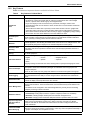
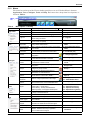
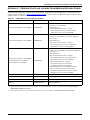
Table 2 summarizes important features available in Liebert Nform.
Table 2
Key features of Liebert Nform
Feature
Improvement
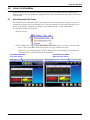
Dashboard
View
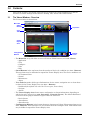
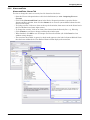
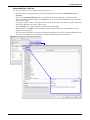
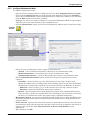
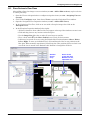
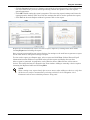
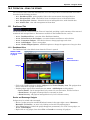
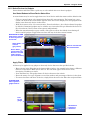
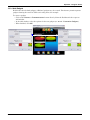
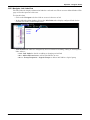
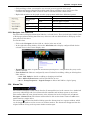
• The system supports a user-customized Dashboard. This view allows users to quickly create a
full spectrum of charts and graphs that can represent a total system view of all managed
devices, a specific device and/or a group of managed devices.
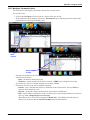
• Large icons display a total count of devices by each state, including a numeric value
representing the total count of devices in alarm, devices with no communication and devices
that are normal.
• Status buttons and filters offer a quick way to select which devices to show in gadgets with
customized views of devices in a particular state. Status buttons toggle between customized
device status views and all devices. Filters are easy to apply in any gadget by simply entering
text to search for in the device definitions, such as IP address or name.
Area/Floorplan
Views
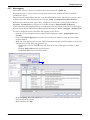
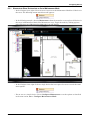
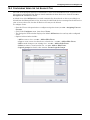
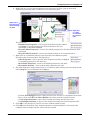
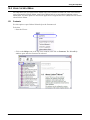
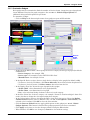
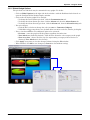
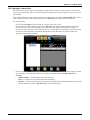
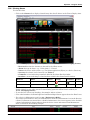
Customized views may be created to organize devices into groups or add graphic floor plans as
visual reminders of where devices are located. Device icons with labels and status indicators
offer a quick way to identify problem devices and their locations.
Detachable
Windows
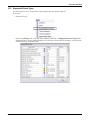
The Navigation Portal and Alarm Management Interface Window can be detached from the main
software application, thus allowing the Liebert Nform Viewer to be run on multiple screens. This
was specifically designed for deployment in IT Network Operation Centers (NOC).
Parametric Data
Trending
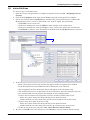
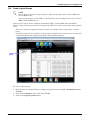
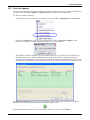
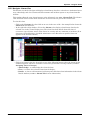
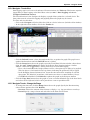
All devices can be configured for trending parametric data. This trend data can be viewed within a
trend graph and can be exported to a file that can be used to analyze parametric data from a
system view.
Priority Status
Polling
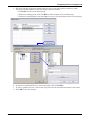
Users can define the polling priority for each managed device, allowing for quick response times
on critical equipment.
Internationalization
The software supports the following languages:
• German
• English
• French
• Spanish
• Italian
• Simplified Chinese
• Japanese
Language settings are stored at each client, allowing users to specify their language of choice.
Users and Groups
By default the system comes with three (3) predefined user groups: Administrator, Power User
and Operator. Users with Administrator privileges can administer users and groups for the
complete enterprise.
Users can also create new user groups and define the access level and rights of each group.
Audit Logging
All user actions and configuration changes are tracked and stored in a server audit log file. This
gives the administrator the ability to monitor changes that are submitted to the Liebert Nform
server.
Device Info Links
Devices can be configured for informational links that allow a user to create links directly in the
software to display online help files and/or user manuals.
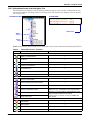
Alarm Management
Each device’s alarm events have been predefined in three (3) default severity levels: Critical,
Warning and Information. These are the Emerson-recommended severity levels defined in the
software.
The software can be configured to auto-acknowledge alarms by severity level, thus allowing
intelligent processing of alarm-event data.
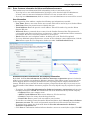
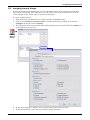
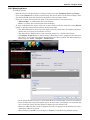
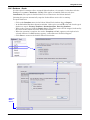
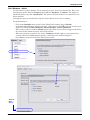
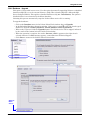
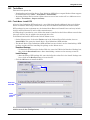
Additional Actions
•
•
•
•
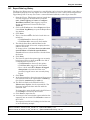
Import Configuration
Data From Earlier
Versions
An import utility allows transferring previously configured data that has been exported from an
earlier version of Liebert Nform (version 2.0 or later) on the same computer or a different
computer. Data that can be transferred includes licenses as well as configured devices and
e-mail notifications.
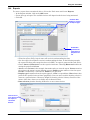
Liebert Rack PDU
Outlet Grouping
Data from Liebert Rack PDU devices may be viewed at the PDU, branch and receptacle levels
through the logical groups feature of Liebert Nform. Users may control receptacles individually or
in groups—for example, turn receptacles on or off.
Liebert® Nform™
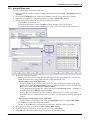
Shutdown: configuring graceful shutdown of MultiLink client computers
Forward trap: sending traps received to a specific computer (hostname or IP address)
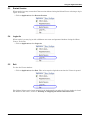
Read data: collecting samples of data points from selected managed devices
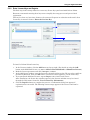
Write data: changing values of selected data points based on specified alarms or events
3