1
DRS User Manual for Data Loading
Page 28 of 31
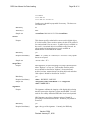
YYYYMMDD
YYYY:MM:DD
YYYY:MM:DD HH:MM:SS
Leading zeros should be prepended if necessary. The hours are
on 24-hour time.
Mandatory
no
Attribute(s)
none
Sample use
<createDate>2001:04:14 15:15:20</createDate>
<access>
Purpose
This element specifies what bodies can access this digital object
if it is deliverable. There are three options for this: P for public, R
for restricted and N for no access. A public object is available to
the world. A restricted object is available to only Harvard. An
object marked as having no access is only available to
administrators via the DRS Web Admin.
Mandatory
yes
Required Attribute(s)
values - P = public, R = restricted, N = no access. Only capital
letters are accepted.
Sample use
<access value= “P”/>
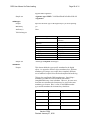
<usageClass>
Purpose
Each digital file is stored according to its usage classification as
either "high use" or "low use.” Deliverables used for public
access should be classified as "highuse". Preservation and
archival versions, masters that are not being delivered and other
"dark objects" should be classified as "lowuse".
Mandatory
yes
Required Attribute(s)
values – HIGHUSE, LOWUSE
Sample use
<usageClass value="HIGHUSE"/> or <usageClass
value="LOWUSE"/>
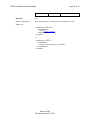
<signature>
Purpose
The signature validates the integrity of the digital object during
transfer between the depositor's system and the DRS. It is also
used for file validity within the DRS after it has been deposited.
MD5 signatures are always character strings of length 32
specifying a hexadecimal checksum. All letters [a-f] should be
lowercase.
Mandatory
yes
Required Attribute(s)
type - the type of the signature. Currently, the DRS only
Version 5.004
Revised: January 27, 2010