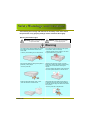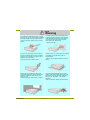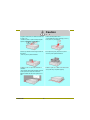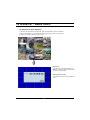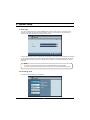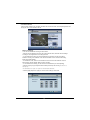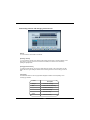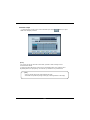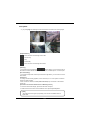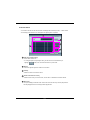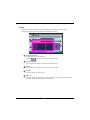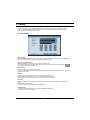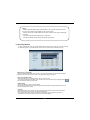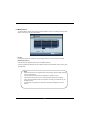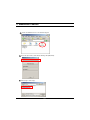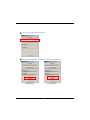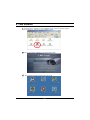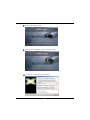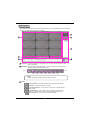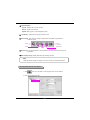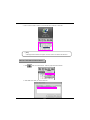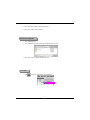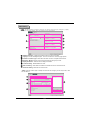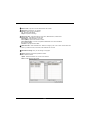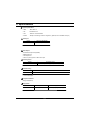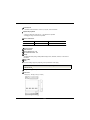
1
Please read this manual thoroughly before use, and keep it handy for future reference. USER GUIDE DIGITAL RECORDING SYSTEM KSR-916 KSR-916 Manual This manual is published by KODICOM Co, Ltd and contains information on KSR-916 which will enable you to use this product properly. If you require additional copies of this manual, please print the manual contained in the CD provided with your purchase. 2 Introduction Introduction Thank you for purchasing KODICOM KSR-916. This DVR is produced by the most advanced KODICOM technology and its quality is guaranteed by strict reliability and compatibility testing. This KSR-916 manual provides necessary information for the correct use of this product and also contains some useful tips. Please read this manual thoroughly before using your KSR-916 in order to prevent possible breakdown due to any mishandling. KODICOM 3 Notice Notice This manual applies to KSR-916 DVR only. This manual describes external features of the KSR-916 DVR, part names, correct connection methods for supported domes or Pan/Tilt receivers, control devices, peripheral devices, and the system set up instructions. It should be noted that some features, figures, pictures and references can only be applied to one model either KSR-916. • KODICOM can not be held responsible if the DVR is damaged due to noncompatible devices being used with this product. If you have any doubts please check. • KODICOM can not be held responsible if the DVR is damaged due to the product being disassembled or modified by the user. • If you wish to open the system casing to attempt to modify, repair, or upgrade the system, it is recommended that you ask for a KODICOM engineer’s assistance by contacting either your dealer or KODICOM head office. • This product is qualified for both domestic and industrial use. This product is qualified under the Radio Equipment Requirements of Korea and acquired international certification including CE (Europe) and FCC (USA). KODICOM 4 Copyrights Copyrights All copyrights of this manual are reserved by KODICOM CO., Ltd. Copyright© 2009 It is prohibited to copy or republish this manual for commercial reasons. It is prohibited to transfer this manual via online media such as, but not limited to, the Internet. It is also prohibited to post, distribute, or translate this manual without KODICOM’S permission. KODICOM is not held responsible if the DVR is damaged due to the system being handled inappropriately by a user who is not aware of how to operate this product, or by a user who did not refer to this manual before attempting to operate the product. KODICOM reserves the right to change the contents of this manual without notice. KODICOM reserves all copyrights of registered trademarks in this manual. KODICOM 5 Caution Caution Please be aware of the following precautions before installing the DVR. • Avoid positioning the KSR-916 in any place where the unit may come into contact with moisture, dust, or soot. • Avoid placing in direct sunlight or near heating appliances. • Keep the product away from electric shock or magnetic substances. • Avoid temperature extremes (recommended operation temperature is between 0°C and ~40°C). • Do not place any conductive material through the ventilation grills. • Keep the system turned off before installation. • Ensure enough space is left for cable connections. • Place the system on a solid surface with sufficient air ventilation. Avoid any surface that vibrates. • Placing the system near electronic devices such as radio or TV may cause breakdown to the product. • Do not disassemble the product without seeking assistance from KODICOM. • Do not place any heavy object on the system. KODICOM 6 Safety SafetyWarnings Warningsand andCautions Cautions The following are warnings and cautions for the safety of the users and for the prevention of any property damage. Please read below thoroughly. Warning and Caution signs Warning If you are not aware of this warning, you may be seriously injured or be killed. Caution If you are not aware of this caution, you may be injured or cause property loss. Warning Do not place any liquid container on the system, such as water, coffee, or beverage. Turn off the system before installing the system. Do not plug in several electric devices to the same outlet. y This may cause heating, fire, or electric shock. Prevent power cable from being severely bent or pressed by a heavy object. • This may cause fire. • If liquid is poured onto the system, it can cause a system breakdown or cause fire. Clean the dust around the system on regular basis. When cleaning the system, always use dry cloth. Do not use wet cloth or other organic solvents. • This may damage the surface of the system and can cause system breakdown or electric shock. Avoid any place with moisture, dust, or soot. When pulling the power cable from the plug, do so gently. Do not touch the plug with wet hands and avoid using the plug if the holes on the outlet are too loose. • This can cause fire or electric shock. • This may cause fire or electric shock. KODICOM 7 Warning Do not attempt to disassemble, repair, or modify the system on your own. It is extremely dangerous due to high voltage running through the system. • This may cause fire, electric shock, or serious injuries. Install the system in a cool place without direct sunlight and always maintain room temperature. Avoid candle light and heat-generating devices such as heater. Keep the system away from places where many people pass. • This may cause fire. Check for any danger signs such as moist floor, loosened or damaged power cable, or unstable surface. If you encounter any problems, ask for assistance from your dealer. Install the system on a plain surface with sufficient air ventilation. Do not place the system on elevated surface. • This may cause system breakdown or serious injuries. • This may cause fire or electric shock. Keep at least 15cm between the back of the system and a wall for the cables connected into the system. Otherwise, cables may be bent, damaged, or cut. The power outlet must be placed on a ground, and the voltage range must be within 10% of the voltage rate. Do not use the same outlet with a hair dryer, iron, refrigerator, or any heating appliances. • This may cause fire, electric shock, or injuries. • This may cause fire, heating, an electric shock. KODICOM 8 Warning When the system’s battery is depleted, you must change it with the same or equivalent type of battery specified by the manufacturer. Depleted batteries should be discarded according to manufacturer’s instructions. • This may cause an explosion. If the system’s HDD has exceeded its life span, you may not be able to recover any data stored inside the HDD. If the video on the system screen appears ‘damaged’ while playing a recording stored inside the system’s HDD, it must be replaced with a new one. Ask for an engineer’s assistance for HDD replacement from your dealer. • KODICOM is not responsible for deleted data caused by user’s mishandling. CALIFORINIA USA ONLY This Perchlorate warning applies only to primary CR (Manganese Dioxide) Lithium coin cells in the product sold or distributed ONLY in California USA. “Perchlorate Material - special handing may apply, See www.dtsc.ca.gov/hazardouswaste/perchlorate.” Turkey ONLY “This EEE is compliant with ROHS” KODICOM 9 Caution Do not install the system in a place with high magnetic, electric wave, or wireless devices such as radio or TV. • Install the system in a place without magnetic objects, electric frequencies, or vibration. Prevent any substances from being inserted into the system. Install the system in a place with appropriate moisture and temperature level. • Avoid installing the system with high (over 40℃) or low (under 0℃) temperature. Do not place any heavy object on the system. • This may cause system breakdown. • This may cause system breakdown. Install the system on a stable and leveled surface.. Install the system in a place with sufficient air ventilation. • The system may not operate properly. • Keep at least 15cm distance between the back of the system and a wall, and at least 5cm distance between the side of the system and a wall. KODICOM 10 Caution The system can be damaged from a strong impact or vibration. Avoid throwing objects within the vicinity of the system. The outlet must be placed on the ground. Avoid direct sunlight or any heating appliances. If there is strange sound or smell, unplug the power cable immediately and contact the service Center. • This may cause fire or electric shock. Ventilate the air inside the system operation room, and tighten the system cover firmly. Do not overturn the product under use. • System breakdown may be cause by inappropriate environment. It is recommended to use AVR (Automatic Voltage Regulator) for stable power supply. It is recommended to coil the core-ferrite around the connector of the system to avoid electromagnetic interference. KODICOM In order to maintain stable system performance, have your system checked regularly by the service Center. • KODICOM is not held responsible for system breakdown caused by user’s mishandling. 11 Equipment Equipment Please check to make sure the following equipment are included when you purchased DVR. If any items are missing, contact your dealer. (The user manual will be included either inside the product software CD or a quick Manual including important contents.) CD (Manual/Software) Remote Controller Manual (Site/Center) SATA Cable Power Cable Audio Cable (Extra) Mouse Bracket Rack Screws Battery KODICOM RS-485 Connecter 12 Contents Contents Chapter 1. Introducing your real time DVR 1.1 Front Panel………………………………………..……………………………………………………………………17 1.2 Rear Panel…………………………………………………..……………………………………………………20 1.3 Description of the Remote Controller…......……………………………………………………………………24 Chapter 2. Installation 2.1 Checking install environment……………………………………………………………………………………26 2.2 USB Connection……………………………………………………………………………………………....………29 2.3 CONSOLE Controller……………………….…………………………………………………………………………31 2.4 Connecting NETWORK Communication Lines………………………………………………….……………32 2.4.1 Network and Dedicated Line Connection…………………………..…………………………………32 2.4.2 PSTN (telephone line) Connection (optional)………………………………………………………33 2.5 Alarm-In Port Connection (Input)………………………………………...…………………………………34 2.6 Alarm-Out Port Connection (Output)………………………………………..…………………………………35 Chapter 3. Live 3.1 Screen layout ……………………………………………...………………………………………………………37 3.2 POP-UP MENU……………….…………………….………………………………………………………………38 3.3 Live screen mode…………………………..………………………………………………………………………40 3.4 1ch Playback…………………………………………..………………………………………………………………42 3.5 Pan/Tilt Camera…………………………..…………………………………………………………………………43 3.5.1 Switching to Pan/Tilt control mode………………………………………….…………………………………43 3.5.2 Pan/Tilt Camera Control………………….………………………………….…………………………………44 3.5.3 Supported Pan/Tilt Camera List………………….……………………….…………………………………45 3.6 ALARM OUT – Manual Control……………………………………………………………..…………………46 3.6.1 Switching to Alarm Out mode……………………….…..………………………………………………………46 Chapter 4. System setup 4.1 User Login……………………………………………………………………………………………………………48 4.2 Recording menu…………………………………………….……………………………………………………48 4.2.1 Motion detection……………………………………..…………………..…………………………………49 4.2.2 Schedule………………………………………..…………………………………………………………51 4.2.3 Quality/Resolution………………………….………………………..…………………………………53 4.2.3.1 Normal REC Setting……….………………………..…………………..…………………………………53 4.2.3.2 Alarm REC Setting…………….………………..…………………………………………………………54 4.2.3.3 Network REC Setting……………..……………..…………………………………………………………55 4.2.3.4 Alarm REC Time…………………….…………..…………………………………………………………56 4.2.4 Property………….…………..…………..…………….………………………..…………………………………57 4.3 Camera menu…………………………………………….……………………………………………………58 4.3.1 Channel Setting…………………………...………………..…………………..…………………………………58 4.3.2 Alarm In Setting………………………………………..…………………………………………………………59 4.3.3 Relay Out Setting………..………………………….………………………..…………………………………60 4.3.3.1 Alarm In/Relay Out Link……….………………………..……………..…………………………………61 4.3.3.2 Motion/Relay Out Link…………….…………..…………………………………………………………61 4.3.3.3 System Error/Relay Out Link…….……………..…………………………………………………………61 4.3.4 Alarm In Camera link……………………………..…………………………………………………………62 4.3.5 Spot Out Camera link………..…..….………….………………………..…………………………………62 KODICOM 13 4.4 Netw ork…………………………………………….……………………………………………………64 4.4.1 DDNS Setup…………………………...………………..…………………..…………………………………64 4.4.2 Network Setup………………………………………..…………………………………………………………65 4.4.3 Network Test………..…..…………….…………….………………………..…………………………………67 4.4.4 Network Time Setup………………………………………..…..………………………………………………67 4.4.5 Emergency Notification………..…..……………….………………………..…………………………………70 4.5 System Setup…………………………………………….……………………………………………………75 4.5.1 User Management………………………………………..…………………..…………………………………75 4.5.1.1 Password Setup………………..………………………..………………………………..…………………76 4.5.1.2 User Addition Setup…………………………………….………………………………..…………….……76 4.5.1.3 Group Setup …………..............………………………..………………………………..…………………77 4.5.2 Site Setup………………………………………..……..………………………………………………………78 4.5.2.1 Regional Setting………………..……………………..………………………………..…………………78 4.5.2.2 OSD Dwell Time…………………………………….………………………………..…………….……79 4.5.2.3 Remote Control ID …………..............……………..………………………………..…………………81 4.5.2.4 Beep Setup..…………………………………………..………………………………..…………………81 4.5.2.5 Live Audio..…………………………………………….………………………………..…………………82 4.5.2.6 Serial Port..…………………………………………..………………………………..…………………82 4.5.2.7 PIP Setting..…………………………………………….………………………………..…………………83 4.5.2.8 Monitor..…………………..…………………………….………………………………..…………………84 4.5.3 Software Upgrade………..…..…….…………….………………………..…………………………………85 4.5.4 Schedule…………………………………..…..…………………………………………………………..…86 4.5.4.1 Backup Schedule……………..………………………..………………………………..…………………86 4.5.4.2 System Restart………..…..………………………..……………………..…………………………………87 4.5.5 Storage………………………………..………………..…………………………………………………………88 4.5.5.1 External Storages………………………………..………………………………..…………………...88 4.5.5.2 Hard Management…………………..…………….……………………………..…...………….……….89 4.5.5.3 RAID Management………………..…………….………………………………..…...………….……….91 4.5.6 POS Management…………………..………..…………………………………………………………91 4.5.6.1 Data Format Setting……………………………..…….……………………………..…………………….. 91 4.5.6.2 DATABASE Setting……………………..…………….…………………………..…...………….…………93 4.5.6.3 POS Configuration ………………..…………….………………………………..…...………….…………94 4.6 System Info………………………………………….………..………………..………………………………………95 4.6.1 Log Info……………..…………………………………..………………………………..………………………95 4.6.2 Factory Default………….…….…..………..…………………………………………..…………….………...98 4.6.3 System Shutdown/Restart ……….....................…………………………..……………..………………..…98 KODICOM 14 Chapter 5. Search 5.1 Accessing Search Mode ………………………………………………………………………………………100 5.2 Search mode display………………………..………………………………………………………………100 5.3 Selecting date and time …………………………..………………………………………………………101 5.4 Selecting cameras and changing search bar line……….…………………………………………102 5 . 5 Au d i o O u t p u t … … … … … … … … … … … … … … … … … … … … … ………………..…………………103 5 . 6 Pl a yba ck… ……… ………… … . .……………………………………………………………………104 5 . 7 E v e n t S e a r c h … … … … … … … … … . . … … … … … … … … … … … … … … … … … … … … … … … … 1 05 5.8 POS …………………………………………………………………………………………………….106 Chapter 6. Backup 6.1 Video Backup ……………………………………………………………………………………..……………108 6.2 Still Image Backup………………………..………………………………………………………..…………109 6.3 Media Format…………………….……………..………………………………………………..…………110 Appendix 1. KDB Viewer……………………………………………………………………….……………………………………112 1.1 How to run Viewer………………………………..……………….…………..…………………………………112 1.2 Viewer main screen……………………………………………....……………………………………………113 2. WebDVR………………..………………………………………………………………………………………………115 3. Watermark Checker………………………………………….………………………………………………………120 4. CMS Software…………………………………………………………………………………………………………122 5. Specifications…………………………………………………………………………………………………………135 6. FAQ………………………………………………………………………………………………………………137 KODICOM 15 1. Introducing your real time DVR 16 1.1 Front panel The following describes the keys and ports on the front of the system and their functions: 2 1 16 9 8 3 6 10 11 14 17 7 12 15 13 4 [System front view(KSR-916)] 1 [Power] • Use this button to shutdown the DVR. • When the button is pressed a password menu will pop-up and password details should be entered click [OK] and the DVR will turn off. 2 [Shuttle (outer dial)] • Rotate to play the recordings, in Search mode, forward or backward. • Rotate to change the value of options continuously in Setup mode. • When controlling P/T/Z camera. rotate to zoom in or out. 3 [Jog (Inner dial)] • Rotate to view recordings, in Search mode, forwards or backwards one frame at a time. Rotate to change the value of options one unit at a time in Setup mode. When controlling P/T/Z camera, rotate to shift camera lens focus. 4 [HOLD] • When using the Shuttle dial you can press the [HOLD] button to maintain the present shuttle speed. • Press the [HOLD] button again to deactivate the feature. 5 [Enter Key] • Use to select option in Setup or Search mode. Use to directly go to Control setup mode from the Surveillance mode. 17 18 5 6 [Directional keys] • Use to move through the menu options in Setup or Search mode. • When controlling P/T/Z camera, press the directional keys to move the camera. • When searching recorded image, you can adjust the size of the image using up and down directional key. ☞ [Note] OSD Position Control Function • It is possible to control OSD position by Up/Down/Left/Right button on 16 division screen. 7 [Camera/Number keys] • In Surveillance mode, press for full screen display of that camera. • In Search mode, press for full screen display of that camera recording during playback. • Press the keys enter correct numeric password when accessing Setup or Search modes. 8 [AUTO] • Press [AUTO] to begin automatic channel sequence in full screen mode. • Press [AUTO] button again begin cancel the automatic channel sequence in full screen mode. 9 [Split screen buttons] • On Surveillance or Search modes, press to select 4-splitscreen, 9-splitscreen or 16-split screen. • Press repeat the splits button, can show the splits screen for other channel. 10 [KEY LOCK] • The [KEY LOCK] button can be used lock the buttons on the front of the DVR system. • When activating and deactivating the key lock function a password menu will pop-up and password details should be entered to switch between modes. 11 [MENU] • To go to the system configuration window, press the [MENU] button. You will then be asked to enter the user ID and password. To exit the current menu or to close the configuration window, press [MENU] button. 12 [EMERGENCY] • Use the [EMERGENCY] button to transmit video data to a remote location in the case of emergency. 13 [A/V SELECT] • The [A/V SELECT] Button can be used to select and hear audio in the surveillance screen mode. • Press [A/V SELECT] button to activate the live audio select mode then press the Channel button you wish to listen. • To change the video mode from audio mode, press [A/V SELECT] button again. 18 [REVERSE PLAYBACK] • USB the [SEARCH] button to playback a selected channel in surveillance mode. [INSTANT BACKUP] • The [INSTANT ACKUP] button once pressed automatically makes a back-up of all channels for the 5 minutes prior to the button being pressed to the USB port. [INSTANT REC] • In the case of an emergency or an emergency night happen press the [INSTANT REC] button. • Use the [INSTANT REC] button to record video data from all cameras regardless of the recording schedule. 14 [SEARCH] • To go to the search window, press the [SEARCH] button. You will then be asked to enter the ID and password. • Used to move of before menu or other menu. 15 [Search mode control Keys] • In Search mode, use these keys to view the recording from either the first or last recorded image, to play the recording either forwards or backwards, and pause the recording. 16 [LED Status Panel] -The LED Status Panel displays the current operation state of the DVR. REC : The light indicates that the DVR is recording. BACKUP : The light indicates when a backup is in progress. NETWORK : The light indicates that a client is connected remotely. AUDIO SEL : The light indicates when the audio select function is active. KEYLOCK : The light indicates when the key lock function is active. 17 [CD/DVD-RW] • The CD-RW/DVD-RW is used to backup video data. 18 [USB Port] • You can connect a portable disk drive to USB port to save backup of recorded video. • You can update your system software with an upgrade package through the USB port. • You can control screen menu with connecting USB type mouse. 19 1.2 Rear panel The following describes keys and ports on the rear part of the system and their functions. 2 13 4 8 11 12 9 3 14 15 10 17 5 16 7 1 6 [System rear view(KSR-916)] 1 [Power Connector] • Power cable input, 100V ~ 240V, for system main power supply. [Caution] • Be careful of electrocution. Please read [Safety Warnings and Cautions]. 2 [Camera Video Input BNC] •Connecting cameras to DVR, input the video signal coaxial cable to the BNC input on the DVR. 3 [Loop Through Output] • Video output ports for camera loop through to view images on another monitor or device. • The system supports both NTSC and PAL. 4 [V-Output Port] • Video output for connecting with CVBS monitor. 5 [SPOT Monitor Output] • Spot monitor output for video output connection to a external Spot monitor. [Caution] • Dependant on the grounding status of the power supply electric current that can cause an electric shock may flow in the video line (coaxial cable). Turn off the system before connecting the video line to the BNC port. 20 6 [ALARM IN Port] • This is the input port for sensor devices. •The system supports NC(Normal Close) and NO(Normal Open) sensor types. 7 [ALARM OUT Port] • This is the output port for alarm out devices . • The system supports NC(Normal Close) and NO(Normal Open) control types. [Caution] • Since control devices use output in a contact point format without polarity at the control output port, do not connect AC 100V ~ 240V of the power cable or supply DC power. • When controlling DC power, it is recommended that you cut the (-ve) line. 8 [CONSOLE] • Connection output to controlling computer. 9 [HDMI] • Output for high resolution image through the HDMI. 10 [SATA1, SATA2] • Output for connecting with external storage. 11 [VGA] • Connect the VGA monitor to the VGA port. • Displays the DVR system on the monitor. 12 [AUDIO IN] • Input speaker into the audio in ports. • Supports recording of up audio channels. Model KSR-916 Audio Channels 16CH 21 13 [AUDIO OUT] • Connect speakers to the Audio Out port in order to output Audio data. ☞ [Note] The DVR is not equipped with an audio output amplifier. Thus, user are advised to purchase separate amplifiers and speakers or speakers with a built-in amplifier. 14 [USB PORT] • To use an USB port as the ‘Backup device’. 15 [External modem terminal] NO AVAILABLE IN EUROPEAN MODELS • To use an POS device through RS-485 port. 16 [NETWORK] • Connection the system through network. • You can remotely monitor, search, and control data on the network. 17 [RS-485 PORT] • Connection port for connection the system through RS-485 port 22 ☞ [Note] Removable Disk The table below lists compatible USB disks. If you want to use other removable disk, it should be compatible with Linux 2.6.0 or over. Other USB disk may not work properly. It is recommended that you confirm through the manufacturer the Linux compatibility of the removal disk you wish to purchase. The USB disk should be formatted as FAT 32. DVR does not supports NTFS or other file system. When the memory of the portable USB disk is partitioned, or a password has been set, the system will not recognize the disk. Combine partitions in the memory and unlock the password before connecting the disk to the system. Since some USB HDDs do not generate power at all or generate only low-voltage power, a separate power source is required for such USB HDDs to enable the system to recognize them. Only when the memory of the USB HDD is formatted as the main partition will the system recognize the USB HDD. If it is formatted as an extension partition, however, the system will not recognize the USB HDD. * Removable Disk support No. Name Company USB Version 1 AnyDrive AL-tech Ver 1.1 2 Unidrive KMIT Ver 1.1 3 Nextdrive JUNGSOFT Ver 1.1 4 SHELLGINO N4 SHELLGINO Ver 1.1 5 TRANSCEND JF A 128M TRANSCEND Ver 1.1 6 JetFlash TRANSCEND Ver 2.0 7 MemoRive 2.0 Pro FM Semicon Ver 2.0 8 SANDISK SANDISK Ver 2.0 9 SELF I&C SELF I&F Ver 2.0 10 TRUTION-512MB TRUTION Ver 2.0 11 CELLDISK 2.0 IOCELL Ver 2.0 12 SIMBADDA 2.0 13 FIEX 2.0 14 iflashEX 2.0 15 Mobile Disk Z4 2.0 16 HCC-713C 17 TRANSCEND JF 110 18 Micro Vault 19 E-D900-03-2256 20 FMR-memorette(B) 21 IMN-IC 22 BLS-ITCC-BO 1A 23 DAO Ver 2.0 SAROTECH Ver 2.0 IMATION Ver 2.0 TWINMOS Ver 2.0 CELLINK Ver 2.0 TRANSCEND Ver 2.0 SONY Ver 2.0 ZIBEN Ver 2.0 MEMORETTE Ver 2.0 IMATION Ver 2.0 ILIAD Ver 2.0 1.3 Description of the Remote controller The following describes the remote controller buttons, which have the same functions as the buttons on the front panel of the system: MENU SEARCH NUMBER BACKUP DOT Jog ( + ) Shuttle ( + ) Shuttle ( - ) Jog ( - ) DEL Directional keys Enter System ID Power Search mode control key Split screen buttons Audio AUTO Emergency Instant REC ☞ [Note] • To select camera 10~16, press ~ button followed by the buttons. • The [BACKUP] button use the live screen. To press the [Backup] button, start the backup to current time from 5minute about all channel. • [Sys ID] Set the ID of remote control using the [SysID] button. Refer “System ID” on page 81 for more details. 24 2. Installation 25 2.1 Checking install environment You should pay attention to the following before you use the product. • Do not use it outdoor. • Do not place water or liquid near the connection part or the product. • Do not impose excessive shock or force. • Do not pull out the power cord unreasonably. • Do not disassemble the product on you own. • Do not exceed the rated input or output voltage range. • Use the certified power cord only. • For the product with an input ground, use a power plug with a ground pin. CHECKING INSTALLATION ENVIRONMENT Digital Video Recorder (hereinafter referred to “DVR”) is a high-tech security equipment that contains a high-capacity HDD and top-notch circuits. High temperature inside or outside of the product may reduce the product life, deteriorate performance (see the Figure 1 below; it explains the correlation between temperature and product life), and lead to a malfunction. Figure 1 26 Please keep the following instructions for rack-mounting the DVRs to proceed with the installation. 1. The rack on which the DVR is mounted should not be sealed off. 2. And it also can allow air circulation through the vent. 3. As shown in the Figure 2, we recommend you to heap the product with other DVR s or use rack-mount devices at certain space, or install a vent system to accommodate airflow. 4. For forming a natural convection, the air intake hole should be positional at the bottom and the emission at the top. 5. We recommend you to install each of the air intake and emission holes with fan motors for sufficient airflow. (The air intake fan should be equipped with a filter to prevent possible inflow of dust and other impurities.) 6. As shown in the Figure 1, the temperature inside the rack and around the DVR should maintain between 0 and 40°C. Figure 2 27 ※ RacK installation • Loosen the screws on both sides (4 screws on each side) and install theBracket-Rack as shown in the figure, and then fasten the screws on both sides (4 screws on each side). •` Fix the screws not to be loosened by vibrations. ※ HDD Addation • You can install additional HDDs. • Make sure to unplug the power cord from the wall outlet to prevent possible electric shock, injury or product damage. • Please consult your provider for further information on HDD installation since improper installation or settings may damage the product. • Number of HDDs supported : Default 1 HDD + Up to 5 HDDs added ※ Cautions for data loss (HDD care) • Please pay attention so that the data inside the HDD is not damaged. • Before adding a HDD, please check the compatibility with this DVR product. HDD is vulnerable to malfunction due to its sensitive nature against externalities or shocks during operation. Please ensure that the HDD is free from such shock or externalities. • We are not liable for any damage to the HDD incurred by user’s carelessness or externalities. ※ Cases might cause damage to HDD or recorded data • To minimize the risk of data loss from a damaged HDD, please backup data as often as possible. • Data may be lost due to external impacts during disassembly or installation of the DVR. HDD may be damaged if the DVR is suddenly stopped by a power cut or power off during operation. • HDD or files stored inside may be damaged if the main body is moved or impacted during the HDD operation. ※ Cautions when adding a hdd • When adding a HDD, pay attention so that the cable does not get caught between unsuitable spaces or the cable’s insulation does not come off. • Pay attention so as not to lose the disassembly screws or accessories. • Please check the HDD compatibility before adding a HDD. 28 2.2 USB Connection USB Cable Connection Port 29 ※ CONNECTING THE USB • There are two USB ports at the front and one at the back of the product. • You can connect a USB HDD, USB memory or mouse to the USB port. • This product supports hot-plugging, which connects/removes the USB device during the system operation. ※ CONNECTING EXTERNAL SATA HDD • There are two external SATA ports on the rear side of the product. • The DVR supports Hot Plug function to allow connection and disconnection of SATA HDD devices while the system is in use. • Only one SATA HDD can be connected to an external SATA port. • Use a cable shorter than 1 m for the external SATA HDD connections. ※ CONNECTING POS DEVICE • You can connect a POS device to the RS-232C port on the product’s rear side when you connect it directly with a RS-232C cable. . 30 2.3 CONSOLE Controller Output for controlling computer. 31 2.4 Connecting NETWORK Communication Lines 2.4.1 Network and Dedicated Line Connection LAN (Used for connecting to KSR-916 UTP port) Center PC Router Internet Network & Local Intranet Network DSU (Dedicated Modem) LAN (Used for connecting UTP port of the LAN Card) Dedicated Line DSU (Dedicated Modem) 32 Router 2.4.2 PSTN (telephone line) Connection (options) (Not available in Europe) MODEM (KSR-916 RS-232 connection) MODEM Center PC 33 2.5 Alarm-In Port Connection (Input) Alarm In Connect one of the two signal lines from the sensor (infrared sensor, magnetic) to G port, and connect the other signal line to the desired Alarm-In number. [Caution] • Use a separate adapter to supply power to each sensor. 34 2.6 Alarm-Out Port Connection (Output) Alarm Out Alarm Out (-) (+) Alarm Light, Amplification Siren, External Relay, Etc. External Power ( DC12V ) • During automatic control of an external sensor, the Alarm-Out output port is “interworked” (the value set in “Set Alarm-In/Alarm-Out” menu) and “COM” port is connected. • In normal circumstances, the Alarm-Out output is kept in “NO” status. • When Alarm-Out is triggered, the Alarm-Out output changes to “NC” status. [Caution] • The operating voltage should be maximum 12V, 300mA. • When controlling lights and other devices operated by AC power, use a separate external relay. 35 3. Live 36 3.1 Screen layout 8 7 5 1 4 2 HDD 6 50.0% 3 5 1 [Camera number] Displays camera number. Shows audio recording enabled. 2 [Camera name] Displays camera name. 6 3 [Recording status] Displays camera recording mode enabled. 4 • Displays Pan/Tilt camera status enabled. • C : Continuous Recording • M : Motion Recording [HDD Capacity/Temperature] • Display HDD used by percentage and temperature. 7 [HDD Status] • Shows when a Bad Sector appears on HDD. 8 [FAN Status] • Shows when a error appears on FAN. [P/T/Z status] Recording Mode [Audio recording status] Available Recording Mode Screen Display • No Recording No Display • Continuous Recording Red REC • Motion Recording / Continuous Motion Recording • Alarm In Recording / Continuous Alarm In Recording • A : Alarm In Recording • Motion & Sensor Recording • P : Pre-alarm Recording • Motion & Pre-alarm Recording • Alarm In & Pre-alarm Recording • Motion & Alarm In & Pre-alarm Recording •Continuous & Motion & Sensor Recording [Table . Available Recording Modes and Screen Display] 37 Yellow REC 3.2 POP-UP MENU • You can use this menu by pressing mouse-right button. The benefit of this menu is that user can operate DVR system by simply using mouse. 1 13 No. 2 3 4 5 6 7 8 10 9 14 15 Names 11 16 12 17 Features 1 Search button 2 Menu button 3 PTZ button 4 Alarm Out button 5 Event Search • Opens the event search menu Backup cancel button • It cancel backup process. Backup Button • Opens the Backup menu Log-Out button • Click to log-out from the current user (Icon in live screen) • It start search mode. • It switches system to setup mode. • Users can use this menu to move from lower level menu to upper level menu or when they exit from system setup mode. • Button to enter Pan/Tilt control menu. • Click on “ALARM OUT” to go to Alarm Out menu. 6 7 Search return button • Click to return to search menu (Icon in search playback screen) • This button controls PTZ direction at PTZ mode. 8 Direction button 9 Zoom In/Out • Zoom In/Out any supported Pan/Tilt or Speed Dome type camera. 10 Focus In/Out • Adjusts focus of the camera lens. (This function is not supported on any auto focus) 11 Audio button • Click to turn Audio output on and off. 38 No. 12 Names Features 1ch Playback • During the live screen click to open the menu for 1 ch playback mode. 13 Auto button •To start sequencing display mode, select single channel screen. • Press auto display icon to get auto rotation screen. Click to view live image in single channel mode. 14 Split screen button • You can get 4/6/8/9/16 channel display screen with clicking the icon by mouse or pressing the front panel key. 15 Playback button • Use these buttons to control the playback of recorded data. 16 Digital zoom button • During the live screen click this button to activate the digital zoom mode (1ch full screen only) 17 PIP button ※ Interlacing button 39 • During the live screen click this button to activate the PIP mode (1ch full screen only) • During the search screen click this button to soft the interlacing screen 3.3 Live screen mode [To Select 16 way split screen] • Press the 16 way split screen button to view all cameras on one screen. [To Select 9 way split screen] • Press the 9-split screen button to select display of cameras 1-9. Press again to move to next 9 way screen. [To Select Quad screen] Press the 4-split screen button to select quad display of cameras 1-4. Press again to move to next quad screen. [To Select Full Screen mode] Press any key 1~16 on the system to enlarge that camera channel and view in full screen. [Sequence] • When full screen is selected, press the Auto key to view all camera channels in sequence. The system will also sequence between quad and 9 way displays. (OSD/Dwell Time for details on changing Auto option). 40 [Digital Zoom] • To use this function the DVR must be in the live screen mode. • The function can only be used when a single channel is displayed full screen. • Open the popup menu by clicking the right mouse button. Then click on the Digital zoom button. Then use the mouse wheel to digitally zoom in and zoom out of the image, While the image is zoomed in the left mouse button can be used to select or move to a area on interest. (if you using the mouse wheel, it is possible to return the zoom out of the image.) [PIP Mode] • This function works only on the Live screen when a single channel is selected full screen. • Open the popup menu by clicking the right mouse button, Then click on the PIP Button to activate the function. • Use the playback controls to change the PIP screen channel. ☞ [Note] • The PIP settings can be changed in the menu . ‘System’ >’Site Setup’ -> ‘PIP Setting’ . Change the size and position of the PIP screen and OSD on or off. 41 3.4 1ch Playback During the live screen this feature allows the user to search one channel. 1 First use the mouse to select a screen, single left click to select the screen. The selected screen is highlighted by a green box. 2 Open the popup menu by clicking the right mouse button. 3 4 Then click the 1 ch playback button as shown, to open the 1ch playback menu. Click the arrow keys to change the date. then click the camera button to display the timeline for the day. Click on the time line to select the start time for playback. 5 Once the time is selected you can use the playback controls the 1 ch playback and adjust the playback speed. 6 When finish use this button 7 Click this button to return to the main pop-up menu. to return to the playback screen to live screen. 42 to start 3.5 Pan/Tilt Camera 3.5.1 Switching to Pan/Tilt control mode [Pan/Tilt camera control] • Select the camera channel connected to the P/T/Z camera by using the mouse or camera number keys on the front panel. This will display the channel in full screen mode. • Once the channel is enlarged, press [Enter] to access [P/T/Z control] mode. Pan/Tilt controls may differ depending on the connected camera model. [Exiting P/T/Z control mode] • When you have finished with this screen, click [OK] button by mouse or press MENU on the front panel to return to Surveillance mode. 43 3.5.2 Pan/Tilt Camera Control In P/T/Z menu, you can switch the P/T/Z camera controls to manual control, as well as changing Zoom, Focus, and Auto Pan settings. 1 2 3 4 5 6 7 1 [P/T/Z model] • Displays the P/T/Z camera model. 2 [Mode select] • Mode button is used to set the Speed Dome camera to a preset position. • Select the [Cursor Mode] button using the [Directional] keys, then press [Enter] to change to [P/T Mode]. • To set the position of the Speed Dome camera to a preset, change the [Cursor Mode] to [P/T Mode], then move the camera position using the directional keys. Once the camera is in the desired position, change the [P/T Mode] back into [Cursor Mode]. 5 [Preset] • There are up to 10 preset positions which can be setup for a PTZ camera. (It is differ to the PTZ camera model.) • To setup a PTZ camera location to a preset number click [Setup]. In “P/T Mode”, use the directional keys to go to the desired location then press a “Preset” number to store the location and then click the [Run] button. • In “Cursor Mode”, click on a present number button and then [Run] button to go to the corresponding PTZ location. • To delete desired location for all presets click [Delete]. 6 [Special Mode] Some functions may differ depending on the P/T/Z camera model you are using. 3 [P/T speed] • Use the directional keys on the system to set the speed of the movement of the Speed Dome camera when it is to be controlled manually. 7 [Camera Menu] • Accesses the PTZ camera's OSD menu. • P/T Speed only applies if you are using a Speed Dome camera. 4 [Z/F speed] • Use the jog/shuttle on the system to set the camera zoom/focus rate. • Z/F Speed only applies if you are using a Speed Dome camera. 44 3.5.3 Supported Pan/Tilt Camera List No. Manufacture Model Name P/T P/T Speed Zoom Focus Z/F Speed Preset Manual Control and other function IRIS 1 LG LG-MULTIX YES YES YES YES YES YES YES NO 2 PELCO PELCO-SD YES YES YES YES YES YES YES NO 3 DONG-YANG DRX-501A YES YES YES YES NO NO YES NO 4 HONEYWELL GC-755 NO NO YES YES YES NO NO NO 5 TOA ZC-SD622JF YES YES YES YES YES YES YES NO 6 SAMSUNG Samsung PTZ camera YES YES YES YES YES YES NO NO 7 SAMSUNG Techwin YES YES YES YES NO YES YES NO 8 KODICOM KRE-303 YES NO YES YES NO NO YES NO 9 KODICOM KRE-305 YES NO YES YES NO NO YES NO 10 DONG-YANG DRX-502C YES NO YES YES NO NO YES NO 11 PELCO PELCO-P YES YES YES YES NO YES NO NO 12 PHILIPS PHILIPS YES YES YES YES NO YES NO NO 13 PANASONIC PANASONIC YES YES YES YES YES YES YES NO 14 SUNGJIN RX SUNGJIN RX YES NO YES YES NO NO YES NO 15 FINE SYSTEM CRR-1600 YES NO YES YES NO NO YES NO 16 AD AD YES NO YES YES NO YES NO NO 17 DIAMOND DIAMOND YES NO YES YES NO YES NO NO 18 ERNA ERNA YES YES YES YES YES YES NO NO 19 KARATEL KARATEL YES NO YES YES NO YES YES NO 20 VCLTP VCLTP YES YES YES YES NO YES YES NO 21 VICON VICON YES YES YES YES NO YES YES NO [Table. Supported Pan/Tilt camera list] 45 BPS user can select from a menu list user can select from a menu list user can select from a menu list user can select from a menu list user can select from a menu list user can select from a menu list user can select from a menu list user can select from a menu list user can select from a menu list user can select from a menu list user can select from a menu list user can select from a menu list user can select from a menu list user can select from a menu list user can select from a menu list user can select from a menu list user can select from a menu list user can select from a menu list user can select from a menu list user can select from a menu list user can select from a menu list 3.6 ALARM OUT – Manual Control 3.6.1 Switching to Alarm Out Mode If you wish to use the control devices manually, select the 16-splitscreen mode in Surveillance mode, then press Enter key. You will then be able to select the control devices you wish to use manually. (it is possible to all split except for 1 split.) [Alarm Out] • Use the mouse or the directional keys and Enter key to select the control device numbers you wish to control manually. [Exiting Alarm Out mode] • Press [Enter] button to return to Surveillance mode. 46 4. System setup 47 4. System Setup 4.1 User Login To go to the system setup screen, click the [MENU] button on the front of the system. To access the setup menu the user should login using their ID and Password. Once the user has logged in on the DVR they do not need to login again to gain access to setup or search menus. • Click the [Input] button to enter the desired login ID and password. (The admin account initially has no password). • If you forget your password, you will not be able to access Setup mode, or change your password. We strongly recommend that you either write down your password and keep it safe or use a password that you are sure to remember. ☞ [Notes] • The Admin account password should used for the DVR administrator or system installer. • If there is no activity on the DVR for more than 5 minutes the user will be automatically logged out. 4.2 Recording menu • The details of the recording menu are as follows. 48 4.2.1 Motion detection • Set the motion detection area, sensitivity and alarm for each camera video. Press the [Enter] button after moving the cursor on the camera to be set. [Motion Link Setting] • You can set a motion-link recording for each camera. • When the camera detects movement in the motion-detection area, the linked camera will begin recording as well, regardless of its recording schedule. • To use Motion-link recording, the camera detecting the movement must be set to MotionDetection recording in the schedule. If the camera’s schedule is set to Continuous Recording, Motion Link will be disabled. • In Surveillance mode, when the camera detects movement in its motion-detection area, the linked camera channel will flash ‘REC’ and begin recording. • To access Motion Link Setting, use the mouse or the directional keys to select [Setting]. • Press the [Layer1] or [Layer2] button after sensitivity and beep to be set using the mouse or directly key. • No click button of Layer1 or Layer2 to check motion detection. • Click the [Apply All] button to apply the current camera setting to all cameras. 49 [Motion Camera] • Select the camera that will detect the movement in its motion-detection area by using the mouse wheel or the jog/shuttle on the system. [Link Camera] • Select the cameras that will be linked to the [Motion Camera] by using the mouse or the directional keys. You can link multiple cameras to the selected [Motion Camera]. [Camera] • Use the jog/shuttle on the system to select other cameras for set up. [Full Motion] • To set the whole channel screen to motion-detection area, switch the [Full Motion] option to “ON”. To cancel the whole screen from motion-detection area, switch the option to “OFF”. [Sensitivity] • You can set the motion-detection sensitivity of each camera to “LOWEST, LOWER, LOW, NORMAL, HIGH, HIGHER, HIGHEST. [Beep] • To hear a ‘beep’ warning sound when the system detects movement in motion-detection area, set the [Beep] option to “ON”. To hear no warning sound, set the option to “OFF” [Apply All] • Click the [Apply All] button to apply the current camera setting to all cameras. 50 4.2.2 Schedule • Set the recording type for each camera over a 24 hour period. • Press the [View] button, you can see the recording mode for the selected camera to highlight the type of recording you wish to set. • Press the [Add/Delete] button, you can set the add new and delete for recording mode. 51 [Camera] • Use the mouse wheel or the Jog/Shuttle to select the camera to change its schedule. [Time] • Change the recording time in hourly intervals • Use the mouse to toggle the time or use the jog and shuttle dials on the front of the DVR [REC Option] • You can select a recording mode for the selected camera by using the mouse or directional keys to highlight the type of recording you wish to set. • Available recording modes are listed on the table below. You can set none recording as an option. [24 Hour setting] • This setting applies the recording type to a camera for the whole 24 hour period. • Select the type of recording using the mouse or jog and shuttle to toggle between the settings. [Apply All] • Click the [Apply All] button to apply the current camera setting to all cameras. Recording Mode • C : Continuous Recording • M : Motion Recording Available Recording Mode Schedule Setup Display • No Recording NONE • Continuous Recording C • Motion Recording / Continuous Motion Recording M / CM • Alarm In Recording / Continuous Alarm In Recording A / CA • A : Alarm In Recording • Motion & Sensor Recording MA • P : Pre-alarm Recording • Motion & Pre-alarm Recording MP • Alarm In & Pre-alarm Recording AP • Motion & Alarm In & Pre-alarm Recording •Continuous & Motion & Sensor Recording MAP [Table. Recording modes] 52 CMA 4.2.3 Quality/Resolution • The details of the Quality/Resolution menu are as follows: 4.2.3.1 Normal REC Setting • You can set the recorded mode values for normal DVR recording. [Resolution] • Set the screen size for recording. Video Source Full D1 Half D1 CIF NTSC 704x480 704x240 352x240 PAL 704x576 704x288 352x288 [Camera] • Select which channel to set up. 53 [Quality] • Select the recording video quality. Set between the option of LOWEST, LOWER, LOW, NORMAL, HIGH, HIGHER, HIGHEST. [Frame] • Select the number of frames for recording. The number of frames refers to the number of screens recorded per second (fps). [Audio] • To recording sound with the selected camera. Select whether to save audio data or not for each camera. [Apply All] • Click the [Apply All] button to apply the current camera setting to all camera. ☞ [Note] • Recording frame rate may very depending on the number of installed camera or system load. 4.2.3.2 Alarm REC Setting • You can set the DVR recording mode values when a Alarm happens (Alarm In, Motion detection, Instant recording ). [Camera] • Select which channel to set up. [Quality] • Select the recording video quality. Set between the option of LOWEST, LOWER, LOW, NORMAL, HIGH, HIGHER, HIGHEST. [Frame] • Select the number of frames for recording, The number of frames refers to the number of screens recorded per second (fps). 54 [Audio] • To recording sound with the selected camera. Select whether to save audio data or not for each camera. [Apply All] • Click the [Apply All] button to apply the current camera setting to all camera. 4.2.3.3 Network REC Setting • Set image values for network transmission. [Codec] • Select which codec to set up. [Resolution] • Set image size transmitting. Video Source Full D1 Half D1 CIF NTSC 704x480 704x240 352x240 PAL 704x576 704x288 352x288 [Camera] • Select which channel to setup. [Quality] • Select the image transmission quality. select between the options LOWEST, LOWER, LOW, NORMAL, HIGH, HIGHER, HIGHEST. 55 [Frame] • Select the number of frames to transmit through network. This will be the number of frames transmitted for every one second. [Apply All] • Click the [Apply All] button to apply the current camera setting to all camera. 4.2.3.4 Alarm REC Time • Set Pre-Alarm Time, Alarm REC Post Time, Instant REC Post Time, Instant REC Beep, and whether Auto Deletion or not on instant recording. [Pre-Alarm Time] • Setup Pre-Alarm recording start work-time. [Alarm REC Post Time] • Setup Post Alarm (Alarm In, Motion detection) recording time. [Instant REC Post Time] • Setup Instant Recording Time. [Instant REC Beep] • Setup Beep sound working-time. [Auto Deletion] • You can setup the storage period of the recoded data, where by the stored data will be automatically deleted from the hard disk after the specified number of days has passed. • The default setup is [OFF]. 56 4.2.4 Property • Change the color, brightness and contrast for each camera. [Camera] • Select which channel to set up. [Color/Bright/Contrast] • You can set the color, brightness and contrast of the selected camera. • The adjustment can be made from ‘0’ to ‘255’ using the jog/shuttle or mouse wheel. [Default] • Select [Default] button to set the color, brightness and contrast to their default value. [Privacy Zone] • Click the box and drag or select areas for motion detection area designation. • Displays a list of products sold in one transaction. [Apply All] • Click the [Apply All] button to apply the current camera setting to all camera. 57 4.3 Camera menu • The details of the camera menu are as follows: 4.3.1 Channel Setting • Set camera status and name, add PTZ protocol to camera. [Camera] • Select the channel to set up the camera. [Camera Available] • Set the use of the selected camera between Enable/Disable and Secure using the mouse scroll wheel or jog/shuttle. 58 [Camera Name] • The camera name of the selected channel can be set. A virtual keyboard appears if you press the Enter button. • Characters can be input one by moving the cursor. You can input up to 10 characters. If you press [Shift], you can input the uppercase letters and number keys. [P/T/Z Model] • Lets you select P/T/Z on the selected camera channel. [Ptz ID] • Select the PTZ ID(0~99). [Baudrate] • Select the PTZ speed.(600/1200/2400/4800/9600/19200/38400/57600/115200/230400) 4.3.2 Alarm In Setting • Configure Alarm In type Normally Open and Normally Close setting and beep option. [Alarm In] • Select the Alarm In number for configuration. [Signal Type] • The Alarm In type can be set to “Normally Open”, or “Normally Close”. • NC(Normally Closed) = If the door/object with the Alarm In installed is not closed, the Alarm In will trigger. • NO(Normally Open) = If the door/object with the Alarm In installed is not opened, the Alarm In will trigger [Beep] • When Alarm In are triggered, the system will produce “Beep” alarm sound through its internal speakers. Select “ON” to enable alarm, and select “OFF” to disable it. 59 4.3.3 Relay Out Setting • Set the activation parameters for the alarm-out devices on the DVR system 4.3.3.1 Alarm In/Relay Out Link • Link Alarm In and Alarm Out devices, and activation time. [Alarm In] • Select the Alarm In number for configuration. [Relay Out] • You can link a Alarm In with Alarm Out devices. When a Alarm In is triggered, the lined Alarm Out device(s) will automatically activate. [Dewll Time] • You can set how long the Alarm Out devices will stay activated. The value can be changed in 10 seconds segments up to maximum of 300 seconds. • Set up continuous to keep Alarm Out put period. ☞ [Note] • Alarm In function means alarm control event. For example siren, emergency lamp. 60 4.3.3.2 Motion/Relay Out Link • Link a motion event from a camera channel to activate an Alarm out device. [Motion In] • Select the Camera channel [Relay Out] • Select the Alarm Out device number(s) to link with the camera motion. [Dwell Time] • You can set how long the Alarm Out devices will stay activated. The value can be changed in 10 seconds segments up to maximum of 300 seconds. • Set up continuous to keep Alarm Out put period. 4.3.3.3 System Error/Relay Out Link • Link a DVR error (options: HDD failure/Video loss) to activate an alarm out device. [System Error] • Setup linking for three types of system error. • FAN/HDD : Alarms to be triggered when just FAN or HDD failure occurs. • FAN/Video Loss : Alarms to be triggered when FAN or video loss occurs. • FAN/HDD/Video Loss : Alarms to be triggered when the FAN fails, HDD fails and video loss occurs. [Relay Out] • Select the Alarm Out device number(s) to link with the system error occurrence. [Dwell Time] • You can set how long the Alarm Out devices will stay activated. The value can be changed in 10 seconds segments up to maximum of 300 seconds. • Set up continuous to keep Alarm Out put period. 61 4.3.4 Alarm In/Camera link • Link the Alarm In and camera recording. [Alarm In] • Select the Alarm In number for configuration. [Camera] • Choose the cameras you wish to link with the selected Alarm In. • When the Alarm In is trigged, the linked camera(s) will automatically begin recording. 4.3.5 Spot Out/Camera Link • When you have spot monitors, the Spot Out channel can be used for monitoring a specific channel on a dedicated monitor. [Spot Out Port] • Select the spot output port to connect to the selected camera. [Normal Dwell Time] • 1~60 Seconds : Its sets the display duration of the current channel until the next channel is displayed. 62 [Event Dwell Time] • Select the settings for full screen pop-up on the spot monitor output when a motion or sensor event occurs. • Only a channel that is linked with a motion or sensor event will be displayed full screen. • OFF : Turn off the Event pop-up • 30 SEC : The linked camera channel will be displayed for 30 seconds. • CONTINUE: The camera will be displayed continuously on the spot until deactivated. [Camera] • Selecting with cameras to view on spot monitor output. [Split Screen] : Activates 16 channel split-screen spot output. : Activates 9 channel split-screen spot output. : Activates 4 channel split-screen spot output. ☞ [Note] SPOT 1 : Possible to setting for all channel. SPOT 2 : Possible to setting for 5~8 channel only. SPOT 3 : Possible to setting for 9~12 channel only. SPOT 4: Possible to setting for 13~16 channel only. SPOT 1 is possible to setting for all split and SPOT 2~4 is possible to setting for 1split or 4 split only. 63 4.4 Network • The details of the network menu are as follows : 4.4.1 DDNS Setup • DDNS Setup function allows you to use the dynamic IP address connected to the system as if it is a fixed IP Address. [DDNS Site] • Choose a DDNS site (anyddns.com, webdvr.net, dyndns.com, no-ip.com, changeip.com) to use the DDNS function. [ID] • With anyddns.com and webdvr.net : The [Auto] button will automatically create a valid login ID. To input an ID manually, enter the desired login ID. The [Check ID] button is used to determine if there is a duplicate ID. • It is possible for DVR connection using [log in ID], [ DDNS site name] after registration for web browser. (ex)http://dvr916.anyddns.com • With www.dyndns.com, www.no-ip.com, www.changeip.com : Go to the site and register to setup the name, login ID, and password. ☞ [Note] Upon creation there is a 30~60 delay time before the DDNS server updates the host information. If you are connecting through a router you must setup the port settings. 64 4.4.2 Network Setup • Input Network connection details for remote access. [Network] • The system supports network connection using Static IP, as well as DHCP, ADSL connections. The other option is to select no network when not networking the DVR. ☞ [Note] When changing form Static-IP to a DHCP configuration, first connect the DHCP cable to the DVR System then switch the network settings to DHCP within the DVR setup. If the switch to DHCP is made before connecting the cable, an error may occur. [ID/Password] • You can manually enter the ID/Password when ADSL is selected. • When the main system is connected to the ADSL network, you need to enter user ID and password provided by the ADSL carrier. The user ID and Password may be entered by using the virtual keyboard. 65 [Site IP] • Sets the IP address for the system to be connected to the network, If the connection mode is set to STATIC-IP, the user needs to enter the IP address directly in this location. • If the connection mode is either by DHCP or ADSL, the IP address is provided by the DHCP server or ADSL carrier and will be automatically set. If DHCP or ADSL connection attempt fails, 000.000.000.000 will be displayed in the network management screen. In this case, turn off the system power and wait for a while then turn back on for reconnection. [Subnet Mask] • Input the subnet mask address for the system. [Gateway] • Input the gateway address for the system. [Bandwidth] • Set up maximum bandwidth for DVR data transmission by network. [Port Setup] • Used to manually set the network port settings for video transmission. [Remote program Port] • Used to set the communication port between the CMS and DVR. The Port settings on the CMS and the DVR must be the same. TCP Ports 12,000 to 12,100 are available. (Impossible to use the 12004 port.) [Http Port] • Used to set the communication port through a web browser. The webDVR Ports 80 to 100 are available (Default Port: 80). ☞ [Note] Contact your network administrator or internet provider for information regarding your IP address and network setup. Keep the DVR ports open on your firewall/IP router. These ports are necessary to remotely connect to the DVR. Using a static IP setting with port forwarding through a router is recommended over using the DHCP settings on the DVR. A distinct port must be setup for each DVR when connecting more then one DVR remotely through a router. Read about port forwarding from the Router manufacture’s manual. 66 4.4.3 Network Test • Check the DVR is connected to the network. [Assigned IP] • Assigned IP display the system’s IP address used for remote backup and remote monitoring. [Connection Status] • Connection Status indicates whether the current assigned IP address can be used to connect to the internet. If it is possible, the system will display “OK” in the progress bar. Otherwise, the system will display “Failed” or “Time Out”. [Restart DDNS] • Receive a new DDNS authentication. • DDNS authentication allows you to use Internet using the IP address (ADSL, DHCP). 4.4.4 Network Time Setup • Synchronize time to a server with the NTP(Network Time Protocol). 67 [Time Server] • Press check the box begin to time server. • Check the box [ Time Server]. • Press [OK] button to begin time server of system. • The time server and time client are out of operating simultaneously. [Client] • Select NTP Client or Time Client which you want setup. • NTP Client : To get current time from an NTP server for primary address and secondary address. • Time Client : To get current time from an Time server address for primary address. - Select NTP Client or Time Client which you want setup and then, input the update period to primary address. - Check if the system is use, click the [Test] button. - The Time client and NTP client are out of operating simultaneously. - Possible to use the Time server and NTP client simultaneously. [Primary Address] & [Secondary Address] • Sets the NTP server address. [Connection Status] • To check the connection status with the NTP server in [Primary Address] or [Secondary Address] field, click on “Test” button. • When communication is possible with the NTP server, “Success” is displayed on the progress bar. Otherwise, “Fail” is displayed. [Update Period] • Sets the update period (day) of system. ☞ [Note] The operator cannot change the time in the Setup menu but can set the Time Zone while the NTP feature is enabled. The NTP server and the system are synchronized every hour. In case that the system time of the DVR is later than the current standard time provided by the NTP, and the system time is reset by the NTP, then the recording is stopped until the system time passes the prior system time before the reset in order to prevent overwrite of the previous record. That is recording will start again after the newly set system time passes the last old system time. 68 * NTP Server List ISO Area NTP Server Address Worldwide pool.ntp.org Asia Asia.pool.ntp.org Europe Europe.pool.ntp.org North America North-america.pool.ntp.org Oceania Oceania.pool.ntp.org South America South-america.pool.ntp.org AT Austria at.pool.ntp.org AU Australia au.pool.ntp.org BE Belgium be.pool.ntp.org CA Canada ca.pool.ntp.org CH Switzerland ch.pool.ntp.org CL Chile cl.pool.ntp.org DE Germany de.pool.ntp.org DK Denmark dk.pool.ntp.org ES Spain es.pool.ntp.org FI Finland fi.pool.ntp.org FR France fr.pool.ntp.org GT Guatemala gt.pool.ntp.org IE Ireland ie.pool.ntp.org IT Italy it.pool.ntp.org JP Japan jp.pool.ntp.org MX Mexico mx.pool.ntp.org MY Malaysia my.pool.ntp.org NL Netherlands nl.pool.ntp.org NO Norway no.pool.ntp.org NZ New Zealand nz.pool.ntp.org PH Philippines ph.pool.ntp.org PL Poland pl.pool.ntp.org PT Portugal pt.pool.ntp.org RU Russia ru.pool.ntp.org SE Sweden se.pool.ntp.org US USA us.pool.ntp.org 69 4.4.5 Emergency Notification • When an emergency Alarm in event has occurred, the Emergency Notification either delivers the emergency message and video to the IP address with the CMS or transmits an e-mail. • Press the “CMS” button to set the Emergency Notification by CMS. [Alarm In] • Sets the emergency notification to be transmitted to CMS when a selected alarm is triggered. [Motion] • Sets the emergency notification to be transmitted to CMS when motion is detected on the selected channel. [CMS IP/Tel] • Enter the IP address that CMS is executed. The following input screen will appear if the “Enter” button is pressed. [Transfer Time] • Set the time that a emergency message is transmitted. • Transmit in a until of 30, 60, 90, 120 or 150 seconds. [Start On] • To enable the Emergency Notification feature by Alarm In event, selected the “Alarm In” event field. • To enable the Emergency Notification feature by Motion event, selected the “Motion” event field. • To enable the Emergency Notification feature using the [Emergency] button on the front panel of the system, select the “Emergency Button” event field. 70 • Click the “E-mail” button to display the email transmission settings. • Click the [Time Range Setup] button to set up the time range. • To receive emergency notification via e-mail, set the SMTP address, sender’s e-mail address, recipient’s mail address. [Alarm In] • Sets the emergency notification to be transmitted via e-mail when a selected alarm is triggered. [Motion] • Sets the emergency notification to be transmitted via e-mail when motion is detected on the selected channel. [From] • Enter the user account name from which the e-mail message is sent. The following input screen will appear if the “Enter” button is pressed. [To] • Enter the user accounts to receive the e-mail message. The following screen will appear if the “Enter” button is pressed. • The virtual keyboard window appears by pressing the “New”, enter the recipient address. When registering the address to the recipients list, press the after selecting the address from the address book list. 71 [Start On] • To enable the Emergency Notification feature by Alarm In event, selected the “Alarm In” event field. • To enable the Emergency Notification feature using the [Motion] button on the front panel of the system, select the “Motion Button” event field. • To enable the Emergency Notification feature using the [Emergency] button on the front panel of the system, select the “Emergency Button” event field. [SMTP Server] • Enter the SMTP server address, user ID and password. [SMTP Server] • Enter the address of the server to which you will send email. [ID] • Enter the user account of the mail server (SMTP). [Password ] • Enter the address of the server to which you will send email. [Port Number] • Set the SMTP server port number. 72 [Authentication] • Perform security authentication to enable logging into the mail sever (SMTP). This option allows you to encrypt and authenticate IDs and passwords while sending or receiving e-mails. This option is mainly used to be registered into the services of Internet Service Providers (IPSs)/Internet content providers. [TL/SSL encrypted connection] • Select if the specified SMTP sever uses SSL as its security protocol. • Click the “FTP” button to display the email transmission settings. [Alarm In] • Sets the emergency notification to be transmitted to CMS when a selected alarm is triggered. [Motion] • Sets the emergency notification to be transmitted to CMS when motion is detected on the selected channel. [FTP Server] • Enter the server address that FTP is executed. The following input screen will appear if the “OK” button is pressed as below screen. 73 [FTP Server] • Enter the address of the server to which you will send FTP address. [ID] • Enter the user account of the FTP server. [Password ] • Enter the address of the server to which you will send FTP password. [Port] • Set the FTP server port number. [Transfer Option] • Set the transfer option. • The following input screen will appear if the “Enter” button is pressed. [Data Type] • Select the data type which you want. [Transfer Time] • Set the time that a emergency message is transmitted. • Transmit in a until of 10, 20, 30 seconds. [Start On] • To enable the Emergency Notification feature by Alarm In event, selected the “Alarm In” event field. • To enable the Emergency Notification feature by Motion event, selected the “Motion” event field. • To enable the Emergency Notification feature using the [Emergency] button on the front panel of the system, select the “Emergency Button” event field. 74 4.5 System Setup • The details of the system setup menu are as follows : 4.5.1 User Management • The details of the User Management menu are as follows: 75 4.5.1.1 Password Setup • Change the password for the administrator. [Old Password] • The default password is not designated first time. This must be used when changing the password. [New Password] • A virtual keyboard will appear if the “Enter” up to 16 characters. button is pressed. You can input characters one by one [Confirm Password] • This is the menu for confirming the new password. You need to enter “New Password” first. If you enter the “Confirm Password” first without entering the “New Password”, no response is made on the entry. 4.5.1.2 User Addition Setup • Add new user and select the access level. 76 [User Add] •Enter “User ID” and “Password” for the User. Then select the group that the user has permission, there are three options “Group1”, “Group2”, and “Group3”. • If you press “Add”, the entry is registered and displayed in the user list on the right. • If you press “Clear”, then User ID and Password details entered on the left are deleted. [User Delete] • First select a User ID to be deleted from the user list on the right, select it by pressing the “Enter” button. • If you press “Delete”, only the selected User ID is deleted from the list. • If you press “Delete All”, all the User IDs registered to the list are deleted. 4.5.1.3 Group Setup • Change the parameters set to each group. [Group] • There are 3 user group levels, so each group can be set with different permission for system set up and search modes. [Menu] • Check “Recording” to enable set-up permission to Motion detection, Schedule, Quality/Resolution, Property. • Check “Camera” to enable set-up permission to Channel setting, Alarm In Setting, Alarm In/Alarm Out link, Alarm In/Camera link, Spot Out/Camera link. • Check “Network” to enable set-up permission to DDNS Setup, Network Setup, Network Test, NTP Setup, Emergency Notification. • Check “System Setup” to enable set-up permission to User Management, Site Setup, Software Upgrade, Schedule, Storage, POS management. • Check “System Info” to enable set-up permission to Log Info, Factory Default, System Shutdown/Restart. [Search] • Check “Playback” to enable search. • Check “Backup” to set up the JPEG/BMP, KDB and SFX backup and remote backup for any image saved. [Option] • Check “Secure” to provide permission to view secure channels. 77 4.5.2 Site Setup • The details of the Site Setup menu are as follows: 4.5.2.1 Regional Setting • The regional settings menu is for change the DVR time and date to fit the time zone and language to the installation country. Also there is the option for changing the site code which is essential for network connection. [Language] • Select the language you wish to use. 78 [Site Code] • Setup the ID code to the system, for identifying the system when multiple systems are connected through network and to increase network security. • The Site Code comprise 6 digits. When entering Site Code, you can enter a maximum of 6 digits. [Date Type] • It supports a total of 9 formats (such as Year-Month-Day/Day-Month-Year/Month-Day-Year). [Time Setup] • The following screen appears if the “Enter” button is pressed. [Current Time] • It shows a currently set time. [Time Zone] • You can change Time Zone setting to suit installation Time Zone location. [Daylight Saving] • Daylight Saving sets the clock one hour ahead or behind during the daylight saving period. If the time zone supports daylight saving then there will be an option to turn off and on. 79 4.5.2.2 OSD Dwell Time • Configure the setup of the on screen display (OSD) and the dwell time for the camera sequencing. • You can turn the display settings in Surveillance mode on or off, such as [OSD All], [Event Monitoring Duration], [Camera Name], [Recording], [Audio], [P/T/Z], [Backup], [Data/Time], [HDD Space], [Dwell Time], [Transparency], [Event Monitoring Trigger], [Live Exit Time] and [Bad Sector Dwell time] displays. [OSD All] • Select [OSD All] to turn all screen displays using the mouse or jog and shuttle dial to switch on or all off. [Event Monitoring Duration] • Select to display when a event happened in watch mode for linked camera during event time period. [Camera Name] • Setup the camera name, camera in use or disabled. [Audio] • Setup the audio, camera in use or disabled. [Recording] • Setup the recording, camera in use or disabled. [Backup] • Setup the audio, camera in use or disabled. [P/T/Z] • Setup the recording, camera in use or disabled. [HDD Space] •Set whether to display HDD space on watch screen. [Date/Time] • Set whether to display date/time on watch screen. [Transparency] • Select [Transparency] to enable transparency function. [Dwell Time] • You can set the channel sequence time from 1 second to 60 seconds by changing the value of [Dwell Time] by using the mouse wheel or the jog/shuttle dial. [Motion Detected Zone] • Set the time that the DVR automatically returns to the Live screen when left idol in another menu. [Bad Sector Dwell Time] •You can set on the watch screen the display time that the bad sector icon shows when Bad sector happens. 80 4.5.2.3 Remote Control ID • In the situation where multiple DVR are using their own remote controller the Remote controller ID menu allows configure each controller to have it’s own ID. [Remote ID] • In order to control the DVR with a remote controller, set the DVR and the remote control ID the same. • Click the button to set a unique Remote control ID. ☞ [Note] • The Remote ID must be of four digit for example, When the Remote ID is ‘0’ input ‘0000’. • By default, the Remote ID of the DVR is set to ‘0’. With the Remote ID set to ‘0’, you can control the DVR without adjusting the remote controller. • To change the remote controller ID, press [SysID] button, and input the ID of the corresponding system. Then, press [SysID] button again. • Setting the Remote IDs of several DVRs to ‘0’ lets you control all of them at once. 4.5.2.4 Beep Setup • Select the delay time (sec) between video signal loss and beep alarm activation. [Video loss Beep delay time] • The delay time for the video loss alarm can be set. If you do not wish to use the video loss Beep then set the menu to ‘off’ using the mouse or jog and shuttle dial. 81 4.5.2.5 Live Audio [Audio Live Channel] • Select channel for live audio output. • The units supports only one channel live audio output at a time. [Mute] • Check [Mute] button to disable audio output on audio channel. [Two way Audio Priority] • When “Audio” is selected, a two-way audio signal will halt playback from a remote location and a live view screen will automatically open. • When “Playback” is selected, a two-way audio signal will be ignored and playback will continue at the remote location. 4.5.2.6 Serial Port • Setup a connecting the serial port for mobile server (UBIMODE), POS and Keyboard. [RS232] • Use the RS-232 port to connect the DVR to the mobile server (NONE, UBIMODE, POS MODE). [Spot Out Port] • Select the spot out port that will be used by the mobile server. 82 [Keyboard] • Check “Keyboard” button to enable/disable on keyboard. • In case of setting the baudrate(9600) for ptz camera, you can set the disable mode. If you set the baudrate(9600) for camera menu and baudrate(9600) for ptz camera, you can access them simultaneously. ☞ [Note] What is the UBIMODE? • The UBIMODE network server is used to remotely monitor & control the DVR system anytime & anywhere there is internet service via a mobile phone. 4.5.2.7 PIP Setting • Within the full-screen mode, a smaller picture of the selected camera can be displayed. [PIP On/Off] • Turn the PIP function on/off. [OSD Display] • Turn on/off the OSD display within the PIP channel. [Camera Select] • Select the channel to be shown within the PIP window. [Position] • Select the location of the PIP window on the full-screen. [Size] • Select the size of the PIP screen in respect to the full-screen. 83 4.5.2.8 Monitor • Check the image through the HDMI. [Mode] • Select the mode you wish to link with the selected HDMI. [Resolution] • Select the resolution you wish to link with the selected HDMI. ☞ [Note] HDMI ? • 480P/720P/1080I/1080P resolution support. 84 4.5.3 Software Upgrade • View the current software and upgrade to new version. [Package select] • You can upgrade the system program by using a portable storage device to be recognized by KSR-916. The upgrade package must be in a folder called “update”. Connect the storage device containing an upgrade package to the USB port, then press [Select]. The system will display the number of packages found. [Upgraded Version] • After a portable storage device is connected, you can select the [Upgrade Version] using the mouse wheel or the jog/shuttle on the system. [Current Version] • You can view the current system program version. Check to make sure the upgrade package version is higher than the current version, then select [Start] to begin the upgrade. [Firmware Version] • You can view the current system firmware version. [Target Drive] • Select the backup media type : USB or CD/DVD. [Caution] • When upgrading is in progress, do not switch off the system or unplug the portable storage device containing the upgrade package until the upgrade is complete. Otherwise the system may malfunction. 85 4.5.4 Schedule • The details of the Schedule menu are as follows: 4.5.4.1 Backup Schedule • Setup a backup schedule for the recorded video stored on the HDD. The backup will automatically occur during the selected days and times. Create a backup schedule for the selected day (Sun – Sat). [Start Time] & [End Time] • Select the time range of the backup. [Backup Start Offset] • Select the # of hours to offset before starting the backup schedule. [Camera] • Select the channel you wish to back up.. [Media Type] • Select the backup media type: USB or CD/DVD, E-SATA. 86 4.5.4.2 System Restart [System Restart Time] • You can set a time when the system will automatically restart. • Restarting the system on regular basis may help stabilize the system performance. [System Restart Period] • Use the mouse wheel or the jog/shuttle to select [System Restart Period]. You can assign the system to automatically restart [On time only], [Daily], [Every 2 days], [Every 3 days], [Weekly], [Every 2 weeks], [Every 3 weeks], or [Monthly]. 87 4.5.5 Storage • The details of the Storage menu are as follows: 4.5.5.1 External Storage • Setup external storage for backup device or extended recording storage device. [External Storage] • Display external storage device type. [Used as] • External Storage can serve as a backup device or the recording device. • Select ‘Backup Device’ to use the external storage as backup device, and ‘Recording Device’ as the recording device, and click the [OK] button. ☞ [Note] • Do not disconnect the cable or turn off external storage during operation. (May cause the DVR system to malfunction or damage the file system of the external storage. In case of damage to the file system of the external storage , or recover program) 88 4.5.5.2 Hard Management • The table shows the system’s built-in HDD’s and their information. You can install up to HDD into the system. • Form the table, you can select the HDD you wish to format, then select [OK] button. • The system will display a warning message. To confirm and proceed with formatting the selected HDD, press [Enter] button. To cancel format and return to HDD table, select [Cancel] button. • You can view the HDD format progress through the progress bar. • The system will restart once the format is complete. ☞ [Note] • Because all data will be deleted when the HDD formatting is executed, please proceed with the initialization after backing up important data to other place. 89 [Caution] Checking HDD Data Please, pay attention to following information to minimize the change of losing HDD data. • Remember that you should protect HDD from any impact or misuse as this may cause damaged. • The Manufacturer is not responsible for missing data or defects caused by the user’s miss handling. Note : Adding Extra HDD. Check in advance that the HDD is compatible with the manufacturer’s DVR. Example that can cause loss of data or damage HDD. • Any outside impact on the case which could happen whilst disassembling or setting up the DVR. • Power cut or incorrect shutdown whilst the DVR is operating. • Moving or causing any impact on the DVR during operation. Please, back up events as soon as possible to minimize disappointment should HDD data be lost. 90 4.5.5.3 RAID Management • The RAID Level and Status are shown. • Mirror recording is possible using RAID1 • Check [RAID On] then [Close] to use the internal RAID function. • Press [Yes] to restart the system. • Press [Build] to build the RAID structure on the selected partitions • Press [Build All] to build the RAID structure on all partitions ☞ [Note] •HDDs of the same capacity must be used. 91 4.5.6 POS Management • The details of the POS menu are as follow. 4.5.6.1 Data Format Setting • Enter the POS model, Transaction start, Transaction end, Transaction cancel, Transaction number, the end of line strings for the desired POS protocol. • Press [Add] to register the POS model settings into the POS model list. • Press [ Delete] to delete the selected POS model settings from the POS model list. [Index] • Display POS number. [Model Name] • Displays POS model name. [Transaction Start] • Enter the transaction start string. [[Transaction End] • Enter the transaction end string. 92 [Transaction Cancel] • Enter the transaction cancel string. [[Transaction Number] • Enter the transaction number string. [The end of Line] • Use “The end of Line” to transmit POS to RS232 • Use to Lind Feed of ASCII CODE#10. 4.5.6.2 DATABASE Setting • The details of the start time, end time, backup, delete menu as follows. • Press [Backup] to backup the POS data in TEXT format onto a USB device. [Start Time] • Select the backup or delete which you want start time. [End Time] • Select the backup or delete which you want end time. [Camera] • Select the backup or delete which you want camera. [Backup/Delete] • Select the backup or delete which you want. 93 4.5.6.3 POS Configuration • Connect the POS device to the DVR’s RS-232 port to display and record the POS information. [POS Enable] • Check “POS Enable” button. [POS ID] • Only one camera can connect for each POS ID. • You can use the multi POS using the VSI-PRO. [Linked Camera] • Select the cameras that will be linked to the POS. [POS Mode l(Data Format)] • Select the POS model. [BAUDRATE] • Select the BAUDRATE. The default setup is “9600”. [Live Display] • Select the level of live display. • Press the “Live Display DN” button to begin pos information in full screen mode. [Live Display Dwell Time] • The value can be changed in 3 seconds segments up to maximum of 60 seconds. • Set up continuous to keep live display dwell time put period. 94 4.6 System Info • The details of the System Info menu are as follows : 4.6.1 Log Info • This function shows as series of logged tasks made in operating the DVR system and when the system runs abnormally, it allows finding the error easily so that the problem can be fixed. • Press the Enter button after moving the cursor on the desired log item. 95 [Time] • If the [Time] button is pressed, the following screen appears. • Select [Time] to change time to view log information recorded on different date/time. • Change [Start Time] and [End Time] using the mouse and mouse wheel or the directional keys and the jog/shuttle, then press [OK] button. The system will display the log information recorded during this period. [REC] • Displays the recording information according to the recording event and schedule. [System] • Displays the system start/stop, system access user and setup change information. [Failure] • Displays the error information that occurs due to the hardware failure. [Search] • Displays the time information between the entry and exit of the search mode. [Network] • Displays the time and IP address for the connected system through the remote software. [Backup] • Displays the backup information. 96 * System Log List Log Type Log Details Description • REC C(Channel) C REC START/STOP Continuous Recording Start/Stop C(Channel) A REC START/STOP Alarm In Recording Start/End C(Channel) M REC START/STOP Motion Recording Start/End SYSTEM START/END System Power ON/OFF SYSTEM NET TIMESET System Time Change SYSTEM SHUTDOWN System Termination SYSTEM REBOOT System Restart SETUP START/END Menu mode Login/Logout HDD FORMAT SATA1 ~SATA6 HDD (SATA1 ~SATA6) Format VIDEO LOSS START/STOP Video Loss/Recovery FAN FAILURE/RECOVERY Fan Failure/Recovery • System • Failure SMART ERROR HDD(1~6) HDD(1~6) Smart Search Failure • Search SEARCH IN/OUT Login/Logout with the Search Mode • Network NETWORK CONNECTED Remote Software Connection NETWORK DISCONNECTED Disconnecting the Remote Software Connection BACKUP SDB-OK/FAILED SDB Backup Success/Failure BACKUP SFX-OK/FAILED SFX Backup Success/Failure BAKCUP BMP-OK/FAILED BMP Backup Success/Failure BACKUP JPEG-OK/FAILED JPEG Backup Success/Failure USB PROBLEM DETECTED Removing the Media While Backing up to a USB Storage CD-ROM WRITE FAIL CD Write Failure CD Media Size Full No CD Space Remained CD Media Not Exist No CD Media • BACK UP 97 4.6.2 Factory Default • Restore the all settings to the original default settings. It is also possible to input and export setting from other KSR-916. [Factory Initialization] • Returns all the settings back to the original default condition. Click on the OK button using the mouse or directional keys on the front to select the factory initialization. [Profile Export] • Creates a file with the System Profile that can be saved and used on other KSR-916. • Insert USB storage device into KSR-916 use mouse or Directional keys to select [OK] and start Export. When complete OK message appears, If no storage is inserted message ‘No USB’ will appear or if drive is full or error happens fail message will appear. [Profile Import] • Import a system profile from another KSR-916. • Insert USB storage device with profile on into KSR-916 use mouse or Directional keys to select [OK] and start Import. When complete OK message appears, if no storage is inserted massage ‘no USB” will appear or if drive is full or error happens fail message will appear. 4.6.3 System Shutdown/Restart [Shut down] • Shut down the system. [Restart] • Restart the system. 98 5. Search 99 5. Search 5.1 Accessing Search Mode To go to the Search screen, click the [SEARCH] button shown in the front of the system screen. The login window will then be displayed, enabling the inputting of login ID and password as shown below. • Click the button to enter the desired login ID and password. (The admin account initially has no password.) • Enter the desired login ID and password and click the [OK] button. The search screen is then displayed as shown below. • If you forget your password, you will not be able to access Search mode, or change your password. We strongly recommend that you either write down your password and keep it safe or use a password that you are sure to remember. (See page 76 for instructions on how to change password.) • To return to Surveillance mode, press [Search] button at anytime. 5.2 Search mode display After you enter the correct password, the Search mode display will appear as shown below. 100 5.3 Selecting date and time • To select the date you wish to view, use the directional keys to select This will display a calendar. • Press the arrow buttons ( W button, then press Enter. X ) above the calendar to change year/month. • Use the directional keys to select the date and press Enter. • Dates containing recorded data are displayed in an orange color (see for color descriptions). • Use the shuttle Dial on the system or the mouse wheel to change hour / minute / second. • After selecting the date you wish to view, press the [OK] button to return to Search mode display. The system will display the selected date’s recording in the time graph. Date Color Description • Orange Date with Recorded Data • Red Holidays/Weekends • Black Date without Data • Green Selected Date • Blue Current Date ☞ [Note] Jog and Shuttle Dial • Jog Dial: Changes hour/minute/second or any other setup value precisely. • Shuttle Dial: Changes hour/minute/second or any other setup value quickly. 101 5.4 Selecting cameras and changing search bar line [Search] • You can select the search data to be selected. [Selecting cameras] • You can select the cameras to be selected. After pressing the Camera1 to Camera16 buttons on the front panel or moving the cursor to the channel to be selected, the cameras can be selected by pressing the [Enter] button. [Changing Search bar line] • To shift the search bar line, use the jog or shuttle dial on the system or the mouse wheel. This will shift the bar left or right. Shifting the search bar line will change the time of the recording you wish to view. [Time graph] • Recorded data shown on the time graph will be displayed in different colors depending on the recording type enabled. Color Description • Orange Continuous Recording • Blue Motion-detection Recording • Light Green Pre-alarm Recording • Green Alarm In Recording • Bluish Green Audio Recording • Purple Instant Recording 102 5.5 Audio Output • To select the date you wish to view, use the directional keys to select Enter. This will display a calendar. button, then press [Audio] • The system can play the video with recorded audio, provided an audio recording device is connected to that channel. • To play the recording with sound, use the mouse or the directional keys on the system to select the [AUDIO] button, then press [PLAY]. Once selected, you will listen to any recorded audio. ☞ [Note] • Only one camera channel can output audio data for replay. • Audio data are outputted only during forward play, not during backward or fast replay. 103 5.6 Playback • If you press [Play] after selecting the channel and date to be searched, the video is played. [Playback buttons ] : Move to the first recorded image for that date. : Reverse Play. : Stop. : Forward Play. : Move to the last recorded image for that date. [Fast Play] • If you press the left or right button ( / ) while in playing, you can see the screen in the reverse or forward direction with the 2,4,8,16,32,64,1/8,1/4-times speed or 1/2-times speed. [One Channel Play ] • If you press the stop button and then press the left and right button, you can see the screen for each camera. [Full Screen] • To enlarge a channel during playback, use the number keys 1~16 on the system to select the channel you wish to enlarge. • When a channel is selected, use ▲▼ (zoom in/zoom out) keys to increase or decrease the screen size. [Conversion into the initial Search Screen or Monitoring Screen] • To return to Search mode display, press the Enter button at anytime. • To shift from the search screen to the surveillance screen press the [ENTER] button. ☞ [Note] • Recording frame rate might vary depending on the number of installed camera or system load. 104 5.7 Event Search • Event search function can be used to search and display data recorded by motion, or alarm events. •The following Event Search screen will appear if the [Event] button is pressed. 1 2 3 5 4 1 [Start Time] and [End Time] • Set the Event search time. • To change the [Start Time] and [End Time], use the mouse or the directional key to highlight button, then click left mouse button or press Enter. 2 [Search] • Click on the [Search ] button to start the event search. 3 [Camera] • Select the camera or channel to search. 4 [Choose event items to search] • Select the item which you want to search, choose either or both Motion and Alarm Events. 5 [Event List] • This part is displays searched result. Choose the event from the list you want to playback and click the [Play] button then event images will be played back. 105 5.8 POS • POS Search Function can be used to search and display data recorded during a POS transaction. • The following POS Search function will appear if the [POS] button is pressed. 1 2 3 4 5 1 [Start Time] [End Time] • Select the time range of the POS search. • Press the button, you can set the start time and end time. 2 [Transaction Number] • Check the transaction number of all information though like search. 3 [Search] • Press “search” button, display the POS information for search time 4 [Camera] • Select the channel you wish to camera. 5 [POS List] •This part is displays searched result. Choose the POS from the list you want to playback and click the [Play] button then POS images will be played back. 106 6. Backup 107 6. Backup • From Search screen display, select [BACKP] button to save a backup copy of the recording using USB HDD, or a portable hard drive such as USB memory stick. The backup files can be saved as SFX, BMP, JPEG, or KDB (KODICOM Data Base) formats. 6.1 Video Backup [Backup Mode] • First select KDB, SFX Backup mode, use the mouse or the directional keys on the system to highlight [Backup mode], then use the mouse wheel or the jog/shuttle to change the option. [Start Time] and [End Time] • Select the start time and end time of the recording you wish to save. • To change the [Start Time] and [End Time], use the mouse or the directional keys to highlight button, then click left mouse button or press Enter. [Select Media] • Select the media to be used for saving backup. • When selecting USB or E-SATA, the [Format] button will be initialized. Push [Format] button when you need to format the chosen media. [Camera] • Select the camera number that contains the recording you wish to save. • When saving backup in KDB format, you can select multiple camera channels. • When saving backup in SFX format, you can only select one camera channels. [Overwrite] • It saving continued from old data in saving data when saving over the calculate capacity of backup in KDB format. • Supported for KDB backup only. • It needs for space of min.200MByte using the this function. [Calculate Size] • It contains options for Recording time calculation and HDD size calculation. • An MByte is a measure of indication. 108 ☞ [Note] • KDB (Kodicom Data Base) backup enables backup of the video with audio data. However, the other types of backup such as BMP, JPG do not include audio. • When the is archived to USB in KDB format the viewer software will be copied automatically to the USB. • SFX file is backup file format include player in a file.(EXE) • If double click backup SFX file, backup date will play automatically. 6.2 Still Image Backup • To back up still images, replay the recorded image first and press the Enter once you reach the scene that you would like to back up. The initial search screen in then converted into the initial search screen. [Backup mode – Still Image] • First select KDB, SFX Backup mode, use the mouse or the directional keys on the system to highlight [Backup mode], then use the mouse wheel or the jog/shuttle to change the option. [Start Time] and [End Time] • Select the start time and end time of the recording you wish to save. • To change the [Start Time] and [End Time], use the mouse or the directional keys to highlight button, then click left mouse button or press Enter. [Select Media] • Select the media to be used for saving backup. • When selecting USB or E-SATA, the [Format] button will be initialized. Push [Format] button when you need to format the chosen media. [Camera] • When Still Image mode is selected, only those cameras what selected in search mode will be saved. Camera channels that do not contain any data will be disabled. • Press [OK] button to begin backup. You will see the backup progress through the progress bar. • One backup is complete, the system will return to search mode display. 109 6.3 Media Format • On Backup Mode to format external storage equipment (USB, E-SATA) or set partition, select the media (USB or E-SATA) then click the [Format] button [Format] • Click [Format] button after selecting the storage equipment which you want to format on media list. [Establishing partition ] • Select the storage equipment which you want to establish partition(s). • Check the [Partition Reset] button and set the partition quantity on [Total Partition Count]. And then push [Format] button. ☞ [Note] • Media format function is not supported when external storage equipment (USB, E-SATA) is set on recording mode. • Storage equipment format function is supported for only USB or E-SATA. • Please allow 5 seconds for the unit to recognize external storage after connecting. • When entering the Media Format screen right after connecting, the related info may not be displayed on list. • [Total Partition Count] setting only works when the [Partition Reset] button has been checked. 110 Appendix 111 1. KDB Viewer 1.1 How to run Viewer 1 Connect or insert saved KDB type backup data media to computer, Double click [KDBViewer] Folder to open. 2 Double click ‘Viewer.exe’ to run viewer application. 112 1.2 Viewer main screen 2 3 1 6 4 7 8 5 1 [Scroll button for camera] • Scroll up or down to show camera buttons. 5 [Search Line] • This indicates time line for searching data. • Move the line to the left or right to start searching. 2 [Camera] • Select camera number(s) you wish to search. 6 [Split Screen setup] • When you click the button, split mode from search screen will automatically change according to the number of cameras you choose in a form of 4, 9, or 16 split screen. 3 [Time indication bar] • It indicates time of stored data. • To enlarge the time scale, click on the time indication bar. 7 [SKIP] 4 [Indication of stored data] • This function indicates recording type and stored data in graphical colour form as below ; - Pink bar indicates ‘Continuous recording’, - Blue bar indicates ‘Motion recording’, - Dark Yellow bar indicates ‘Sensor recording’, - Green bar indicates ‘Pre-alarm recording’, - No graphic bar where nothing was recorded. • Move the slides to the right if you wish to increase search speed. • The number of images to be skipped are set by an internal value of the KSR Center software. The value is not the number of images to be skipped. 8 [SPEED] • Move the slides to the right to increase the speed of replaying saved image. 113 9 10 16 12 13 14 11 9 [Zoom] 15 17 11 [Playback] Increases screen size by up to x4. • Be sure to select the camera, time and date to search. • Adjust SKIP and SPEED ratio as you wish. 10 [Digital Zoom] Go to first saved image for selected date Reverse play frame by frame [Zoom In] Click right mouse button to increase the selected part of the image by up to x17 (when recorded by high resolution). Reverse playback Stop Forward playback [Zoom Out] Forward play frame by frame Click right mouse button to reduce zoom ratio. Go to last saved image for the selected date 12 [Backup] [Move] While you are searching recorded data, Click right mouse button and drag to “move around inside” the stored image. select the image to backup and click . The “Backup” window will appear. 13 [Print] Print the selected image. It is possible to print BMP or JPEG images. 114 14 [Audio Play Configuration] • When you want to playback audio, select the channel with recorded audio. Audio recording and replay is supported for only one channel. (Audio recording and replay is possible to multi channel. but, a little cut off.) • When you click the ‘Audio Play’ icon , the audio play configuration window appears as right. • Check on “Enable”. • Adjust the volume properly using ‘Volume control’. 15 [Adjustment of playback image] • Image quality, such as brightness, contrast, colour, sharpness, rotate, mirror, outline and twist function during playback can be adjusted. 16 [Search Sheet] • When you click the icon for searching the backup data, a window as below will appear. • Select KSR Series which contains backup data, then select the site you wish to search and click ‘Search’ to start. [Quit] • Exit the Viewer program. 115 2. WebDVR Connect WebDVR Connect WebDVR 1. Input DVR IP address to connect on Web Browser (Internet Explorer) as blow picture. ☞ [Note] • To operate WebDVR without errors on Windows Vista, execute “Internet Explorer” as an administrator. And then you can get the right the access to download ActiveX program. • To execute “Internet Explorer” as an administrator. 1. Click [Start] button. 2. If you have program lists, wave cursor “Internet Explorer” menu and click right button on the mouse. 3. If you have pop-up menu, click “Run as Administrator” menu. 2. Select “Install ActiveX Control” on popup menu. 116 3. After pop-up message, click [Install] to install software. 4. After install is complete, the screen below will be displayed. Insert ID and password to connect to DVR, and then click [Login]. 117 Live Watch Mode Live Watch Mode 2 3 1 7 8 5 4 9 6 10 1 View Panel : It can be shown live picture from DVR. And each channel screen can be moved through Drag and Drop. 2 Live Watch : Press button to enter the live display. 3 Playback : Press button to enter the search display. 4 Split button : Choose the screen division displayed by 4/6/9/10/13/16 splits. 5 Search date : Input the search date and time. 6 Timeline panel : Displays the information about the recording data for selected day. The time graph can be zoomed by clicking on the timeline and click anywhere on the graph to move the playback time to that location. 7 Refresh : If you click on the button, the timeline will update with the latest recorded data. 8 Playback panel : Controls to adjust the playback of recorded data, select play/reverse, one image at a time and move to first and last image of the day. 9 Live mode conversion : It is a function to convert from 1 channel playback back to watch. 10 Speed/Volume: Change the playback speed and volume. 118 Search Mode Search Mode 2 3 1 7 8 5 4 9 6 1 View panel: Displays the playback of recorded data. 2 Live Watch : Press button to enter the live display. 3 Playback : Press button to enter the search display. 4 Split button : Choose the screen division displayed by 4/6/9/10/13/16/25/33/36 splits. 5 Search date : Input the search date and time. 6 Timeline panel : Displays the information about the recording data for selected day. The time graph can be zoomed by clicking on the timeline and click anywhere on the graph to move the playback time to that location. 7 Refresh : If you click on the button, the timeline will update with the latest recorded data. 8 Playback panel : Controls to adjust the playback of recorded data, select play/reverse, one image at a time and move to first and last image of the day. 9 Speed/Volume: Change the playback speed and volume. 119 3. Watermark Checker 1 Double click ‘WMChecker.exe’ to run Watermark program 2 Press ‘File Open’ button to select backup still image data (BMP,JPEG) 3 Select image to check forgery. 120 4 If select correctly, it will be shown as below picture. 5 Press [Water mark Check] button to check forgery of selected file as below pictures B. Original Image A. Modified Image 121 4. CMS Software 1 Insert CMS CD, and “install.exe” to run the installation program. If shot down the above program, you can possible to “install.exe” to run the installation program. 2 Click on “CMS Software Installation” icon to run the setup program” 3 After completion of install then appear below in the icon list. 122 4 Check the CMS Operation Manual. 5 Click on “DirectX 9.0 Installation” icon to run the Center Program. 6 Check the box “I accepted this License Agreement”. 123 Watch Screen Watch Screen CMS Watch provide function as like real time DVR remote watch, control. CMS Watch has a user interface as below. The explanation of each part is as follows. 5 1 6 7 2 3 4 8 1 View panel : Displays live picture and 1ch playback. You can move any camera picture in view panel by drag &drop. 2 Split button: Select 4/6/9/10/13/16/25/33/36 splits. If you press 4/6/9/10/13/25/33 split button repeatedly, camera picture will rotate in order. 4 split 36 split 6 split 9 split 10 split 13 split 16 split 25 split 33 split ☞ [Note] • CMS Light software possible to watch the Max.36 cameras. 3 Toolbar Channel rotation : Set rotation of split screen(1/4/6/9/10/13/16/25/33/36) Full screen : Expand view panel to full screen. Live mode conversion : It is a function to convert from 1 channel playback back to watch. Instant Recording : If click “I-REC” button on emergency, all channel will record by continuous mode. (After log-in, button will be enabled for use.) Two way audio : It is a function to connect GMS and DVR. 124 4 Log/PTZ/Playback : - Log Tab : Displays a list of recent event text. - PTZ Tab : Toggle to PTZ controls - Playback Tab : Toggle to 1 channel playback controls 5 Time Display : Show kodicom logo and current time / date. 6 Menu buttons : Click a button to change to Search Mode, Setup Mode, Login software or shutdown system. Server Connection Search E-Map Backup System setup 7 Resource list : It shows information for camera, Alarm-In and Alarm-Out devices connect to the DVR system. 8 HDD Capacity (Usage) : Display HDD Usage by percentage and size. ☞ [Note] • CMS Light version software can support 10 users to connect to a DVR in the same time. Remote DVR Server Connection Remote DVR Server Connection 1. Click button and “Connection” button to popup server connect windows. 2. Select server in DVR server list. 125 3. Click “Connect” button to connect , and connected server is shown on server list. ☞ [Note] • CMS Light version software can support 10 users to connect to a DVR in the same time. Remote DVR Server Disconnection Remote DVR Server Disconnection 1. Click button and “Disconnection” button to popup Disconnect windows. 2. Select DVR server which you want to disconnect. 126 3. Click “Disconnect” button to disconnect DVR sever 4. Click “Close” button to close windows . DVR Server Upgrade DVR Server Upgrade 1. Click “Upgrade” button. 2. To run package image and then select the upgrade file which you want. 3. Click “Open” button to upgrade file which you want. Exit CMS Exit CMS 1. Click button and “Exit” button to exit to Windows. 127 Search Screen Search Screen 8 9 1 10 11 12 13 14 3 2 15 16 4 18 5 6 7 1 View panel: Displays the playback of recorded data. 2 Split button : Choose the screen division displayed by 4/6/9/10/13/16/25/33/36 splits. 4 split 36 split 6 split 9 split 10 split 13 split 16 split 25 split 33 split 3 Search date : Input the search date and time. 4 Camera : Select channel to playback. 5 Time line : Display for time scale can be zoomed by up to 10 times. 6 Recorded data bar : Displays recording type and time recording detail as bar graph. Orange Continuous Blue Motion Gray Object Watch Green Alarm-In Yellowish Green Pre Rec Violet ATM/POS Pink Emergency Rec 128 17 7 Time Line Bar : Displays time position to search recorded data, move to select playback time. 8 Time Display : Show kodicom logo and current time and date. 9 Menu Button : Click button to change to Search Mode, E-map, Backup Mode or System/CMS setup and Server connection. Server Connection Search System / CMS E-Map Backup setup 10 Server list : DVR server which is connected CMS is listed. 11 Calendar : Displays the calendar. If data exists on a data, the number will be show as different color. 12 Bookmark : It is used to save a fixed position on recorded data 13 Event : Displays a list of alarm-in and motion detection events. If you select an event in the list, then the search facility will move to when the event time and playback on screen. 14 Adjustment : Adjust display of the selected picture. Adjust the picture brightness, contrast, sharpness, enlarge screen and zoom. 15 Printer : Click to print image (select one camera only). 16 Refresh : If you click button, timeline will update with the latest recorded data. 17 Playback Panel : Click button to control playback. (Just use play, reverse play, stop, in KSR3 series and KSR-6/7 series) Forward play per 1 picture Forward Play Reverse play Last data First data Reverse play per 1 picture Pause ☞ [Note] • buttons will be supported in later software release. 18 Speed/Volume : Change the playback speed and volume. Normal Slow Max. Speed : Click the “Max” Button to adjust the speed to Max from Min. Fast Max. Speed Mute Volume down Volume up 129 Allocate DVR server in network to View panel to search DVR server’s picture.. Allocate DVR Server to View Panel Allocate DVR Server to View Panel 1. Select DVR server in the DVR server list. 2. Drag DVR server and put it View panel. 3. The recording information of DVR server will be adapted in CMS Playback 4. To search another DVR server, repeat it. 130 CMS E-Map CMS E-Map 3 4 1 5 6 7 2 8 1 View Panel :It is the part for mark of condition of camera and alarm controls in the E-map. 2 Camera image panel : Print selected camera control image in E-map. 3 Time : It shows Kodicom logo and time. 4 Menu : Click a button to change to Search Mode, Search Mode, System Setup or Server connection. 5 Server list : The resource information of camera, alarm-in, alarm-out is show in order. 6 E-map editing panel : Register E-map or edit or delete it. It can delete all cameras, Alarm-In, Alarm-Out control in the E-map. Clockwise control Selected E-map Add E-map Edit E-amp Delete E-map Reduce E-map Delete All controls Anti-clockwise control 7 Device selection panel : It shows the information of camera control. 8 Device list panel : It show the information listed devices. 131 Original E-map Enlarge E-map Setup Menu Category Buttons Setup Menu Category Buttons Main menu Sub menu • Access the difference setup categories using these buttons. • Setup categories include Resource, Display, Schedule, Event, Network, and System. Saving/Cancelling Changes Saving/Cancelling Changes • OK : Closes the configuration windows and saves all changes. • Cancel : Closes the configuration windows without saving any of the changes. • Apply : Keeps the configuration windows open and saves all changes. Virtual Keyboard Virtual Keyboard • Click on the button to launch the virtual keyboard. • Using your mouse, click on the characters of the virtual keyboard to make key entries. 132 CMS Setting CMS Setting • Local : Set the software information, language, IP camera connection type, emergency, display accelerator, live audio setting, time zone setting, screen size setting. 1 4 5 2 6 7 3 8 1 Software Information : Displays the software version and name of the CMS. 2 Language : Provides multilingual support. The user can select from a list of language options. 3 IP Camera connection Type : Select either the Direct connection or Hybrid DVR connection. 4 Emergency Monitor: Enter the port number of streaming the emergency monitor. 5 Display Acceleration : Select the level of display acceleration. 6 Live Audio Setting : Enable/Disable Live Audio. 7 Time zone Setting : Select either the CMS time zone/DVR time zone as the local refercen. 8 Screen Size Setting : Select the level of screen size. • E-Mail : Send an email to single or multiple accounts when an emergency occurs set by motion, video loss and Alarm-In. 1 2 5 3 4 6 133 1 Mail list name : Input name of who will be added in the mail list. 2 Mail setup : Input Receiver, CC, Subject. Receiver : Input receiver’s mail address. CC : Input CC’s mail address. Subject : Input title of message. 3 Mail server setup : Input information of server name, Mail address. ID, Password etc. Sender name : Input address of sender name. Mail address : Input Mail address of sender. Server (SMTP) : Input server address of sender. Server Authentication : If server uses password identification to access mail address. ID : Input ID for SMTP. Password : Input password for SMTP. 4 Notification Item : Select notification item between “emergency” and “event”. Select channel which will inform by e-mail when event, video loss, motion detection has occurred. 5 Mail address manage: Here you can manage e-mail groups. 6 Mail list : Mail list can be added, updated or deleted. Add : Add list in mail list. Update : Edit the information of an account in the mail list. Delete : Delete item from the mail list. 134 5. Specifications System Specifications • HDD : Max. HDD x 6 • O/S : Embedded Linux • LAN : Ethernet 10/100/1000 Mb/s • Modem : 56Kbps. External-type modem is supported. (Optional, but not available in Europe) Video Input Model Video Input (NTSC/PAL) KSR-916 16CH Composite Video Video Output • General Monitor Spot output (BNC) • HDMI Output Port • VGA Output Port • Video Loop Through Port for Each Video Input Recording Frame Model Recording Frame KSR-916 NTSC (Max 480 fps), PAL (Max 400 fps) Audio Recording Model KSR-916 Audio Channels 16CH • 1 Live Audio Support Compression Method • Mpeg-4 ASP(SOLO) Display Mode Model Display Mode Display Frame KSR-916 1, 4, 6 , 8, 9, 16 Split NTSC (480fps), PAL (400fps) 135 Auto Sequence • Automatic channel rotation in order of x1,x4,x6,x8, x9 Screen Division Playback Display Mode • Playing in split screen mode up to 4, 9, 16-splitscreen is possible. • Enlarging an image to full screen is possible Alarm In & Alarm Out Model ALARM IN Channels ALARM OUT Channels KSR-916 16CH 4CH Remote Controller Motion Detection Camera/ Alarm In link - Yes Pan/ Tilt/ Zoom Control - Yes Backup • Auto/Manual backup through USB portable storage device, DVD-RW, E-SATA, or remote drive via network. Mouse (USB) Power • The rated voltage might vary depending on the specification of the supply. Model Input Voltage FSB250-50GUB AC 100-240V, 50-60Hz, 4-1.5A Weight: 10.14Kg (HDDx4) Dimensions • Body (mm): 440 (W) x 441 (L) x 88 (H) 136 6. FAQ 1 The system power does not turn on. ☞ Check if the power cable is connected correctly. ☞ Check if the input voltage is correct. ☞ If the system power does not turn on when the power cable is connected correctly, please contact the service Center. 2 The system power is turned on, but no video data is displayed on the monitor. ☞ Check if the monitor power cable is connected properly ☞ Check to make sure the monitor is turned on. ☞ Check if the video output cable of DVR is properly connected to the monitor. ☞ Unplug the power cable and plug in again. ☞ When VGA monitor is selected as an image output, it takes about 1 minute after power connection to view the image on the VGA monitor. Be sure to wait until the processing window appears. 3 The camera numbers are displayed on the screen, but camera images are not displayed. ☞ Check if the camera video output is connected to DVR system correctly. ☞ Check if the power cable on the camera is connected correctly. ☞ Check if the video cable connecting the camera to DVR system has a problem. ☞ This problem can occur because of weak video signal if the video data is transferred by a video data distributor when the video is connected to multiple systems. Connect the camera directly to DVR. ☞ Turn off DVR system and turn it on again. 4 The camera video is shown on the screen, but the system doesn’t record video. ☞ Check to make sure the recording mode in the recording setting mode is not set to “NONE”. ☞ Turn off the DVR and turn it on again. 5 It is impossible to search through the recorded video. ☞ Check if there is recorded video data for the time that you are trying to search. ☞ If there is no recorded video data, check to make sure the record mode in the recording setting mode is not set to “NONE”. 6 Audio data recorded with video data is not playing. ☞ Check if the audio recording option is correctly set to the camera you wish to record audio. ☞ Check if the audio play option in the Search mode is selected. ☞ Check if the microphone and speaker port on the rear of DVR system are connected correctly. ☞ Check if the connected microphone is working properly. ☞ Check if the connected speaker is working properly. 137 7 Color of some camera videos are strange or videos are shown abnormally. ☞ Check if the camera connected to the system has a problem. Check to make sure the camera is not damaged by trying another camera into a working video output. ☞ Check if the video system setting is the same with your camera system. Depending on your region, the camera system can support either PAL, or NTSC. Depending on the camera system, the video process can differ greatly, therefore it can be difficult to recognize the video data if the video system setting is different from the camera system. 8 There are a lot of (screen) noise on the image. ☞ Check if the video signal output from the camera has a problem. Check to make sure the camera is not damaged by trying the camera on another video input or direct to monitor. ☞ Check if the video cable connecting the camera and KSR-916 DVR is cut, cross-wired, or shorted. ☞ Check if there is a high voltage wire around the video cable connecting the camera to KSR916 DVR system. It can cause the noise problem to decrease video quality. ☞ Check if the video cable connecting the camera to KSR-916 DVR system is the correct video cable. When a normal power-supplying cable is used instead of the video cable, screen noise can be generated. 9 Sometimes the system restarts itself. ☞ The system can restart itself due to watchdog function when any problem occurs to DVR. ☞ Remove HDD and check if the system stabilizes, if so replace or format original HDD. 10 The connected sensor is not operating. ☞ Check if the type of sensor in camera setting is the same with the connected sensor. ☞ Check if the system is set to use the sensor in recording schedule window in the recording setting menu. ☞ Check if the power cable of the sensor is properly connected. ☞ Check if the signal cable of the sensor is properly connected. 11 The connected control device is not operating. ☞ Check if the system is set to use the control device in the camera setting menu. ☞ Check if the power cable of the controller is properly connected. ☞ Check if the signal cable of the controller is properly connected. 12 138 Warranty Information This product has passed thorough quality control and test, and if this get broken during normal use We provide 12 months warranty service. Warranty Guide Check this warranty sheet first. Please contact the distributor after checking out any defect in the product. The standard for repairing, replacement or reimbursement follows Customers. Warranty Contents Any defect under normal use within the warranty service period we give you free repair service according to the warranty sheet. We change you with the fee of parts and service despite free warranty service period. 1. Any breakage made without care. 2. Breakage or trouble made by natural disaster . 3. Breakage or trouble made by breaking the product guide or manual. 4. Brakeage or trouble made by wrong power voltage or frequency . 5. When you want to reassemble for full system or replace parts within warranty service period. 6 When unauthorized engineer modified or made damage on the product trying to repair it. We may charge you with the fee. We don’t support the breakage after warranty service period. If the customer wants to get it repaired, we charge them with the fee. Product Warranty Service Sheet Product & Model Number Product Sheet Number Distributor Date you purchased Warranty Period 1 year from the purchase date Name Customers Address ¾ This warranty sheet may not be provided again. ¾ Please get this sheet field when you purchase the product. ¾ You should show this warranty service sheet when you get a warrantee service. 139 Correct Disposal of This Product (Electrical Waste & Electronic Equipment) (Applicable in the European Union and other European countries with separate collection systems) This marking shown on the product or its literature, indicates that it should not be disposed with other household wastes at the end of its working life. To prevent possible harm to the environment or human health from uncontrolled waste disposal, please separate this from other types of wastes and recycle it responsibly to promote the sustainable reuse of material resources. Household users should contact either the retailer where they purchased this product, or their local government office, for details of where and how they can take item for environmentally safe recycling. Business users should contact their supplier and check the terms and conditions of the purchase contract. This product should not be mixed with other commercial wastes for disposal. Correct Disposal of batteries in this product (Applicable in the European Union and other European countries with separate battery return systems) This marking on the battery, manual or packaging indicates that the batteries in this product should not be disposed of with other household waste at the end of their working life. Where marked, the chemical symbols Hg, Cd or Pb indicate that the battery contains mercury, cadmium or lead above the reference levels in EC Directive 2006/66. If batteries are not properly disposed of, these substances can cause harm to human health or the environment. To protect natural resources and to promote material reuse, please separate batteries from other types of waste and recycle them through your local, free battery return system. E1.000(1009) 140