1
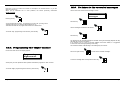
10.0. Programming the keychain transmitter
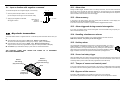
21.0. Visualization of internet parameters
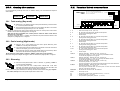
Allow the menu titles to flow until the below message appears:
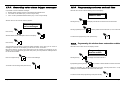
Let the menu flow until the following message appears:
Programming
keychain transmitter
Programming
SIM card
Press the key:
Press the button:
The display will indicate the number corresponding to the first free position.
If, for example, in memory no keychain transmitters are present, you will see the number “1”.
If in memory there is already 2 keychain transmitter memorized, then the number “3” will be
seen.
On the display you will see the end users name, the password and e-mail address of the SIM
CARD inserted in the control panel.
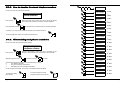
Press "Button 1" on the keychain transmitter for programming.
The code will be automatically learned and memorized by the control panel.
As a confirmation that the keychain transmitter has been memorized, you will see that the
number on the display increased by “1”.
For example: 1 will become 2. If the number on the display does not increase, it is an indication
that the keychain transmitter has already been memorized.
To exit the internet parameters mode press the key:
F
Repeat this operation for all keychain transmitter you wish to memorize (maximum 10).
22.0. To modify user I.D.
By pressing the key “0”, you return to the previous position for example from 4 you will go to 3
and if you press again you will go from 3 to 2 and so on.
If you return to a previous position the codes memorized are not cancelled, but it is possible
to memorize in the position of the numbered shown a new keychain transmitter.
If this is done the previous keychain transmitter will be cancelled.
To exit the keychain transmitter programming mode, press the key:
F
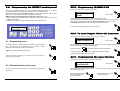
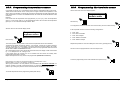
Let the menu flow until the following text is shown:
Programming
end user code
Press the key:
After having entered the new user I.D., the display will request confirmation of the new end
user I.D. Note: The factory programmed end user code is 1234.
To exit the end user code menu press the key:
Page 12
Unisat GPRS Video instruction manual
Unisat GPRS Video instruction manual
Page 21