1
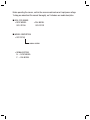
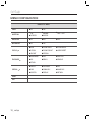
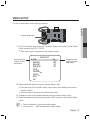
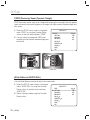
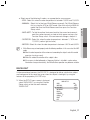
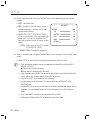
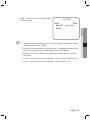
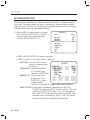
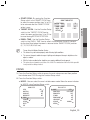
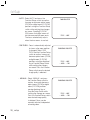
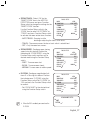
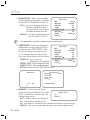
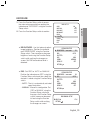
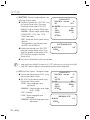
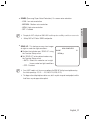
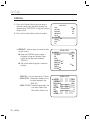
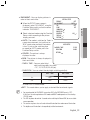
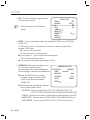
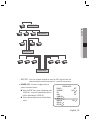
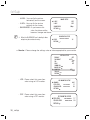
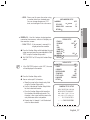
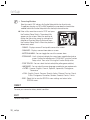
M White Balance may not work properly under the following conditions. In this case select the AWC mode. ➊ When the color temperature of the environment surrounding the subject is out of the control range (e.g. clear sky or sunset). ➋ When the ambient illumination of the subject is dim. ➌ If the camera is directed towards a fluorescent light or is installed in a place where illumination changes dramatically, the White Balance operation may become unstable. BACKLIGHT Unlike conventional cameras, the SCO-2370 is designed to deliver a distinctive subject and background at the same time, even when the subject is backlight, by using the features of the proprietary W-V DSP chip. 1. When the SETUP menu screen is displayed, select ‘BACKLIGHT’ by using the Function Setup switch so that the arrow indicates ‘BACKLIGHT’. MAIN SETUP SSDR WHITE BAL 䯝 BACKLIGHT MOTION DET FOCUS EXPOSURE SPECIAL RESET EXIT ON ATW OFF OFF English_21 ● SETUP y Select one of the following 5 modes, as appropriate for your purpose. - ATW : Select this when the color temperature is between 1,800˚K and 10,500˚K. - MANUAL : Select this to fine-tune White Balance manually. Set White Balance first by using the ATW or AWC mode. After that switch to MANUAL mode, fine-tune the White Balance and then press the Function Setup switch. - AWCSET : To find the optimal luminance level for the current environment, point the camera towards a sheet of white paper and press the Function Setup switch. If the environment changes, readjust it. - OUTDOOR : Select this when the color temperature is between 1,700˚K and 11,000˚K. (sodium light inclusion) - INDOOR : Select this when the color temperature is between 4,500˚K and 8,500˚K.