1
Syncro SVN Client | Syncro SVN Client | 69
Patches
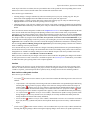
This section explains how to work with patches in Syncro SVN Client.
What Is a Patch
Let's suppose you are working to a set of XML files, that you distribute to other people. From time to time you are
tagging the project and distribute the releases. If you continue working for a period correcting problems, you may find
yourself in the situations to notify your users that you have corrected a problem. In this case you may prefer to distribute
them a patch, a collection of differences that applied over the last distribution would correct the problem. The SVN
client creates the patch in the Unified Diff format.
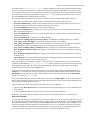
Creating a patch in Subversion implies the access to two states (revisions) of a project:
•
•
the current working copy and a revision from the repository - if you have not committed yet your current working
copy and prefer not to do it, you create a patch between the current working copy and a revision from the repository;
two repository revisions - if both states are two revisions already committed to the repository.
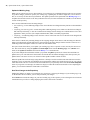
Create a Patch Between Working Copy and Repository Revision
When the changes that must be included in a patch were not committed to the repository the patch should be created
with the differences between the selected item(s) of the working copy and a repository revision. The steps are the
following:
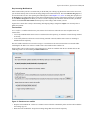
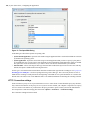
1. Go to menu Tools > Create patch .
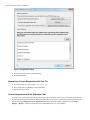
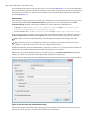
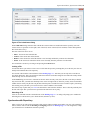
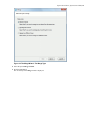
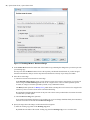
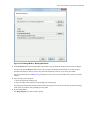
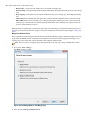
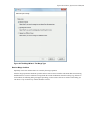
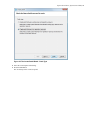
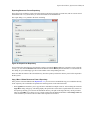
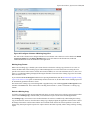
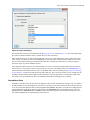
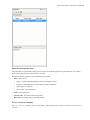
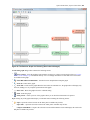
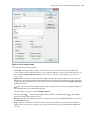
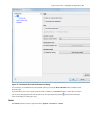
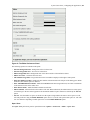
This opens the Create patch wizard:
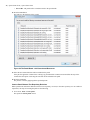
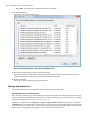
Figure 31: The Create Patch Wizard - Patch Type
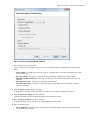
2. Select the first option in the dialog.
3. Press the Next button.