1
1
OVERVIEW ..................................................................................................................................... 4
2
OPERATION ................................................................................................................................... 4
2.1 KEY DESCRIPTIONS ....................................................................................................................... 4
2.2 MENU PAGE .................................................................................................................................. 6
2.3 PAGE BUILDING WIZARD................................................................................................................. 7
2.4 DISPLAY PAGES .......................................................................................................................... 13
2.4.1 Page 4+4 ......................................................................................................................... 15
2.5 MULTIGRAPHIC OPERATION WITH THE GYROPILOT 2 PROCESSOR .................................................. 15
2.5.1.1
Digital Page .......................................................................................................................... 18
2.5.2 Pilot Modes ...................................................................................................................... 19
2.5.3 Pilot settings..................................................................................................................... 21
2.5.4 Gyropilot operation .......................................................................................................... 24
2.5.5 Pilot setup saving and recall ............................................................................................ 28
2.5.6 Pilot alarm ........................................................................................................................ 29
2.5.7 Pilot page on remote display ........................................................................................... 30
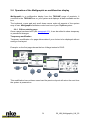
2.6 OPERATION OF THE MULTIGRAPHIC AS MULTIFUNCTION DISPLAY ................................................... 31
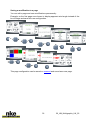
2.6.1 Edit an existing page ....................................................................................................... 31
2.7 SETTING PARAMETERS ................................................................................................................ 33
2.7.1 Display settings ................................................................................................................ 33
2.7.1.1
2.7.1.2
2.7.1.3
2.7.1.4
2.7.2
2.7.3
2.7.4
2.7.5
Backlighting .......................................................................................................................... 34
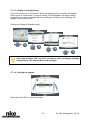
Setting Night and Day modes............................................................................................... 34
Display’s Standby timing ...................................................................................................... 36
Locking the keypad .............................................................................................................. 36
Data logging: “stripcharts” settings .................................................................................. 37
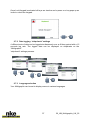
Language selection .......................................................................................................... 37
Unit selection ................................................................................................................... 38
Maintenance .................................................................................................................... 38
2.7.5.1
2.7.5.2
2.7.5.3
2.7.5.4
2.7.5.5
2.7.5.6
2.7.5.7
Multigraphic node address in the Topline system ................................................................ 38
Auxiliary inputs ..................................................................................................................... 39
Topline Instrument system ................................................................................................... 41
Firmware .............................................................................................................................. 42
Memory ................................................................................................................................ 42
Simulator .............................................................................................................................. 42
Autotest ................................................................................................................................ 43
2.8 SENSOR SETTINGS ...................................................................................................................... 45
2.8.1 Calibration wizard ............................................................................................................ 45
2.8.1.1
2.8.1.2
2.8.2
Apparent Wind Angle calibration wizard ............................................................................... 46
Boat speed calibration wizard .............................................................................................. 47
Compass auto-adjustment ............................................................................................... 48
2.8.2.1
2.8.2.2
2.8.2.3
2.8.2.4
Auto-adjustment principle ..................................................................................................... 48
Compass auto-adjustment procedure .................................................................................. 48
Compass deviation table ...................................................................................................... 49
Compass adjustment wizard ................................................................................................ 50
2.8.3 Drift angle......................................................................................................................... 51
2.8.4 Sensors access code ....................................................................................................... 52
2.9 ALARMS SETTINGS ...................................................................................................................... 53
2.9.1 Alarm setting procedure ................................................................................................... 53
2.9.2 Procedure for Alarm setting ............................................................................................. 54
2.9.3 Procedure for deactivation of Alarms .............................................................................. 55
2.9.4 Activation of an alarm ...................................................................................................... 55
2.10
A.I.S. PAGE ............................................................................................................................ 56
2.10.1
A.IS. targets symbol .................................................................................................... 57
2.10.2
Setting the radar-like scale .......................................................................................... 58
2.10.3
Setting A.I.S. alarms .................................................................................................... 58
2.10.4
Collision avoidance calculation ................................................................................... 59
2.10.5
Dangerous targets list ................................................................................................. 60
2.10.6
Monitoring the fleet ...................................................................................................... 60
2.11
GRAPHS DISPLAY.................................................................................................................... 61
2.11.1
Change the graph scale .............................................................................................. 62
2
50_UM_Multigraphic_UK_22