1
m
z
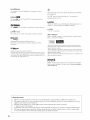
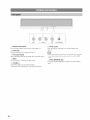
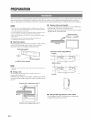
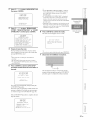
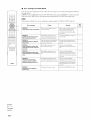
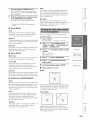
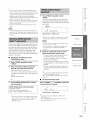
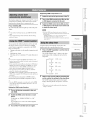
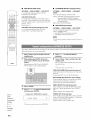
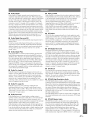
@ UNIVOLUME
indicator
Lights tip when the UniVoltune
@ CINEMA
@ SLEEP
function is turned on (page 3 l).
DSP indicator
indicator
Lights up when the sleep timer is set (page 31).
@ Volume
level indicator
Lights tip when a sound field prograu] is selected (page 22).
Displays the current voltune level.
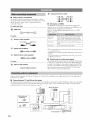
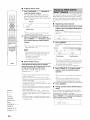
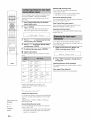
@ HDMI indicator
@
Lights tip when the signal of the selected input source is input t]om
the HDMI IN jack(s).
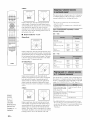
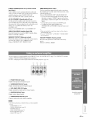
Lights tip when the Music Enhancer
@ Tuner indicators
Lights tip when the bass extension
FM: Light tip when this unit is tuned into an FM station (page 25).
SIRIUS: MEMORY
flashes during the preset operation
(page 28).
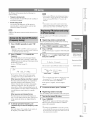
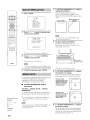
(5_ SIRIUS indicators
_
@
ENHANCER
indicator
is selected
(page 37).
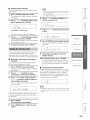
BASS EXT indicator
PCM indicator
m
Lights tip when this unit is reproducing
Modulation) digital audio signals.
PCM (Pulse Code
Light tip when this unit is tuned into a SIRIUS Satellite Radio
channel (page 26).
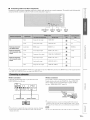
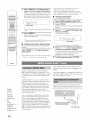
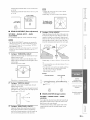
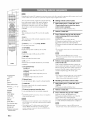
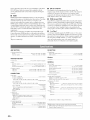
@ Multi-information
@ Wireless
Shows information with alphanumeric characters when you adjust the
parameters of this unit. CulTent input source and audio output method
are displayed when this unit is turned on.
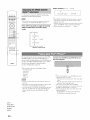
TRNS
RECV
indicators
Lights tip when a wireless connection is established
between the Yamaha wireless subwoofer kit (SWKWI0) and this unit (page 13).
Lights up when a wireless connection is established
between the Yamaha wireless transmitter for iPod (PDX-
w
>
©
mode is turned on (page 37).
@ Input channel
c
m
display
indicators
The channel component
(page 21 ).
of the current input signal is displayed
50TX) and this unit (page 30).
@
Decoder
indicators
Light tip when the COlTesponding decoder operates
(page 21 ).
m
©
>
m
z
x
7En