1
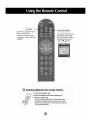
Adjusting S,cr n
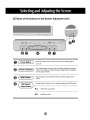
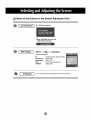
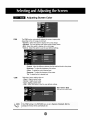
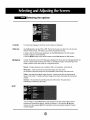
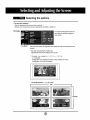
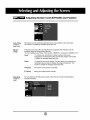
PSM
Color
The PSM fu_lion automatically adjusts Me, screen image quality
de_nding
on the AV u_3ge e_ironment.
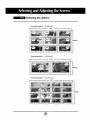
o Dynamic : _lect this option to display with a sh_p image,,
* Standard : De most _neraJ a_t_ r_tur'al screen display status.
- Milld : Select this,opti_ to di_lay with a mild image.
* Userl_2 : _lect this _tion to u_ t_ _eP_fined
se_[ngs.
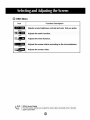
Contrast : Adjust the d_erence betw_n
tt'_ light a_ dark levels in Me #stare.
Brightness : To adiu_ the br_htness of the _reen.
Colour : To adiust the color to _sired
_ev_.
Sharpness : To adju_ the deam_s of the screen.
Tint :To adiust the _nt to desired level,
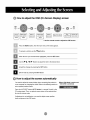
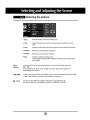
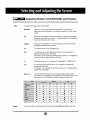
CSM
_lect[ng a factory _ing
color set.
• Warm : Slightly r_dish white.
• Norma_ "Slightly Ibluish white.
° Cooi_ : Slightiy Ipurp}ish white,
° User : Select this opti_ to u_ the, user-defined set_ng&
Red t Gre_ t Blue
Set your own color levels,