1
DANAGE TIMER System – most asked questions
Page 1 of 3
The TIMER Controller is the important part of the DANAGE TIMER System. By using the Controller
correctly, the operator (DOS) will be able to control the shooting without any problems: Start – Stop, etc. in
such a way that the archers will have confidence in the system.
How do I start? – Read “Getting Started” in the Controller User Manual
How do I find the shooting sequence to be used? – Press the <Menu-> key to step through the menu until
the desired shooting sequence is shown on the controller display.
If the sequence is not shown, continue until the display shows MENU GROUP 2 and then select the
Group by pressing the <Enter> key. Now in MENU GROUP 2, press the <Menu-> key until the
required shooting sequence is shown.
Press the <Enter> to select the sequence and then the <Start> key to activate the sequence and for the
shooting to begin.
How do I see the shooting time of the selected sequence? – The 3 time sequences (e.g. 10-120-30) are
shown in the Controller Display before pressing the <Enter> key.
What do the time sequences (e.g. 10-120-30) mean? – The 3 numbers are referred to as T1, T2 and T3.
T1 is the “get-ready”, when the archers move to the shooting line.
T2 is the full shooting time (eg 120 sec. for 3 arrows)
T3 is the Yellow light time.
What does “SER” mean? – “SER” means shooting order and can be programmed as 1, 2, 3 or 4.
SER = 1. Only one detail, which means no ABCD Display needed.
SER = 2. Two details: A B - or AB CD (the most common used for FITA tournaments)
SER = 3. Three details A B C
SER = 4. Four details A B C D.
For individuals shooting alternate match play, SER means the number of arrows per end, normally 3.
What does “M” mean? – “M” means Menu. M = 1 means that the sequence will be stored under MENU
GROUP 1, and M = 2 means that the sequence will be stored under MENU GROUP 2. The idea is that the
operator (DOS) should program all the sequences needed for the day’s shooting as M = 1 (and all the
sequences that are not needed should be programmed as M = 2.) This will make it very easy for the operator
(DOS) to switch sequences, e.g. to go from RANKING ROUND 1 to a SHOOT-OFF or to a final.
How do I save my programmed time settings? – All program changes to the shooting sequences are saved
automatically. To exit the programming mode, press the <Enter> key until the cursor has moved all the way
to the right side of the Controller display. Alternatively, once any changes have been made, press
<Stop Esc>. In either case, you are back to the Menu, showing the sequence with the new settings. These
setting are now saved and will be kept, even if the power is removed from the TIMER Controller.
What happens if there is a power failure? – The TIMER Controller and the displays will stop working.
However, if a shooting sequence is running at the time, the TIMER Controller will remember the settings
and the time remaining. When the power is returned, the system will be ready for use after approximately 5
sec. If the operator (DOS) wants to give the archers some extra time, use the <Prog+> key (1 sec. for each
press of the key). The operator (DOS) then presses the <Start> key to continue. If the power is off for a
long time, the solution is to connect a car battery to the system. The total system can run on one 12V DC car
battery; operation is better with 24V DC from two car batteries in series.
DANAGE TIMER System – most asked questions
Page 2 of 3
Is it possible to disable the sound unit? – Yes. If the operator (DOS) wants to test the equipment and does
not want to disturb the archers, she or he does not need to go onto the field and disconnect the sound unit.
The sound function can be disabled by pressing the <Error Hold> key and the <Enter> key at the same
time. To re-enable the sound function, repeat the process using the same keys.
Is it possible to have the sound unit to give beeps without having an ongoing sequence or using the
TEST SEQUENCE? – Yes, provided that there is no shooting sequence actually running. If the operator
(DOS) wants to give a signal to the archers or just wants to test the sound unit, a single Beep can be
produced by pressing the <Error Hold> key and the <Prog+> key at the same time. There will be one beep
only – more beeps can be made by repeating the function.
Are there other “special” functions? – Yes, there is one more – a reset function. Any software can be
“disturbed” occasionally – even if it should not happen you can never be 100 % sure. If the TIMER
Controller seems to have a malfunction or if the display shows some odd figures, the Controller can be reset
by pressing the <Error Hold> key and the <Menu-> key at the same time. The system will be reset to the
point as if power had just been applied to the unit.
Is it possible to stop an ongoing sequence? – Yes. The operator (DOS) can stop a shooting sequence at any
time by pressing the <Error Hold> key. The operator (DOS) can decide to continue the shooting sequence
by pressing the <Start> key and the shooting sequence will just continue. If the operator (DOS) wants to let
the archers have some extra time, use the <Prog+> key (1 sec. for each press of the key); of course, this
must be done before pressing the <Start> key. If the operator (DOS) wants to change to another sequence,
this is done by pressing <Stop Esc> key and then the <Menu-> key to find the new sequence.
What is the function of the <Emg Stop> key? – Pressing the <Emg Stop> key will give 5 Beeps and any
ongoing sequence will be stopped. The 5 Beeps can be repeated by pressing the <Emg Stop> key again. An
ongoing sequence can be continued by pressing the <Start> key. If the operator (DOS) wants to let the
archers have some extra time, use the <Prog+> key (1 sec. for each press of the key); of course, this must be
done before pressing the <Start> key.
What is the function of the <Time 1 Arrow> key? – This allows the Timer system to be used to control
archers who have to shoot “make-up” arrows following a bouncer, pass-through or equipment failure. The
exact shooting period is decided by the operator (DOS) according to the number of arrows to be shot. Read
“Special Sequence – Time 1 Arrow” in the User Manual.
What is the function of the <Auto Man> key? – This follows a request from FITA to allow a short break
in a match play alternating final so that spectators have time for applause before the next archer has to shoot.
When set to Man, the TIMER Controller will stop after each shooting period and the operator (DOS) will
have to press the <Start> key to move to the next time period. When set to Auto (the normal setting), the
time periods follow on automatically.
What is the function of the <Next L< >R AB..> key? – The function is necessary for match play alternate
shooting where the operator (DOS) will has to select the Left or Right archer (or team) to shoot first. The
function is also used for getting the ABCD Display to show the correct sequence e.g. AB/CD or CD/AB. The
start will always be e.g. AB – CD, but there can be a need for changes depending on the number of ends of
practice arrows – and/or depending on special local rules for changing from AB to CD.
DANAGE TIMER System – most asked questions
Page 3 of 3
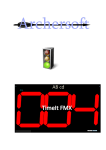
It looks as if the time for 10 sec. is only 9.8 sec. and 120 sec. is only 119.8 sec.? – The Displays (the large
type) are all based on LCD Digits (not LED digits) which means that the change at the start of a time period
e.g. from 10 sec. to 9.9 sec. is very quick, within 1/10 of a sec. As the LCD display does not have the
“afterglow” that an LED bulb has, the human eye will not be quick enough to recognize the 10.0 sec. before
it has changed. So, the eye sees 9.8 sec. as the beginning of the time. However, the sound unit is activated
within 50 milli-sec. (1/20 sec.) after the operator (DOS) has pressed the <Start> key, so the archers get the
full time allowance. This also applies to 120 sec. or any other time.
How long a distance can there be from the TIMER Controller and the operator (DOS) to the displays
at the farthest end of the field of play? – The experience from many tournaments shows that it is not a
problem with long distances, the latest being the European Junior Championships 2010 in Germany and also
the Arizona Cup in USA, where there were distances of more than 400 metres. Everything was working
without any problems.
Are the displays and the sound units waterproof? – The equipment is designed for outdoor use and the
displays and sounder equipment has been made in such a way that they can be used in heavy rain. The
equipment is not waterproof but water resistant. However, it is necessary to prevent the displays from
getting a build-up of condensation inside due to temperature changes. The air must be able to circulate
inside and there are ventilation holes in the bottom of the frame to allow this. The units should therefore not
be placed directly onto the ground and so stands are provided as part of the display.
A typical set-up for an outdoor tournament: