1
.RThreshold = 1
.SThreshold = 1
.PortOpen = True
End With
End Sub
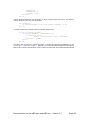
Call the OpenPort subroutine on Form Startup. To close communications with the port, the following
code is necessary (call it on Form Termination):
Sub ClosePort ()
If Serial.PortOpen = True bThen Serial.PortOpen = False
End Sub
To get the received text, add this event and a textbox called “Text1”:
Private Sub Serial_OnComm()
If Serial.CommEvent = comEvReceive Then
Dim Buffer As Variant
Buffer = StrConv(Serial.Input, vbUnicode)
Text1.Text = Buffer
End If
End Sub
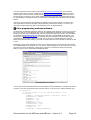
The above code can be used to receive messages – to send a message to the AT90S8535 chip, use
‘Serial.Output = “(Message)” & VBCrLf ‘. BasCom can successfully read messages sent from Visual
Basic 6 via its serial in commands but I have not been successful with the included ABCedit software.
Documentation for the ABCmaxi and ABCmini – Version 5.2
Page 44