1
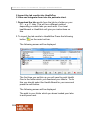
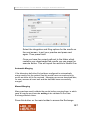
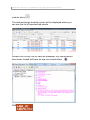
Health One Version 7.1 User Manual. Copyright 2011Helix Health Ltd Select the integration and filing options for the results on the next screen, to suit your practice and press next again. Then press finish. Once you have the correct path set to the folder which contains your downloaded lab results you can press the execute button. This will import the results to Health One. Automatic Merging If the laboratory definition file had been configured to automatically merge results into the patient files this would have occurred and only errors would be left to be resolved. Managing errors are described later, for now, assume all went well and the data has been successfully merged. Manual Merging Many practices would validate the results before merging them, in which case all results would now be waiting to be validated in the Data Exchange Module Inbox. Press this button on the main toolbar to access the Exchange 187