1
Table of Contents
Chapter 1: Introduction
1-1
About this Guide
1-1
Microsoft Windows License Agreement (First Boot)
1-1
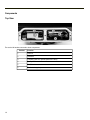
Components
1-2
Top View
1-2
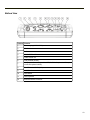
Bottom View
1-3
Indicators and Buttons
1-4
Power LED
1-5
UPS Mode LED
1-5
Hard Drive LED
1-5
60-Key Keyboard
1-6
Key Maps
1-6
NumLock
1-6
CapsLock
1-6
Secondary Keys
1-6
Keyboard Backlight
1-6
95-Key Keyboard with Pointing Device
1-7
Key Maps
1-7
NumLock
1-7
CapsLock and Scroll Lock
1-7
Keyboard Backlight
1-8
Chapter 2: Set Up A New Thor VX8
2-1
Hardware Setup
2-1
Software Setup
2-1
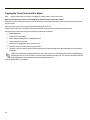
Tapping the Touch Screen with a Stylus
2-2
Thor VX8 Configuration Options
2-3
Date and Time
2-3
Power Management
2-3
Speaker Volume
2-3
Connect Bluetooth Devices
2-3
Restart/Shutdown
2-4
Soft Keyboard
2-4
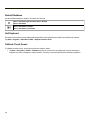
Calibrate Touch Screen
2-4
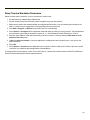
Setup Terminal Emulation Parameters
2-5
Cleaning the Touch Screen
2-6
Apply the Touch Screen Protective Film
Chapter 3: Connecting Cables to the Thor VX8
Removing the Port Lid
2-6
3-1
3-1
i