1
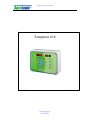
Temptron 616 User's Manual
INSTALLATION
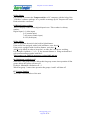
Open the front panel
Sensors
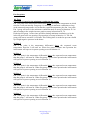
1. Connect the Temperature Sensors to the analog input inputs 1 and 2.
The sensors can be placed up to 100 meter from the main unit with an ordinary twowire cable. The sensor has no polarity.
2. Feed back flap 1 (Inlet); Connect a dry contact from flap 1 to the digital 1 input.
3. Feed back flap 1 (Curtain); Connect a dry contact from flap 2 to the digital 2
input.
4. Feed output; Connect a dry contact from the feed contactor to the digital 7
input.
5. Water counter; Connect a dry contact from the water clock to the digital 8
input.
6. Humidity sensor; Use a three wire cable. Connect the brown wire to the +V
input, Blue wire to GND and the yellow wire to analog input 7.
7. Static pressure sensor; Use a three wire cable. Connect the brown wire to the
+V input, Blue wire to GND and the yellow wire to analog input 8.
Relays
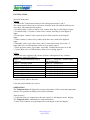
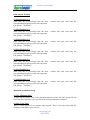
Connect the relay outputs to the various systems. All outputs are dry contacts,
maximum 2 Amp/220V NO/NC.
Relay 1 = Alarm (bottom left side of
Relay 9 = Fan group 1 (bottom right
relay box)
side of relay box)
Relay 2 = Heating system
Relay 10 = Fan group 2
Relay 3 = Cooling system
Relay 11 = Fan group 3
Relay 4 = Lighting system
Relay 12 = Fan group 4
Relay 5 = Open inlet
Relay 13 = Fan group 5
Relay 6 = Close inlet
Relay 14 = Fan group 6
Relay 7 = Open cool curtain
Relay 15 = Fan group 7
Relay 8 = Close cool curtain
Relay 16 = Fed line
Connect a 220V cable to the unit.
Close the panel with the two screws.
OPERATION
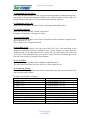
The Temptron 616 will display the average temperature of the connected temperature
Sensors. It is possible to display each sensor separately.
Turn on power.
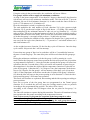
1. Each time power is connected to the unit Agro Lo will appear on the display.
The Temptron 616 is calibrating its connected sensors.
2. After 20 Seconds the average temperature will appear on the left display.
[email protected]
Page 3 of 21